
ImageGPTImageGPT

Video

AI Dance from a Photo

One photo and the person in it starts dancing — natural moves, a big smile, hair and clothes swaying with the rhythm.

6 free credits on sign up

I

A photo and the dance video made from it

Real outputs of the model: the request and what came out, with no retouching

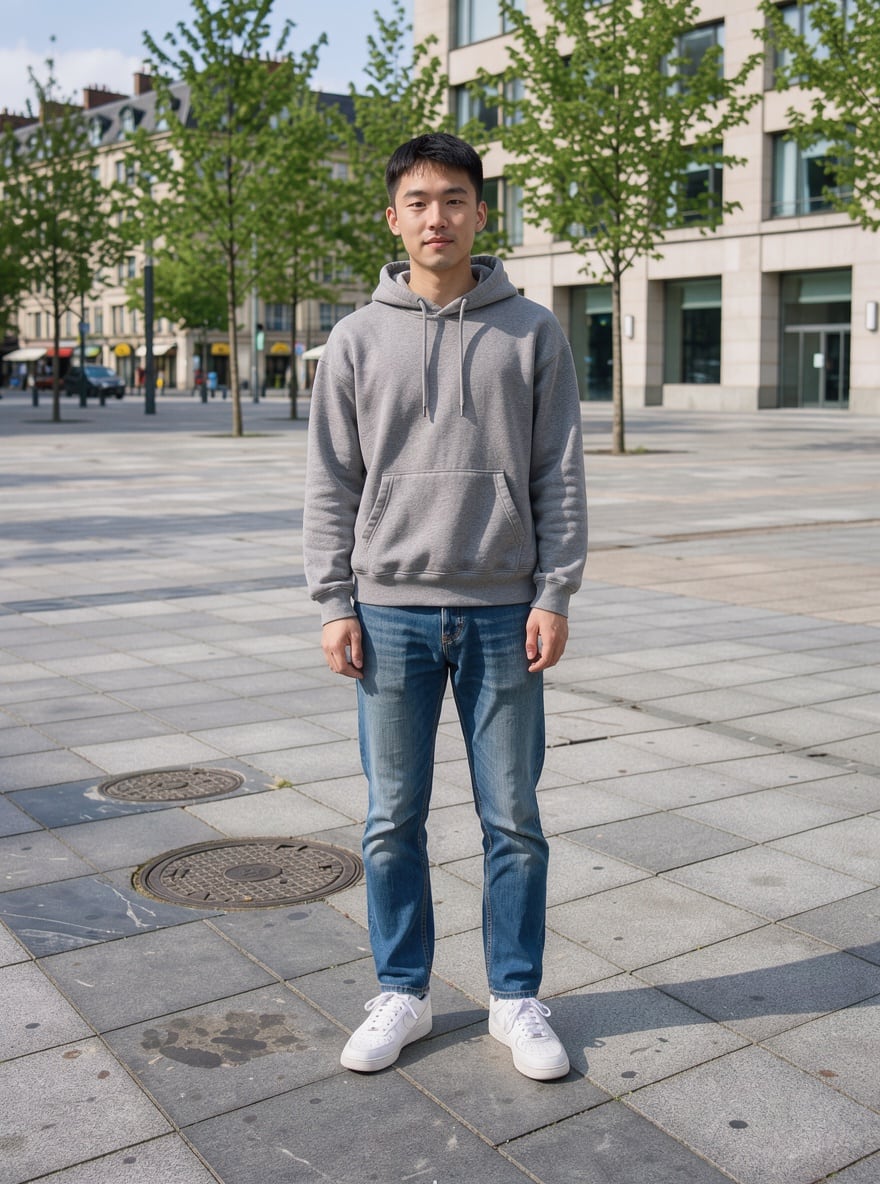
0:05Source photo

«Full-length photo → dancing video»

Dance to Music template · Kling 3 · 5 s

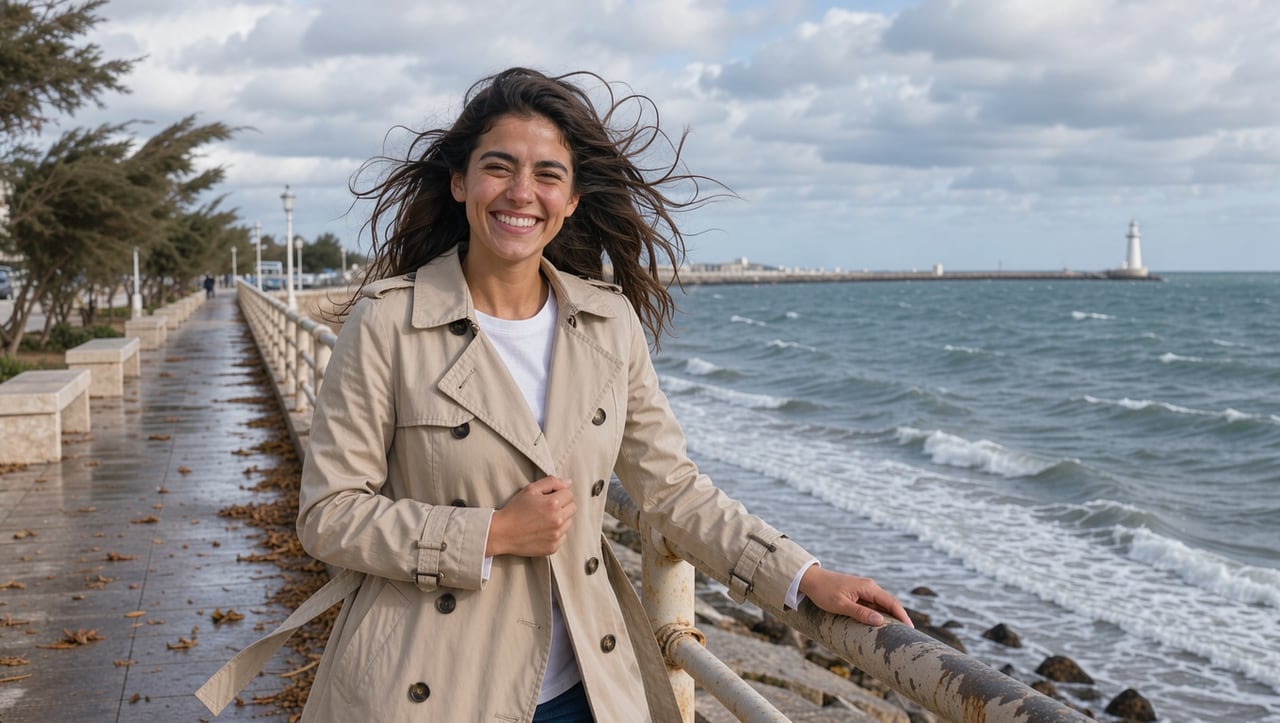
0:05Source photo

«Seaside photo → dance»

Dance to Music template · Kling 3 · 5 s

II

Dancing videos made from photos are one of the most viral formats on Reels and TikTok: a friend, a boss or grandma suddenly breaks into a dance. AI makes that clip from a single picture. The Dance to Music template brings a photo to life: the person moves rhythmically with their whole body, shifts their weight, gestures with their arms and smiles, while hair and clothing move naturally.

Full-body or knee-up photos work best, with the person standing on flat ground and clearly visible. The video is 5 seconds long and made with Kling 3, a model that holds faces and body proportions well. It's ready in about two minutes; add your own soundtrack later in any video editor or with Add Sound to Video.

Want the person to do a specific dance — a TikTok trend or moves from a music video? That's what Motion Transfer is for: upload the photo and a dance video, and the AI transfers the moves to your character. For couples, the Romantic Dance template makes two people slow-dance together.

III

How AI makes a photo dance

01

Dance from one photo

Rhythmic full-body movement

02

Face is kept

Kling 3 holds features and proportions

03

Your choreography

Motion transfer from any video

04

Couple dance

The Romantic Dance template for two

IV

What people make

Reels and TikTok

A viral clip where a friend suddenly dances

Birthdays

The birthday person busts a move

Couples

A romantic dance for two from one photo

Memes

Dancing characters and pets

V

How to make an AI dance video

01

Open the template

Dance to Music in the video templates

02

Upload a photo

Full-body works best, person clearly visible

03

Download the video

5 seconds, ready in about 2 minutes

VI

Dance video ideas

See what you can create — try it yourself

Prompt

«Full-body photo of a friend · Dance to Music»

Result

A viral video for Reels

Prompt

«Couple photo · Romantic Dance»

Result

A slow dance for two

Prompt

«Photo + a TikTok trend video · Motion Transfer»

Result

Your character copies the dance

Prompt

«Birthday photo · Dance to Music»

Result

A fun video greeting

VII

Pricing

Pay only for results — no subscription

All plans →
Model / operationCredits
  • Dance to Music template · Kling 3 · 5 s70 cr.
  • Motion Transfer from a video · 10 s139 cr.

Credit packs: 150 credits for $5, 350 credits for $12, 1250 credits for $35.

VIII

AI dance FAQ

How do I make someone in a photo dance?+

Open the Dance to Music video template, upload a photo and click Create. In a couple of minutes you get a 5-second video of the person dancing.

What photo works best?+

A full-body or knee-up shot, the person facing the camera and clearly visible. Close-up portraits leave little to dance with, so the moves are more subtle.

Can I copy a specific dance?+

Yes, with Motion Transfer: upload the photo and a dance video, and the AI applies those moves to the person in the photo.

Does the video have music?+

The template creates the video with the model's ambient sound. Add the track you want in any video editor, or generate music and sound with the other tools on the site.

How much does it cost?+

70 credits per 5-second template video. Motion Transfer costs 139 credits for 10 seconds. If a generation fails, your credits are refunded.

Try for free

Sign up for free and get 6 credits right away. No card required.