
ImageGPTImageGPT

Design

AI Interior Design

Snap a photo of your room and see how it could look after a makeover, with new furniture or a new color.

6 free credits on sign up

I

Samples

Real outputs of the model: the request and what came out, with no retouching

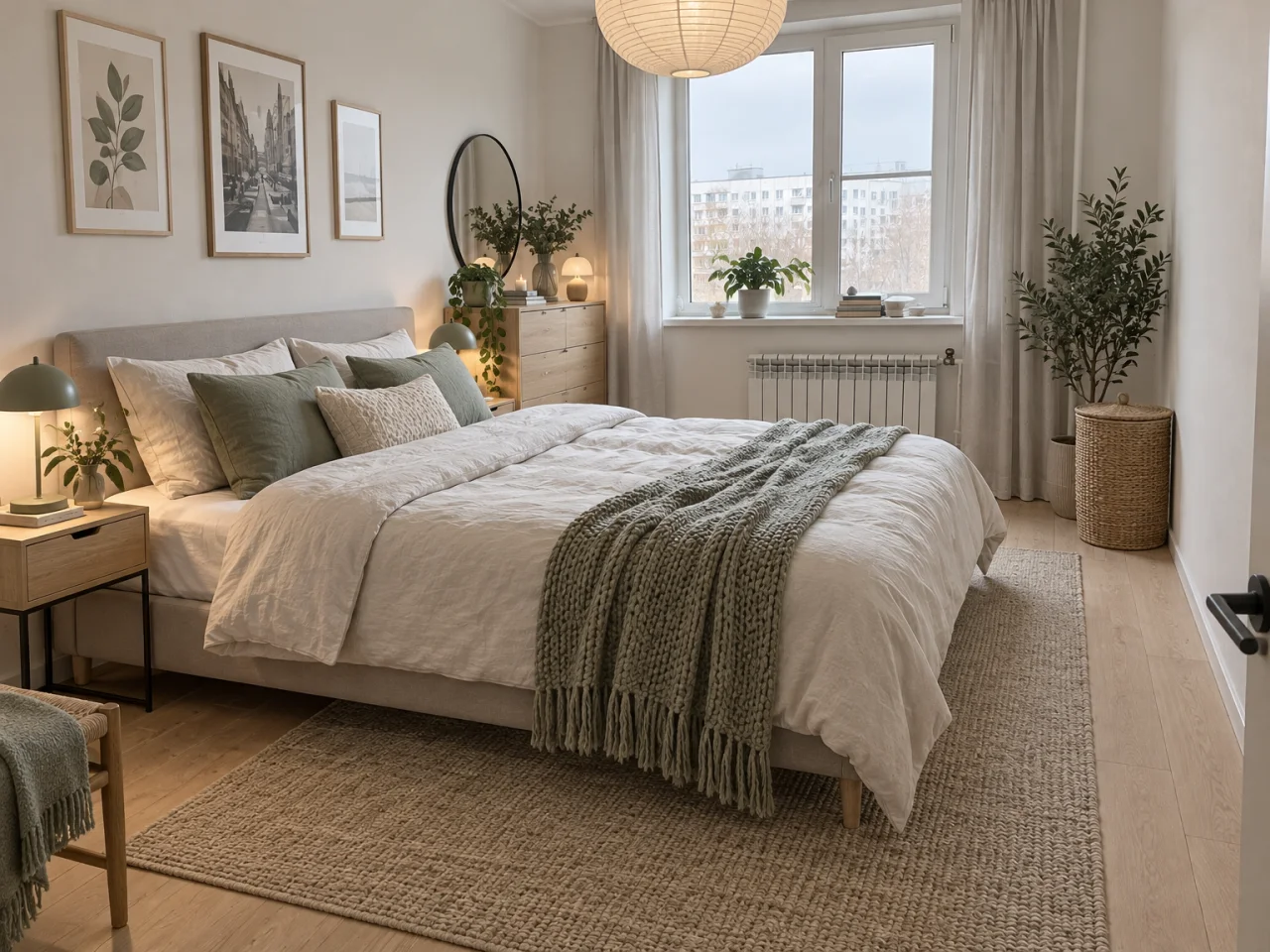
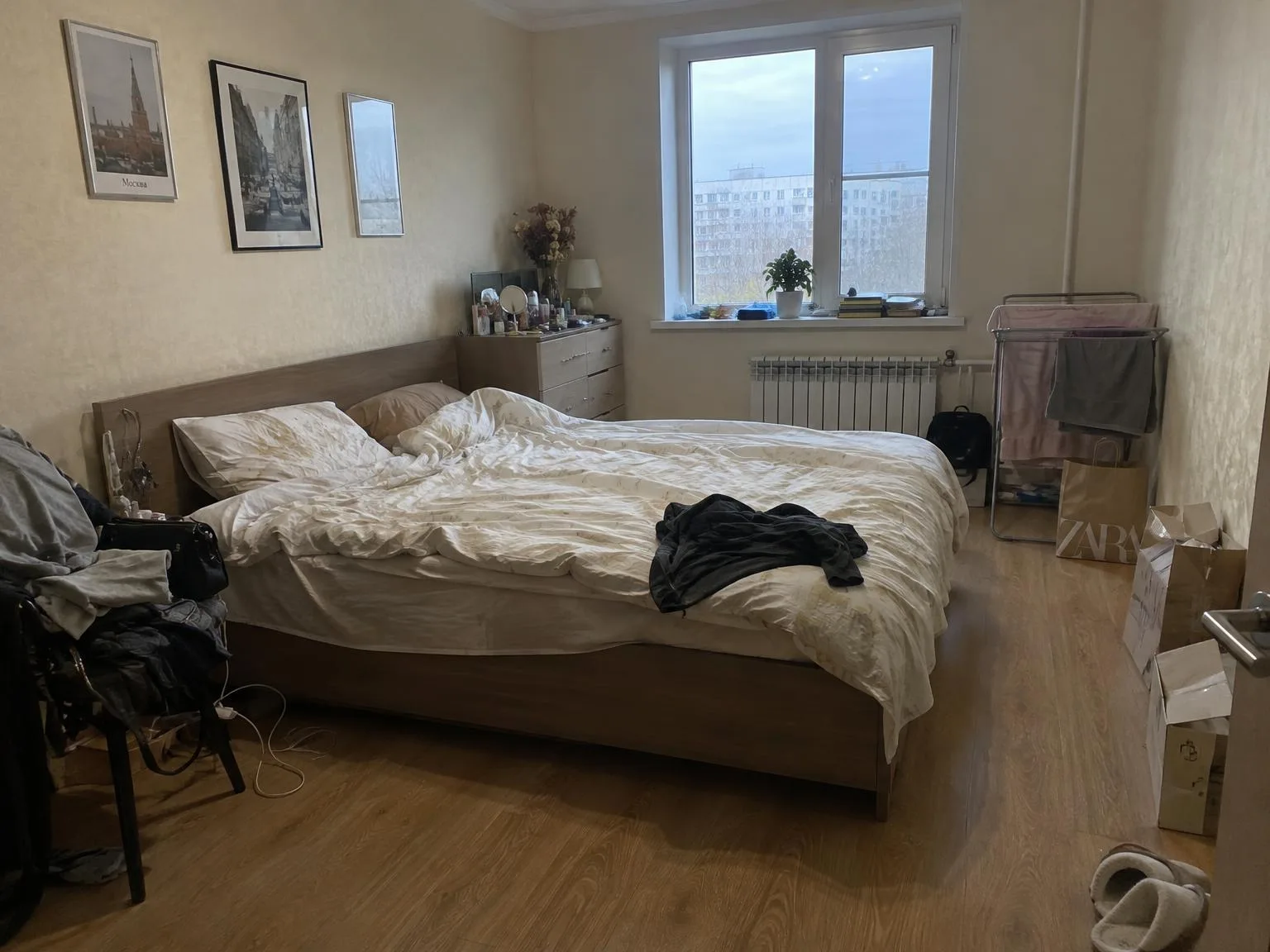
A bedroom in Scandinavian styleBeforeBeforeAfter

«A bedroom in Scandinavian style»

Interior design · GPT Image 2.5

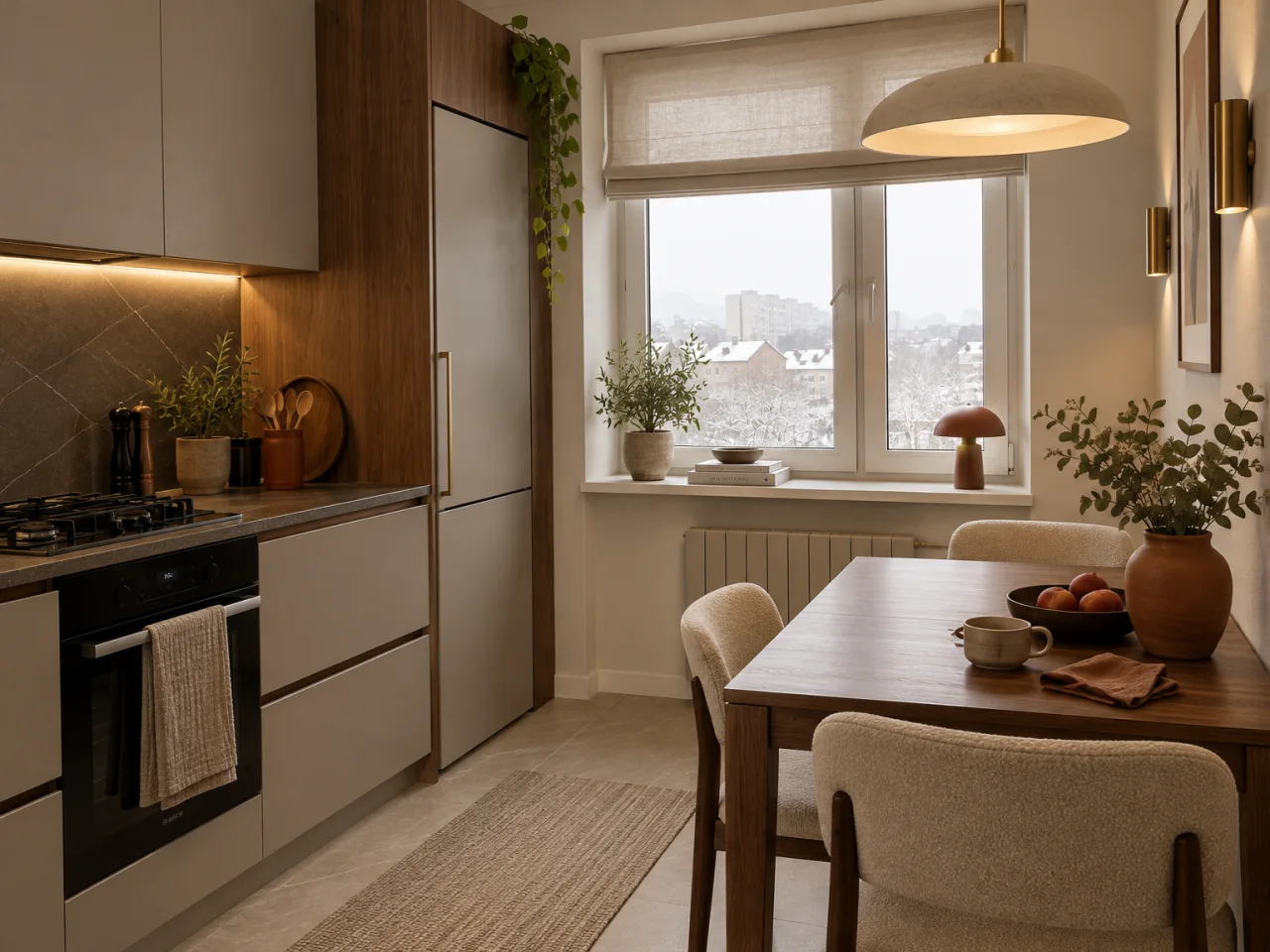
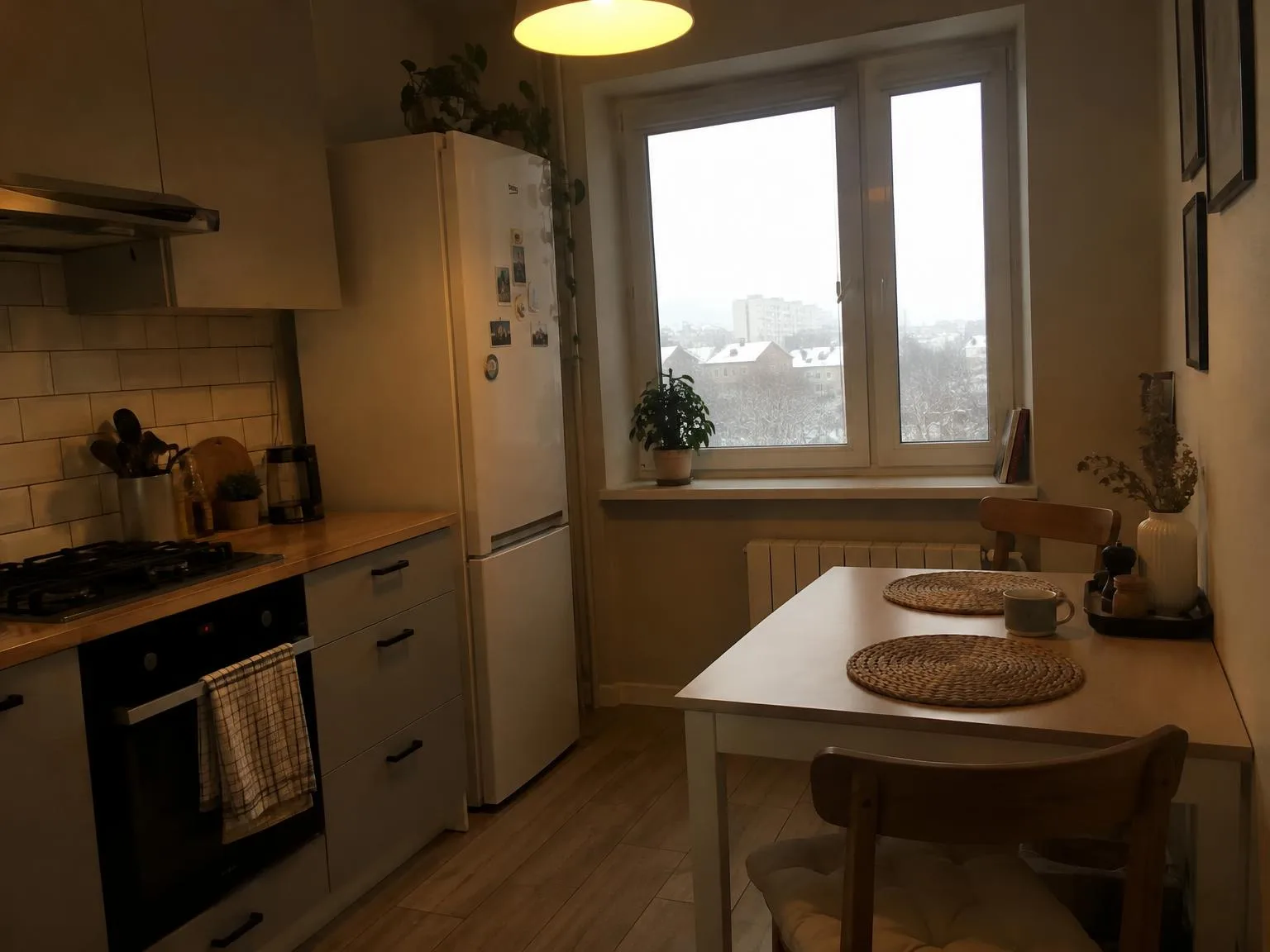
An old kitchen → a modern oneBeforeBeforeAfter

«An old kitchen → a modern one»

Interior design · GPT Image 2.5

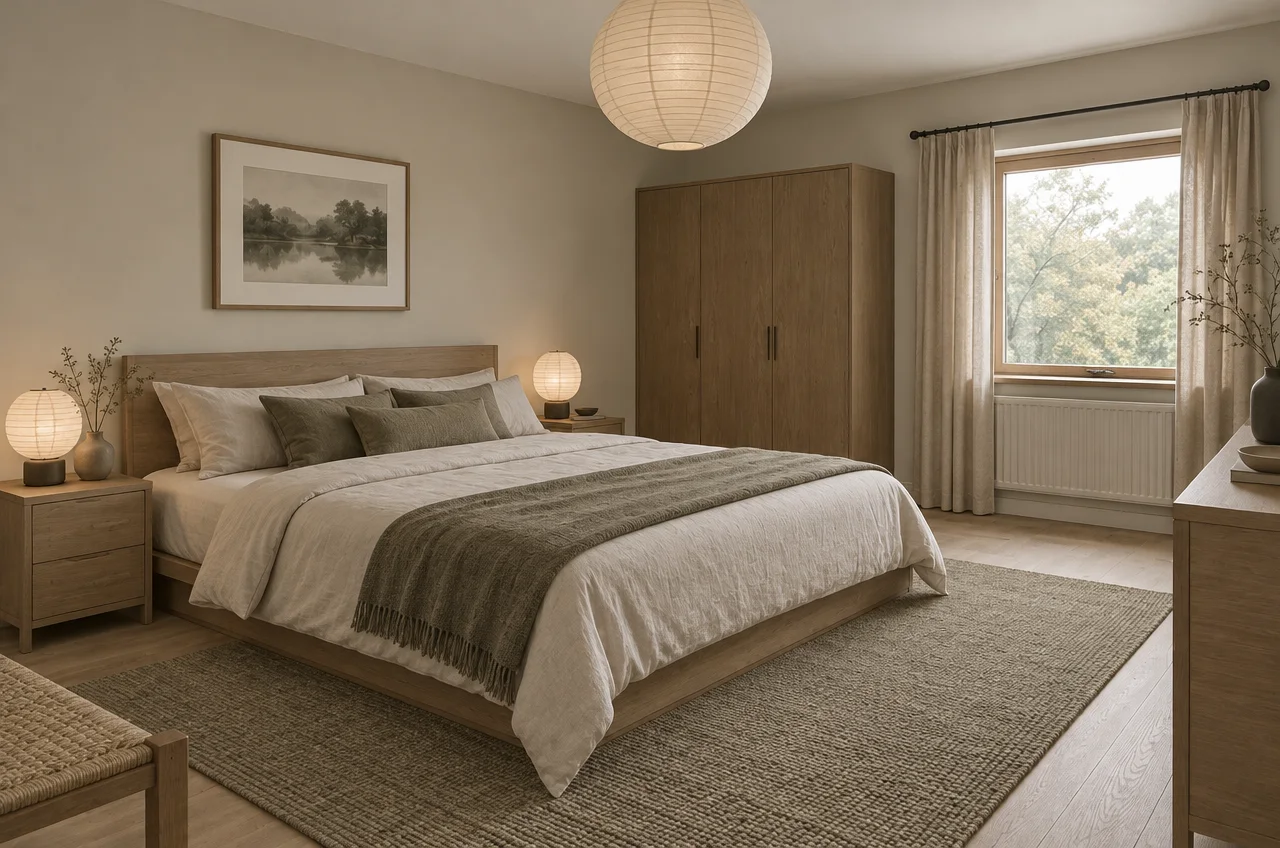
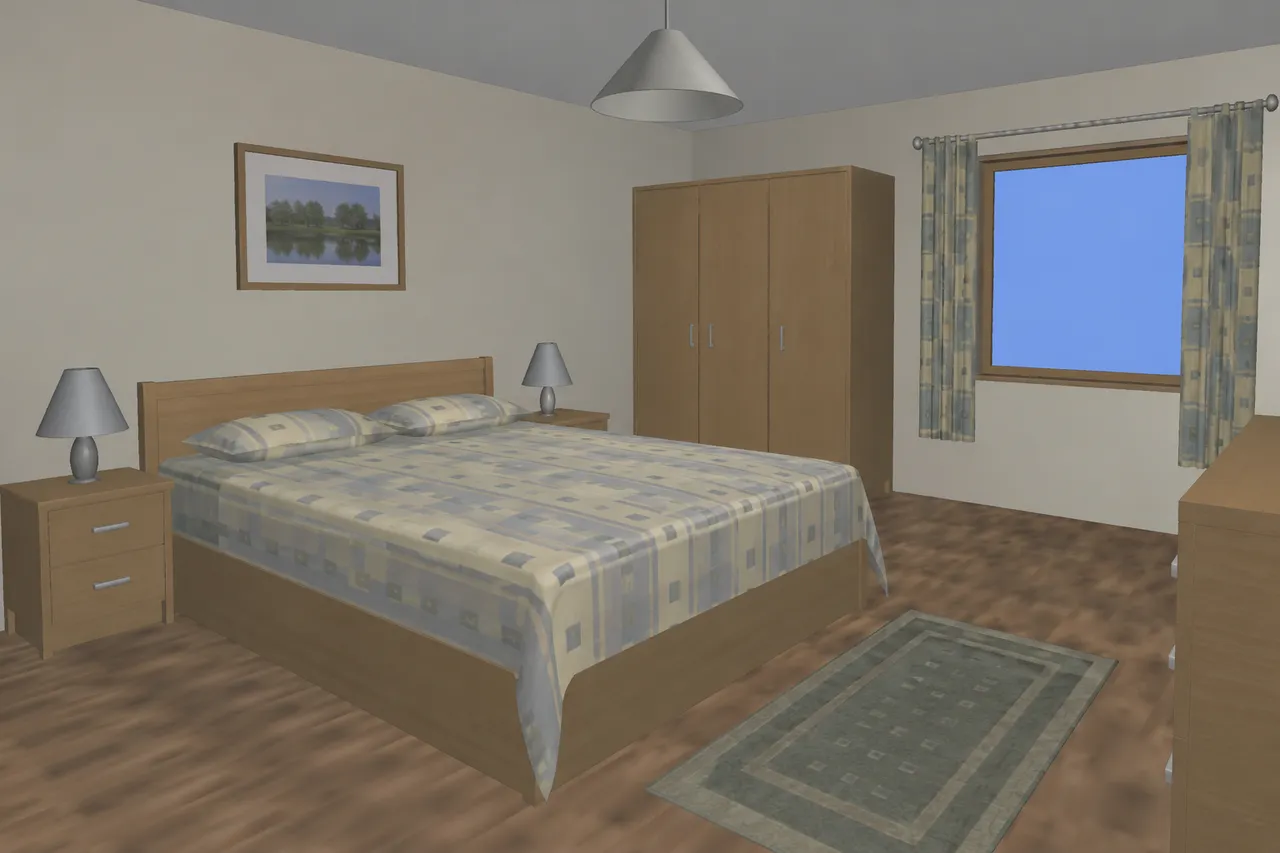
A plain render → a Japandi interiorBeforeBeforeAfter

«A plain render → a Japandi interior»

Interior design · GPT Image 2.5

II

Every renovation starts with "what will it look like?". A design project is expensive, and picturing new furniture in your own room from online photos is hard. The AI interior designer shows your room in a new style in about a minute.

Take a photo of the room, upload it and choose what to do. "New design" keeps the architecture — walls, windows, doors, ceiling height and layout — and replaces furniture, finishes, textiles, lighting and colors. "Furnish empty room" adds furniture and decor to an empty room without touching the walls, floor or windows — virtual staging for a new build or a listing. "Clear out the room" shows it empty. "Repaint and refinish" changes only what you describe — wall color, wallpaper, flooring, ceiling or kitchen cabinets — and keeps the furniture in place.

There are eleven styles: Scandinavian, modern, loft, Japandi, classic, modern classic, Provence, boho, minimal, luxury and Art Deco. Add wishes in words: "light wood, lots of plants, a desk by the window". No photo? Choose a room — living room, bedroom, kitchen, bathroom, kids' room, home office, hallway, balcony or sauna — and describe what you want: the AI renders a photorealistic interior from scratch. Images are made by GPT Image 2.5, results from a photo keep its proportions, and each run gives up to four options to compare and discuss with your family or designer.

III

What the AI interior designer can do

01

From your room photo

Walls, windows and doors stay in place

02

4 modes

New design, furnish empty room, clear out, refinish

03

11 styles

From Scandinavian and Japandi to Provence and Art Deco

04

Wall color and flooring

Repaint walls or cabinets without touching the furniture

05

9 room types

No photo? From living room to hallway, balcony and sauna

06

Up to 4 options

Compare ideas in one run

IV

Who it's for

Before renovating

Choose a style and wall color before you buy

Real estate agents

Virtually stage empty rooms for listings

Designers

Quick concepts for the first client meeting

Furniture stores

Room sets in different styles

V

How to redesign a room

01

Photograph your room

Or choose a room type and describe it

02

Pick a mode and style

And add your wishes

03

Compare options

Download the interiors you like

VI

Redesign examples

See what you can create — try it yourself

Prompt

«Living room photo · New design · Scandinavian · light wood, plants»

Result

A bright, cozy living room

Prompt

«Empty new-build bedroom · Furnish empty room · Modern classic»

Result

A furnished bedroom with the same windows and floor

Prompt

«Kitchen photo · Refinish · “sage green walls, white cabinets”»

Result

The same kitchen in new colors

Prompt

«Bedroom, no photo · Japandi · low bed, linen»

Result

A calm Japanese-inspired bedroom

VII

Pricing

Pay only for results — no subscription

All plans →
Model / operationCredits
  • One interior option6 cr.
  • Four options in one run24 cr.

Credit packs: 150 credits for $5, 350 credits for $12, 1250 credits for $35.

VIII

AI interior design FAQ

Will the layout stay the same?+

Yes. With a photo, the AI keeps walls, windows, doors, ceiling height and the camera angle in place. In "New design" it changes furniture, finishes and decor; in "Repaint and refinish" it changes only what you describe.

Which mode should I pick?+

"New design" shows the room in another style. "Furnish empty room" stages an empty room, for example for a listing. "Clear out the room" shows it empty. "Repaint and refinish" tries a wall color, wallpaper, flooring, ceiling or kitchen cabinets without touching the furniture. Modes are available once you upload a photo.

Which rooms can I design?+

From a photo — any room; the AI figures out what it is. Without a photo, choose a living room, bedroom, kitchen, bathroom, kids' room, home office, hallway, glazed balcony or sauna.

What photo works best?+

A shot of the whole room in daylight, taken from a corner or the doorway. The more space is visible, the better the result.

Do I get floor plans or a cost estimate?+

No, the tool shows a visual concept. It's a great brief for a designer or a guide when shopping for furniture.

Can I try it for free?+

You get 6 free credits when you sign up, and one interior option costs 6 credits.

How much does it cost?+

6 credits per option: four options in one run cost 24 credits. Options that fail are refunded.

Try for free

Sign up for free and get 6 credits right away. No card required.