



ImageGPTImageGPT

Model · Black Forest Labs

FLUX 3 — Photorealistic Image Generator

The next generation of FLUX models from Black Forest Labs. Lifelike texture, cinematic light, precise anatomy — images that are hard to tell from real photos.

6 free credits on sign up

I

Samples

Real outputs of the model: the request and what came out, with no retouching

Elderly fisherman at a harbor, morning fog, Kodak Portra film

«Elderly fisherman at a harbor, morning fog, Kodak Portra film»

FLUX 3

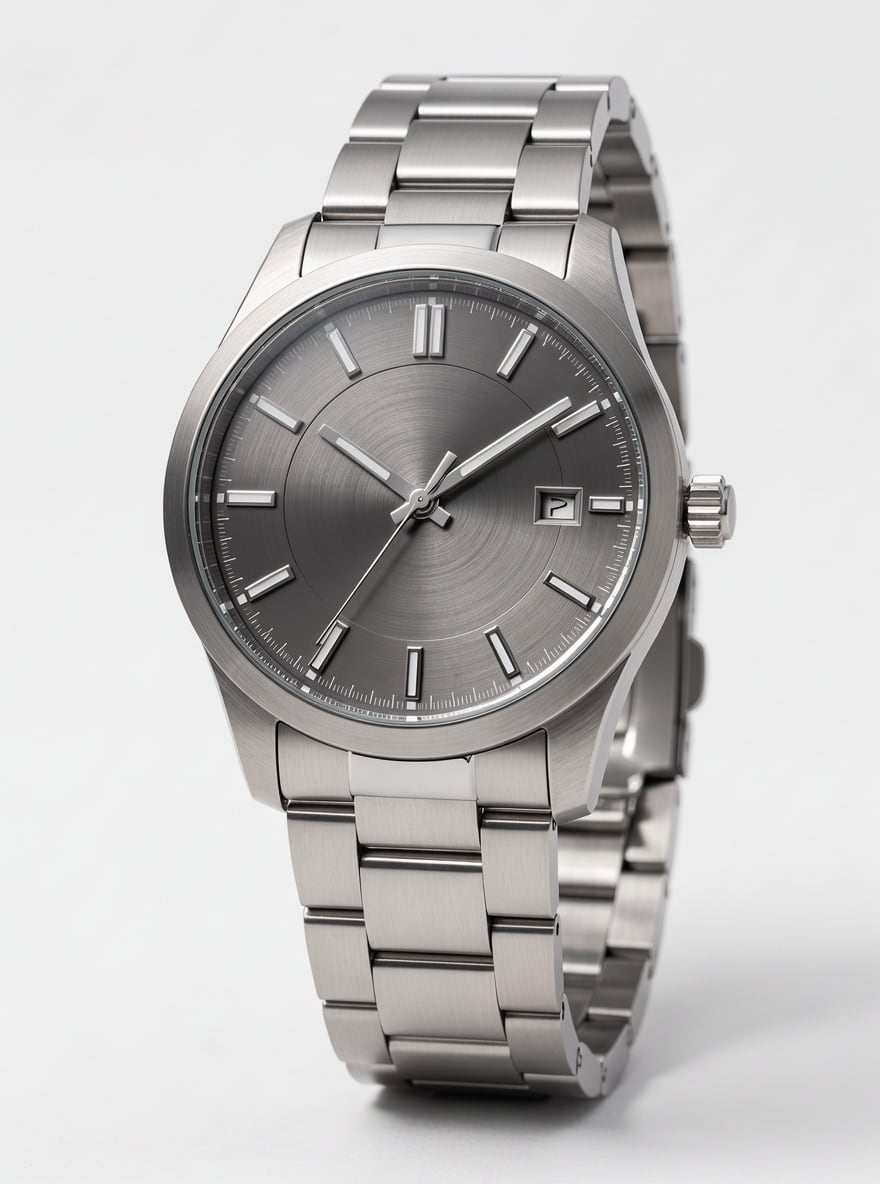
Wristwatch on a white background, macro, metal highlights

«Wristwatch on a white background, macro, metal highlights»

FLUX 3

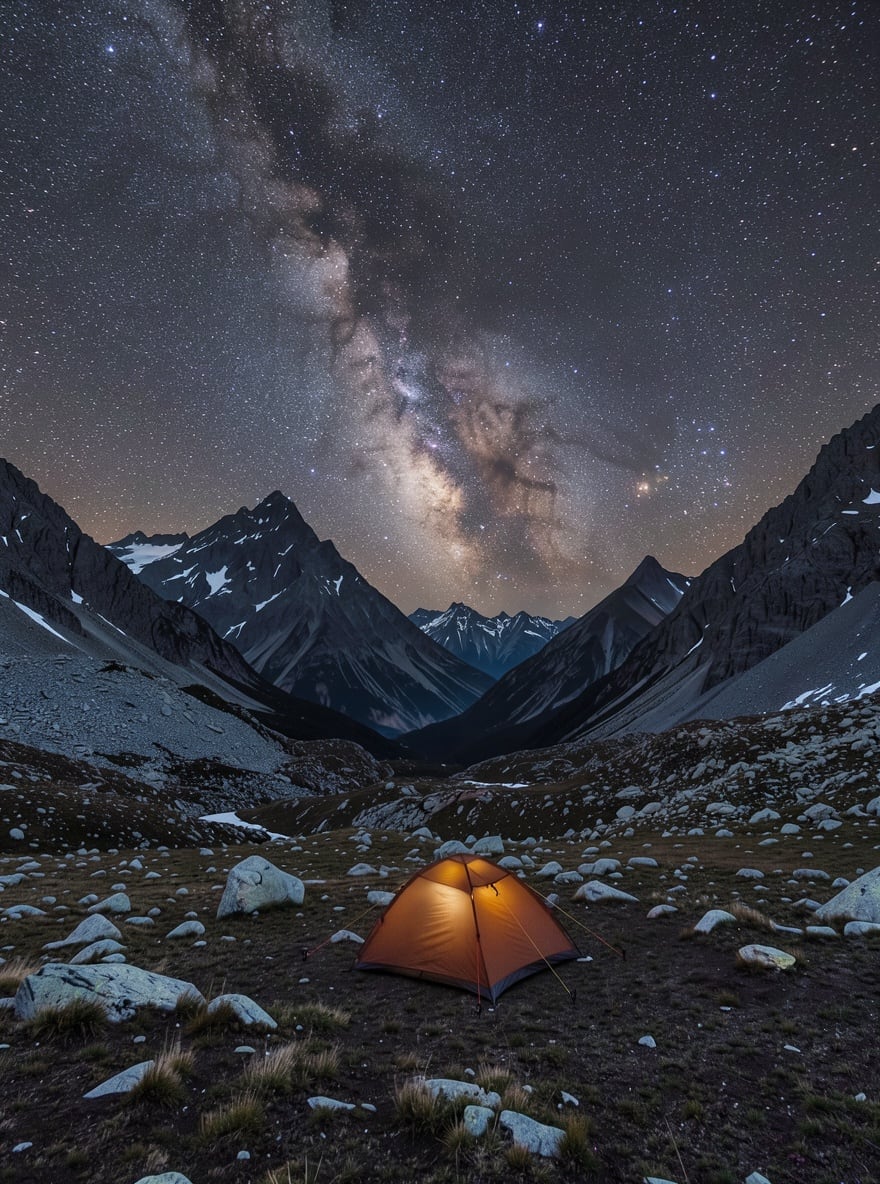
Milky Way over the mountains, long exposure

«Milky Way over the mountains, long exposure»

FLUX 3

Woman with red curls in a blue sweater by a café window, soft daylight, film look

«Woman with red curls in a blue sweater by a café window, soft daylight, film look»

FLUX 3

Cozy café on an autumn morning: latte and croissant, yellow leaves outside the window

«Cozy café on an autumn morning: latte and croissant, yellow leaves outside the window»

FLUX 3 Klein

II

FLUX 3 is the flagship model from Black Forest Labs, a company founded by the creators of Stable Diffusion. Compared to FLUX 2, it renders skin, fabric and material texture noticeably better, builds cinematic lighting, and draws hands and anatomy correctly. FLUX 3 is the model to pick when you need an image that looks like the work of a professional photographer.

The model reads long prompts closely. Write "portrait of a middle-aged woman with curly red hair, wearing a blue wool sweater, by a café window, soft daylight, film photography" and you'll get exactly that, with every detail intact.

FLUX 3 doesn't just generate — it edits too: in FLUX 3 Edit mode you can upload up to 10 photos and change the scene while keeping the original's light and texture. Generation takes 30–80 seconds and costs 6 credits per image.

For drafts and batches there's FLUX 3 Klein, a fast version of the model. It responds in seconds, produces up to 4 variants per run, can also edit photos, and costs 2 credits per image.

III

Why FLUX 3 beats other models

01

Photorealism

Lifelike skin and material texture, natural light

02

Prompt precision

Keeps even the smallest details of a long description

03

Anatomy

Accurate hands, poses and proportions

04

Generation and edits

FLUX 3 Edit changes finished photos while keeping their texture

05

FLUX 3 Klein

Fast version: an image in seconds for 2 credits

IV

Who uses FLUX 3

Commercial shoots

Product shots, lifestyle photos and portraits without a photographer

Film and advertising

Concept art, storyboards and references

Architecture and interiors

Photorealistic visualization of buildings and spaces

Fashion and beauty

Looks, beauty shoots and clothing on virtual models

V

How to create a photo with FLUX 3

01

Describe the photo

The more detail, the more accurate the result

02

Choose FLUX 3

In the generator's or editor's model list

03

Get your image

Ready in 30–80 seconds

VI

Example prompts for FLUX 3

See what you can create — try it yourself

Prompt

«Portrait of a businessman, gray background, dark suit, studio light»

Result

A flawless business portrait

Prompt

«Wristwatch on a white background, macro, metal highlights»

Result

Product photo for an online store

Prompt

«Milky Way over the mountains, long exposure»

Result

Atmospheric astrophotography

Prompt

«Elderly fisherman at a harbor, morning fog, Kodak Portra film»

Result

A vivid documentary portrait

VII

Pricing

Pay only for results — no subscription

All plans →
Model / operationCredits
  • FLUX 36 cr.
  • FLUX 3 Edit6 cr.
  • FLUX 3 Klein2 cr.

Credit packs: 150 credits for $5, 350 credits for $12, 1250 credits for $35.

VIII

FLUX 3 FAQ

What is FLUX 3?+

FLUX 3 is a new generation of models from Black Forest Labs for generating and editing images with a focus on photorealism.

What is FLUX 3 Klein?+

A fast version of FLUX 3: an image in a few seconds for 2 credits, up to 4 variants per run. Great for drafts and batches — for a final image with maximum detail, choose FLUX 3.

How is FLUX 3 better than FLUX 2?+

More lifelike skin and material texture, more cinematic light, more accurate anatomy, and better adherence to long prompts.

Can I edit photos?+

Yes — in the editor, pick FLUX 3 and the model will change the scene while keeping the original's light and texture.

How much does generation cost?+

6 credits per image. If you request several variants, the price is multiplied by their number.

Try for free

Sign up for free and get 6 credits right away. No card required.