

ImageGPTImageGPT

Model · OpenAI

GPT Image 2.5 — OpenAI Image Generator

OpenAI's new flagship model for generating and editing images. Understands complex prompts, renders text in many languages, and delivers photorealism.

6 free credits on sign up

I

Samples

Real outputs of the model: the request and what came out, with no retouching

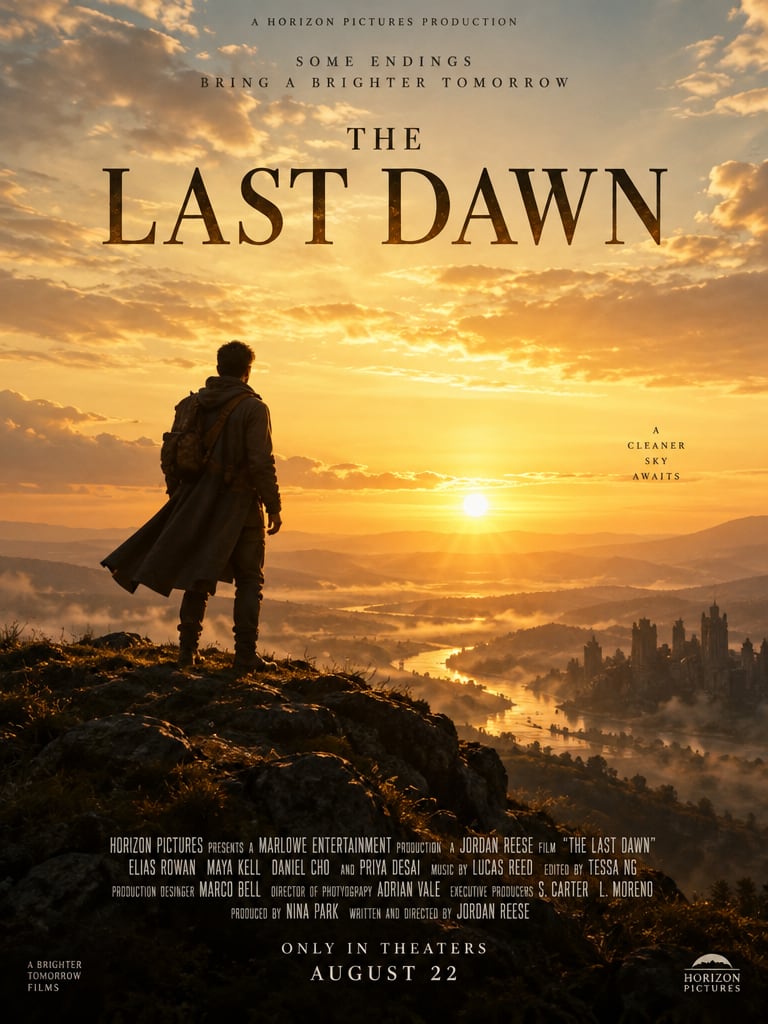
Poster for the film «The Last Dawn», cinematic, golden light

«Poster for the film «The Last Dawn», cinematic, golden light»

GPT Image 2.5

Coffee shop menu on a chalkboard: cappuccino $4, latte $4.50, mocha $5

«Coffee shop menu on a chalkboard: cappuccino $4, latte $4.50, mocha $5»

GPT Image 2.5

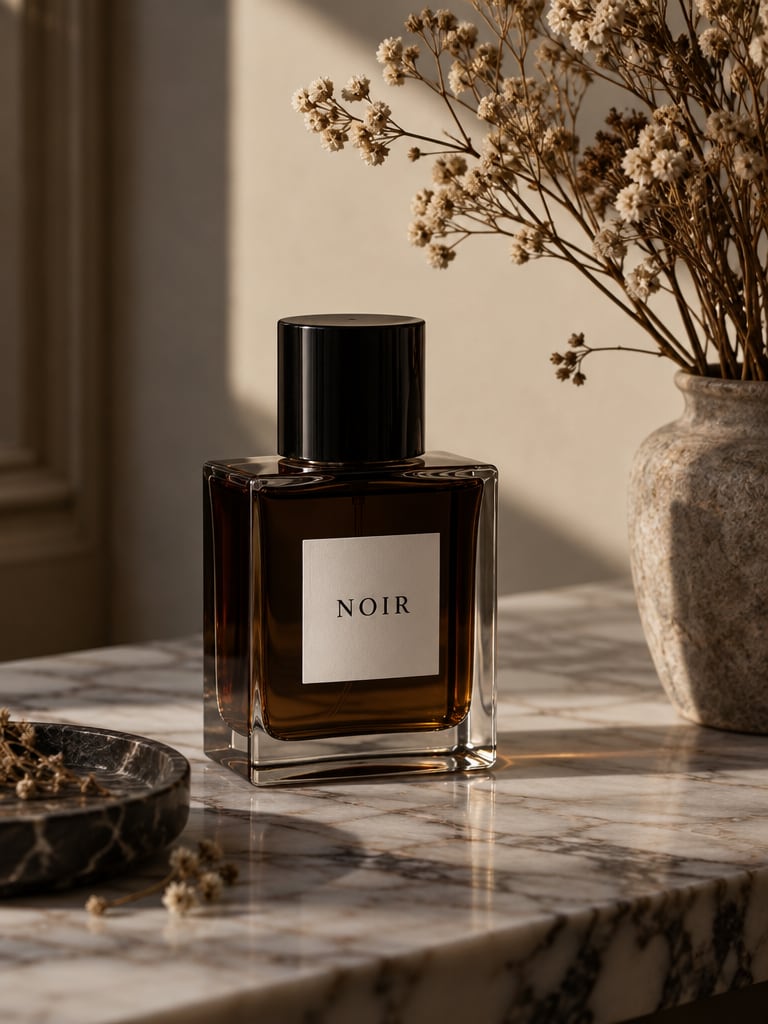
A bottle of «NOIR» perfume on a marble table, soft shadows, magazine shoot

«A bottle of «NOIR» perfume on a marble table, soft shadows, magazine shoot»

GPT Image 2.5

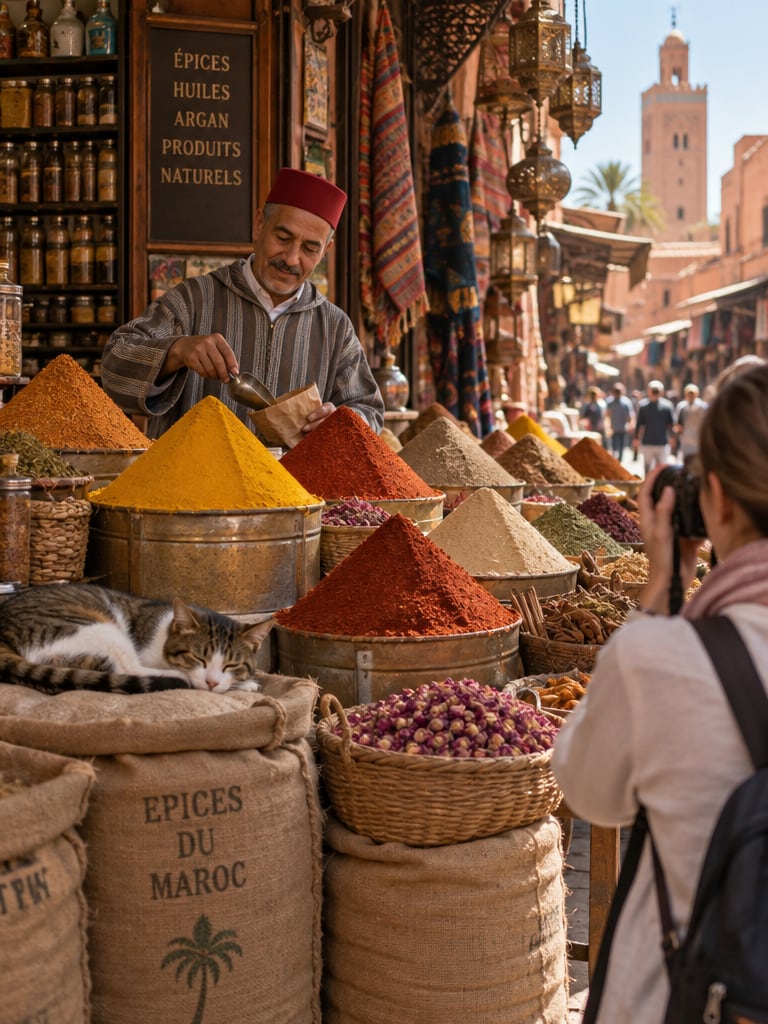
Spice market in Marrakech: a merchant, a cat on the sacks, a tourist with a camera

«Spice market in Marrakech: a merchant, a cat on the sacks, a tourist with a camera»

GPT Image 2.5

II

GPT Image 2.5 is OpenAI's flagship model — the same technology that powers image generation in ChatGPT. Its biggest strength is language understanding: the model parses detailed, multi-part instructions as confidently as a text AI. Describe a scene in several sentences and no detail gets lost.

GPT Image 2.5 is one of the best models for text on images, and it renders text accurately in many languages. Posters, covers, menus, banners and infographics come out clean with no corrections needed. In the editor, the model executes complex edits precisely — for example, "replace the text on the sign, add a cup to the table, and switch to evening lighting" — and accepts up to 10 reference images.

There are three quality modes: a fast one for 2 credits for drafts, a standard one for 4 credits for most tasks, and a high-quality one for 15 credits for print and advertising. The model is available with no account or extra setup required.

III

GPT Image 2.5 Features

01

Understands complex prompts

Long descriptions get executed without losing detail

02

Text in many languages

Accurate lettering in multiple languages

03

Photorealism

Lighting, materials and skin on par with top models

04

From 2 credits

Three quality modes to fit your task and budget

IV

Who Uses GPT Image 2.5

Complex scenes

Visualize concepts where every detail of the description matters

Multilingual text

Posters, menus, covers and banners with accurate lettering

Business content

Illustrations for presentations, articles and newsletters

Precise edits

Multi-step editing of finished photos

V

How to Use GPT Image 2.5

01

Describe the scene in detail

GPT Image 2.5 handles long prompts exceptionally well

02

Choose a quality mode

Fast, standard, or high quality

03

Get your result

Ready in 20–30 seconds

VI

Example Prompts for GPT Image 2.5

See what you can create — try it yourself

Prompt

«Poster "The Last Dawn," cinematic, golden light»

Result

A movie poster with a clean, well-rendered title

Prompt

«Coffee shop chalkboard menu: cappuccino $4.50, latte $5»

Result

A realistic chalkboard with a readable menu

Prompt

«Perfume bottle on a marble table, soft shadows, magazine shoot»

Result

Glossy-magazine-quality product photo

Prompt

«Infographic "How a Solar Panel Works," 4 steps»

Result

A clear diagram with labeled captions

VII

Pricing

Pay only for results — no subscription

All plans →
Model / operationCredits
  • GPT Image 2.5 · low quality2 cr.
  • GPT Image 2.5 · medium quality4 cr.
  • GPT Image 2.5 · high quality15 cr.

Credit packs: 150 credits for $5, 350 credits for $12, 1250 credits for $35.

VIII

GPT Image 2.5 FAQ

What is GPT Image 2.5?+

OpenAI's newest model for generating and editing images — the same technology used in ChatGPT.

How is GPT Image 2.5 different from FLUX 3?+

GPT Image 2.5 is stronger at text on images and complex instructions. FLUX 3 delivers slightly more lifelike texture in photorealistic portraits.

Which quality mode should I choose?+

Fast (2 credits) for drafts and ideas, standard (4 credits) for most tasks, and high (15 credits) for print and advertising.

Do I need an OpenAI account or anything extra?+

No, the model is available directly in the app.

Try for free

Sign up for free and get 6 credits right away. No card required.