What Haircut Suits Me? Try Up to 4 Hairstyles, Colors and Beards on Your Photo
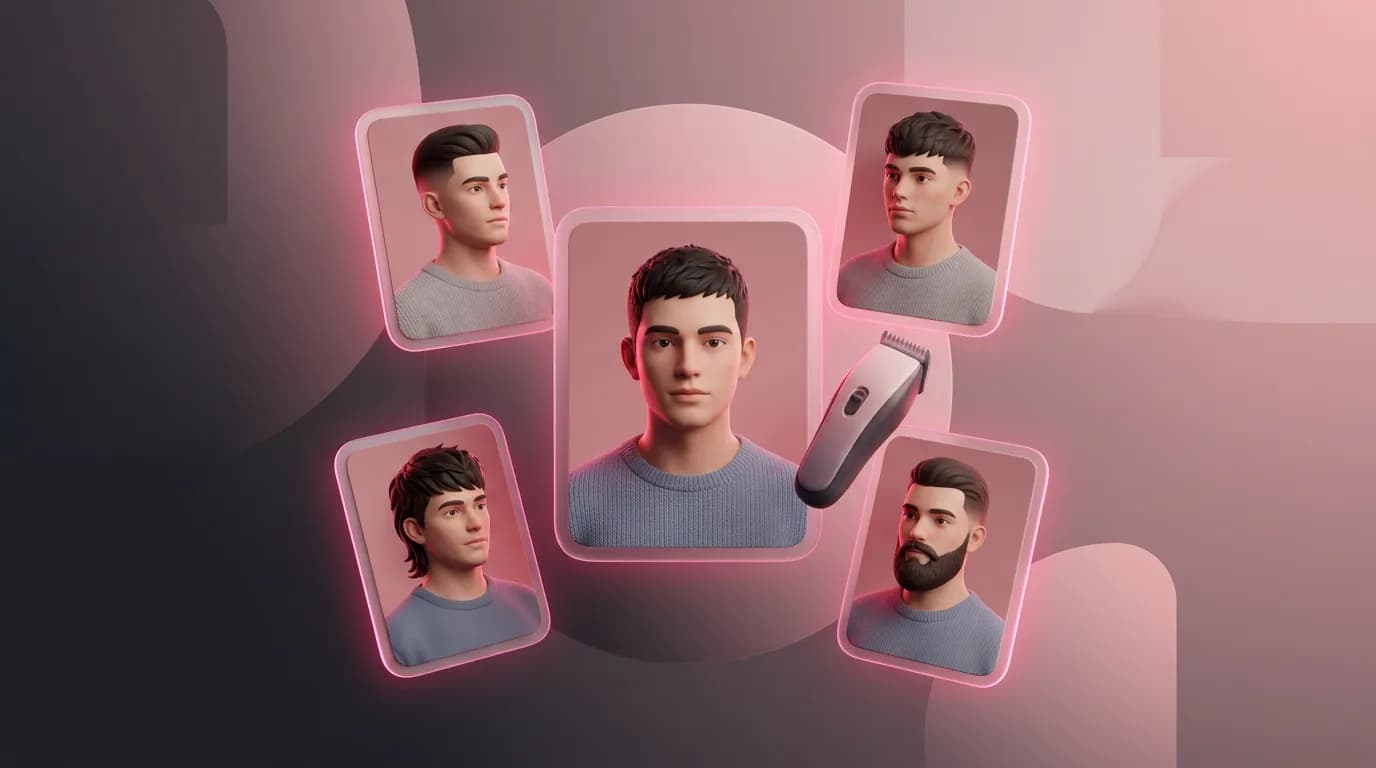
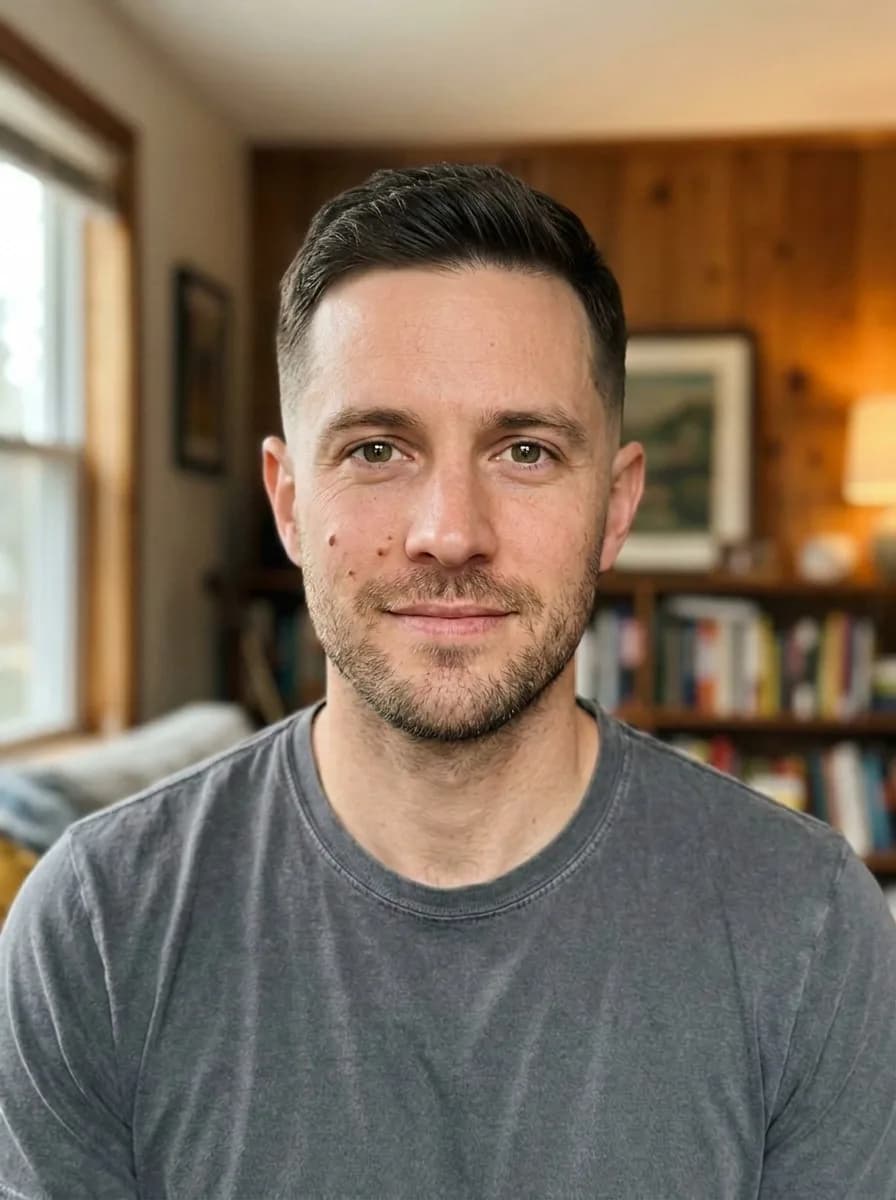
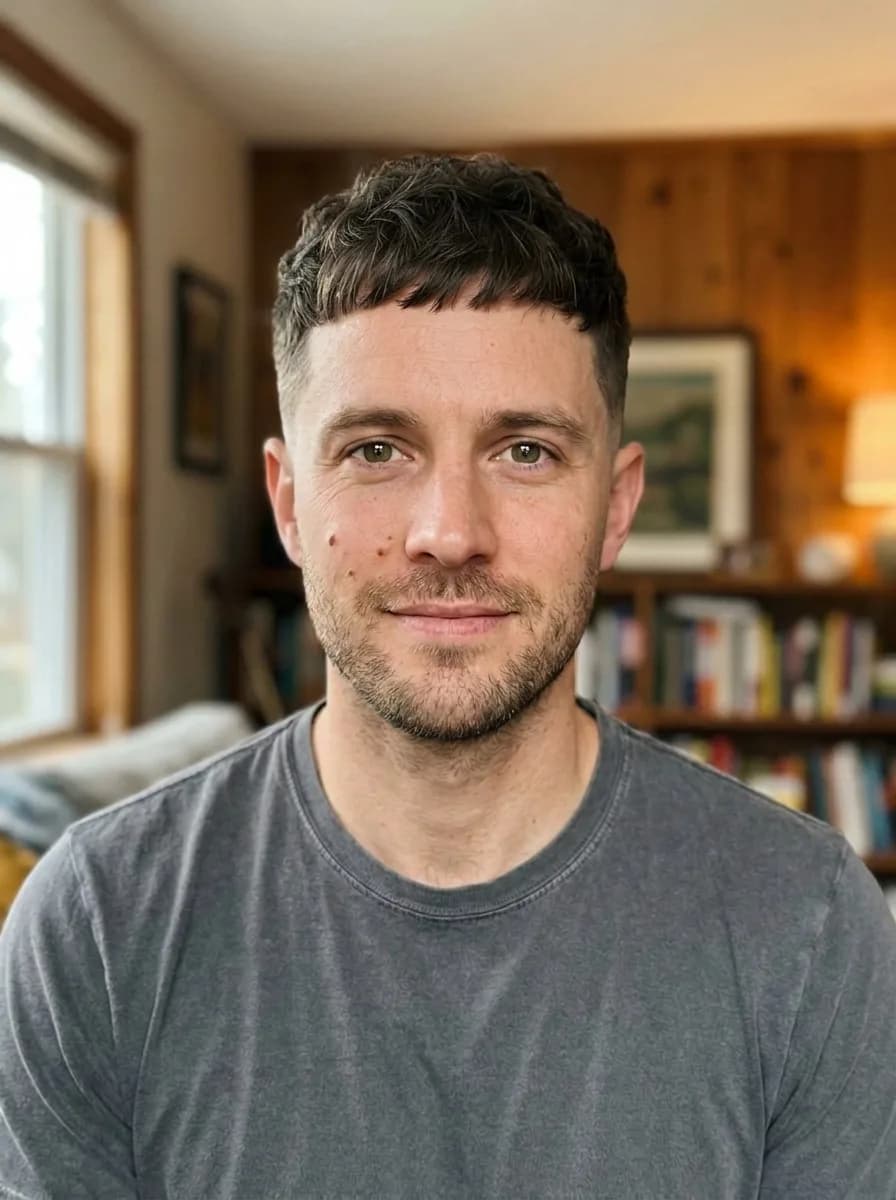
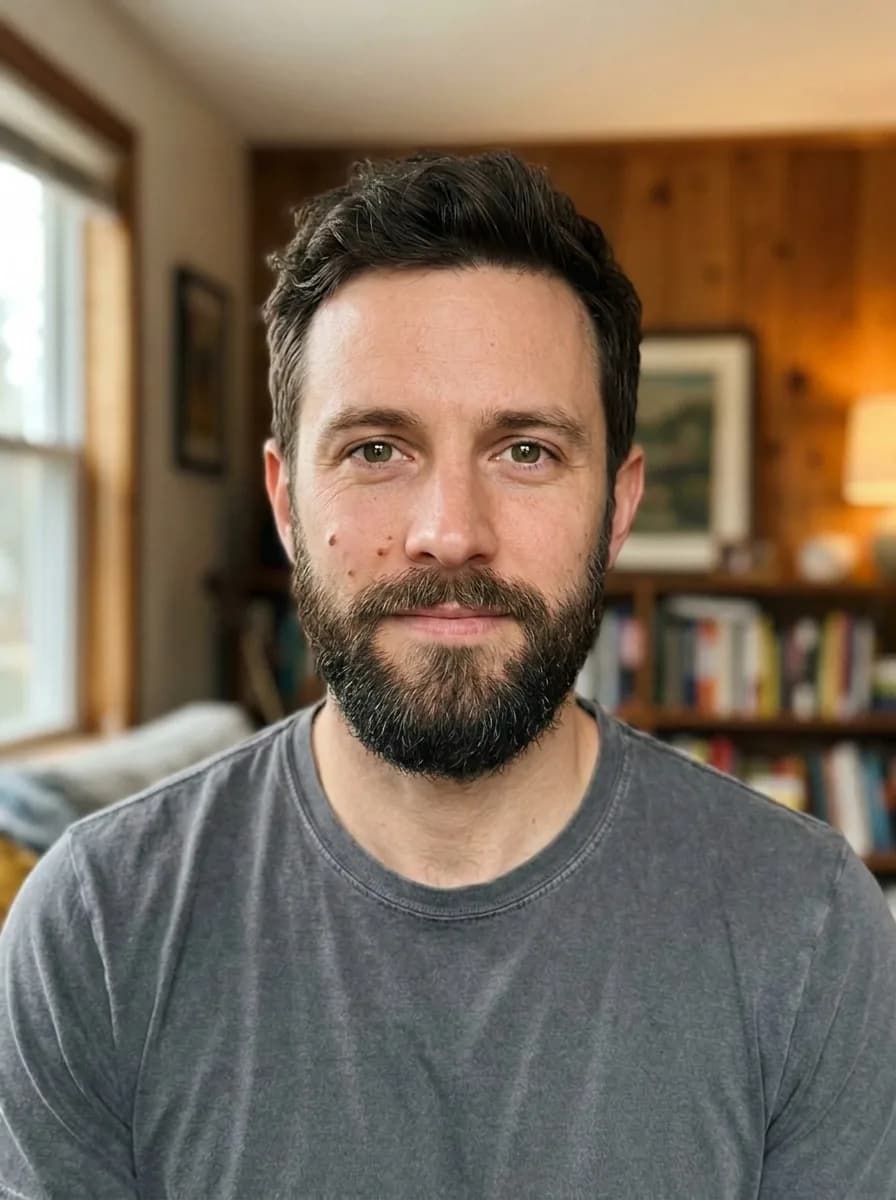
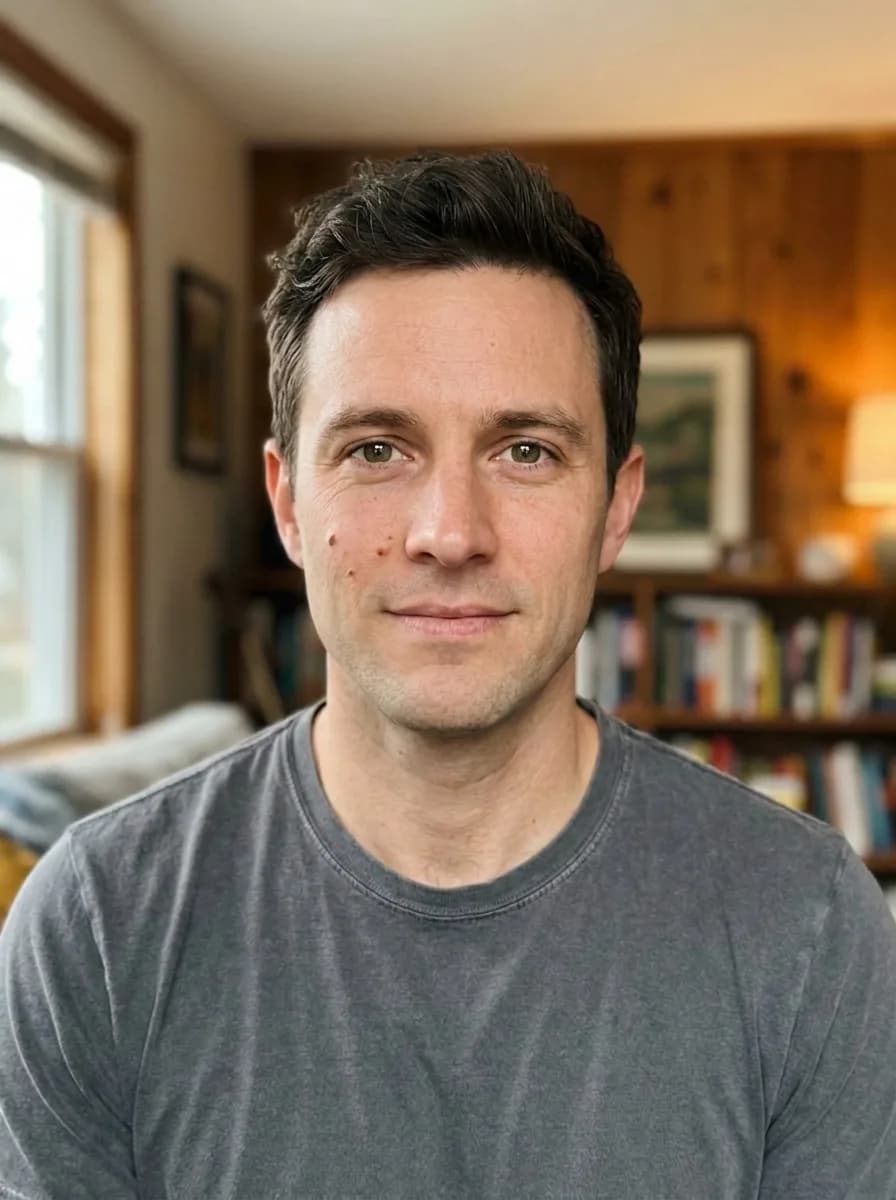
One photo, four haircuts at a time. We tried a bob, pixie and curls in copper, a fade, French crop and mullet, a full beard and platinum blonde with laminated brows.
Contents
A big haircut is a leap of faith: pictures on Pinterest are of other people, and hair takes months to grow back. Hairstyle Try-On on ImageGPT lets you see the cut on your own face first. It changes only the hair, beard and brows — your face, makeup, clothes, background and lighting stay exactly as in the photo.
Women's hairstyles
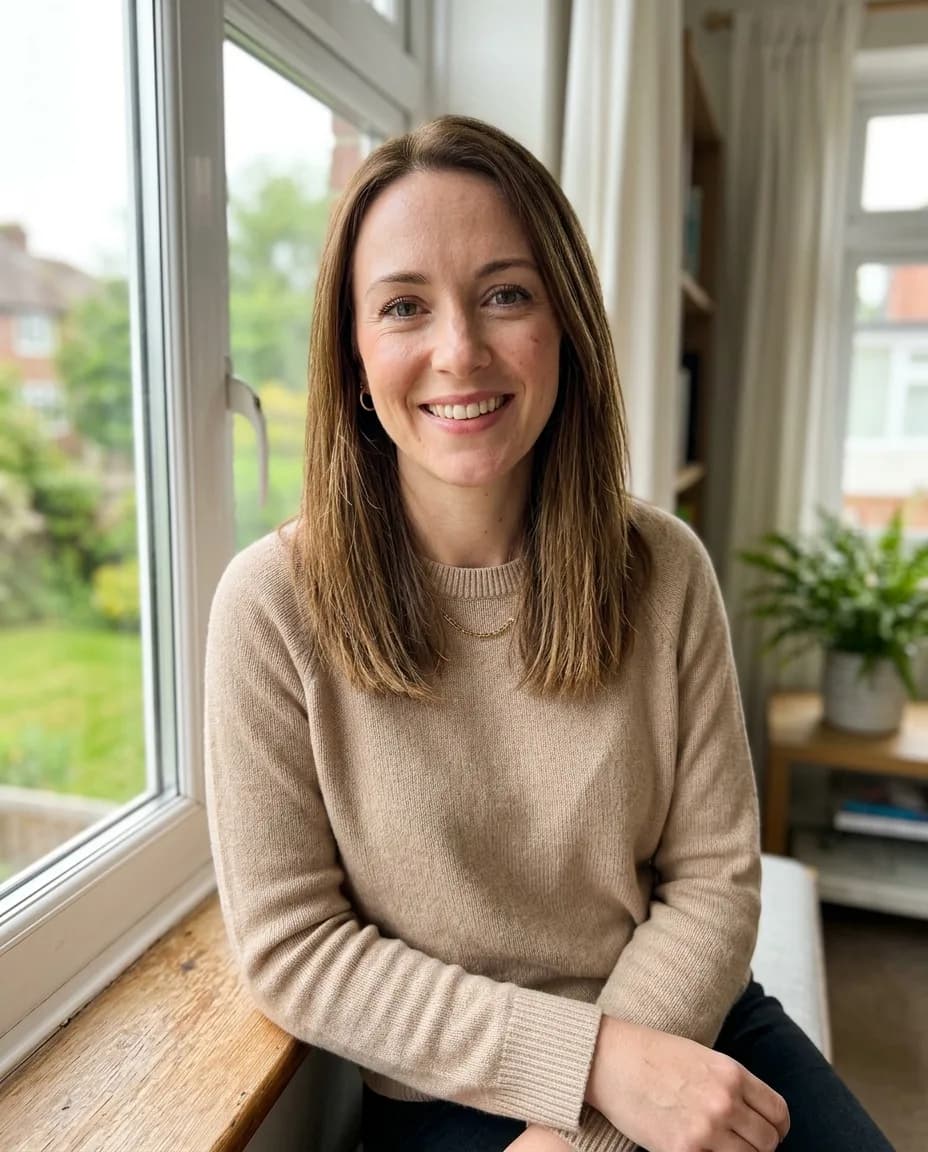
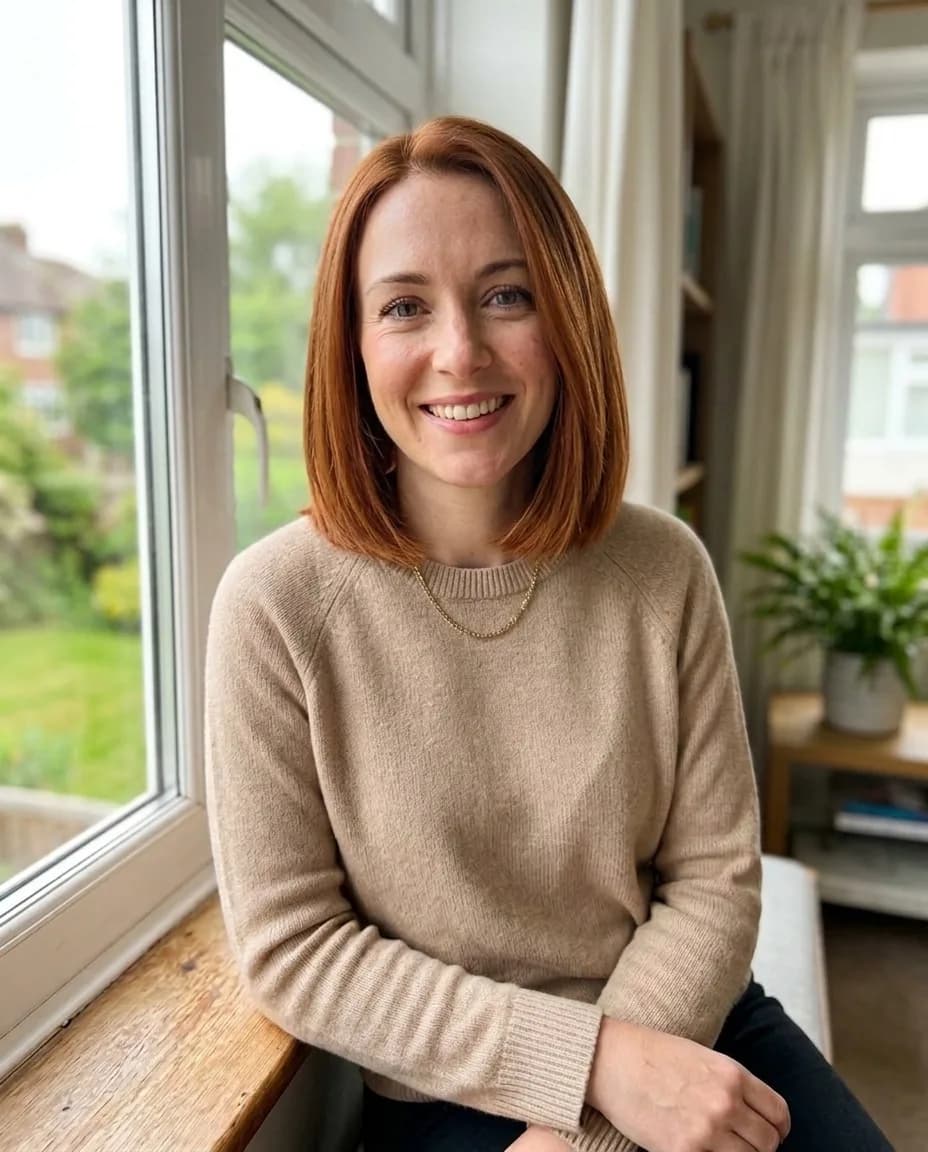
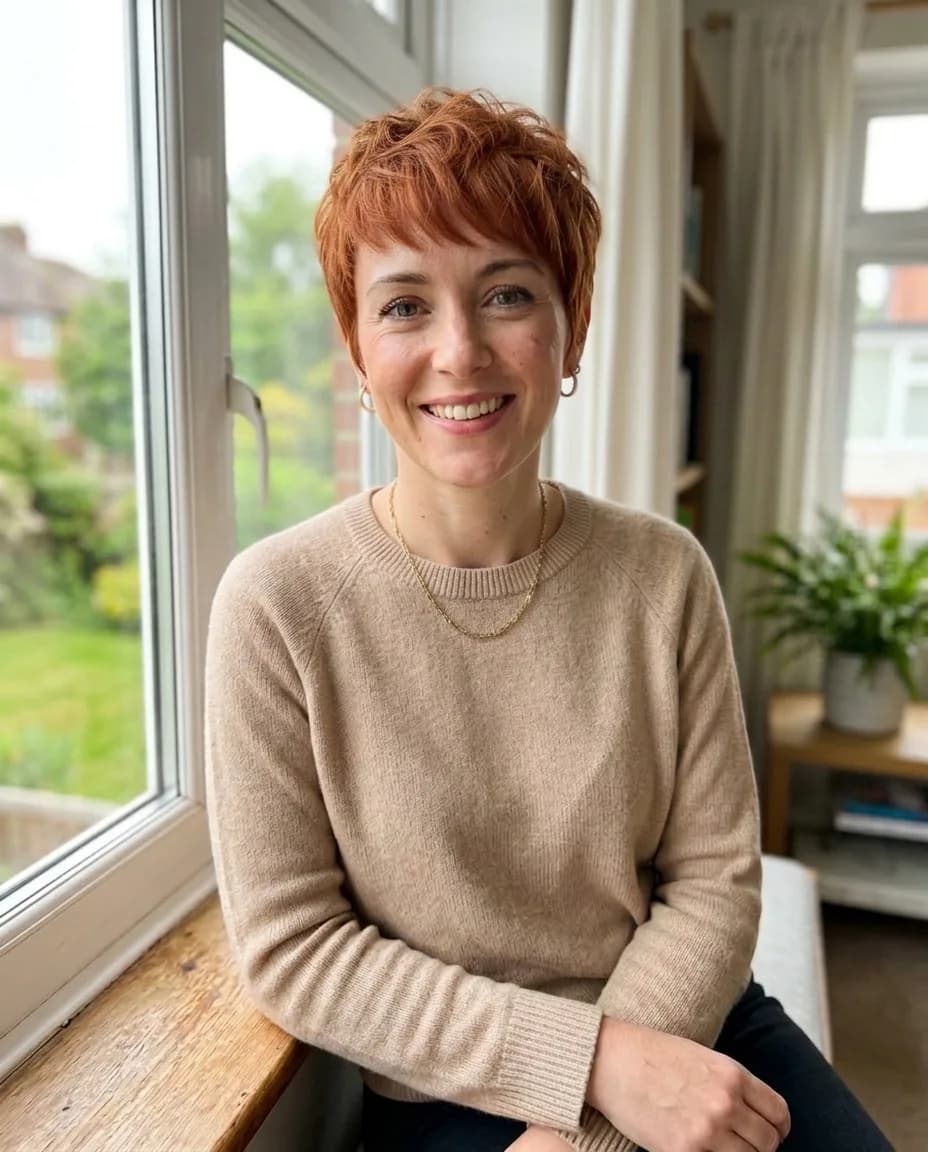
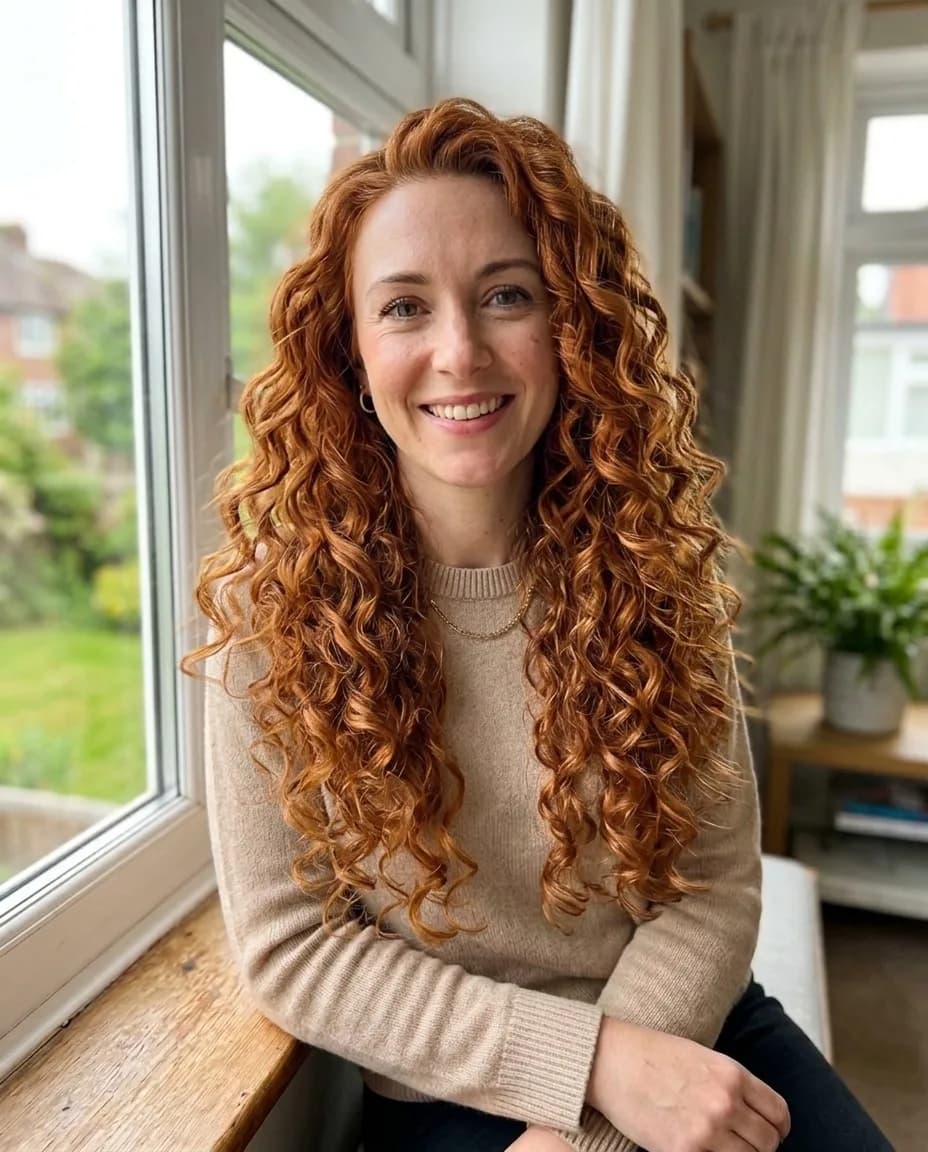
The women's set has eleven looks: Bob, Long bob, Pixie, With bangs, Beach waves, Curls, Shag / wolf cut, Long layers, High ponytail, Braids and Bun. There's also Stylist's pick, which chooses a cut for your face shape, and My own, where you describe it. Pick up to four and each becomes a separate photo. We tried three, all in Copper red:
Men's hairstyles and beards
The men's set has ten looks: Fade, French crop, Undercut, Pompadour, Side part, Buzz cut, Curly top, Mullet, Long hair and Man bun, plus Barber's pick and My own. Beard is a separate setting: Clean-shaven, Stubble, Short beard, Full beard, Goatee or Moustache.


Hair colour and brows
Happy with your cut? Pick Keep my haircut and try just a colour, beard or brows. There are nine colours: Blonde, Platinum, Light brown, Brunette, Black, Copper red, Ash blonde, Balayage and Pastel pink. Brows come in Thick, Thin, Arched, Straight and Laminated, for both women's and men's looks.
What makes a good photo
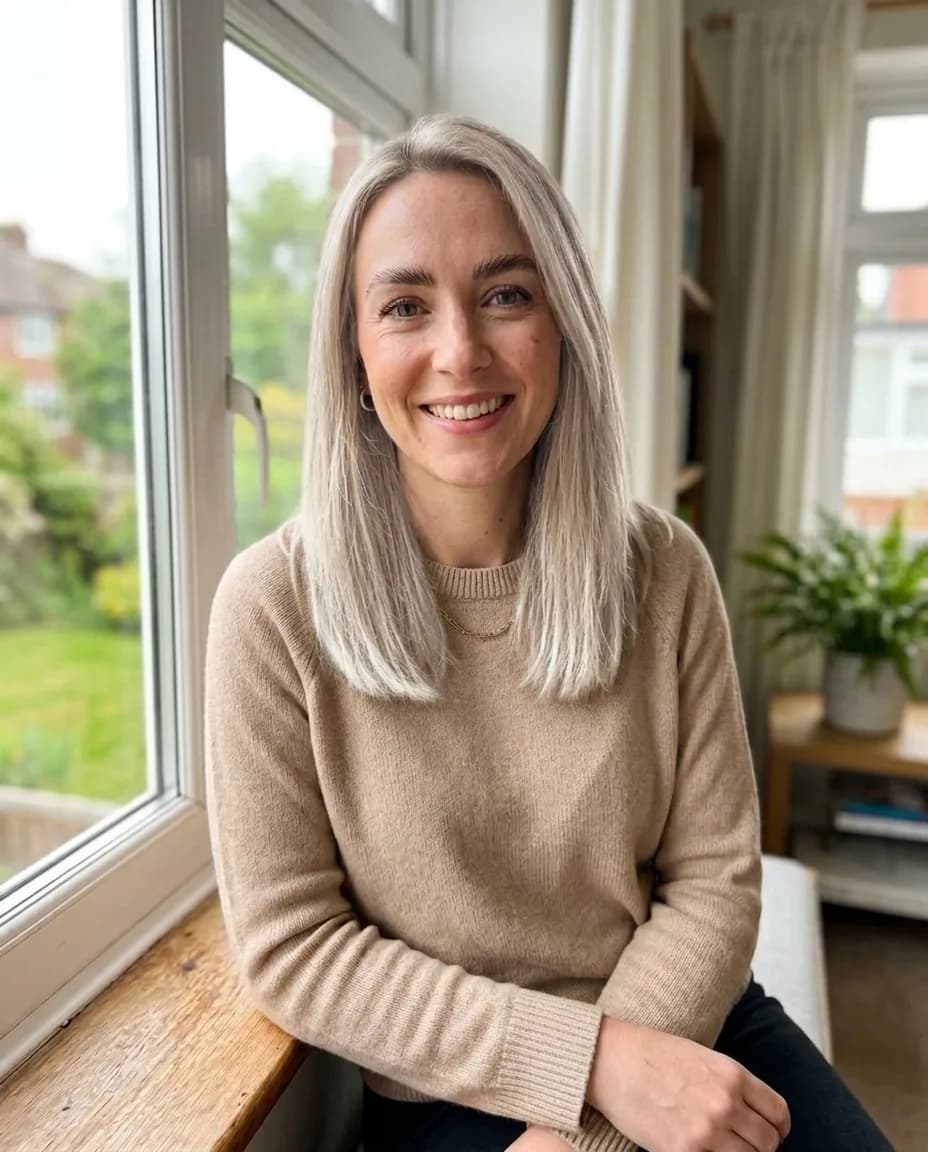
- Your face clearly visible, looking roughly at the camera.
- Hair not covered by a hat, hood or hands, and not pulled back if you want to try loose styles.
- Even light. Strong backlight hides the hairline and the result looks pasted on.
- Head and shoulders in the frame, so long styles have somewhere to go.
Step by step
- Open Hairstyle Try-On in the Photo section and upload your photo.
- Under Hairstyle type, pick Women's or Men's.
- Tick up to four hairstyles — each one becomes its own photo.
- Choose a hair colour, a beard for men's looks and, if you like, a brow shape.
- Add wishes and click Try on hairstyles.
Describing your own hairstyle
Pick My own and describe the cut — up to 200 characters. If you've picked ready-made looks, the same text becomes a tweak for all of them. Concrete details work better than names:
shoulder-length bob with thick straight bangs, ends turned slightly under
short cut with shaved sides, about two inches on top, swept back
long hair in soft loose curls, side part
Comparing options
One run gives up to four hairstyles in one colour. To compare colours on the same cut, flip it around: pick a single hairstyle and run it a few times with different colours. Everything lands in your history, so you can flick through the results side by side or send them to a friend for a second opinion.
What a try-on can and can't tell you
- It can show how a shape and length work with your face, neck and shoulders, and whether a colour suits you.
- It can't tell you how your own hair will behave. The AI will happily draw curls or volume on fine, straight hair — ask your stylist whether that look will actually hold.
- Colour depends on light: the same shade reads differently by a window and under a lamp.
- Going from dark hair to platinum or pastel usually takes more than one salon visit. The picture shows where you'll end up, not how long it takes to get there.
Pricing
Each hairstyle is one photo for 10 credits, so four looks in one run cost 40 credits. Photos that fail are refunded. New accounts get 6 free credits.
Upload a photo and try four hairstyles at once.
Try hairstylesJust want a new colour?
Hair color changerTry everything from this article in minutes
All the models and tools from this article are in one place. You get 6 free credits after sign-up, and every price is shown before you run it.
Try hairstyles