
ImageGPTImageGPT

Photo

Combine Two Photos into One with AI

Upload two or more photos and describe the scene — AI merges the people and objects into one natural-looking picture.

6 free credits on sign up

I

Two photos in, one photo out

Real outputs of the model: the request and what came out, with no retouching

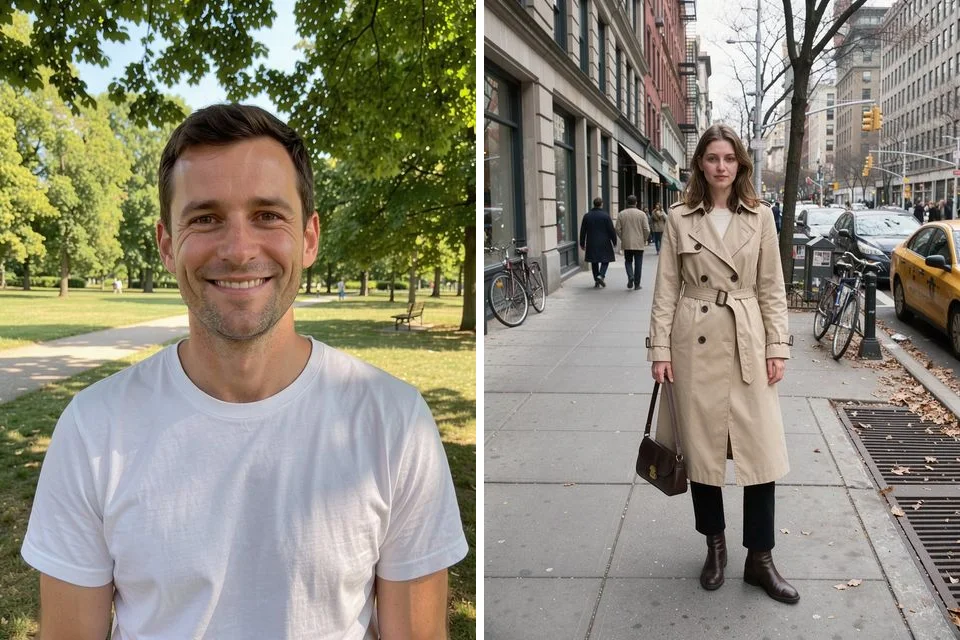
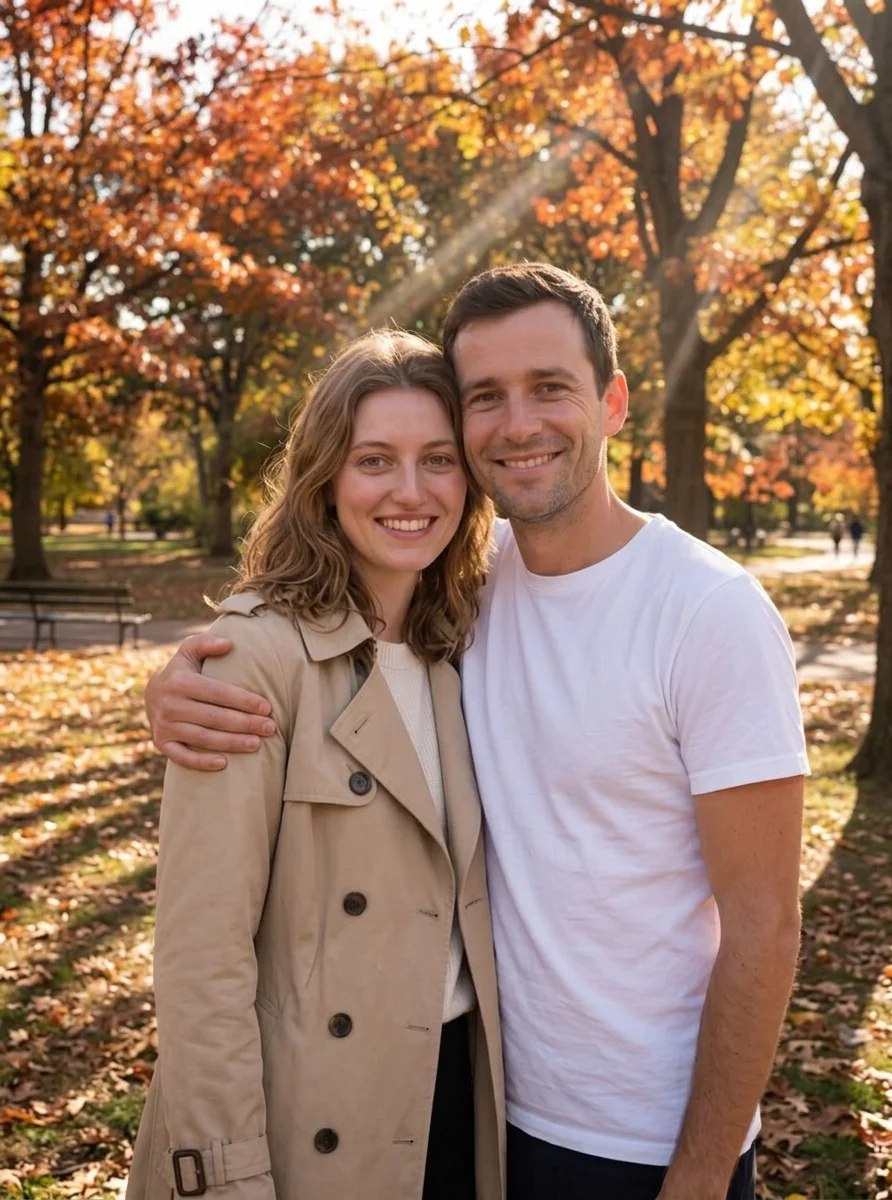
«Two separate photos → a couple in one shot»

Photo Editor · Nano Banana 2

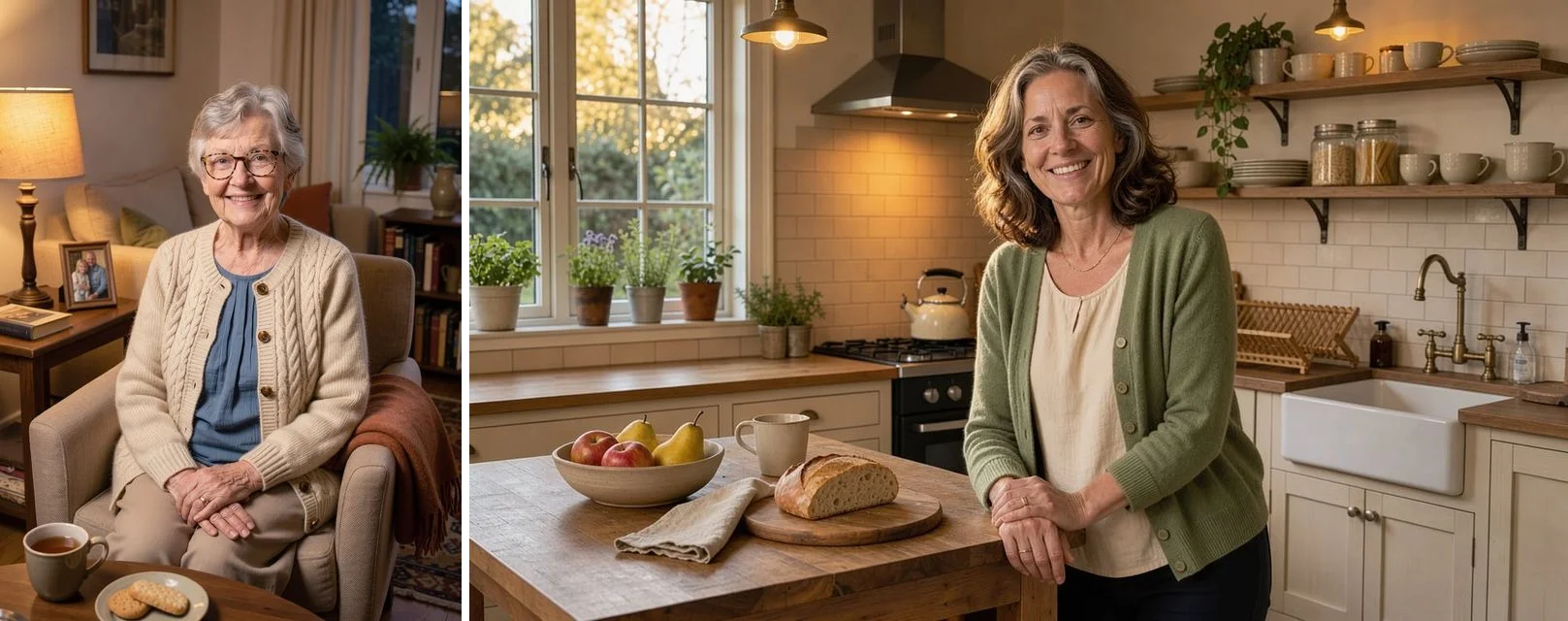
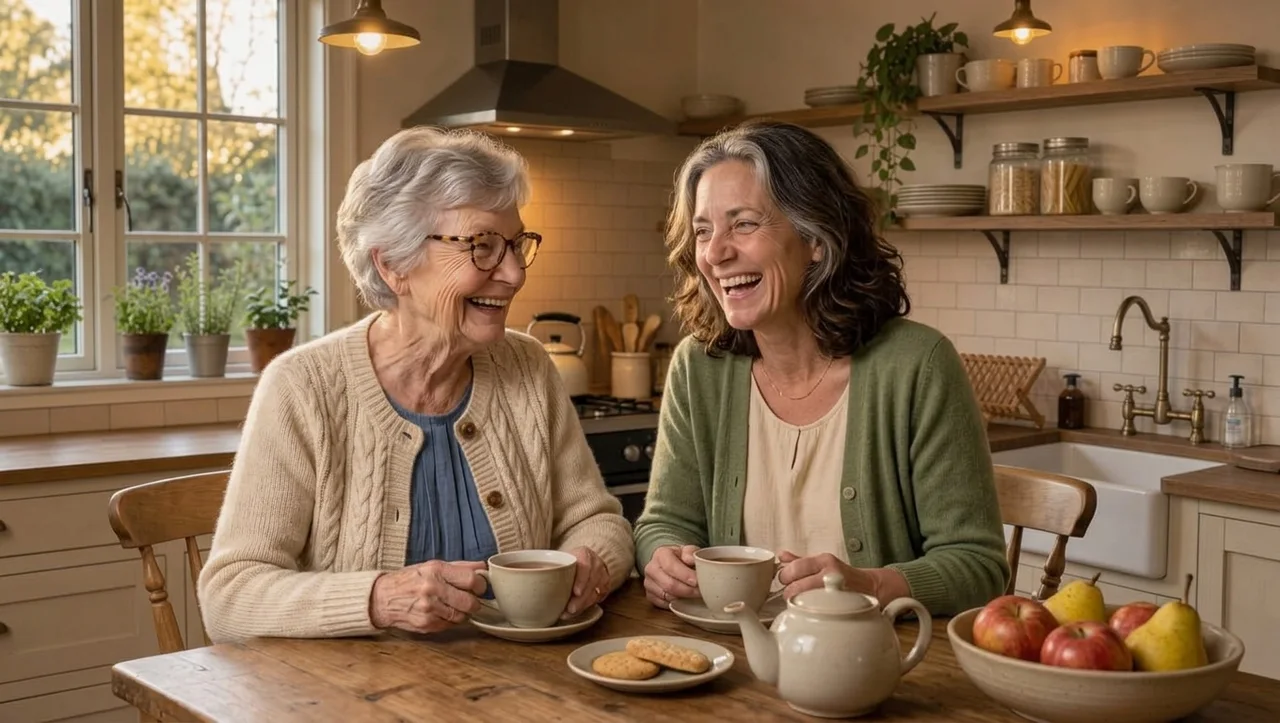
«Grandma and mom from different photos → at one table»

Photo Editor · Nano Banana 2

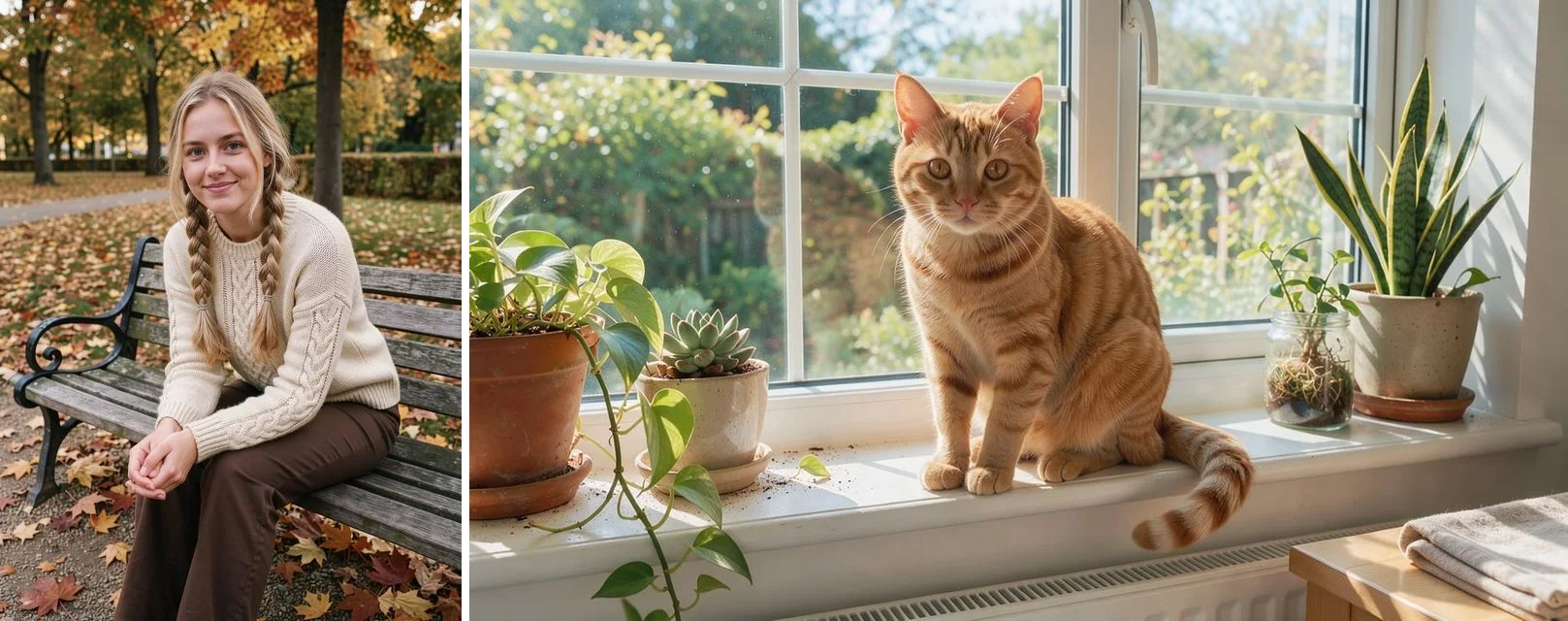
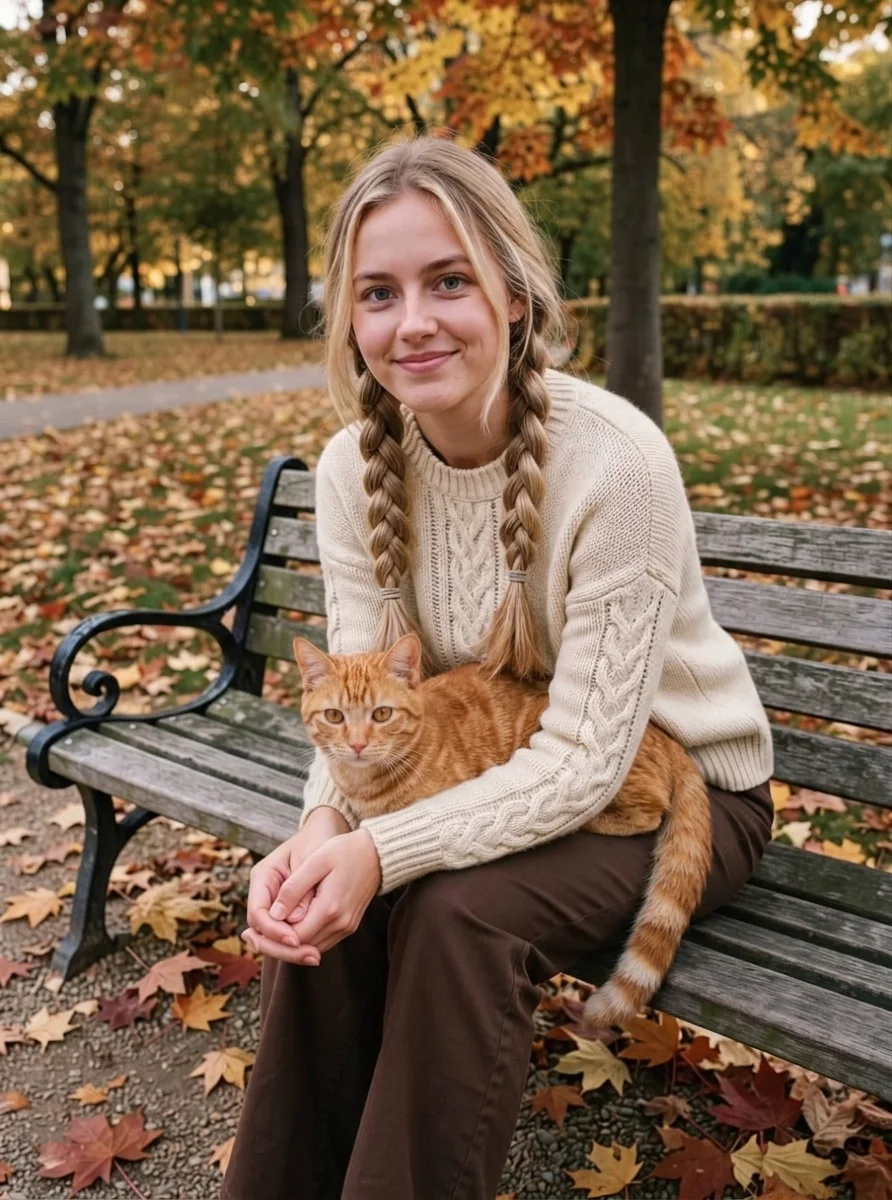
«A woman and a cat from two photos → together on a bench»

Photo Editor · Nano Banana 2

II

Combining photos by hand means cutting someone out, matching scale, light and shadows, and patching the edges. In the AI Photo Editor you just upload the photos and write what you want: "put the two people from these photos side by side in an autumn park". The model works out perspective, lighting and poses so the result looks like a single real photo.

Use it to make a family photo when relatives live in different cities, a couple shot from two separate selfies, a cat on its owner's lap, or a product placed on a background from another picture. You can add up to 10 images to one edit. For people, Nano Banana 2 is the best choice — it keeps faces the most accurately; GPT Image 2.5 follows complex instructions closely, and Seedream 5 handles multiple references well.

Every result is saved as a separate image and your originals stay untouched. Refine the result with another edit, upscale it or turn it into a video. Just want a grid of photos without changing them? That's what Collage is for.

III

How AI merges photos

01

Up to 10 photos

People, objects and backgrounds from different shots

02

Matched light and scale

Shadows, perspective and color line up

03

Faces are kept

Nano Banana 2 carries features over faithfully

04

Describe the scene

Location, poses and mood in plain words

IV

Why people combine photos

Family photos

Relatives from different cities in one shot

Couples

A photo together from two separate selfies

With pets

A person and their pet in the same picture

Products

An item from one photo on a background from another

V

How to combine photos

01

Upload photos

Two or more, up to 10 at a time

02

Describe the scene

Who stands where, the place and the mood

03

Download the result

Ready in 10–80 seconds depending on the model

VI

What you can combine

See what you can create — try it yourself

Prompt

«Two selfies + "a couple hugging in an autumn park"»

Result

A photo together that looks like one shot

Prompt

«Grandma and mom + "having tea in the kitchen"»

Result

A family photo at one table

Prompt

«A woman and a cat + "the cat on her lap"»

Result

Owner and pet on a bench

Prompt

«Product and interior + "put the vase on the shelf"»

Result

The product in the right setting

VII

Pricing

Pay only for results — no subscription

All plans →
Model / operationCredits
  • GPT Image 2.5 · low quality2 cr.
  • Seedream 5 Pro · editing8 cr.
  • Nano Banana 2 · editing10 cr.

Credit packs: 150 credits for $5, 350 credits for $12, 1250 credits for $35.

VIII

Combining photos FAQ

How do I combine two photos into one?+

Open the AI Photo Editor, upload both photos and describe the result: "put the people from these photos next to each other on a seaside promenade". The AI builds one picture with a shared background, lighting and scale.

Which model should I use?+

For people, Nano Banana 2 — it keeps faces best. For complex scenes with detailed instructions, GPT Image 2.5; for many references, Seedream 5.

How many photos can I combine?+

Up to 10 images in one edit. The more people, the more it matters that each face is large and sharp in its photo.

How is this different from a collage?+

A collage arranges photos in a grid without changing them. Combining creates one new photo where everyone is in the same scene.

Can I add a loved one who has passed away?+

Yes, people often do this for family photos. Upload their photo along with the others and describe the scene. For old prints, restore them first with Photo Restoration so the face carries over more accurately.

How much does it cost?+

From 2 credits with GPT Image 2.5 in fast mode, 10 with Nano Banana 2. If a generation fails, your credits are refunded.

Try for free

Sign up for free and get 6 credits right away. No card required.