
ImageGPTImageGPT

Video

AI Clip Maker: Long Video to Shorts

Upload a long video and AI finds the moments worth sharing, then turns them into vertical clips with captions.

6 free credits on sign up

I

Real clips

Real outputs of the model: the request and what came out, with no retouching

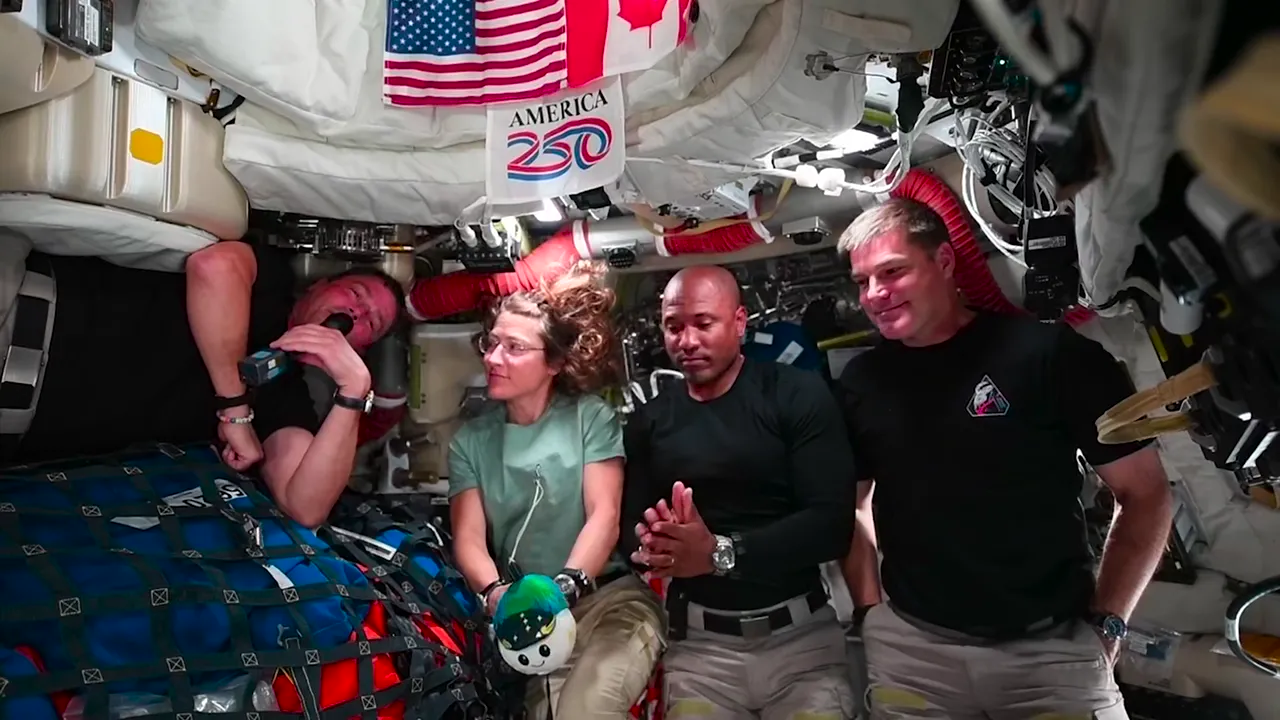
0:52Source photo

«NASA's 25-minute Artemis II crew news conference (public domain), four astronauts in one shot. AI found 7 clips; this one scored highest: “Watching Earth Disappear Behind the Moon”»

Score 96 · Auto framing · music · logo and end card · 9:16

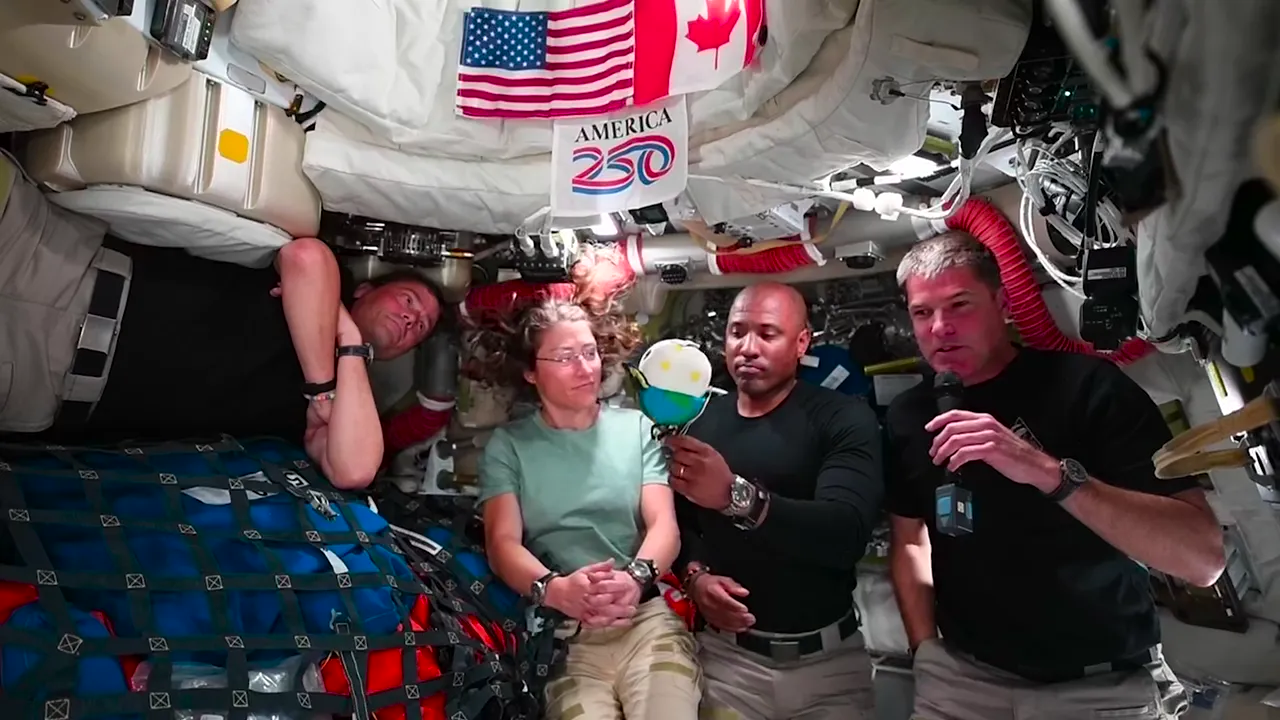
0:38Source photo

«Same video, another clip: “What Seeing Earth From Space Reaffirmed”. The frame stays on the astronaut holding the mic»

Score 79 · Auto framing · pauses trimmed · end card · 9:16

II

An hour-long podcast usually holds five to ten great Shorts, but finding them means rewatching the whole thing, then cropping, captioning and writing a title for every clip. The clip maker does that work for you.

Upload a video up to 2 hours and 2 GB: MP4, MOV, MKV or WEBM. ElevenLabs Scribe transcribes the speech and labels who is talking, and an AI model reads the whole transcript to pick complete thoughts of 15–90 seconds that open strong and don't stop mid-sentence. Every clip comes with a virality score, a short note on why the moment was picked, a hook for the first seconds, and a ready title, description and hashtags for YouTube Shorts, TikTok and Instagram Reels.

Before rendering, watch each clip, move its start and end word by word in the transcript, rename it, drop the ones you don't want, or build your own by clicking the first and last word. The render is 1080×1920: the frame follows whoever is speaking, shows two people in a split screen when they talk over each other, and keeps slides and wide shots whole over a blurred background. On top go animated captions with key words highlighted, the hook, slow push-ins, and optionally a progress bar, trimmed pauses and background music that dips under the voice on its own.

Your logo, accent color, handle and call to action live in a brand kit and appear in every clip, with an optional end card. A sponsor can be added as a banner over the video or as a short segment at the start, middle or end. Download clips one by one or as a ZIP; they stay in your history, and if a clip fails to render, its credits come back.

III

What the clip maker does

01

Finds the best moments

Complete thoughts of 15–90 s with a virality score

02

Follows the speaker

Whoever talks fills the frame, two people split it

03

Animated captions

5 styles, key words in your accent color

04

Edit before rendering

Word-level trims, your own clips, hooks

05

Music and end card

Royalty-free tracks, your logo and CTA

06

Posts written for you

Title, description and hashtags per platform

IV

Who it's for

Podcasters

Shorts from every episode

YouTubers and streamers

Clips from long videos and streams

Coaches and educators

Short videos from webinars and talks

Social media teams

A steady supply of Reels and TikToks

V

How to turn a long video into Shorts

01

Upload a video

Up to 2 hours and 2 GB

02

Review the moments

Watch, trim and edit the texts

03

Download the clips

1080×1920, one by one or as a ZIP

VI

What makes good clips

See what you can create — try it yourself

Prompt

«A one-hour podcast with two hosts»

Result

Up to 20 clips that follow whoever talks

Prompt

«A webinar with slides»

Result

Clips with the whole slide and captions

Prompt

«An interview with a guest»

Result

The best answers, each with a hook

Prompt

«A livestream recording»

Result

Highlights for Shorts and TikTok

VII

Pricing

Pay only for results — no subscription

All plans →
Model / operationCredits
  • Finding moments in a 10-minute video10 cr.
  • Finding moments in a one-hour video60 cr.
  • Rendering a clip up to a minute · 45 s4 cr.
  • Rendering a clip over a minute · 75 s6 cr.

Credit packs: 150 credits for $5, 350 credits for $12, 1250 credits for $35.

VIII

AI clip maker FAQ

What videos work best?+

Any long video with people talking: podcasts, interviews, webinars, lectures, streams, reviews. From one minute to 2 hours and up to 2 GB, as MP4, MOV, MKV or WEBM. The language is detected automatically; English, Spanish, German, French and 13 more are supported.

How many clips will I get?+

You choose how many clips to look for, from 3 to 20, and how long they should be: 15–30, 30–60 or 60–90 seconds, or Auto. A short video yields fewer clips so they don't repeat each other. You can also add your own clip from the transcript.

How does the frame know who to show?+

AI finds the faces in the shot and matches them to the voices in the transcript, so whoever is speaking fills the frame. When two people talk over each other, the screen splits in two. Slides, screen recordings and moments where the speaker can't be told apart with confidence are shown whole over a blurred background, so nobody ends up cut off. You can also pick the framing yourself.

Can I edit a clip?+

Yes. Before rendering you can move the start and end word by word, change the hook, title, description and hashtags, delete clips you don't need and style a single clip differently. After editing, render the clip again.

How much does it cost?+

You pay in two steps. Finding moments costs a credit per minute of video: 10 credits for 10 minutes, 60 for an hour. Rendering is charged only for the clips you pick: 4 credits for a clip up to a minute, 6 for a longer one. You see the price before you start, and credits come back for any clip that fails.

Can I close the tab?+

Yes, the work happens on our server. The project stays under Recent projects and finished clips stay in your history. The source video is kept for 7 days so you can come back for more clips.

Try for free

Sign up for free and get 6 credits right away. No card required.