
ImageGPTImageGPT

Video

Convert Horizontal Video to Vertical

Upload a 16:9 video and AI turns it into 9:16, keeping whoever is speaking in the frame.

6 free credits on sign up

I

Real result

Real outputs of the model: the request and what came out, with no retouching

0:42Source photo

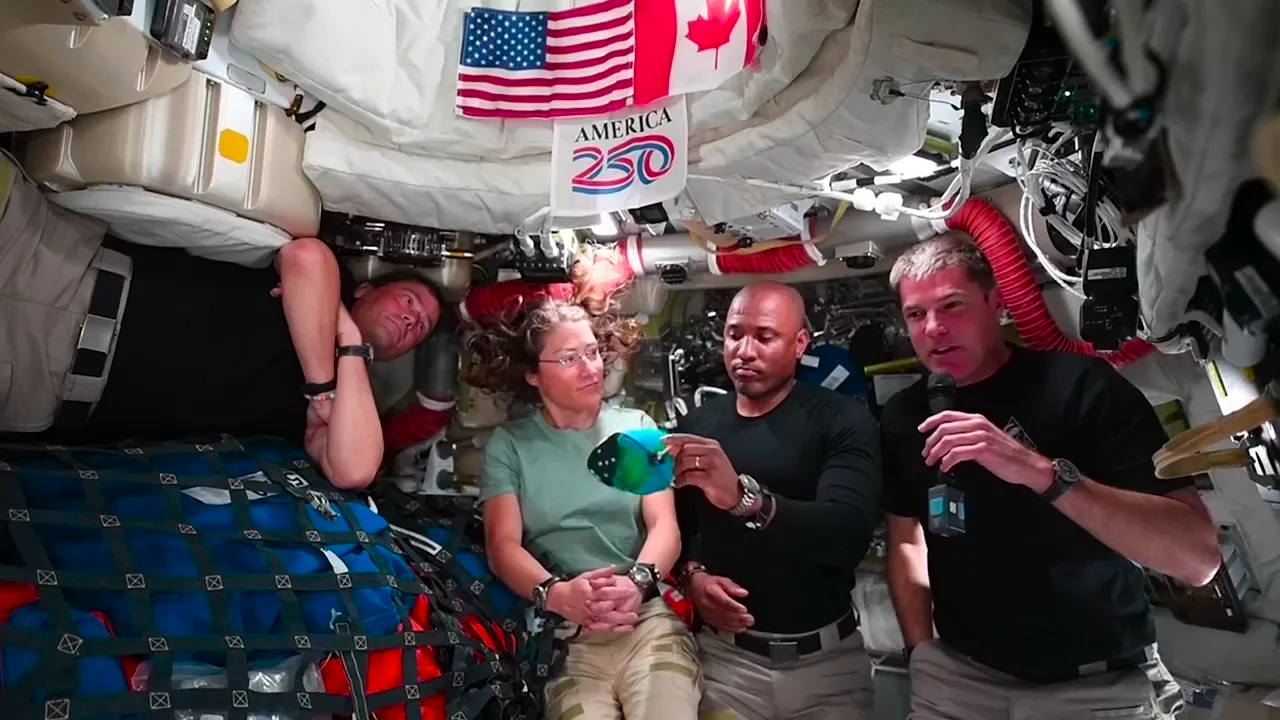
«A 42-second answer from NASA's Artemis II crew news conference (public domain): four astronauts in a 16:9 shot, one of them speaking»

Auto framing · bold captions · 9:16

II

Cropping a widescreen video to vertical keeps the middle of the shot: the table, the mic, someone's shoulder, while the person talking slips off the edge. Fitting the whole frame makes everyone tiny. What you need is a frame that moves with the conversation, and doing that by hand in an editor takes hours.

Upload a video up to 10 minutes: an interview, a podcast, a talk, a conversation on camera. ElevenLabs Scribe transcribes the speech and labels the speakers, then AI finds the faces in the shot and matches them to the voices. In Auto mode, whoever is speaking fills the frame, two people who talk over each other share a split screen, and wide shots and slides are shown whole over a blurred background. If the speaker's face is hidden behind a mic or a voice can't be matched to a person with confidence, the video is shown whole too, so nobody ends up cut off. You can also pick a mode yourself: always follow the speaker, two on screen, or the whole frame.

Captions are one switch away: five styles, with words appearing in time with the speech. You get a 1080×1920 MP4 with the original sound, ready for Reels, YouTube Shorts and TikTok.

The tool works on the web and in our mobile app. If processing fails, your credits come back. To pull several clips out of a long video, use the AI Clip Maker instead.

III

What it does

01

Follows the speaker

Whoever talks fills the frame

02

Split screen

For two people talking at once

03

Whole frame on blur

For slides and wide shots

04

Captions

5 styles, words in time with speech

05

1080×1920

MP4 for Reels, Shorts and TikTok

06

Web and mobile

Convert right from your phone

IV

Who it's for

Podcasters

A whole episode in vertical format

Speakers

A stage talk ready for Reels

Brands

Interviews and testimonials for social

Creators

Old widescreen videos as Shorts

V

How to make a horizontal video vertical

01

Upload a video

Horizontal, up to 10 minutes

02

Pick framing and captions

Auto works for most videos

03

Download the result

1080×1920 MP4

VI

What you can convert

See what you can create — try it yourself

Prompt

«A podcast with two hosts at a table»

Result

The frame switches to whoever talks

Prompt

«A talk on stage»

Result

The speaker up close, no empty stage

Prompt

«A presentation with slides»

Result

The whole slide over a blurred background

Prompt

«A street interview»

Result

A vertical video with captions

VII

Pricing

Pay only for results — no subscription

All plans →
Model / operationCredits
  • One minute with captions · 60 s4 cr.
  • One minute without captions · 60 s3 cr.
  • 5 minutes with captions · 300 s15 cr.

Credit packs: 150 credits for $5, 350 credits for $12, 1250 credits for $35.

VIII

Horizontal to vertical FAQ

How is this better than a plain crop?+

A plain crop keeps the middle of the shot, and the speaker often ends up off the edge. Here AI finds the faces, works out who is talking and moves the frame with them, while wide shots stay whole.

What can I upload?+

A horizontal video up to 10 minutes and 2 GB, as MP4, MOV, MKV or WEBM. For longer recordings, the AI Clip Maker is a better fit: it picks the best moments for you.

What if several people are in the shot?+

In Auto mode the person speaking fills the frame, and when two people talk at once you see both in a split screen. If the speaker can't be identified with confidence, for example when a mic hides their face, the video is shown whole over a blurred background.

Can I skip the captions?+

Yes, turn them off with one switch, which also costs a little less. The original sound is kept as is.

How much does it cost?+

The price depends on the video length: 4 credits for a minute with captions, 3 without them, 15 for 5 minutes with captions. You see the price before you start, and if processing fails, the credits come back.

Try for free

Sign up for free and get 6 credits right away. No card required.