Exterior Paint Visualizer: See Your House in a New Color Before You Buy the Paint
We repainted the same siding house twice — once from the built-in palette, once from exact color codes — and nothing else in the photo changed. Then we redesigned a back yard.
Contents
Paint chips are tiny and a house is big. A colour that looks calm on a two-inch card can look loud across forty feet of siding, and a test patch only shows one wall. The safest way to choose is to see the whole house in the new colour first.
House Exterior on ImageGPT has a Repaint only mode for exactly that: the house stays as it is in your photo — the shape, windows, roof line, driveway and neighbours — and only the colours you pick change.
Example: palette colours vs exact codes
We took a photo of a beige siding house and ran Repaint only twice. First from the built-in palette: walls Sage green, roof Anthracite, trim White, front door Terracotta. Then from codes typed into the text field: walls RAL 1015, roof RAL 8019, trim and gutters RAL 9016, front door RAL 5011.
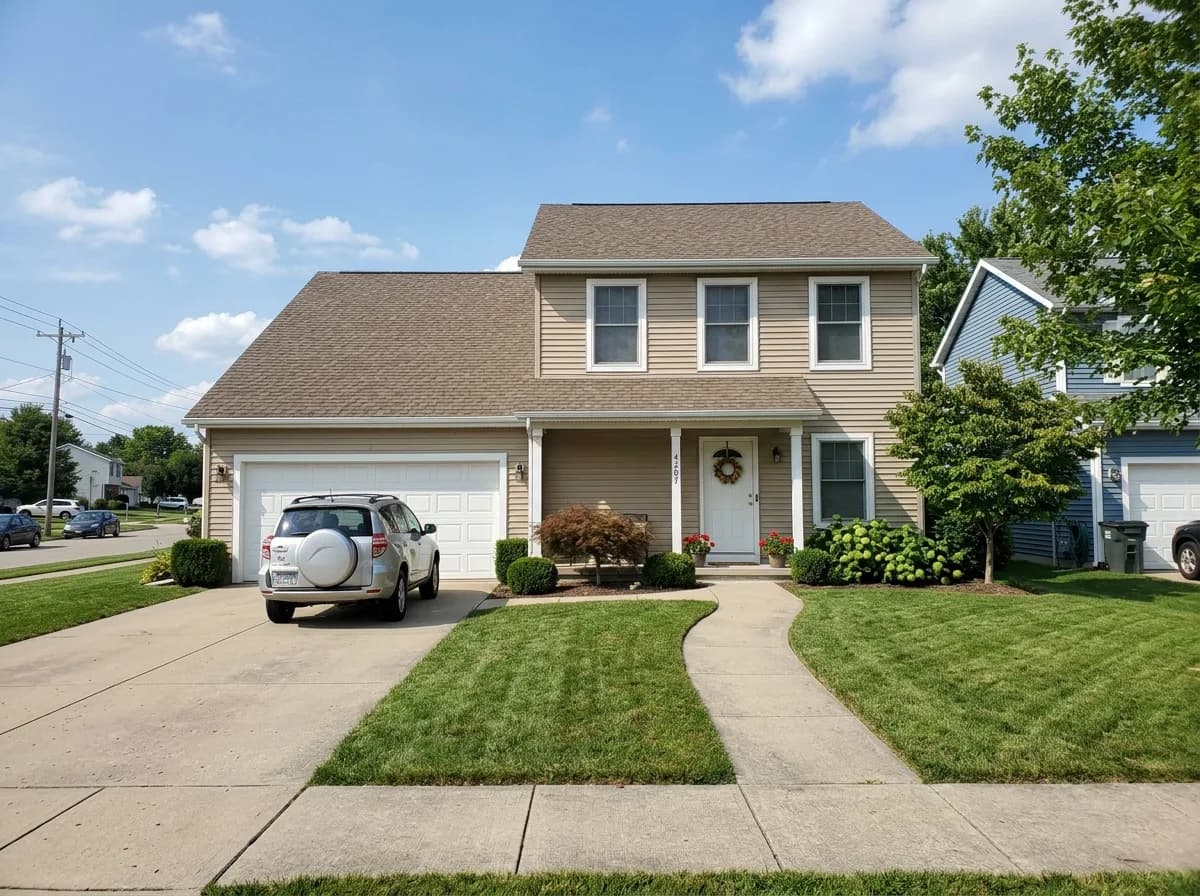
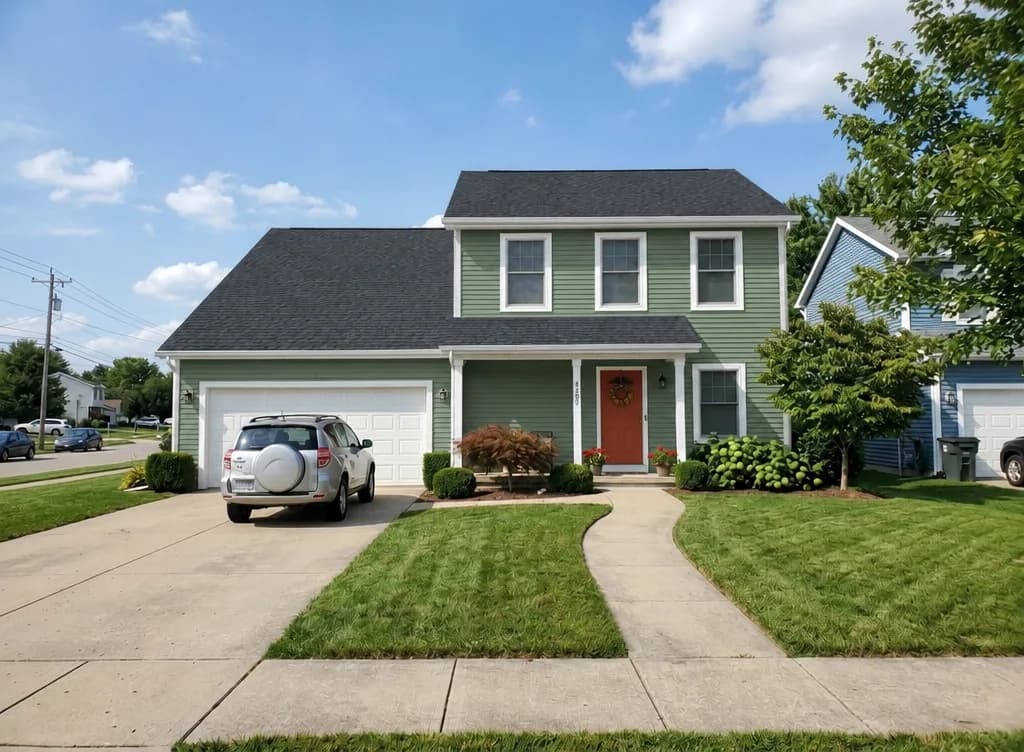
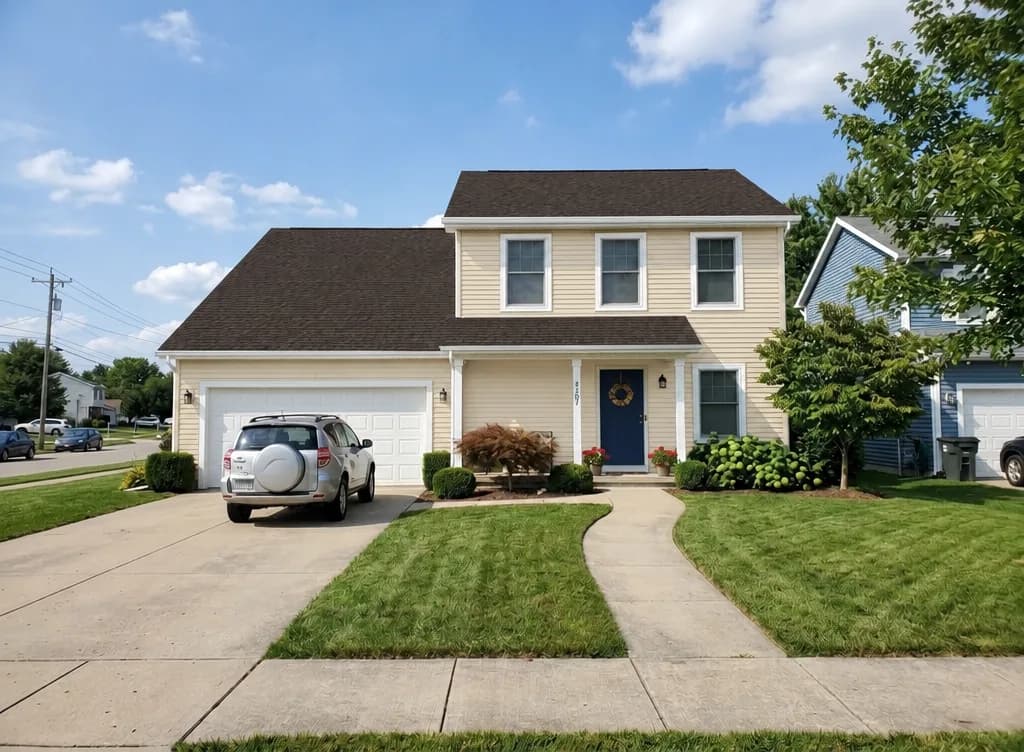
You can repaint five parts: Walls, Roof, Trim, windows, gutters, Foundation / base and Front door. Each one has twelve colours from white and ivory to graphite, chocolate brown, terracotta, sage, forest green and navy, or Keep. For an exact match, type RAL, NCS or hex codes in Color codes or wishes:
walls RAL 9010, roof RAL 7024, door #8B2E2E
walls NCS S 1005-Y20R, foundation RAL 7016, trim white, door forest green
Screens show colour differently and the picture is lit by whatever light was in your photo, so treat the result as a guide. Once you've narrowed it down, put a real sample on the wall and look at it in daylight.
A whole new exterior
If you're planning more than paint, switch to New exterior. Pick a style — Barnhouse, Modern, Scandinavian, Chalet, Classic, Half-timbered, High-tech, or Same style, new finishes — and optionally a facade material: plaster, wood cladding, siding, brick or stone. The footprint, storeys, roof line, windows, doors and camera angle stay the same; the walls, roof and trim get the new look.
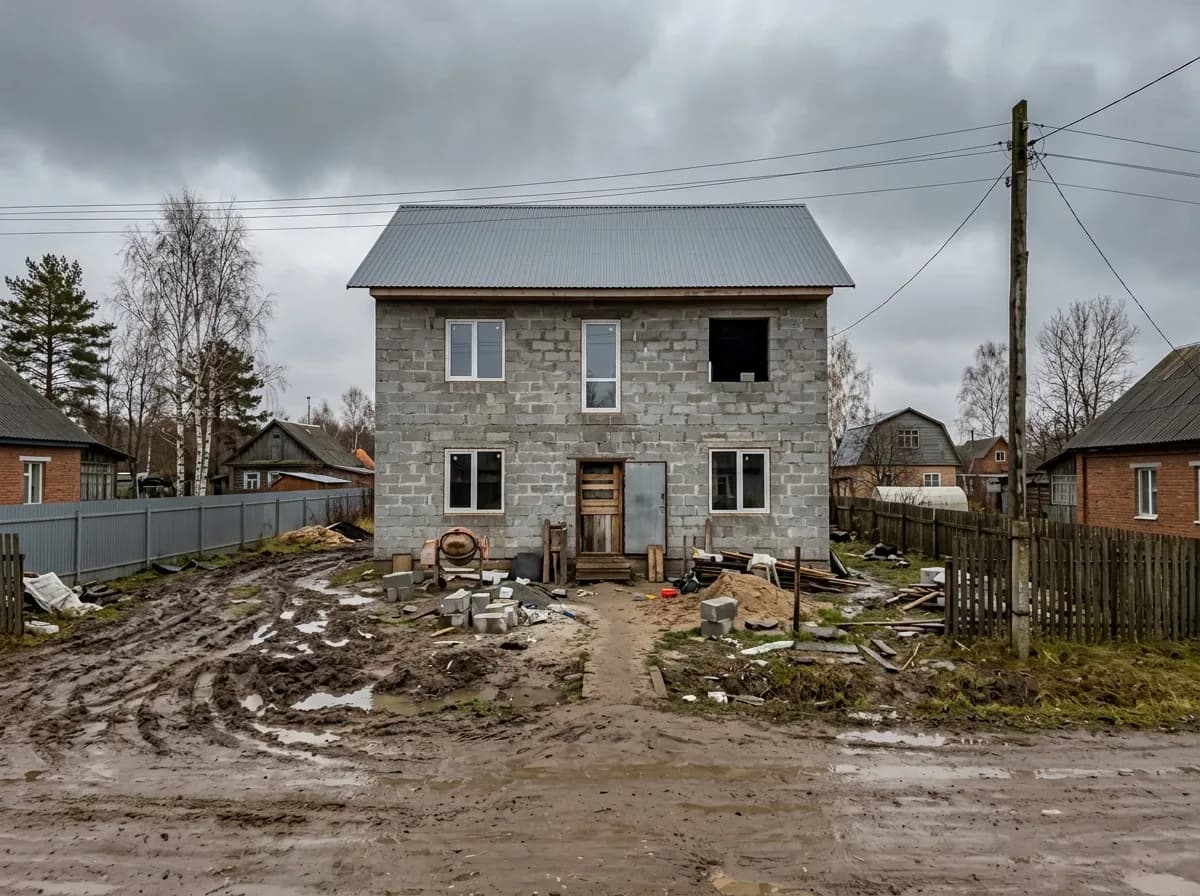
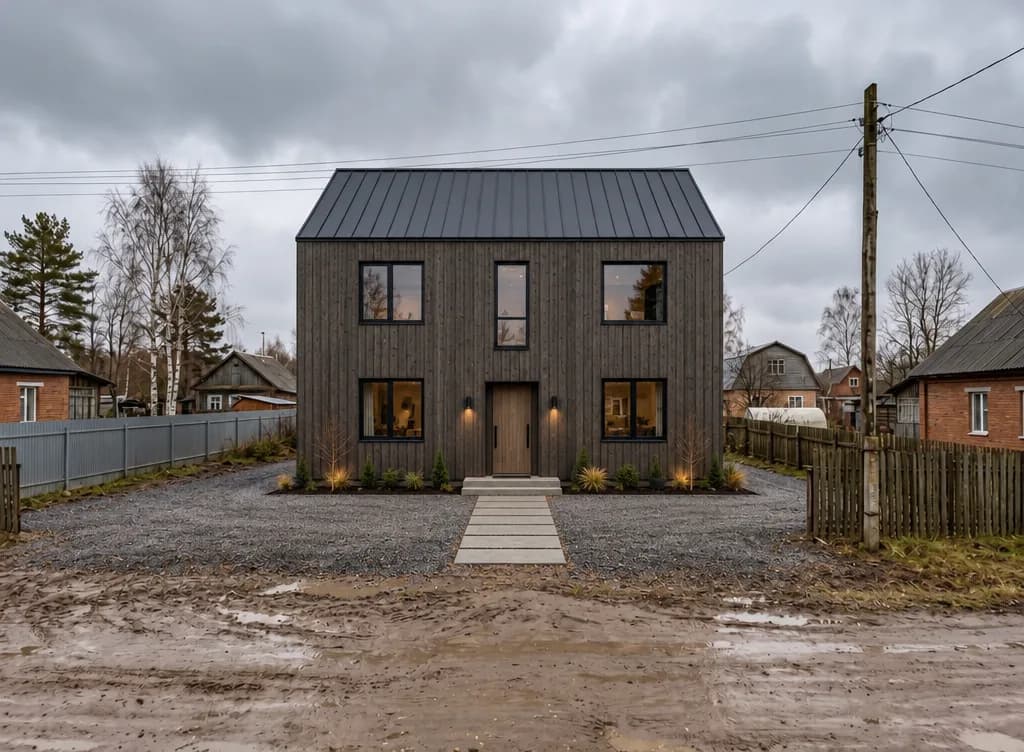
No photo yet? Describe the house you want to build and House Exterior will draw it from scratch in the chosen style.
The yard, too
Landscape Design works the same way for the garden. Upload a photo of the yard, pick a style — Modern, Natural, English, Japanese, Mediterranean or Country garden — and tick what to add: lawn, paths, terrace, gazebo, BBQ area, pool, pond, flower beds, vegetable beds, play area, sauna house, lighting. The house, fence, big trees and the lie of the land are kept.
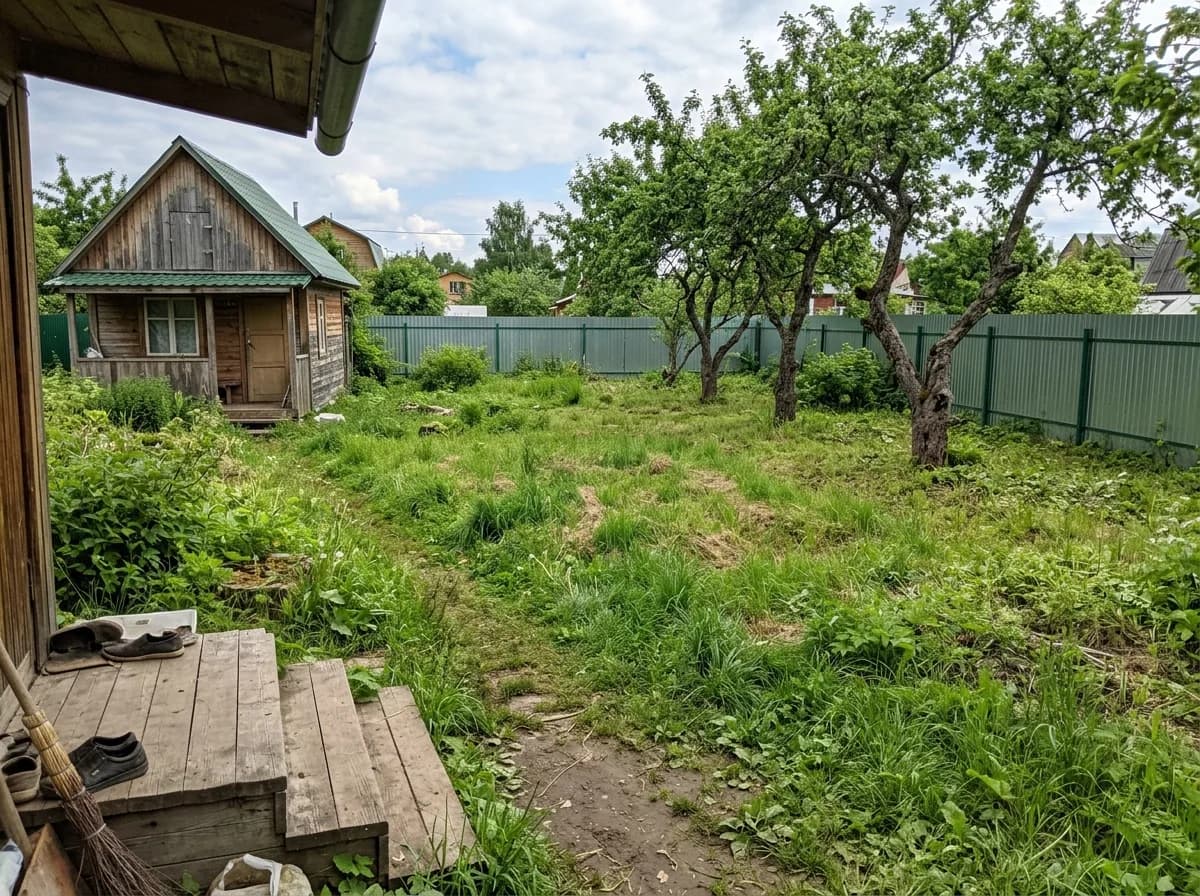
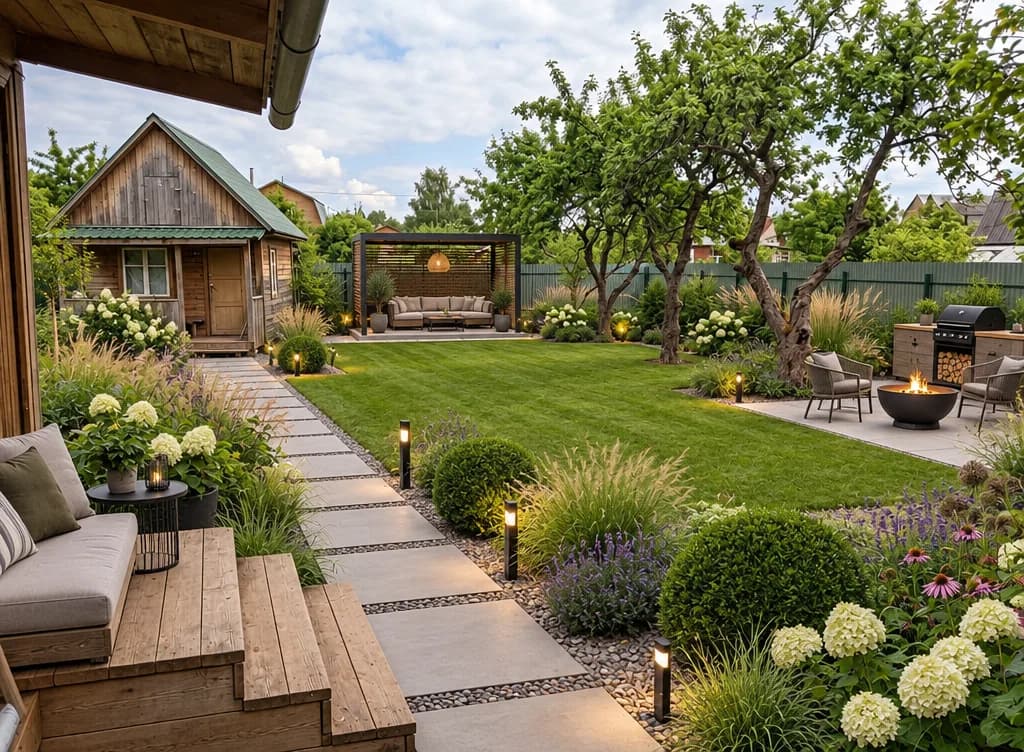
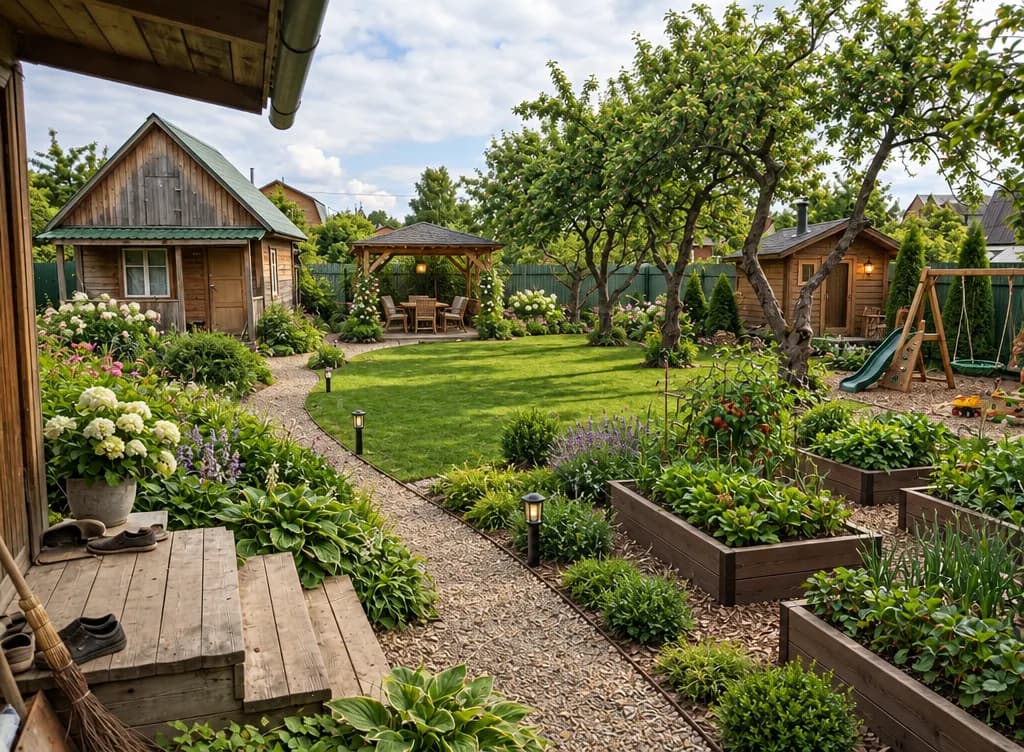
The planting is chosen for a temperate climate with cold winters. If you garden somewhere warm, say so in the wishes — “drought-tolerant Mediterranean planting”, for example.
How to take the photo
- The whole house from the street, straight on or at a slight angle, in daylight.
- Avoid harsh midday shadows and backlight — overcast days give the most honest colours.
- For the yard, shoot the whole plot from the porch or a corner.
Step by step
- Open House Exterior in the Photo section and upload your photo.
- Under What to do, pick Repaint only or New exterior.
- For Repaint only, choose colours for the parts you want to change, or type codes into the text field.
- For New exterior, pick a style and material, and add wishes like “a porch with a canopy”.
- Choose up to four variants and click Show exterior.
Pricing
| Tool | One variant | Four variants |
|---|---|---|
| House Exterior | 6 credits | 24 credits |
| Landscape Design | 6 credits | 24 credits |
Variants that fail are refunded. New accounts get 6 free credits.
Upload a photo of your house and try a new colour scheme.
Repaint my housePlanning the garden as well?
AI landscape designTry everything from this article in minutes
All the models and tools from this article are in one place. You get 6 free credits after sign-up, and every price is shown before you run it.
Repaint my house