Virtual Staging for Real Estate Listings: Furnish a Whole Home with AI in One Go
Empty rooms photograph badly and cluttered ones even worse. We staged two empty rooms of the same apartment in one run, emptied a furnished room and changed the floor — all from phone photos.
Contents
Buyers scroll past empty rooms. Without furniture there's nothing to tell you how big the space is, where the sofa goes or whether a bed fits under the window. Cluttered rooms are worse: the buyer sees the seller's stuff, not the home. Traditional staging fixes both, but renting furniture for a listing costs real money and takes days.
Interior Design on ImageGPT now has four modes for room photos and can stage several rooms of the same home at once, so the whole listing looks like one consistent, furnished place. Below are real results from phone photos.
Four modes for a room photo
| Mode | What it does | Use it for |
|---|---|---|
| New design | Restyles the room, furniture and finishes in the style you pick | Showing what a dated room could become |
| Furnish empty room | Adds furniture and decor, keeps walls, floor, windows and doors | Vacant listings and new builds |
| Clear out the room | Removes furniture and clutter, keeps the room itself | Showing the space without the seller's things |
| Repaint and refinish | Changes only what you describe: walls, floor, ceiling, kitchen cabinets | Showing a buyer a quick, cheap update |
Example: two rooms of one apartment in one run
We uploaded two photos of empty rooms in the same apartment, picked Furnish empty room, the Japandi style and turned on the Virtually staged label. One run gave one image per room, and both share the same palette, wood tones and textiles, so they look like one home rather than two different catalogues.
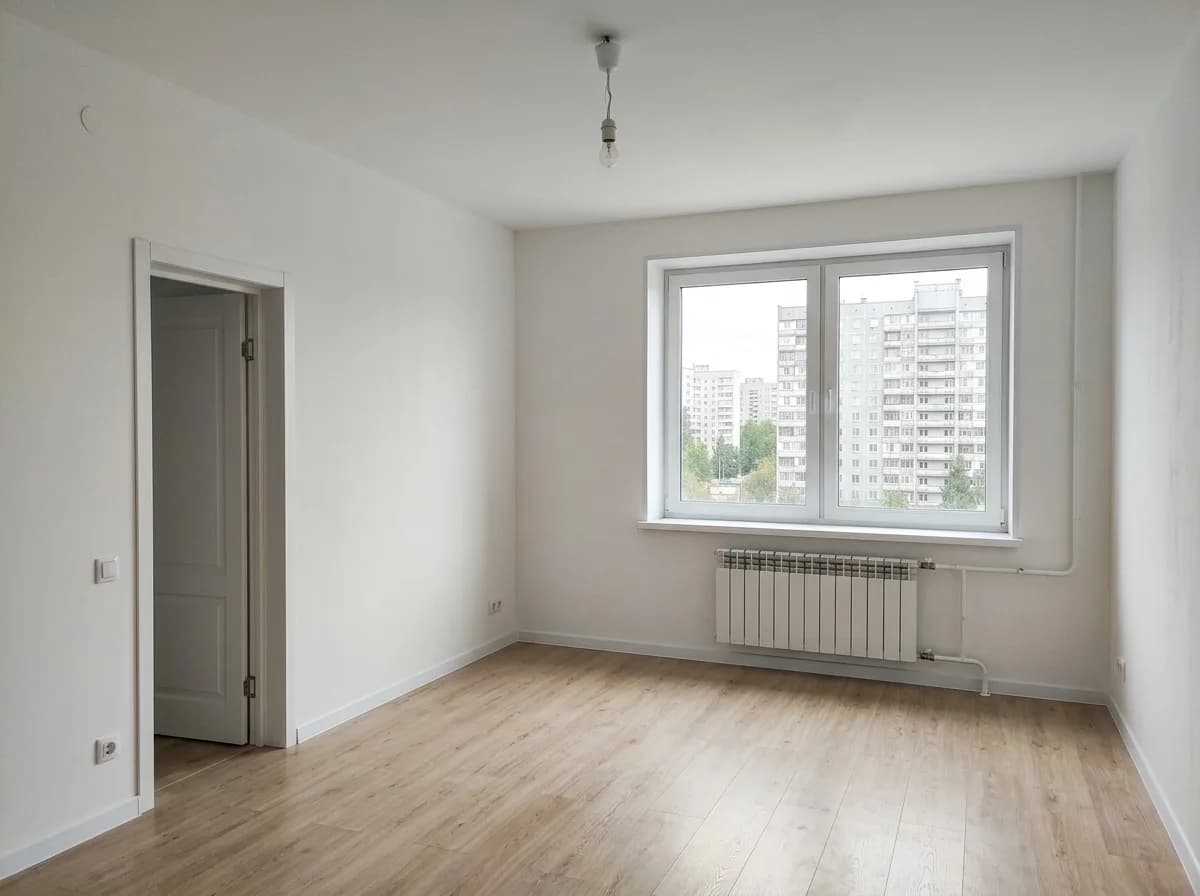
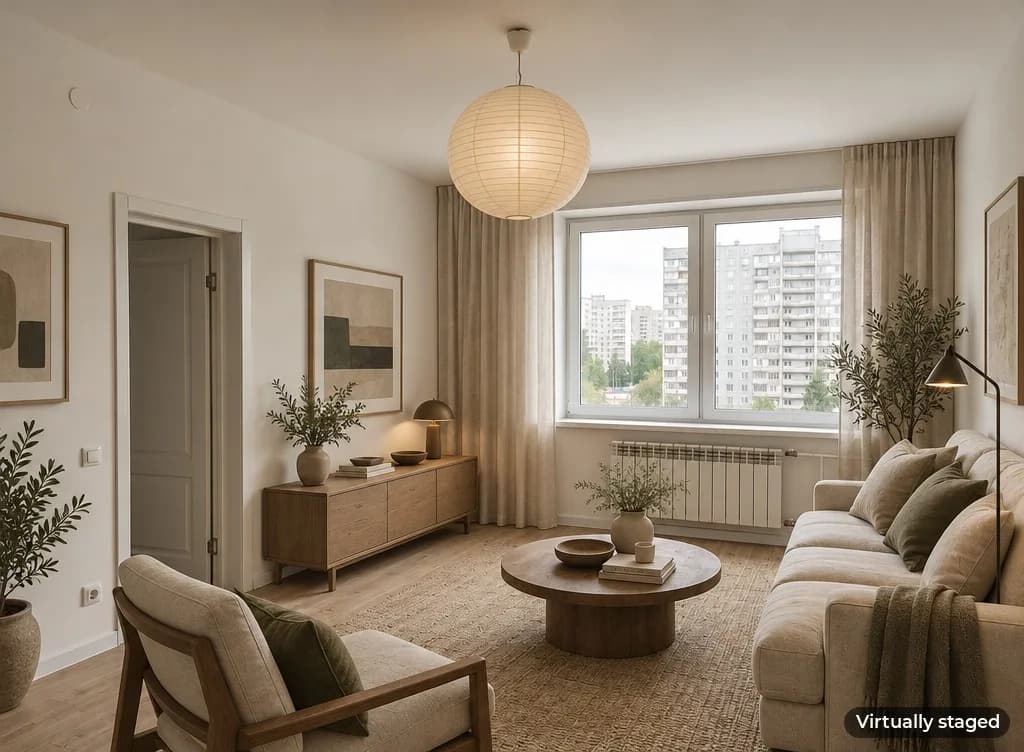
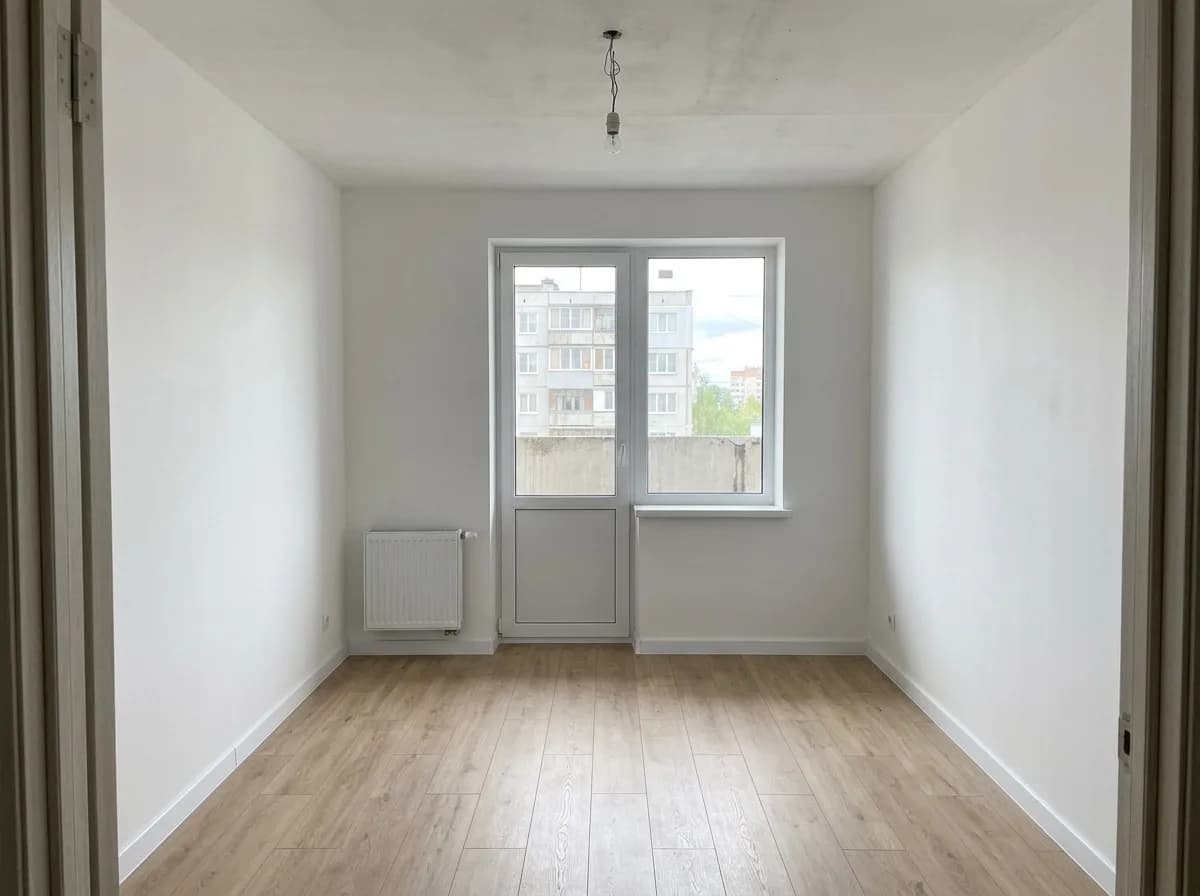
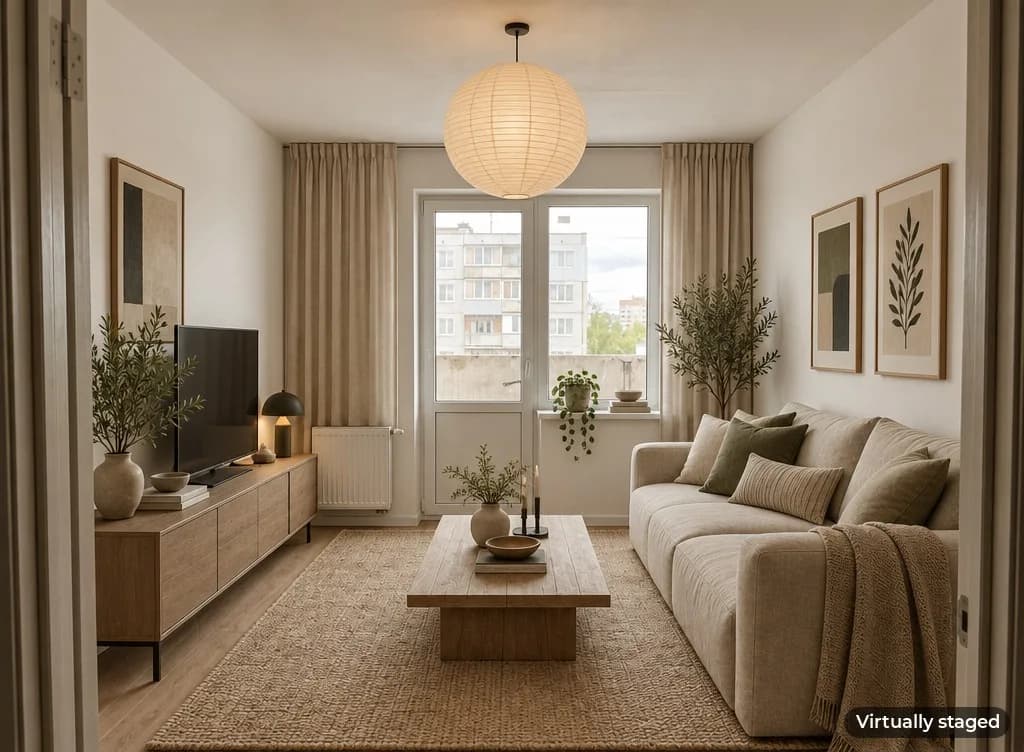
To stage a whole home, add the extra rooms under More rooms of the same home: up to seven photos on top of the first, eight rooms in total. Multi-room works with New design, Furnish empty room and Clear out the room. You get one image per room, all in one style.
Clearing out a furnished room
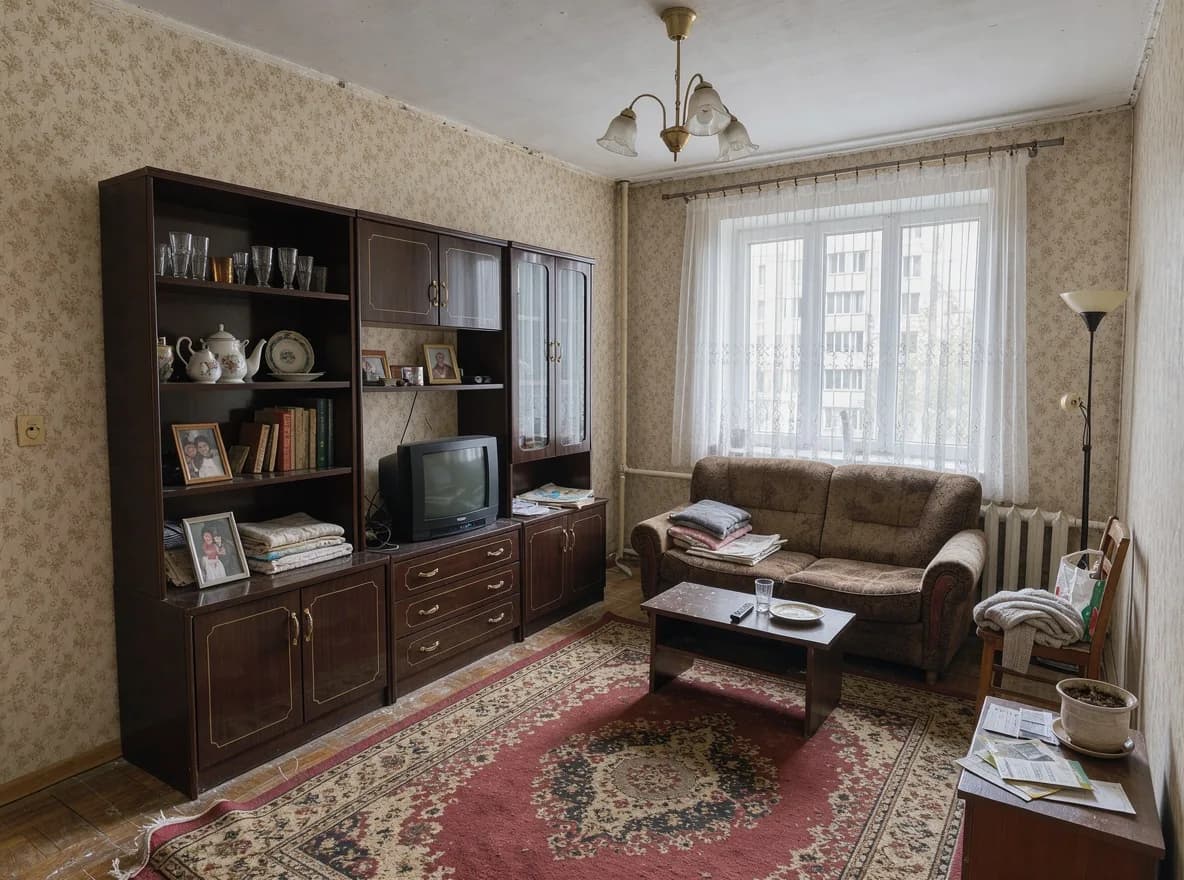
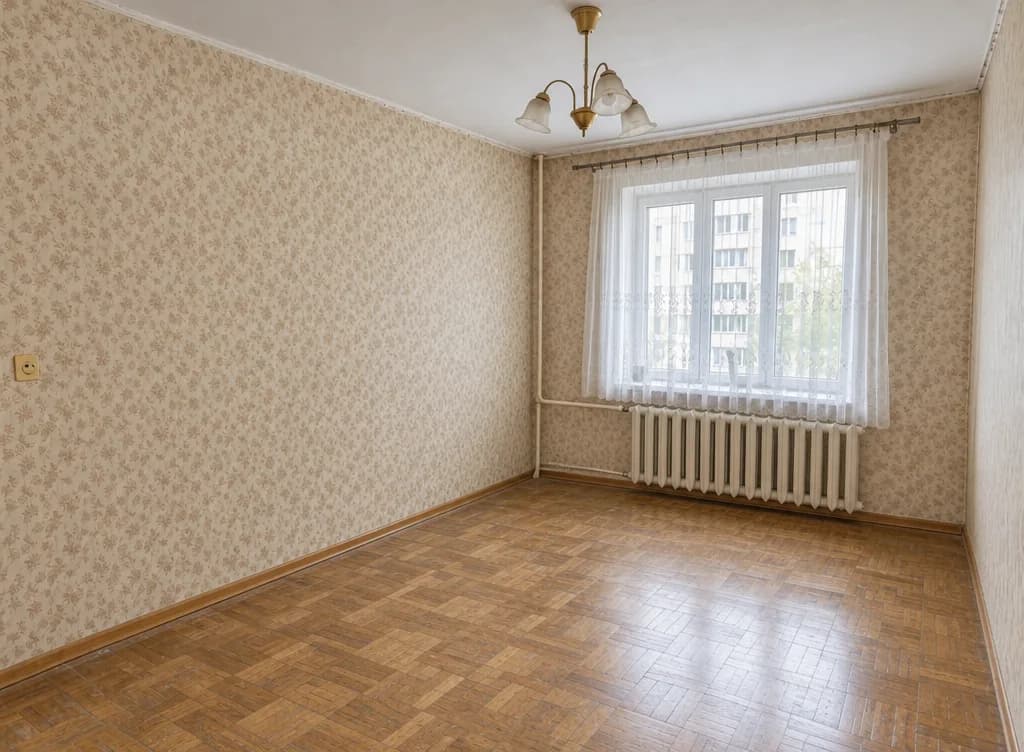
Clear out the room removes furniture, rugs and clutter while keeping the walls, windows, radiators and light fixtures. It's handy when a seller is still living in the home, and it's also a good first step before staging the room in a different style.
Repaint and refinish
This mode changes only what you write in What to change and leaves the furniture, layout and light alone. It works on one photo at a time. Be specific about materials and colours:
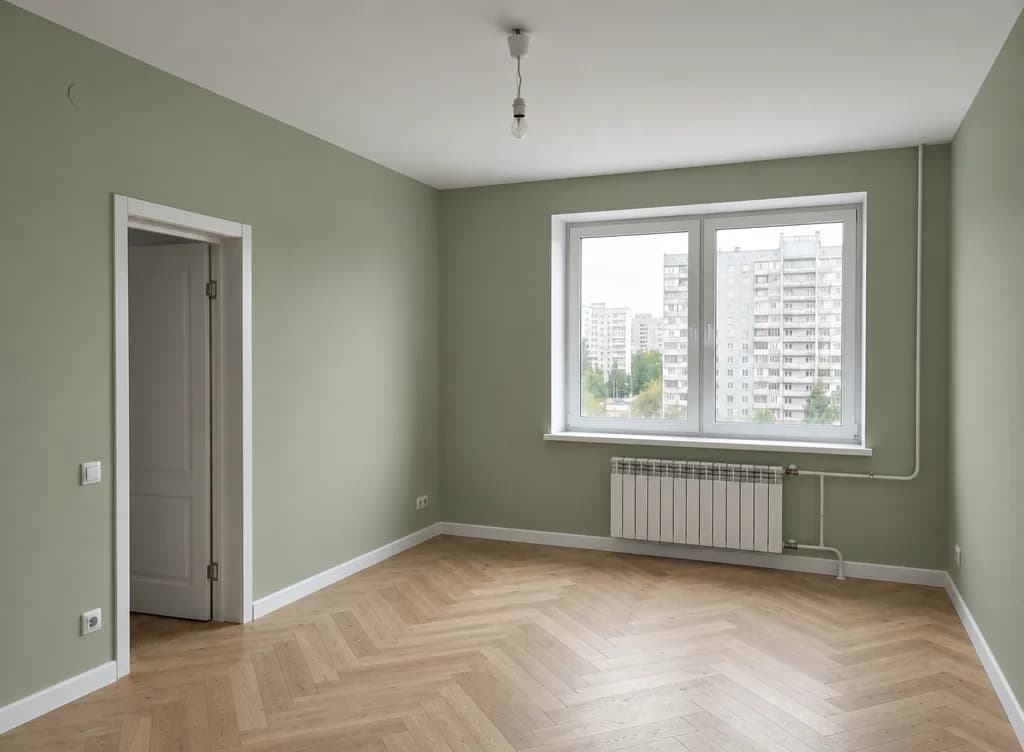
walls in sage green paint, herringbone light oak parquet floor
warm white walls, one accent wall with small botanical wallpaper, light oak floor
matte white kitchen cabinets, light wood countertop, white subway tile backsplash
How to shoot rooms for staging
- Shoot from a corner so the whole room fits. A phone's wide-angle lens works well.
- Hold the phone level at chest height — tilted verticals make the result look off.
- Use daylight and turn the lights on if the room is dark.
- For multi-room runs, shoot every room the same way so the set looks consistent.
Step by step
- Open Interior Design in the Photo section and upload a room photo.
- Under What to do, pick a mode.
- To stage the whole home, add more rooms under More rooms of the same home.
- Pick a style: Scandinavian, Modern, Loft, Japandi, Classic, Modern classic, Provence, Boho, Minimal, Luxury or Art Deco.
- Turn on Add “Virtually staged” label if the photos are going into a listing.
- Add wishes if you like — “a desk by the window”, “green accents” — and click Show design.
Be upfront about staging
Many listing sites and local rules require you to disclose virtually staged photos, and buyers who feel misled stop trusting the rest of the listing. The label adds a small caption in the corner: “Virtually staged”, or “Virtually edited” for Clear out the room. Keep the original photos in the listing too, and don't use AI to hide defects like cracks or damp patches.
Pricing
Each image costs 6 credits, so staging eight rooms of one home costs 48 credits. Images that fail are refunded. New accounts get 6 free credits.
Upload your listing photos and see them staged in a couple of minutes.
Stage a listingMore about staging for agents and sellers.
Virtual staging AITry everything from this article in minutes
All the models and tools from this article are in one place. You get 6 free credits after sign-up, and every price is shown before you run it.
Stage a listing