How Old Do I Look? Let AI Guess Your Age from a Photo — and Tell You Why
One photo makes you look 25, another 35. Our AI age guesser shows how old you look in a picture, what's adding years and how to look fresher on camera.
Contents
In one photo you could pass for your little sibling; in another you look like you've just done a double shift. Most of that isn't your face — it's the picture. Harsh overhead light, a tired look and a serious expression add years; a real smile and soft light take them off.
The How old I look mode in AI Face Analysis on ImageGPT guesses the age you look in a specific photo and tells you why. It's a game, not an ID check: it doesn't know your real age unless you tell it.
What the card shows
- The age you look, in big numbers.
- A range of a few years, on an age scale.
- A short, kind comment about your look.
- Looks younger — one or two things in the photo that take years off, like a bright smile.
- Adds years — only fixable things, gently worded: harsh light, shadows, tired eyes. Sometimes there's nothing here.
- A tip for looking fresher in photos.
Real result cards
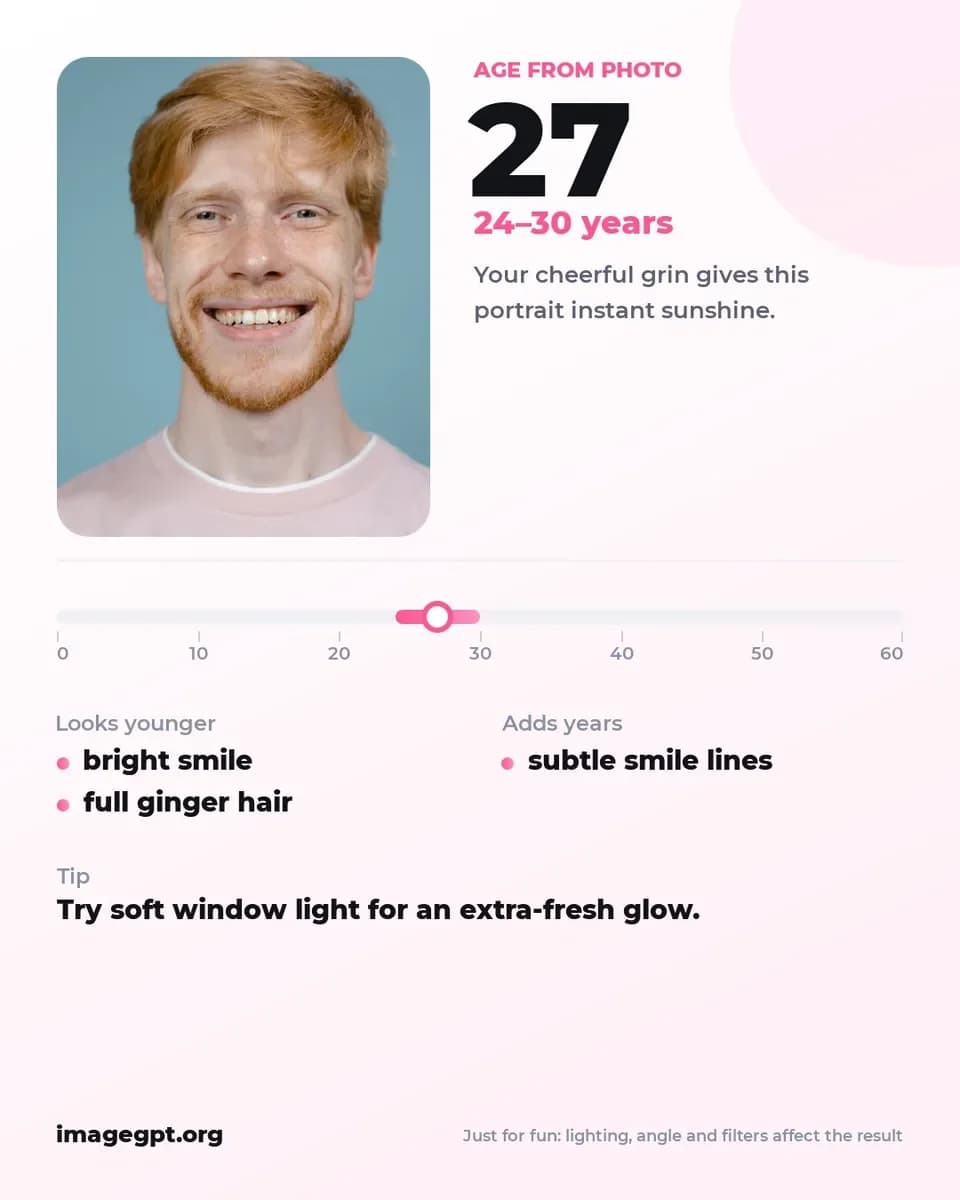
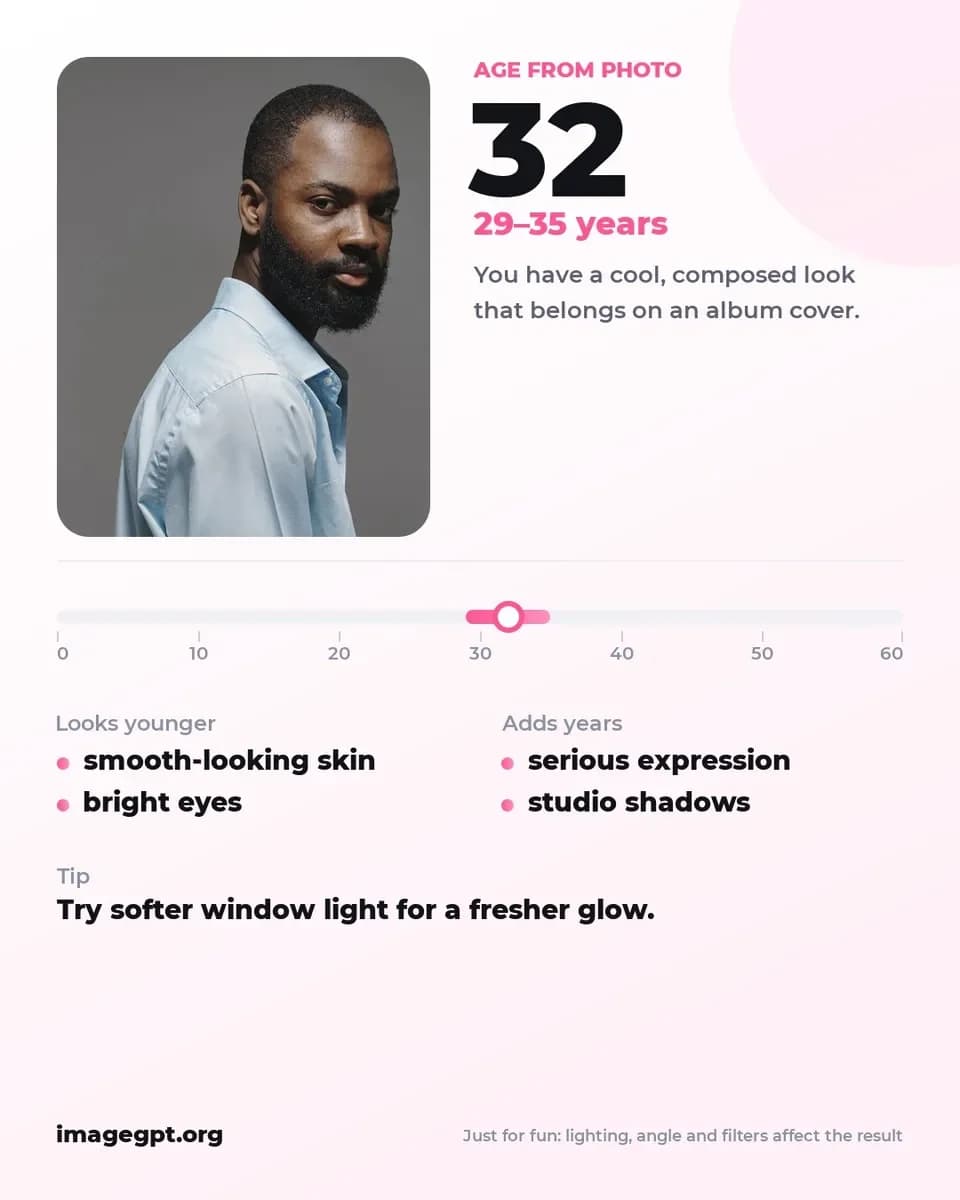
For the first man, a bright smile and full ginger hair took years off, and subtle smile lines added a few. For the second, smooth-looking skin and bright eyes kept him young, while a serious expression and studio shadows added years. Both got the same tip: softer window light.
Why a range, not one number
Nobody can read an exact age off a single photo — not a stranger, not an AI. That's why the card gives a range of a few years next to the main guess, and marks it on an age scale when you haven't entered your real age. Two photos of the same person easily land years apart: overhead light deepens lines and under-eye shadows, a low angle adds weight to the jaw, a serious face reads older than a smiling one, and smoothing filters shave years off the picture.
Compare with your real age
Want the bragging rights? Enter your real age, from 14 to 99. It's optional and only used for the comparison — the model is told not to let it change the guess. The card then shows three numbers instead of the scale — the age in the photo, your real age and the difference — plus a playful verdict. If you look older in the photo, the verdict blames the light or the angle, not you.
What photo to use
- A selfie or portrait with your whole face visible.
- No smoothing filters — they make the picture look younger, not you.
- For a fair guess: daylight from a window and the camera at eye level.
- For a game: upload several very different photos and compare.
Step by step
- Open AI Face Analysis in the Photo section.
- Under What to find out, choose How old I look.
- Upload a photo and, if you like, enter your real age.
- Click Analyze my face. The card appears on screen and in your history.
Experiments worth trying
- The same face by a window and under a ceiling light.
- With and without a beard, makeup or glasses.
- A serious headshot versus a candid laugh.
- A photo from five years ago versus one from last week.
How to look younger in photos
The tips on the card usually come down to a few simple things: soft light from the front, face toward the window, a natural smile, camera at eye level or slightly above. If you already have a great shot that's let down by harsh shadows or a tired look, AI Photo Retouch has Remove harsh shadows, Soften wrinkles and Look younger, each with a strength setting.
Pricing
One analysis costs 3 credits, card included. If there's no face in the photo or the analysis fails, the credits come back. New accounts get 6 free credits.
Upload a selfie and see how old you look.
Guess my ageMore examples and answers about the age guesser.
AI age guesserTry everything from this article in minutes
All the models and tools from this article are in one place. You get 6 free credits after sign-up, and every price is shown before you run it.
Guess my age