
ImageGPTImageGPT

Photo

AI Face Retouch

Clear skin, open eyes, even light and a brighter smile in one tap — no Photoshop, and you still look like you.

6 free credits on sign up

I

Before and after

Real outputs of the model: the request and what came out, with no retouching

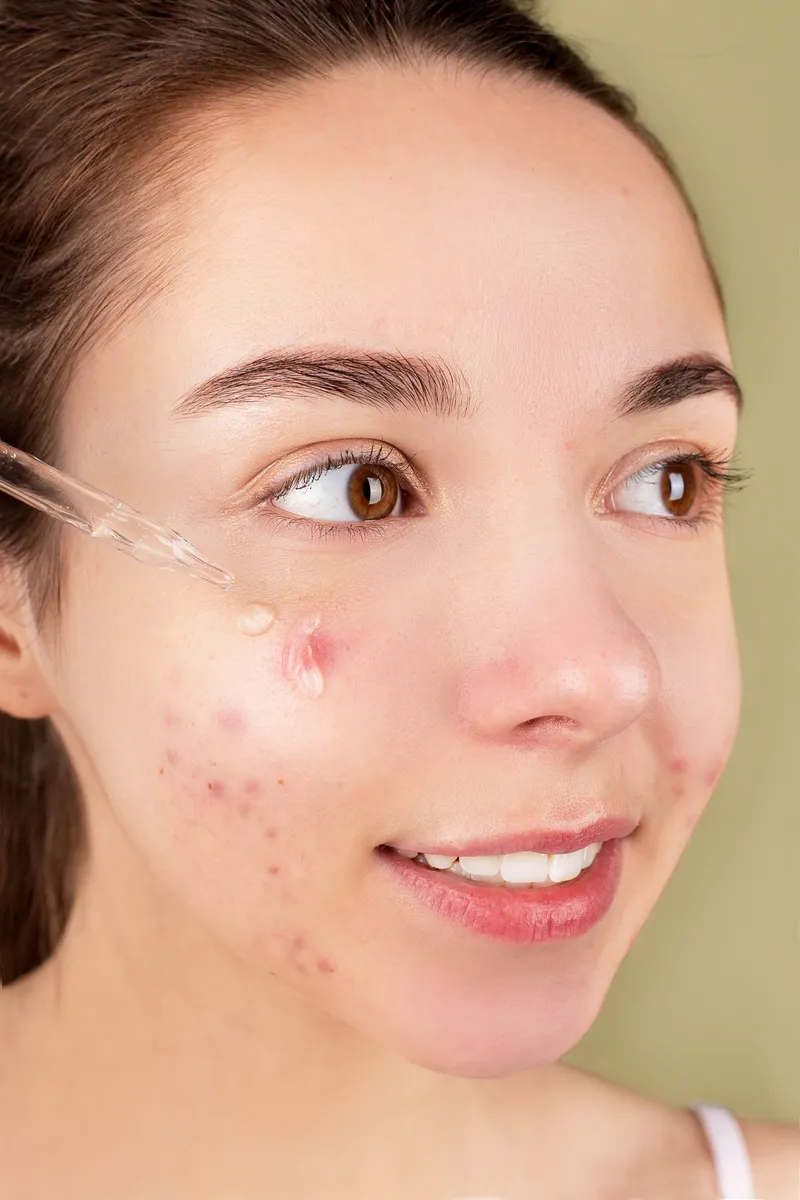
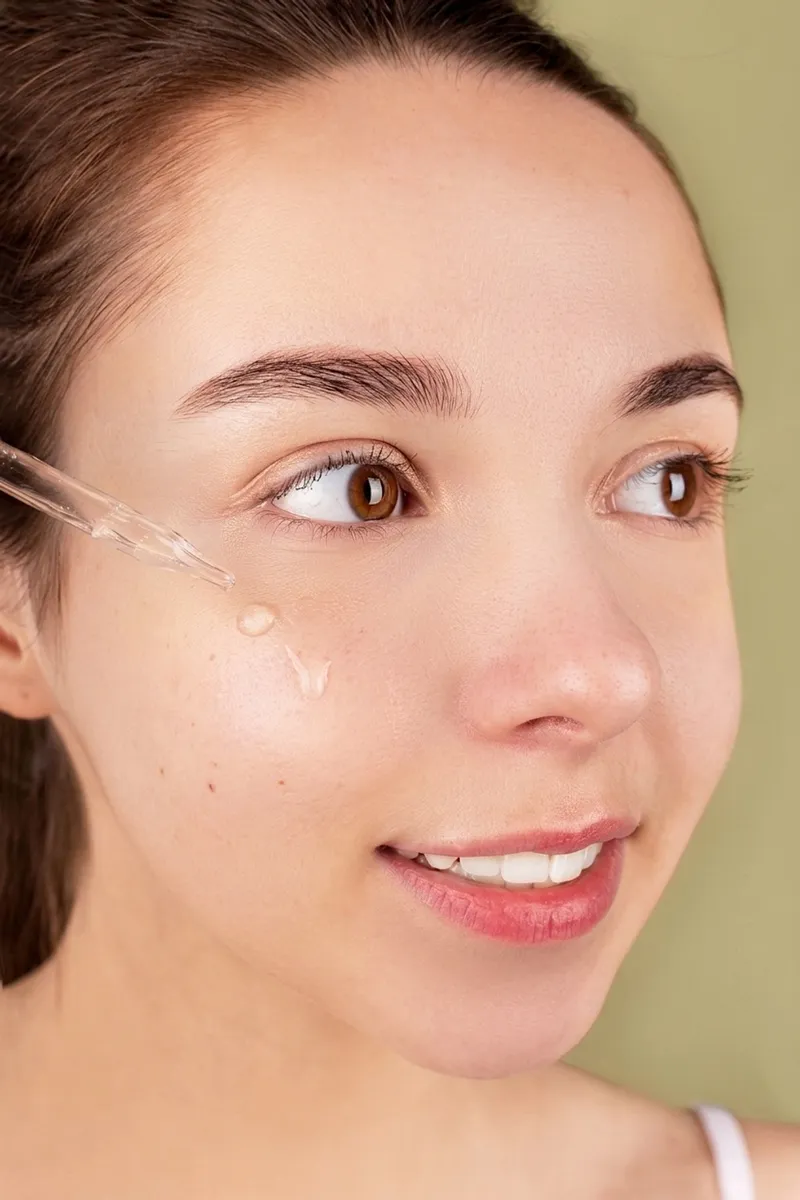
«Clear skin and acne · strong»

Nano Banana 2 · retouch

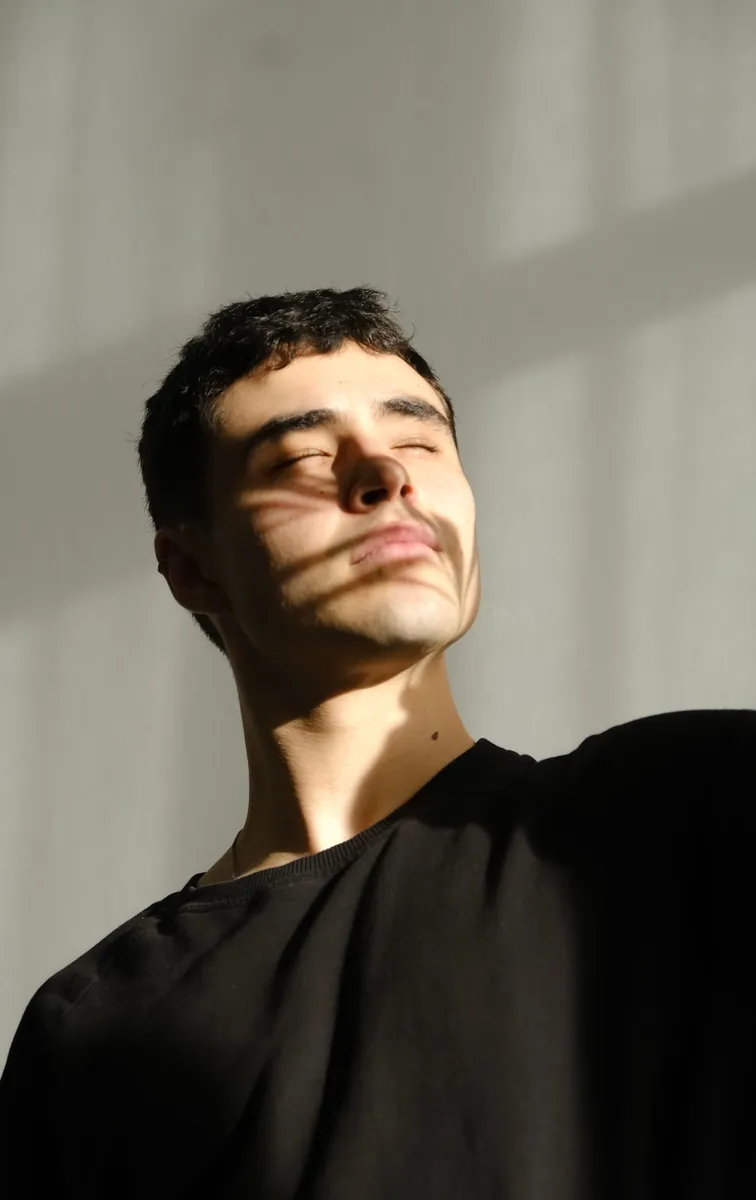
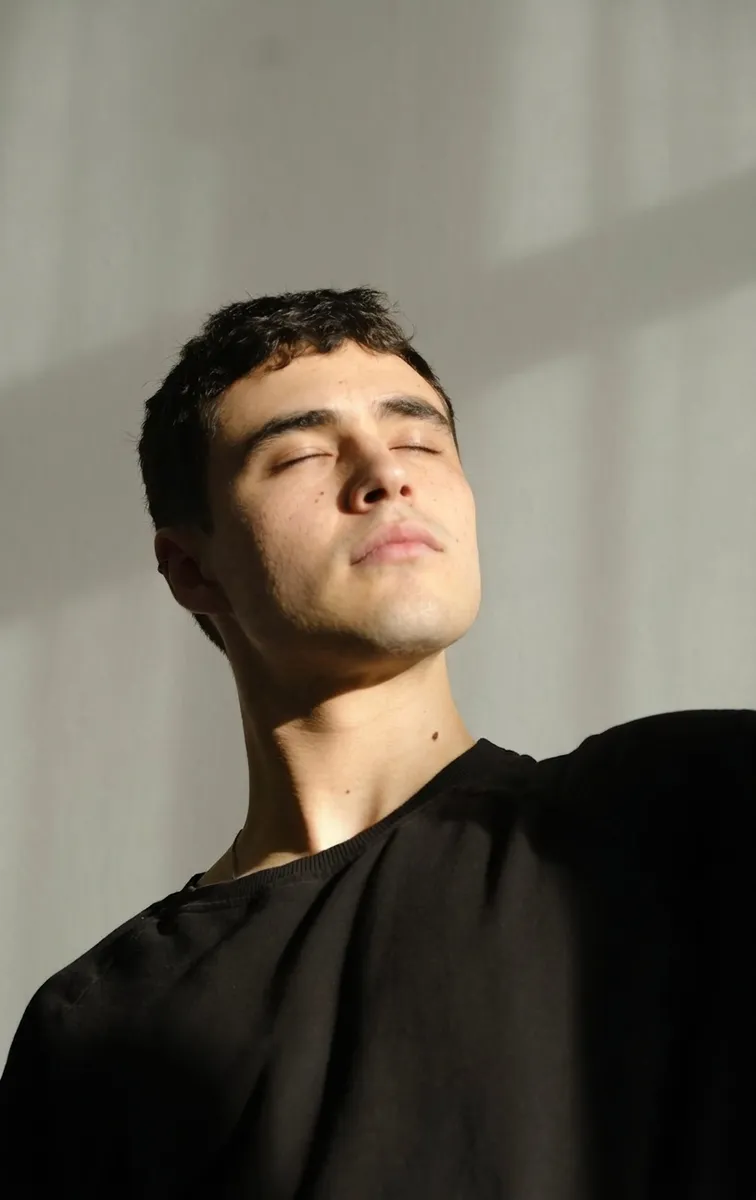
«Remove harsh shadows + clear skin»

Nano Banana 2 · retouch

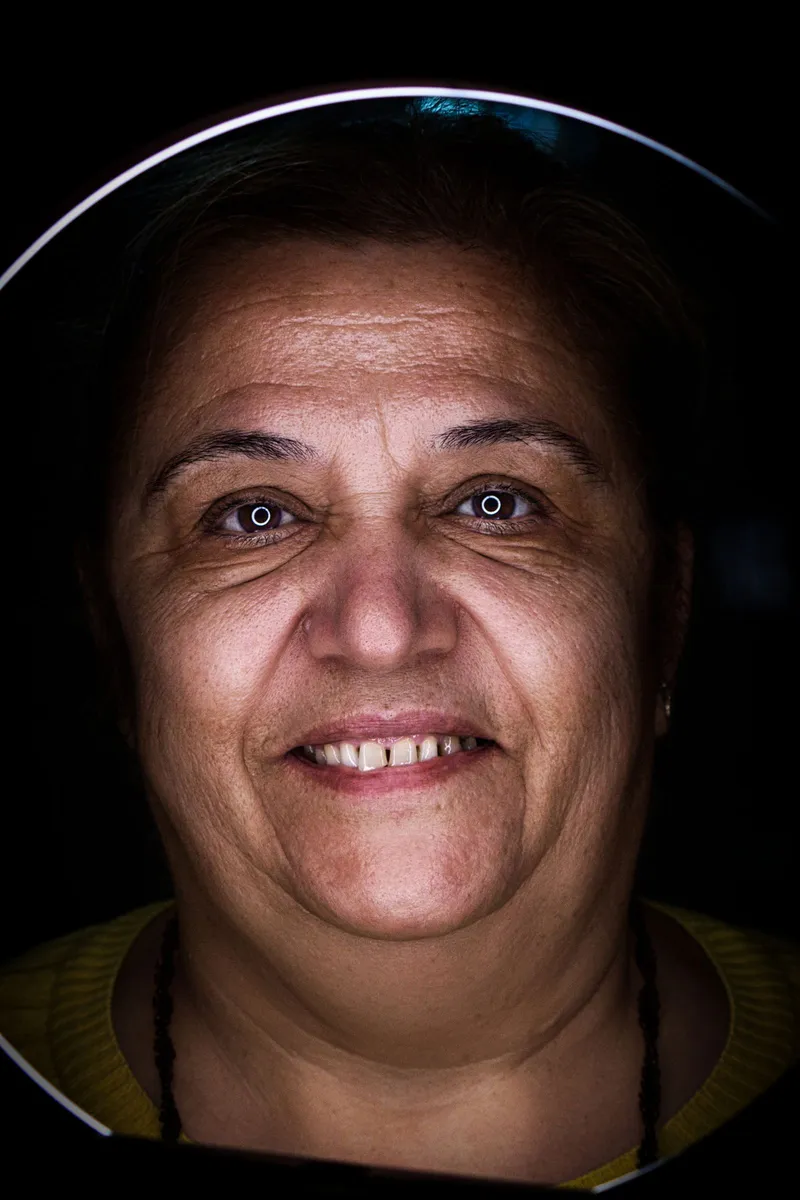
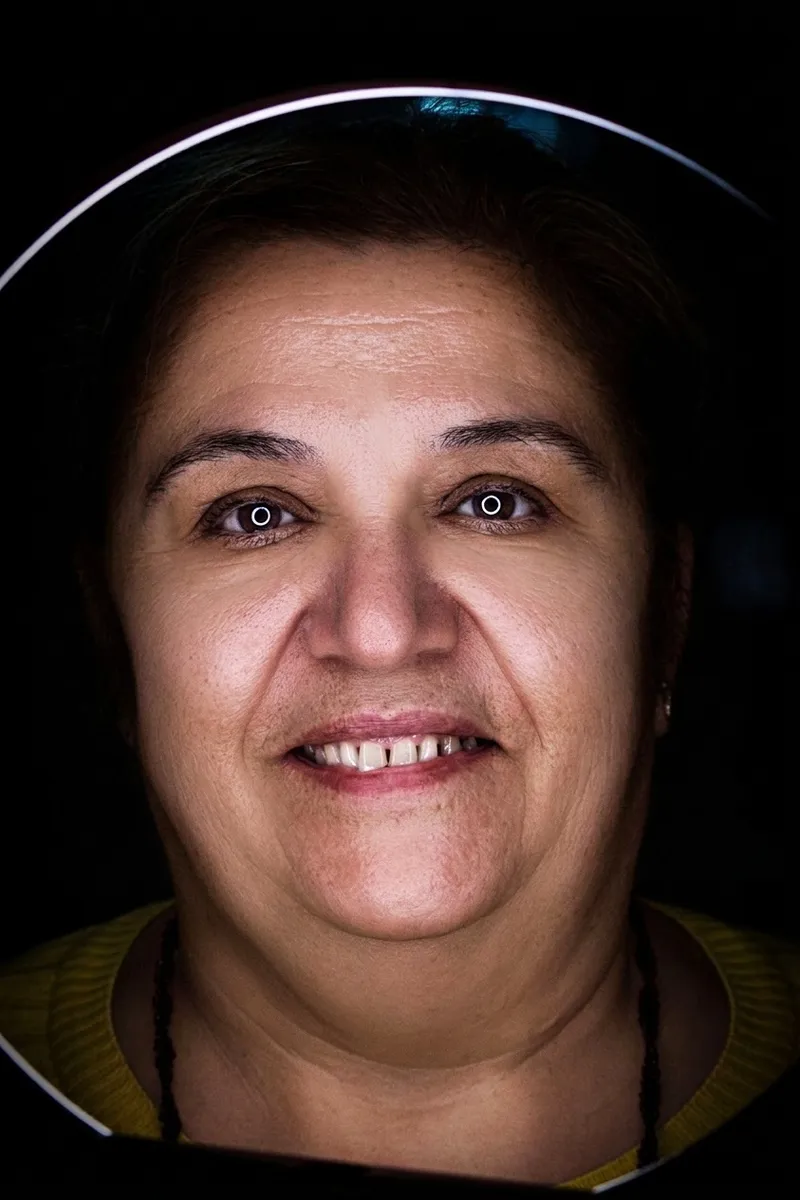
«Soften wrinkles · strong»

Nano Banana 2 · retouch

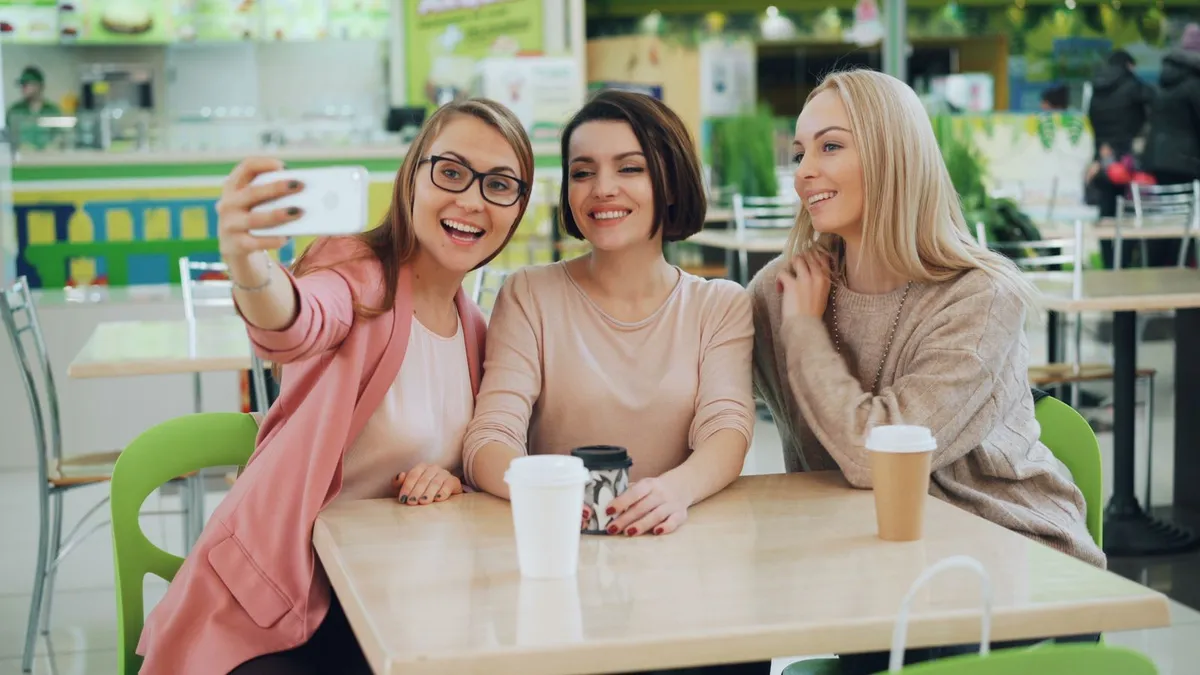
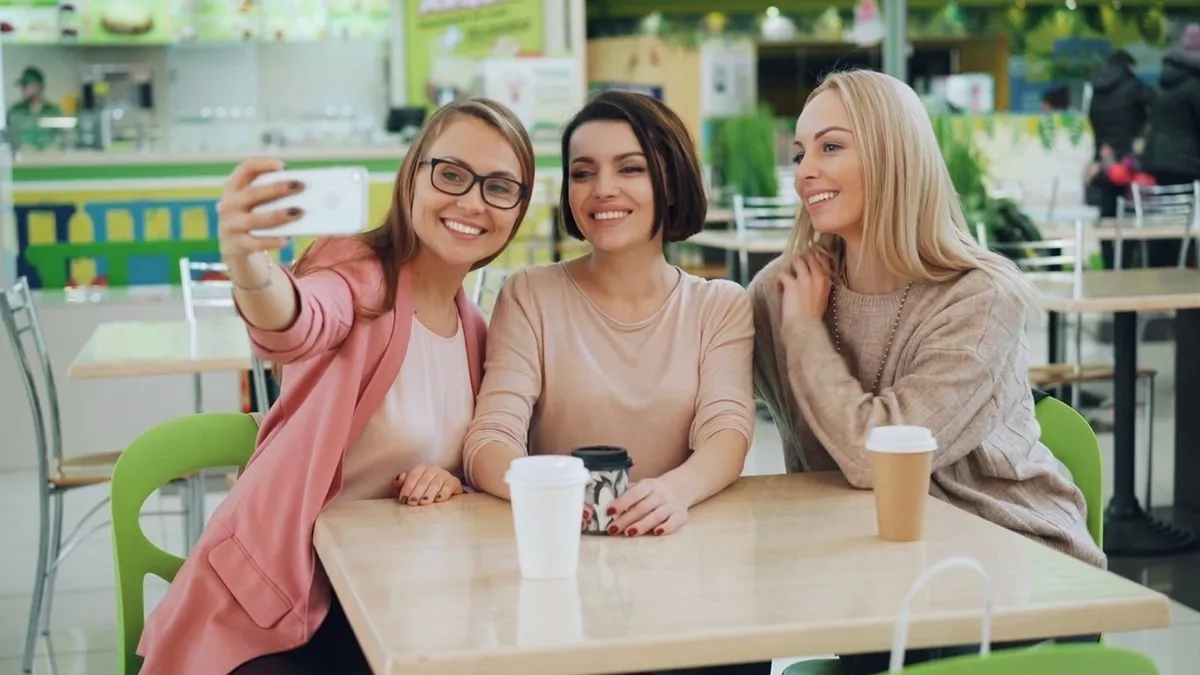
«Group photo: add a smile + whiten teeth»

Nano Banana 2 · retouch

II

The best shot of the day is usually spoiled by something small: a breakout, a cap shadow across the eyes, the one friend who blinked. A retoucher would charge for half an hour of work; this takes under a minute and no layers or brushes.

Upload a photo and tick what to fix: open closed eyes, clear acne and redness, soften wrinkles and under-eye bags, lift harsh shadows, whiten teeth, add a smile, turn the face to the camera, look a little slimmer or a few years younger. Fixes combine, so they all happen in one run. Skin, wrinkles, light, teeth, slimming and the younger look come with a strength setting: barely noticeable, natural, or strong like a glossy magazine.

The edit is done by Google's Nano Banana 2, with likeness as the top rule: face shape, features, eye color, skin tone, freckles and moles stay, and the skin keeps its real texture. The framing, proportions, background, clothes and colors stay as they were, and nothing is cropped. On a group photo everyone gets retouched — or type who to edit in the note, like "only the woman on the left".

III

What the AI retouch can do

01

9 fixes

Eyes, skin, wrinkles, shadows, teeth, smile, gaze, slimmer, younger

02

All in one run

Tick several fixes and they're done together

03

Strength control

Barely noticeable, natural or strong

04

Still you

Features, moles and skin texture stay

05

Group photos

Retouch everyone or just the person you name

06

Same framing

No cropping; background and colors untouched

IV

Who it's for

Social posts

Clear skin and soft light without filters

Group photos

Open the eyes of whoever blinked

Work headshots

A polished portrait for LinkedIn

Weddings and parties

Rescue a great but imperfect shot

V

How to retouch a face online

01

Upload a photo

A portrait, selfie or group shot

02

Tick the fixes

One or several, plus the strength

03

Download

Same framing and proportions, still your face

VI

What you can fix

See what you can create — try it yourself

Prompt

«Selfie with a breakout · Clear skin»

Result

Even skin with pores and freckles intact

Prompt

«Portrait in midday sun · Remove harsh shadows»

Result

Soft, even light as if a reflector was used

Prompt

«Group shot · Open closed eyes»

Result

Everyone's eyes open, nothing else changed

Prompt

«Headshot · Soften wrinkles + Whiten teeth»

Result

A rested face and a brighter smile

VII

Pricing

Pay only for results — no subscription

All plans →
Model / operationCredits
  • One retouched photo, any fixes combined10 cr.
  • Two retouch variants in one run20 cr.

Credit packs: 150 credits for $5, 350 credits for $12, 1250 credits for $35.

VIII

Face retouch FAQ

What can it fix?+

Open closed eyes, clear acne, redness and blemishes, soften wrinkles and under-eye bags, lift harsh shadows on the face, whiten teeth, add a natural smile, turn the face to the camera, make the face and figure slightly slimmer, and take 3–10 years off. Tick any combination.

Will I still look like me?+

Likeness is the first rule: face shape, features, eye color, skin tone, hairstyle and makeup stay the same, and only what you ticked changes. The framing, background, clothes and colors of the photo stay as they were. If the result feels too strong, switch the strength to Barely noticeable or Natural.

Does it work on group photos?+

Yes. By default every person in the photo is retouched. To edit just one, say who in the note: "only the man in glasses", "the girl on the right".

Will my photo be cropped?+

No. The framing, angle, background and colors stay as they were, and the result keeps the proportions of your upload, up to 1536 pixels on the long side.

What if the retouch is too strong or too weak?+

Change the strength: Barely noticeable is an edit nobody will spot, Natural looks like a careful retoucher, Strong is the glossy magazine version. You can also order two variants at once and keep the better one.

How much does it cost?+

10 credits per photo, however many fixes you tick. Two variants in one run cost 20 credits. If a photo fails, its credits are refunded.

Try for free

Sign up for free and get 6 credits right away. No card required.