
ImageGPTImageGPT

Photo

Open Closed Eyes in a Photo

AI paints open eyes for whoever blinked — with their own eye shape, iris color and gaze direction.

6 free credits on sign up

I

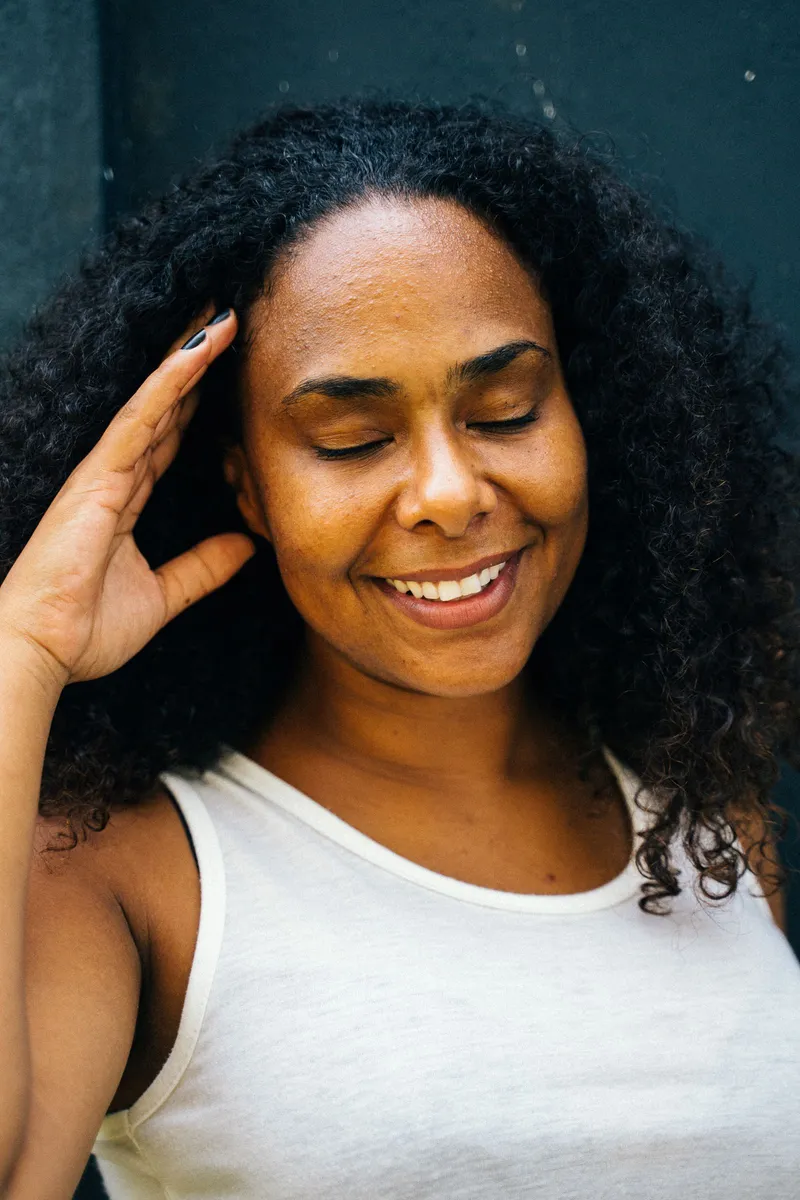
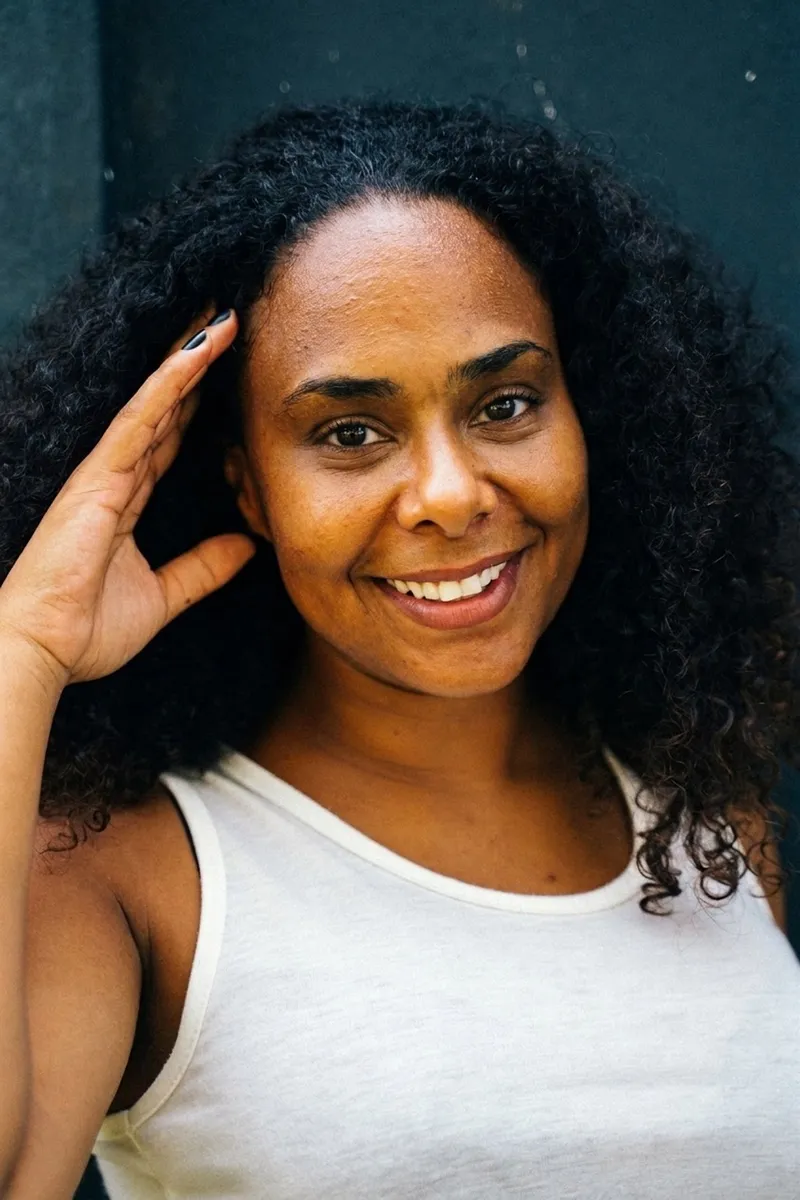
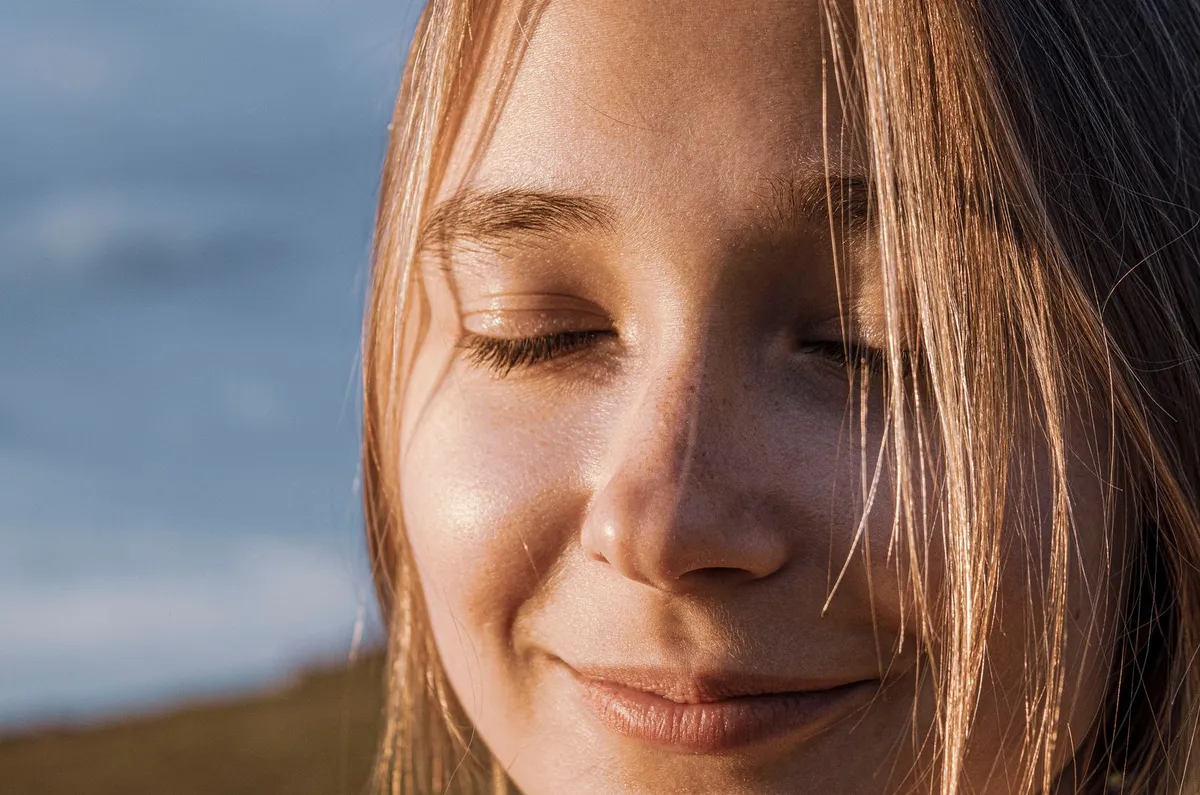
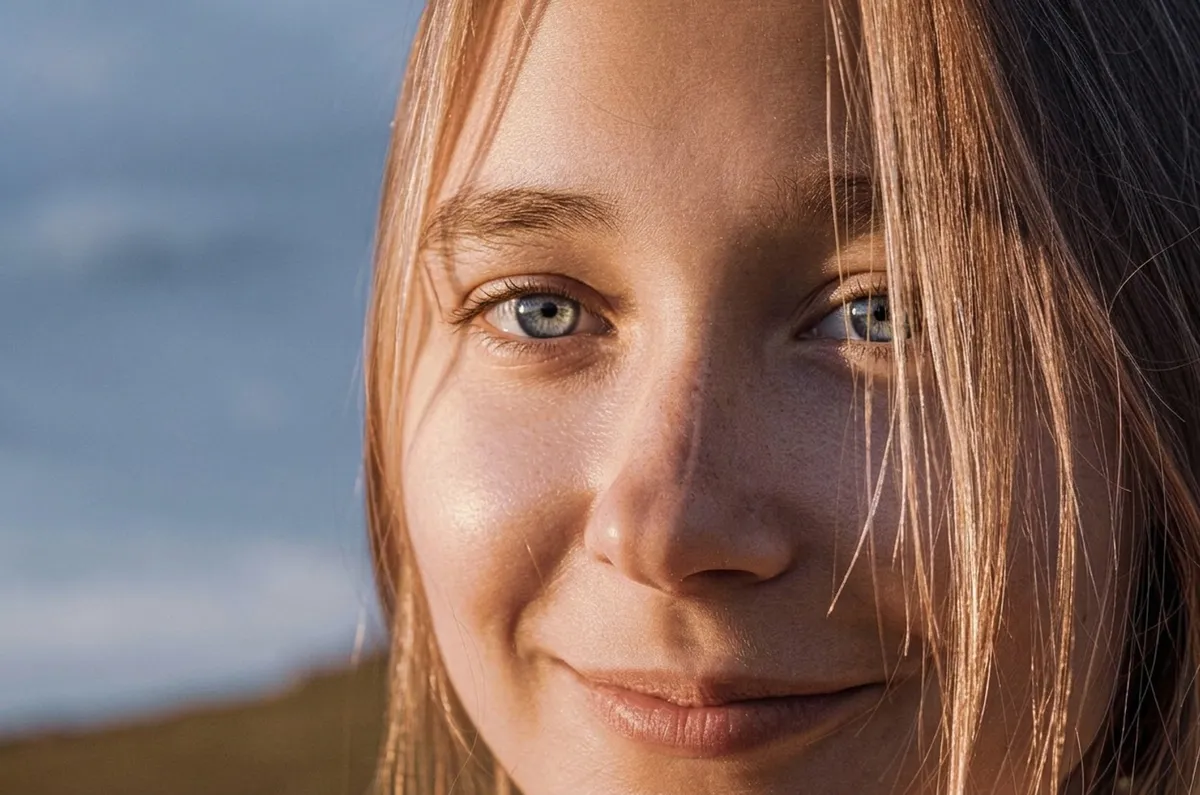
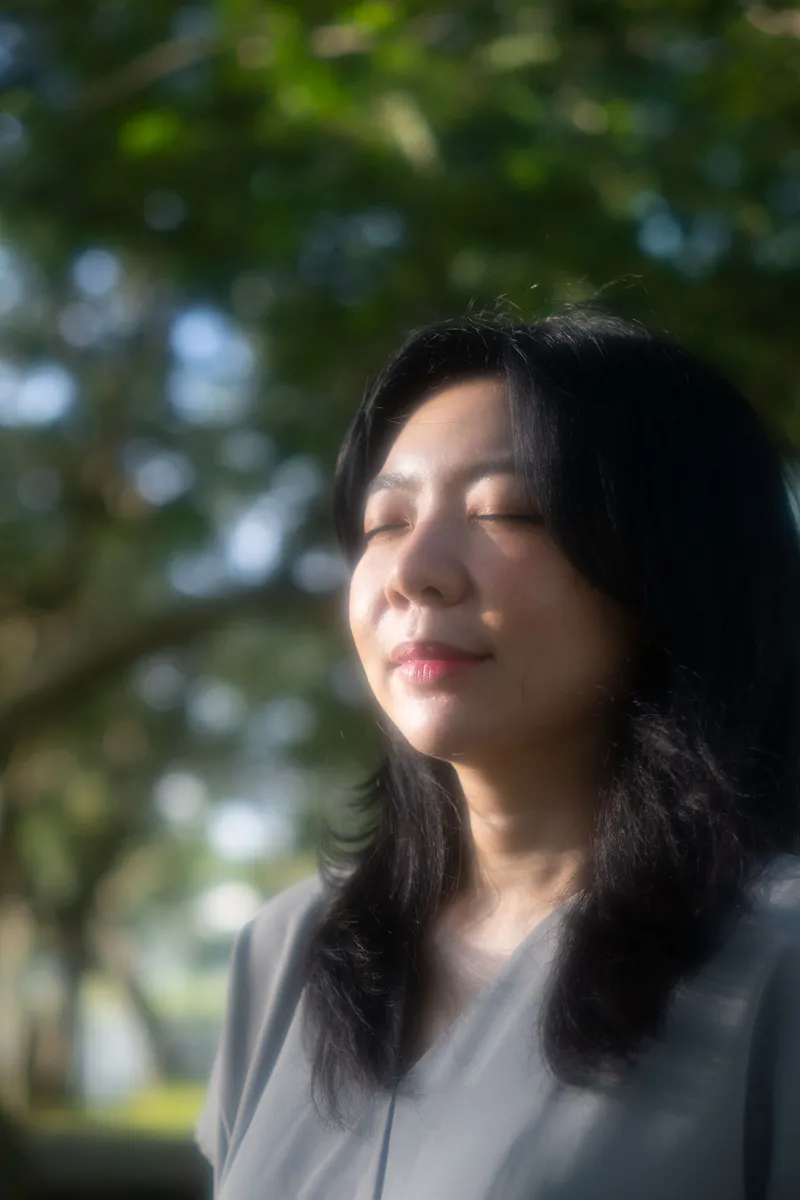
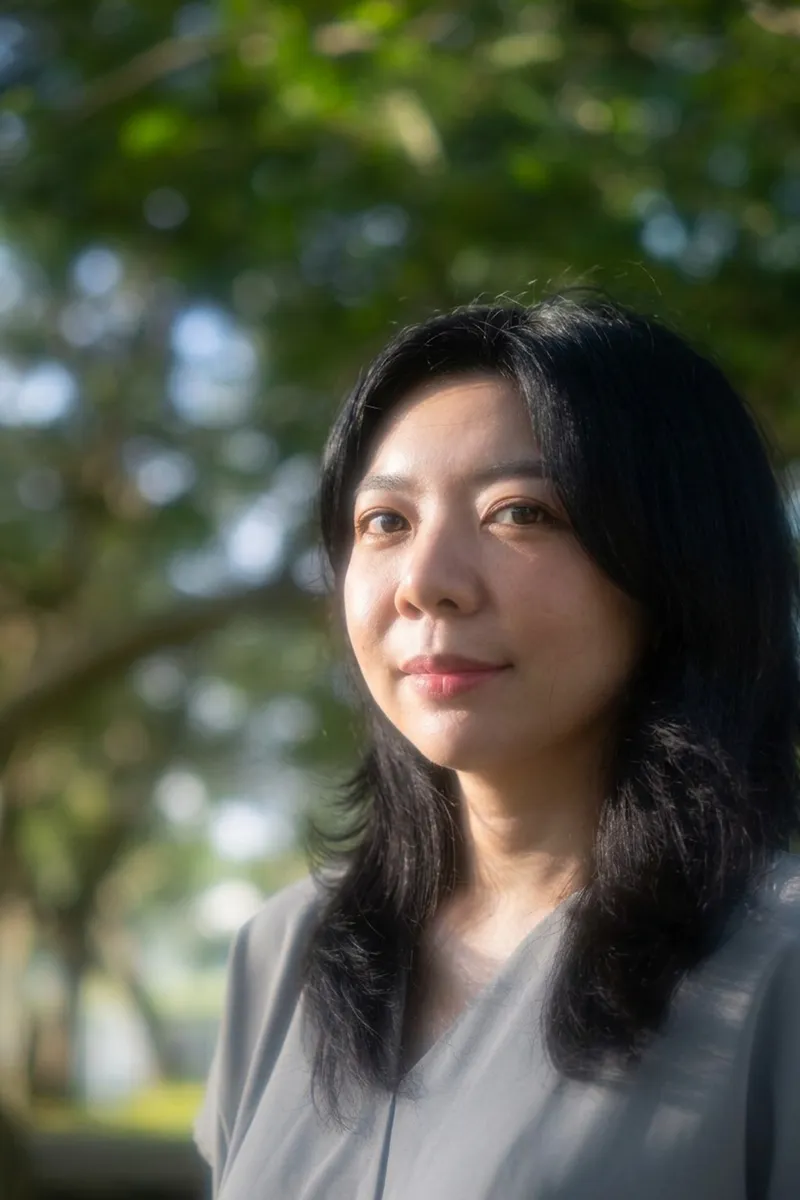
Eyes before and after

Real outputs of the model: the request and what came out, with no retouching

«Open closed eyes»

Nano Banana 2 · retouch

«Open closed eyes»

Nano Banana 2 · retouch

«Open closed eyes»

Nano Banana 2 · retouch

II

It's always the best group shot where someone blinked. You can't restage the wedding toast, and pasting eyes from another frame takes ages and rarely looks right. This fixes the eyes on the photo you already have.

Upload the photo — Open closed eyes is already ticked. Google's Nano Banana 2 finds closed and half-closed eyes and paints them open, rebuilt for that person: their eyelid fold, lashes, iris color, eye size and spacing, with catchlights that match the light in the shot. The eyes look where the head is turned, and eyes that are already open are left alone.

On a group photo it opens the eyes of everyone who blinked. To fix just one person, name them in the note: "the man in the blue shirt". You can tick other fixes in the same run — clear skin, whiter teeth or a smile. The framing, background and colors stay as they were.

III

What the AI can do

01

Their own eyes

Shape, color, lashes and spacing of that person

02

Natural gaze

Looks where the head is turned

03

Everyone who blinked

Or just the person you name

04

Open eyes untouched

Only closed and half-closed eyes change

05

Combine with other fixes

Skin, teeth, smile in one run

06

Same framing

No cropping, background stays

IV

Who it's for

Group photos

One person blinked in the shot

Weddings and graduations

Save the best frame of the day

Portraits

Squinting in the sun or the flash

Family albums

Fix a photo before printing

V

How to open eyes in a photo

01

Upload the photo

Open closed eyes is already ticked

02

Add a note if needed

Who to fix on a group shot

03

Download

The same shot with eyes open

VI

When it helps

See what you can create — try it yourself

Prompt

«Group photo where one person blinked»

Result

Everyone's eyes open, the rest unchanged

Prompt

«Squinting portrait in the sun»

Result

A relaxed, open gaze

Prompt

«Wedding shot · note "only the groom"»

Result

Only the groom's eyes are opened

Prompt

«Selfie · Open eyes + Clear skin»

Result

Open eyes and even skin

VII

Pricing

Pay only for results — no subscription

All plans →
Model / operationCredits
  • One retouched photo, any fixes combined10 cr.
  • Two retouch variants in one run20 cr.

Credit packs: 150 credits for $5, 350 credits for $12, 1250 credits for $35.

VIII

Open eyes in photo FAQ

Will the eyes look like mine?+

The AI rebuilds the eyes from the face in the same photo: eyelid shape, lashes, iris color, size and spacing. It works best when the face is clearly visible and the eyes are only partly closed, so more detail is there to go on.

Can I open the eyes of just one person?+

Yes. Name them in the note: "the girl on the right", "the man in glasses". Without a note, everyone who blinked gets their eyes opened.

Where will they be looking?+

Where the head is turned: if the face points at the camera, so do the eyes. To turn the head toward the camera too, also tick Face the camera.

Does anything else change?+

Not unless you tick other fixes. Eyes that were already open, the face, framing, background and colors stay as they were.

How much does it cost?+

10 credits per photo, however many fixes you tick. Two variants in one run cost 20 credits. If a photo fails, its credits are refunded.

Try for free

Sign up for free and get 6 credits right away. No card required.