
ImageGPTImageGPT

Photo

Photo to Anime Converter

Upload a photo and AI draws you as an anime character — expressive eyes, clean lines and bold colors, still unmistakably you.

6 free credits on sign up

I

Before and after: photo to anime

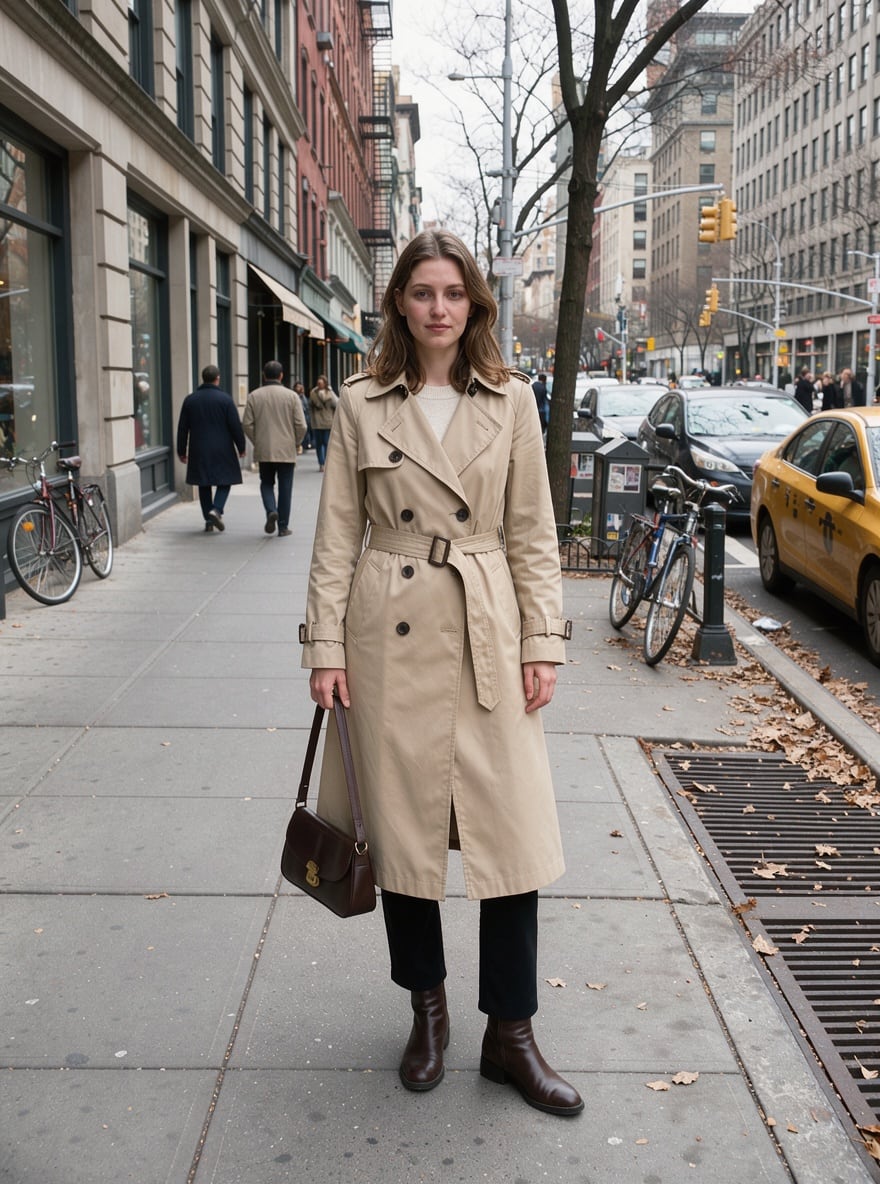
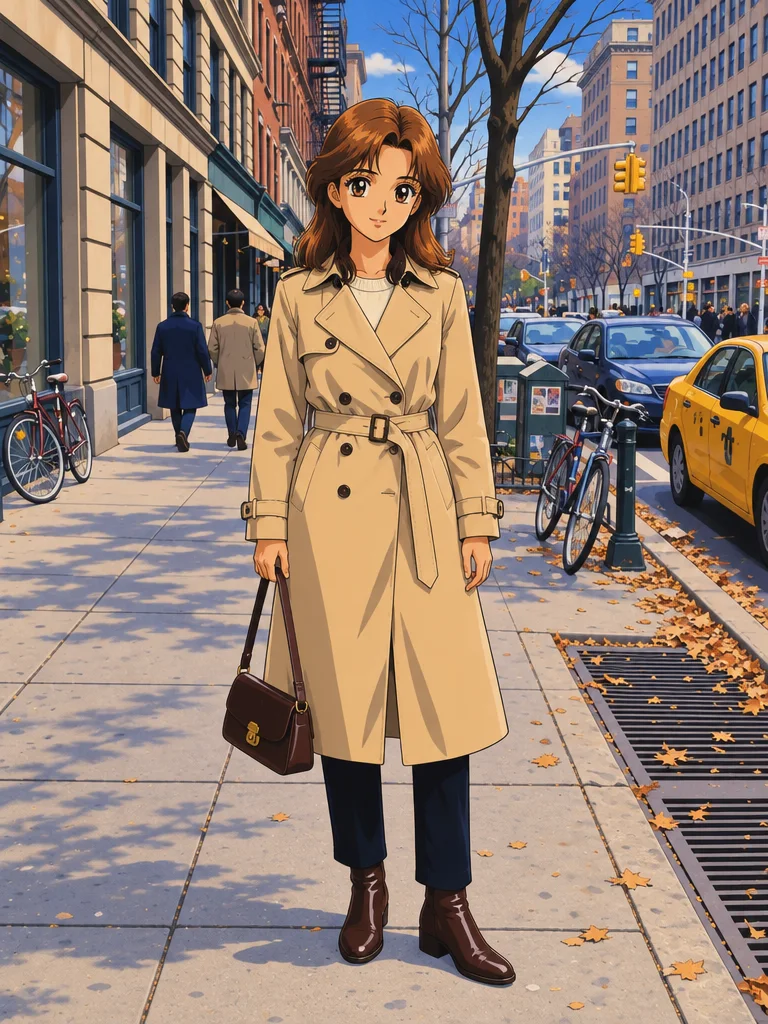
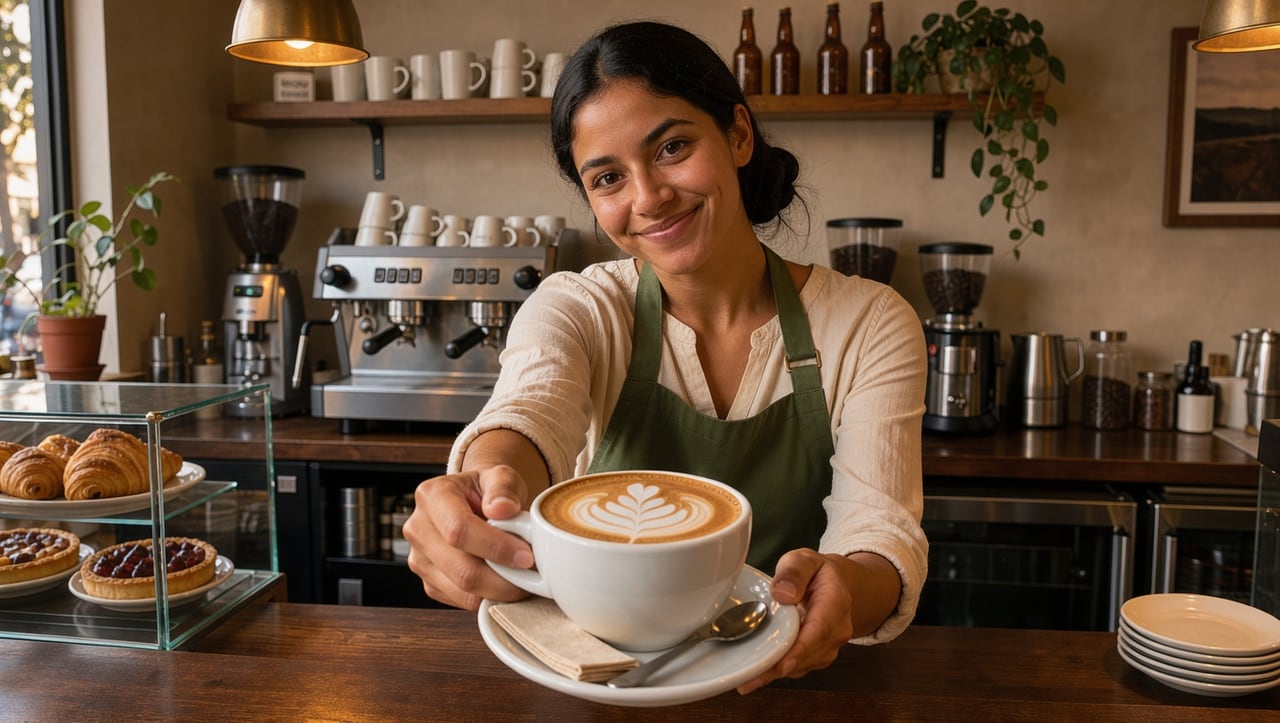
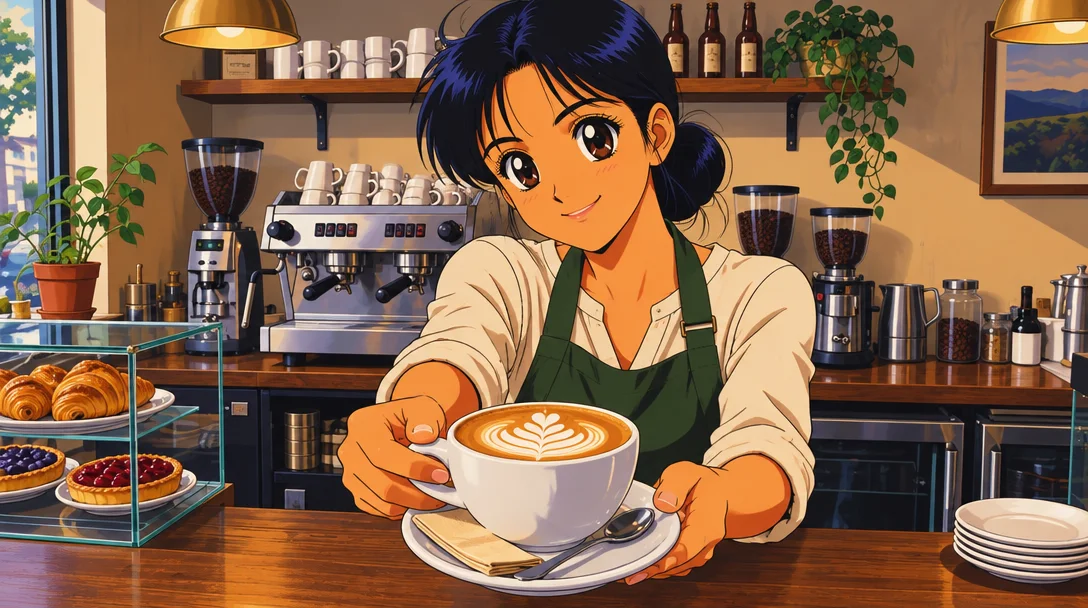
Real outputs of the model: the request and what came out, with no retouching

«Street photo → anime portrait»

Anime Portrait template · GPT Image 2.5

«Barista at the counter → anime frame»

Anime Portrait template · GPT Image 2.5

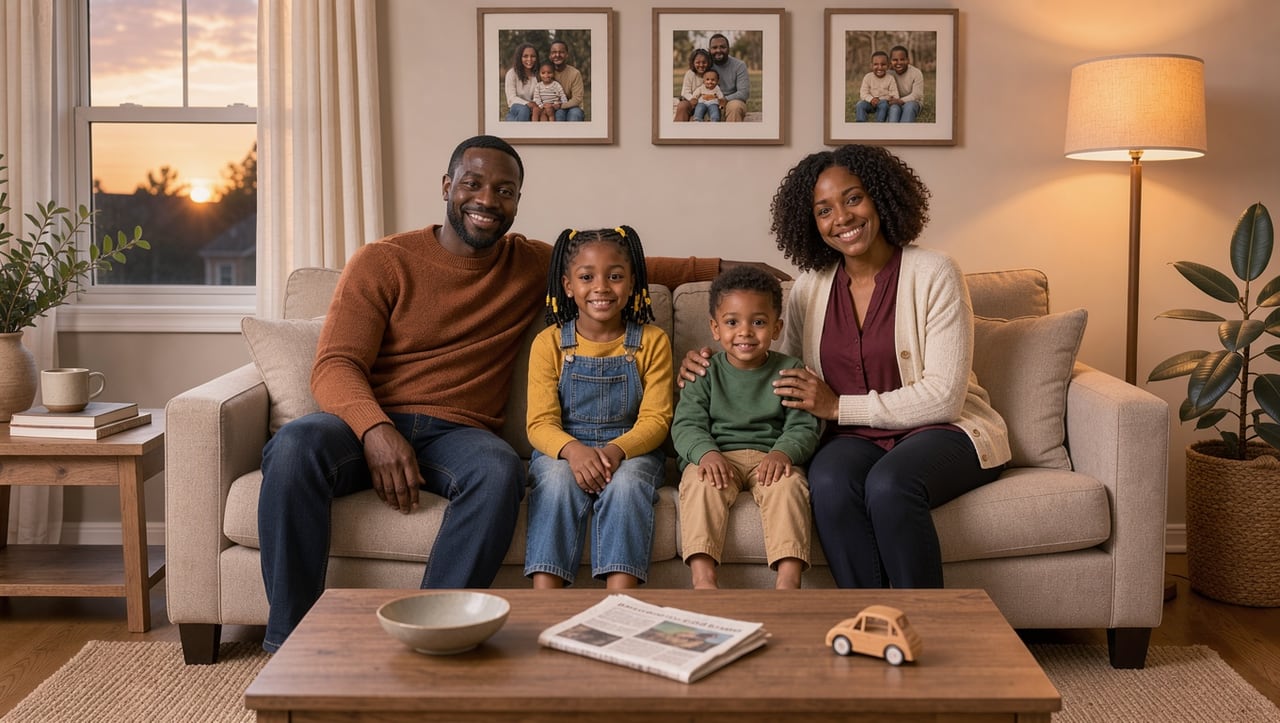
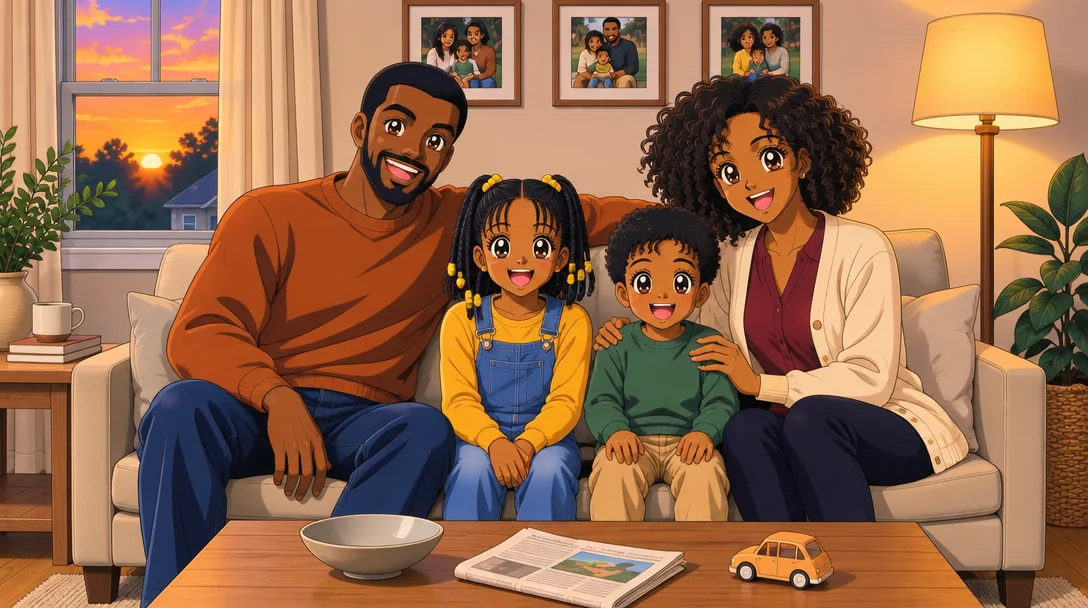
«Family photo → anime»

Anime Portrait template · GPT Image 2.5

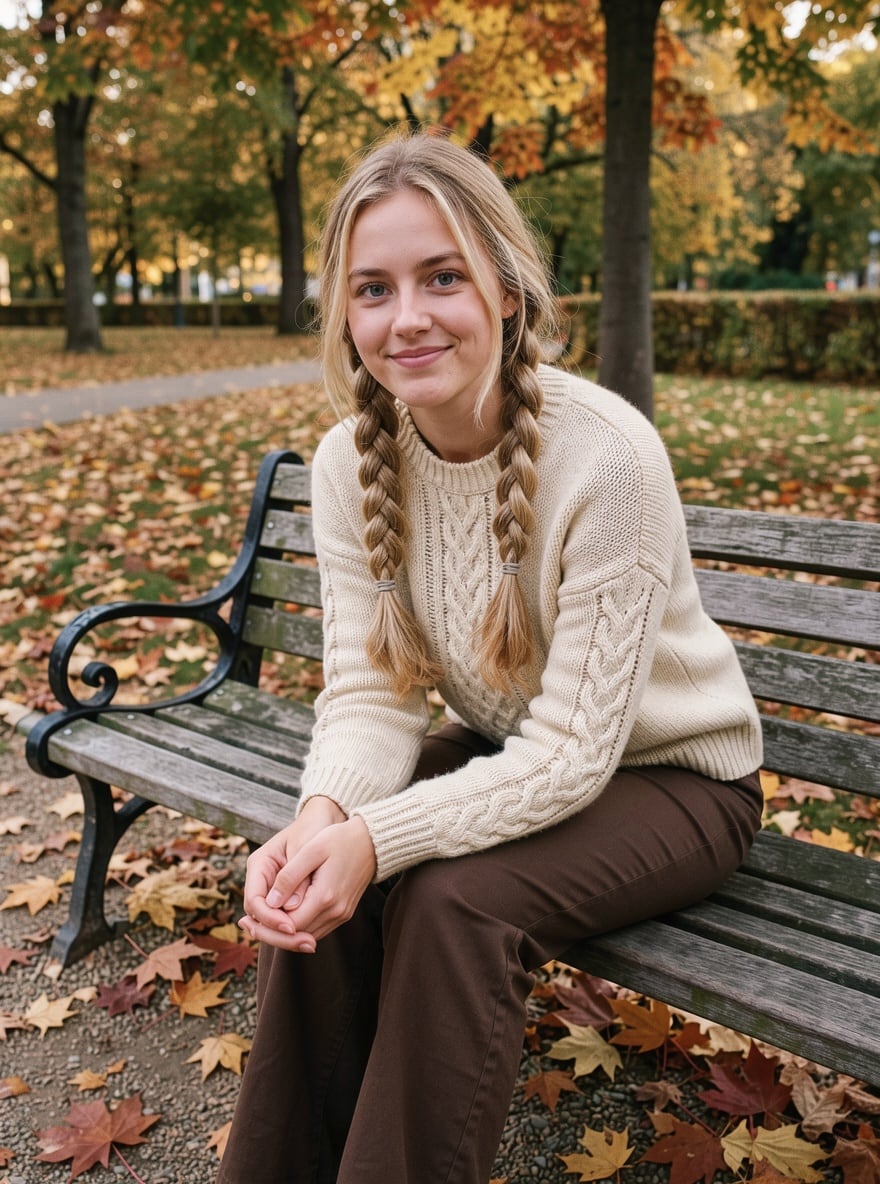
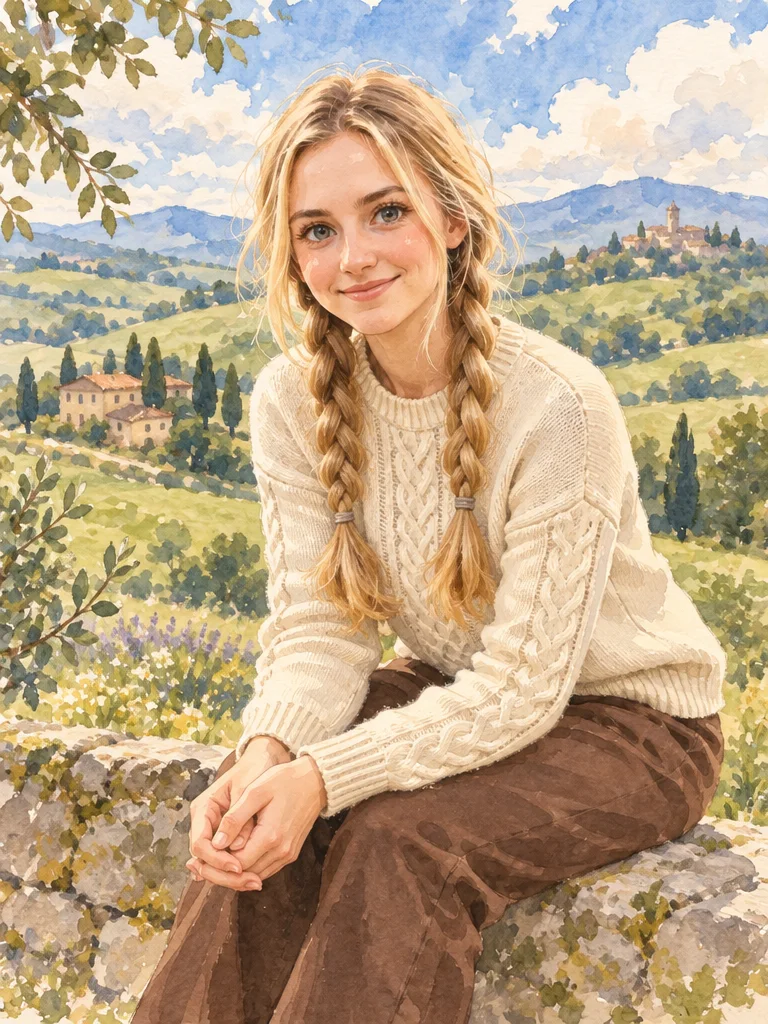
«Park portrait → watercolour anime»

Watercolour Anime template · GPT Image 2.5

II

Getting yourself drawn as an anime character used to mean commissioning an artist. Now one photo is enough: the AI redraws it like a frame from an anime, with big expressive eyes, soft cel shading, clean outlines and saturated colors. Pose, outfit, hairstyle and background are kept, so you're easy to recognize.

Start with the Anime Portrait template — classic 90s Japanese animation. The Anime & Cartoons section has plenty more: watercolour anime in soft pastels, a multi-panel manga comic, chibi, a shonen hero and styles inspired by well-known series. Selfies, full-body shots, couples and whole families all work — everyone in the frame gets redrawn.

Your anime picture is ready in 15–40 seconds and keeps the proportions of the original. Use it as a profile picture or banner, or give it as a gift. Want to see the transformation in motion? The Anime Transformation video template morphs your real portrait into an anime character on camera.

III

What the anime AI does

01

Real anime look

Big eyes, cel shading, clean lines

02

Still you

Facial features, hair and outfit are kept

03

Dozens of styles

90s classic, watercolour, manga, chibi and series styles

04

Any number of people

Selfies, couples and group photos

IV

What people make

Profile picture

An anime avatar for Discord, X or Instagram

Couples

A photo of the two of you as a romance anime

Families

A family shot that looks like an anime film

Art reference

A base for fan art, stickers and illustrations

V

How to turn a photo into anime

01

Pick a style

Anime Portrait or another template in Anime & Cartoons

02

Upload a photo

Selfie, full-body or group shot

03

Download the result

Ready in 15–40 seconds

VI

Anime styles

See what you can create — try it yourself

Prompt

«Selfie · Anime Portrait»

Result

Classic 90s anime style

Prompt

«Park photo · Watercolour Anime»

Result

A pastel scene painted in watercolour

Prompt

«Portrait · Anime Comics»

Result

A 2–3 panel black-and-white manga

Prompt

«Photo with a friend · Shonen Hero»

Result

A dynamic scene with an energy aura

VII

Pricing

Pay only for results — no subscription

All plans →
Model / operationCredits
  • Anime template · one image3 cr.
  • Anime Transformation video template · Kling 3 · 5 s70 cr.

Credit packs: 150 credits for $5, 350 credits for $12, 1250 credits for $35.

VIII

Photo to anime FAQ

How do I turn my photo into anime?+

Open the Anime Portrait template, upload a photo and click Create. The AI redraws it in anime style in 15–40 seconds. Watercolour anime, manga, chibi and more are in the Anime & Cartoons section of Templates.

Will I still look like me?+

Yes — facial features, hairstyle, outfit and pose are kept. Only the drawing style changes: bigger eyes, smooth cel-shaded skin and cleaner outlines. Sharp, well-lit photos work best.

Can I turn a couple or family photo into anime?+

Yes, everyone in the frame gets redrawn. The larger the faces in the photo, the better each person's likeness.

Can I make an anime video?+

Yes. The Anime Transformation video template smoothly turns a real portrait into an anime character over 5 seconds — 70 credits per clip.

Is there a free photo to anime option?+

New accounts get 6 free credits — enough for several anime portraits. After that, a template run costs 3 credits.

Try for free

Sign up for free and get 6 credits right away. No card required.