
ImageGPTImageGPT

Photo

Photo to Pencil Sketch

Upload a photo and AI redraws it in graphite pencil — hatching, smudged shadows and paper texture, with the face still recognizable.

6 free credits on sign up

I

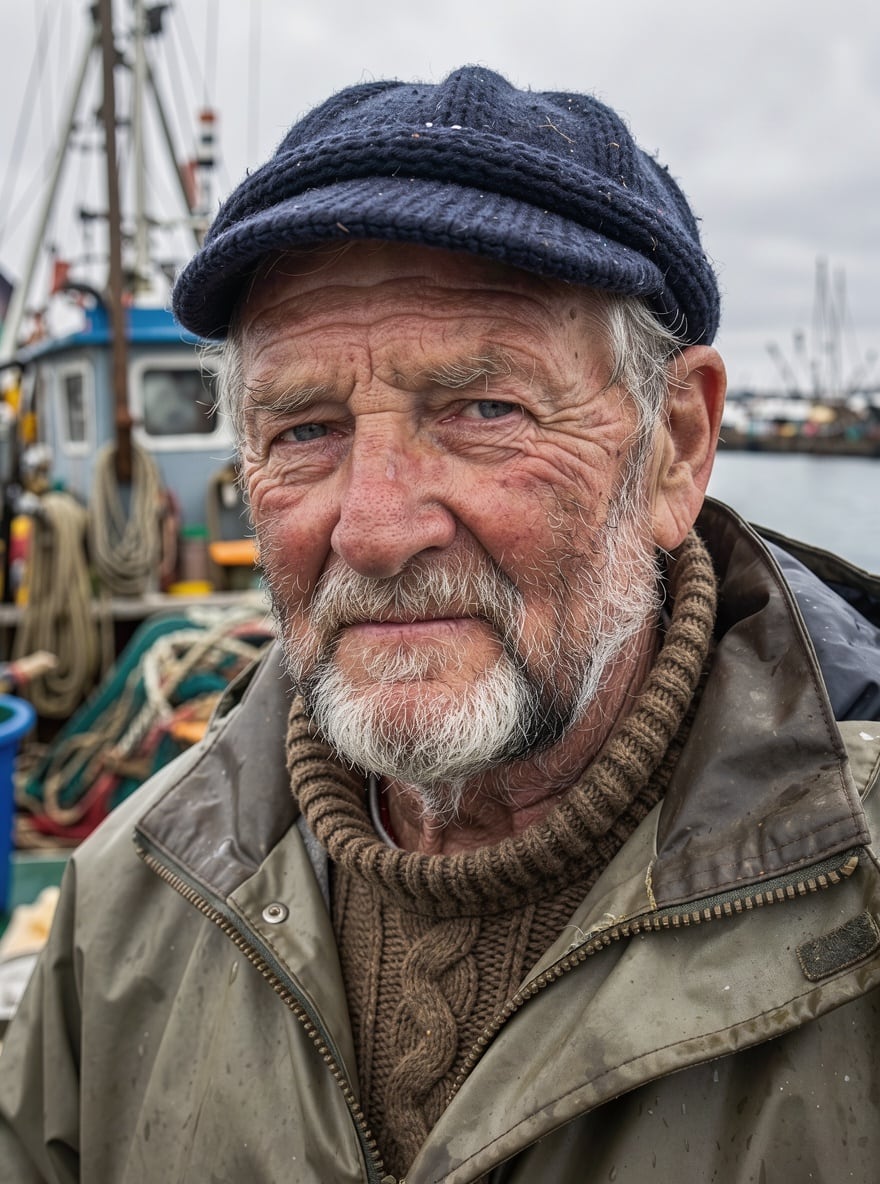
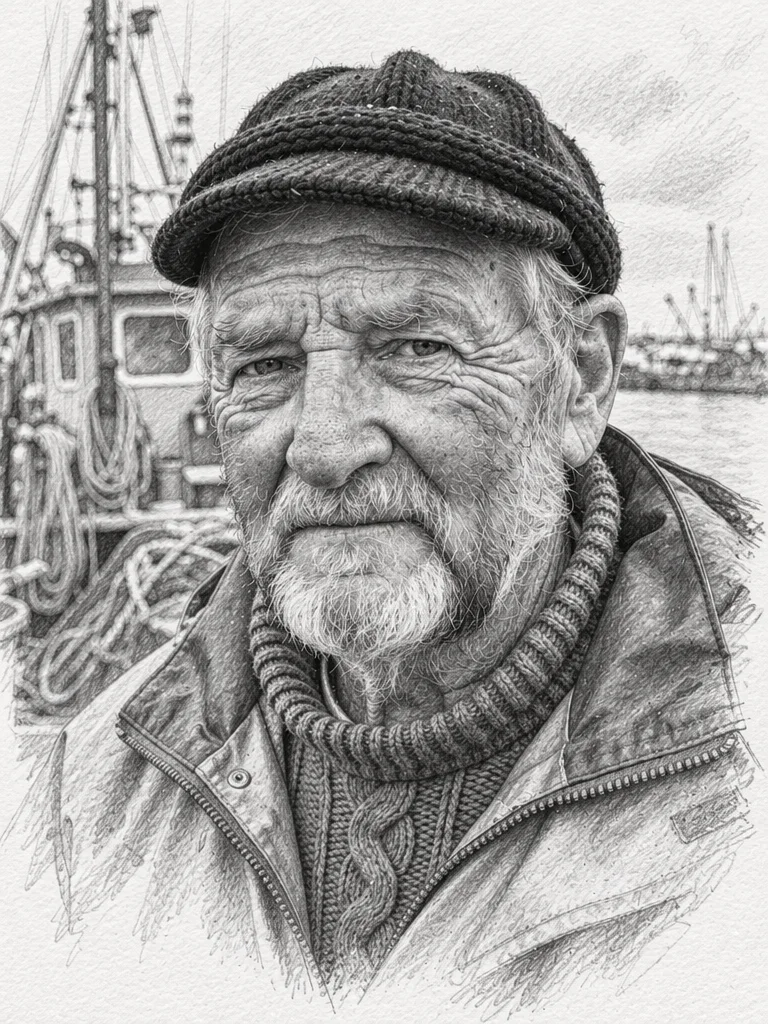
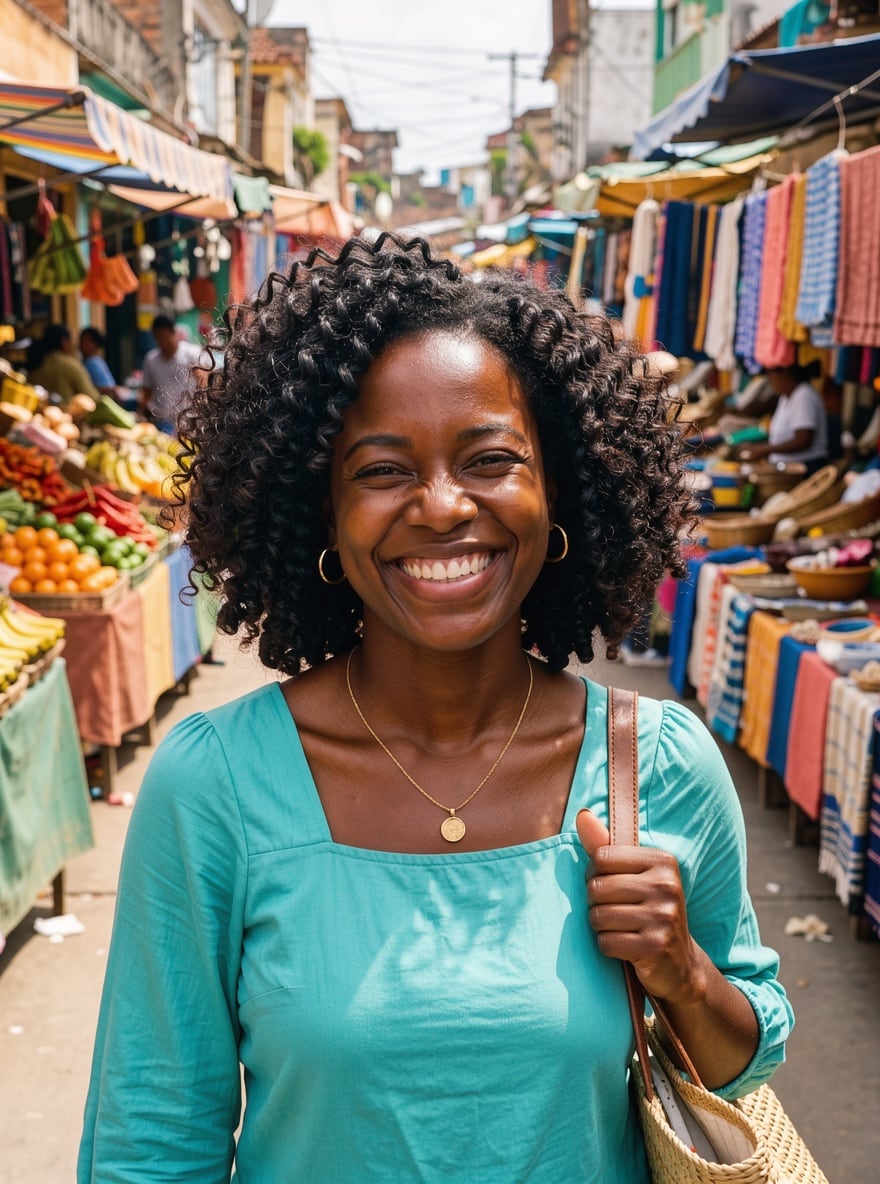
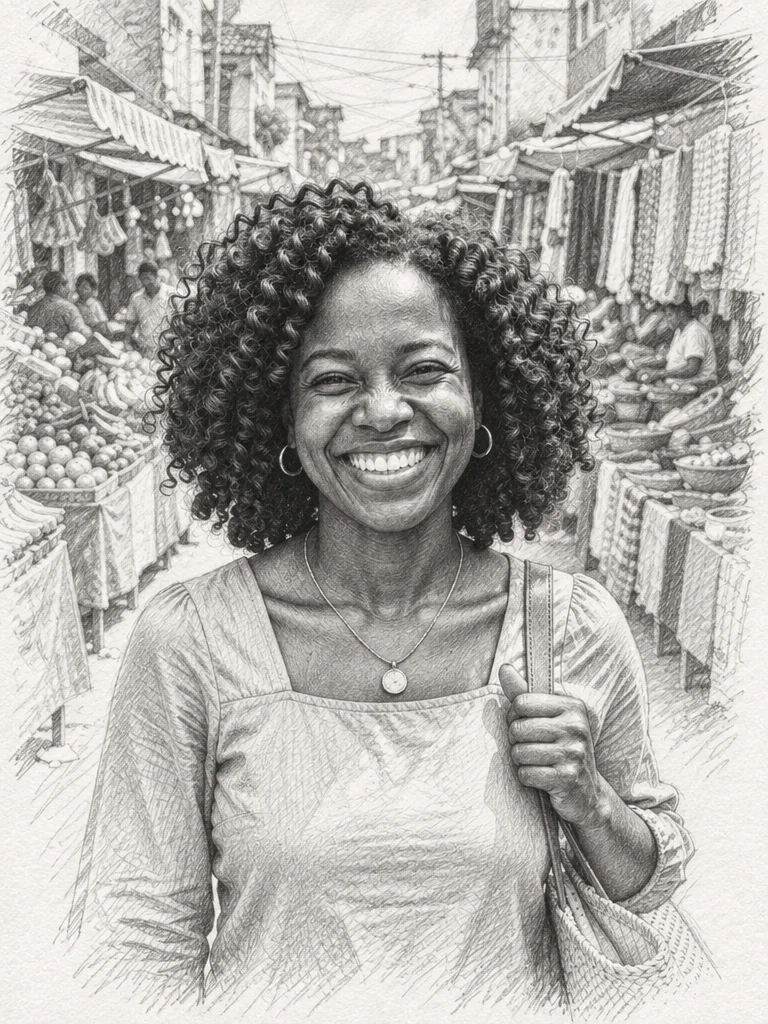
Before and after: photo to pencil sketch

Real outputs of the model: the request and what came out, with no retouching

«Fisherman portrait → pencil drawing»

Pencil Sketch template · GPT Image 2.5

«Market photo → pencil sketch»

Pencil Sketch template · GPT Image 2.5

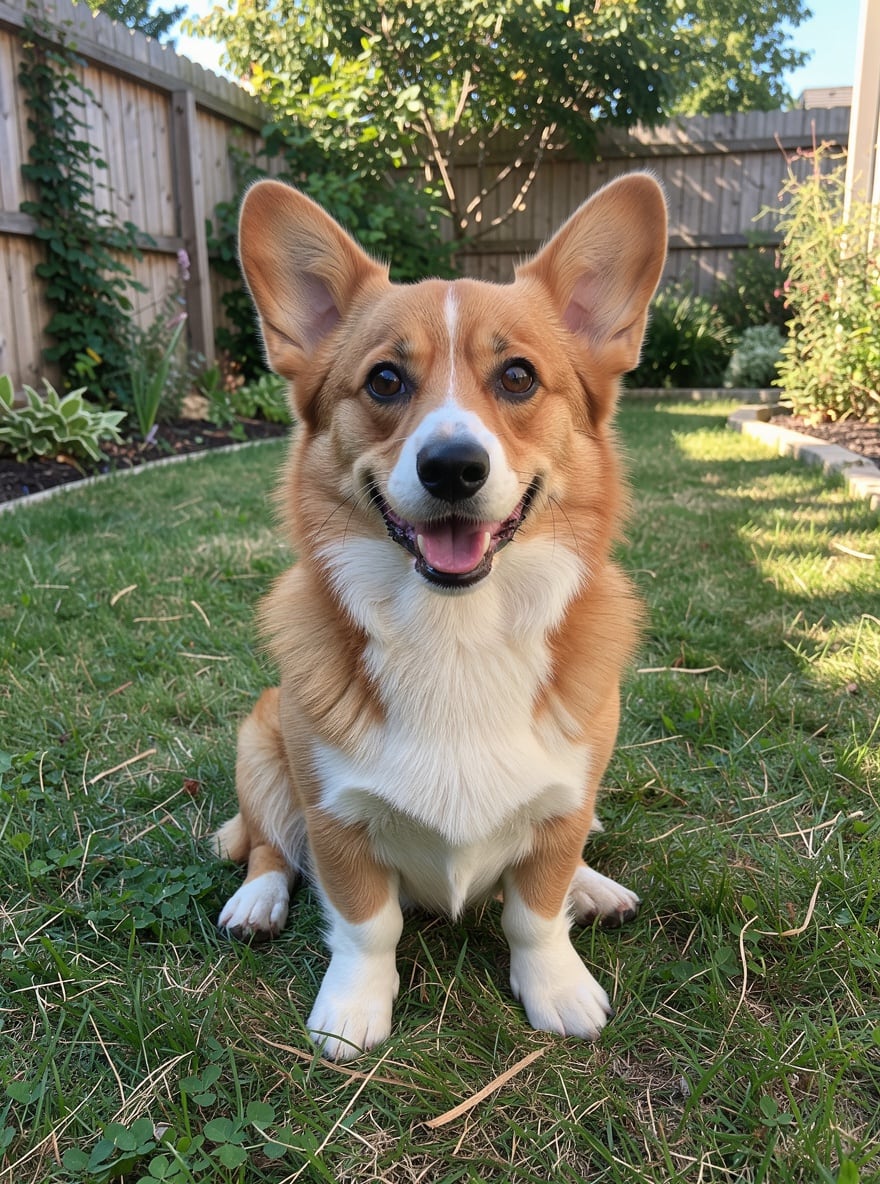
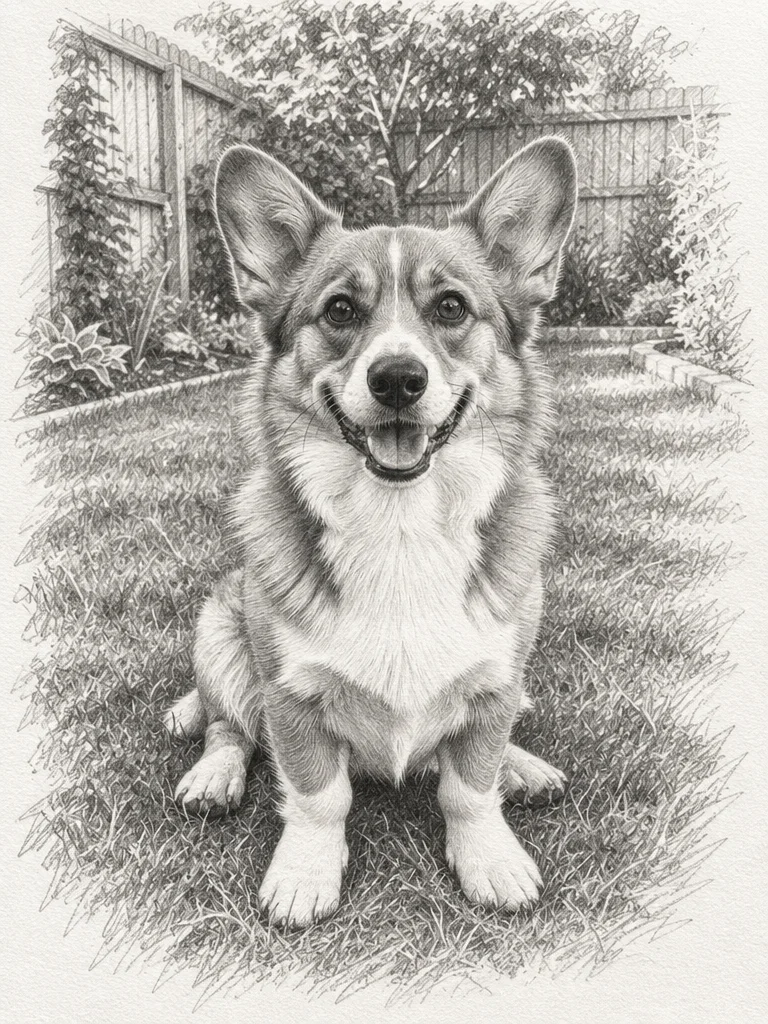
«Corgi photo → graphite drawing»

Pencil Sketch template · GPT Image 2.5

II

Most "sketch" filters just trace edges and leave you with a noisy grey copy of the photo. This works like an artist instead: the AI redraws the picture in pencil from scratch, with confident linework, hatching and cross-hatching, soft blended shadows and loose edges that fade into the paper.

Open the Pencil Sketch template, upload a photo and hit Create. The composition and pose stay the same, and the face, features and hairstyle stay recognizable — it's the same person, just drawn by hand. Pets, houses, landscapes and still lifes work just as well. Use the description field to steer it: "close-up of the face only", "a bit more contrast".

Your drawing is ready in 15–40 seconds and keeps the aspect ratio of the original. Want a different look? The Art section also has an oil portrait and a coloring page, and Anime & Cartoons has watercolour anime and comic styles. Run it as many times as you like — every version comes out slightly different, so pick your favorite.

III

What the AI does

01

Looks hand-drawn

Hatching, blending and paper texture, not an edge filter

02

Recognizable faces

Features, hairstyle and expression are kept

03

Any subject

Portraits, couples, pets, buildings and landscapes

04

15–40 seconds

No software or drawing skills

IV

Who it's for

Gifts

A hand-drawn-look portrait of someone you love, ready to frame

Pets

Your dog or cat sketched in graphite

Profile pictures

A pencil portrait that stands out in a feed

Reference

A sketch to base a tattoo, card or your own drawing on

V

How to turn a photo into a sketch

01

Open the template

Pencil Sketch in the Art section

02

Upload a photo

A sharp shot with the face or subject clearly visible

03

Download the sketch

Ready in 15–40 seconds — run again for another take

VI

What you can sketch

See what you can create — try it yourself

Prompt

«Portrait of grandma»

Result

A pencil portrait to frame on the wall

Prompt

«Dog on the grass»

Result

A graphite drawing on white paper

Prompt

«Wedding photo»

Result

A romantic sketch for an anniversary gift

Prompt

«Old country house»

Result

An architectural sketch with perspective

VII

Pricing

Pay only for results — no subscription

All plans →
Model / operationCredits
  • Pencil Sketch template · one image3 cr.

Credit packs: 150 credits for $5, 350 credits for $12, 1250 credits for $35.

VIII

Photo to sketch FAQ

How do I turn a photo into a pencil sketch online?+

Open the Pencil Sketch template, upload your photo and click Create. The AI redraws it in graphite with hatching, shadows and paper texture. Nothing to install — it all runs in your browser.

Will the person still look like themselves?+

Yes. The template keeps the composition, pose, facial features and hairstyle. Sharp, well-lit photos where the face is large and not hidden by sunglasses give the best likeness.

Can I sketch a pet or a landscape?+

Yes, it draws any subject: dogs and cats, houses, landscapes, still lifes and group photos.

Can I get a color drawing?+

The pencil template draws in graphite only. For color, try the Oil Portrait, Watercolour Anime or Comic Style templates — they also turn a photo into a drawing, just in a different medium.

Can I print it?+

Yes, the image is yours to print, gift and share. For large prints, upscale it first with Enhance Photo.

How much does it cost?+

3 credits per sketch. New accounts get 6 free credits — enough to try it out.

Try for free

Sign up for free and get 6 credits right away. No card required.