
ImageGPTImageGPT

Photo

Turn Your Photo into an Oil Painting

An ordinary snapshot becomes a 19th-century academic portrait — brushstrokes, canvas and soft light, like the Old Masters.

6 free credits on sign up

I

From photo to painting

Real outputs of the model: the request and what came out, with no retouching

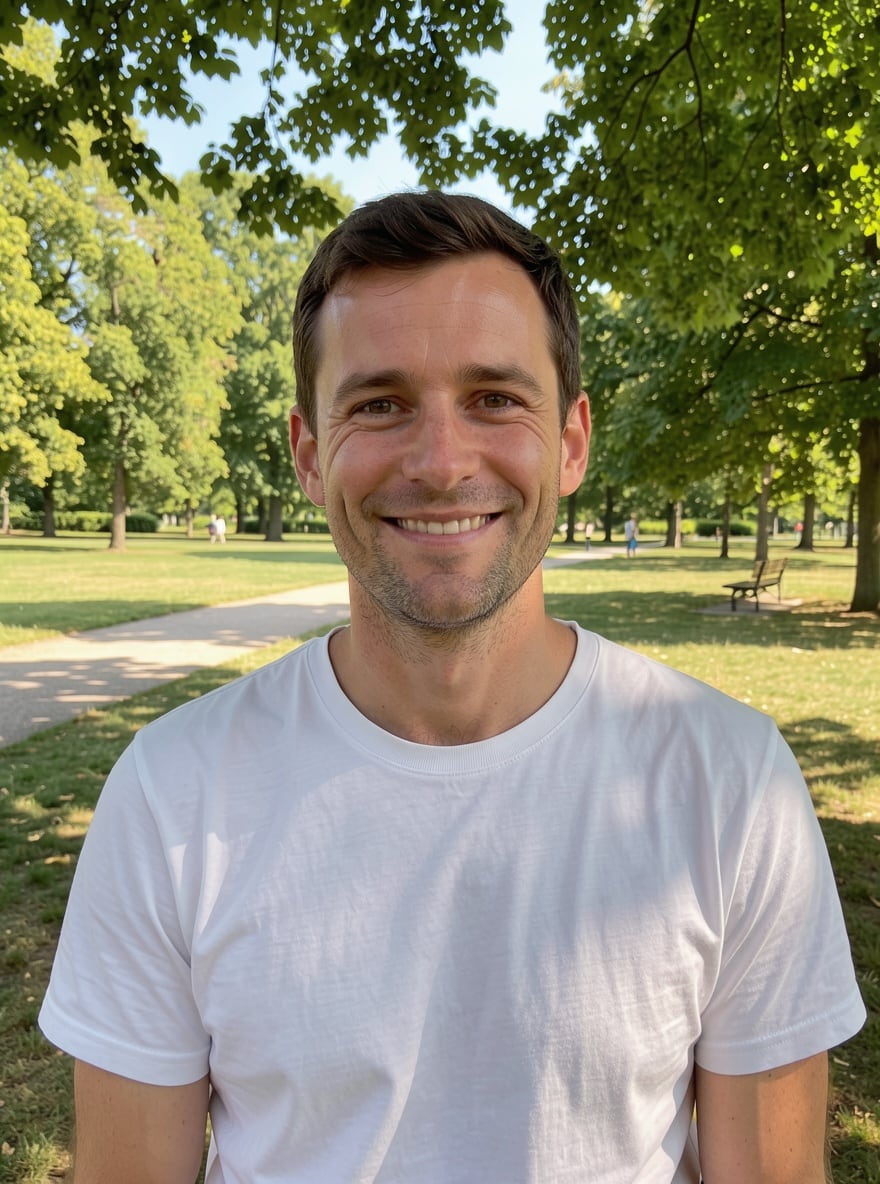
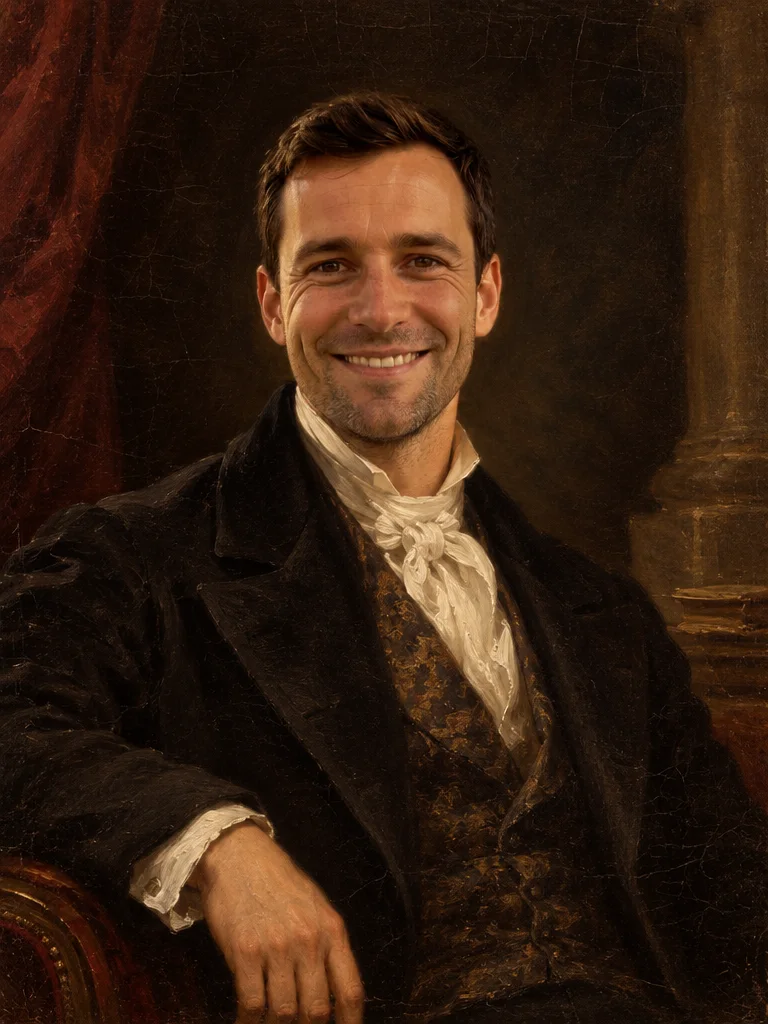
«Photo in the park → oil portrait»

Oil Portrait template · GPT Image 2.5

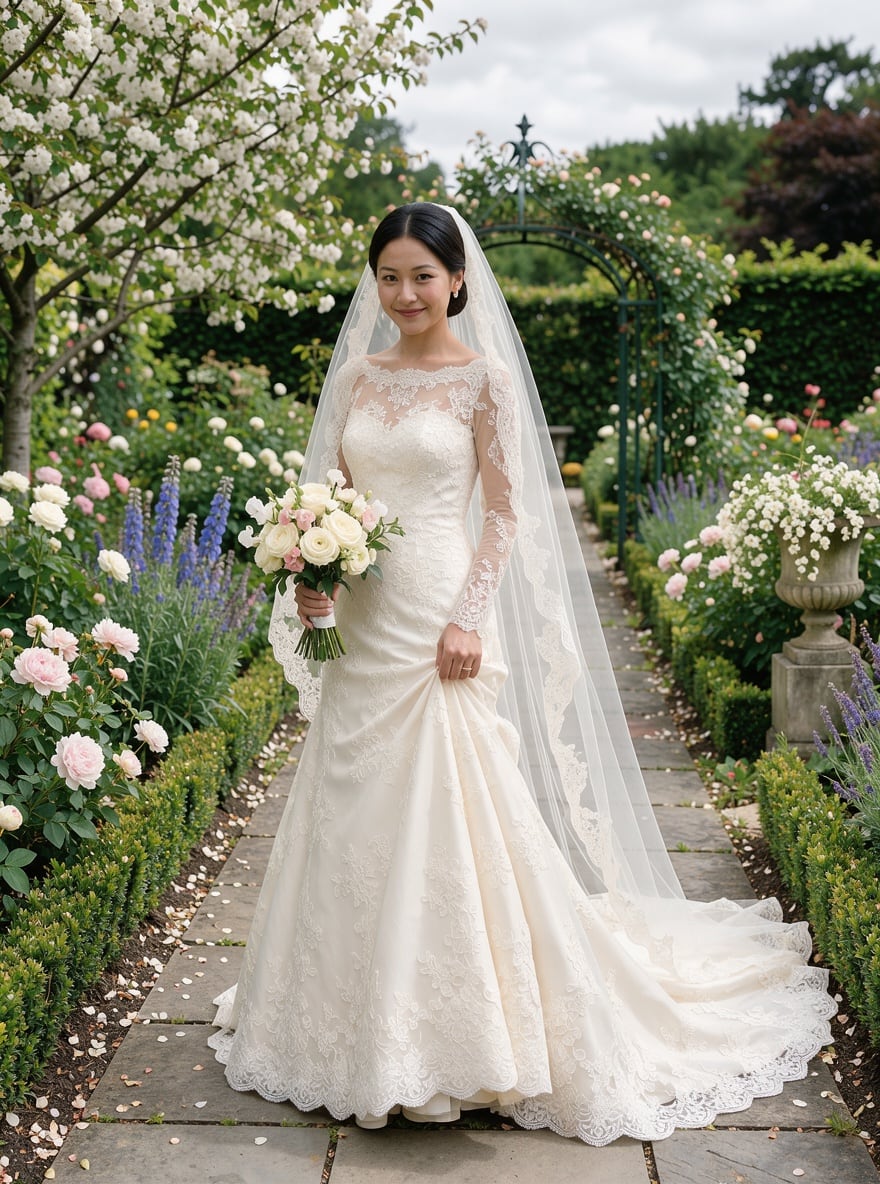
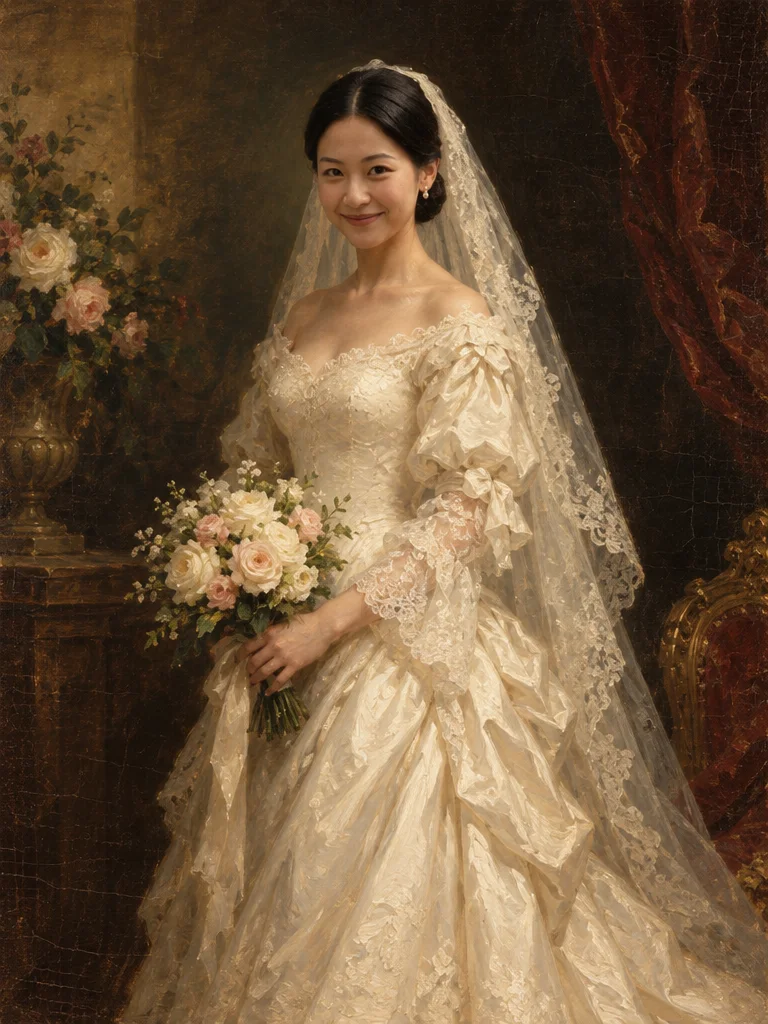
«Wedding photo → oil painting»

Oil Portrait template · GPT Image 2.5

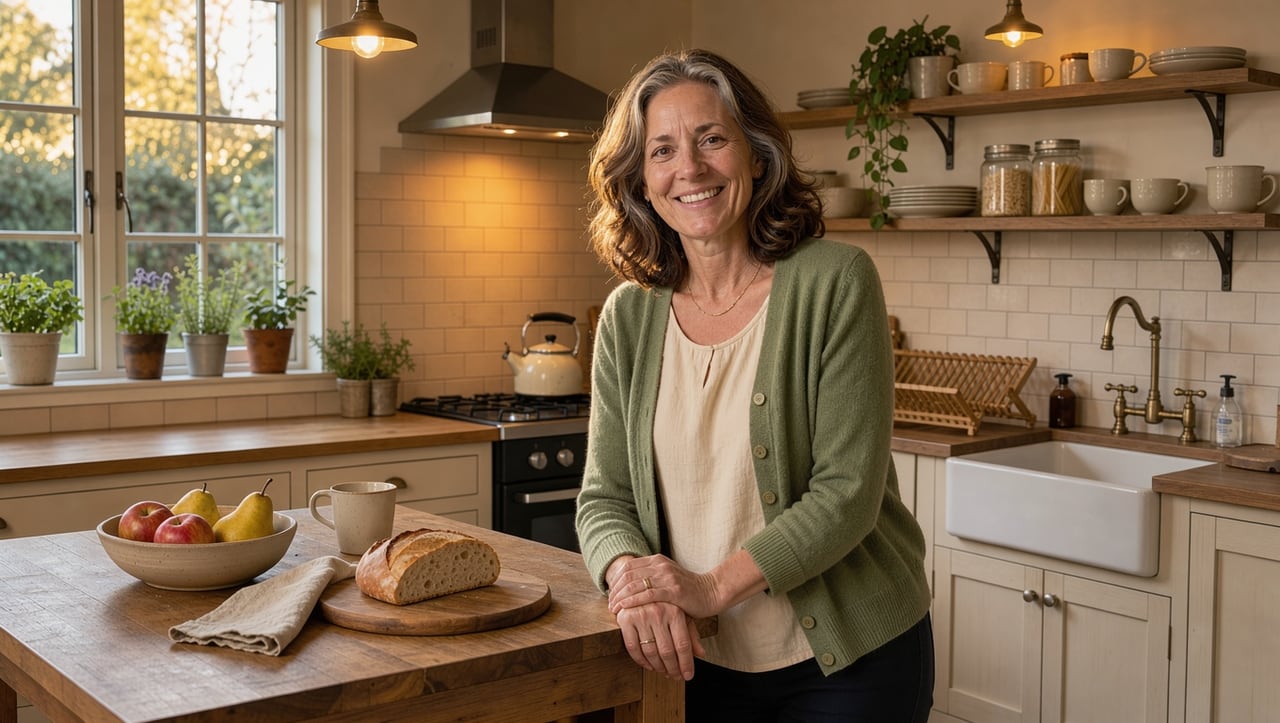
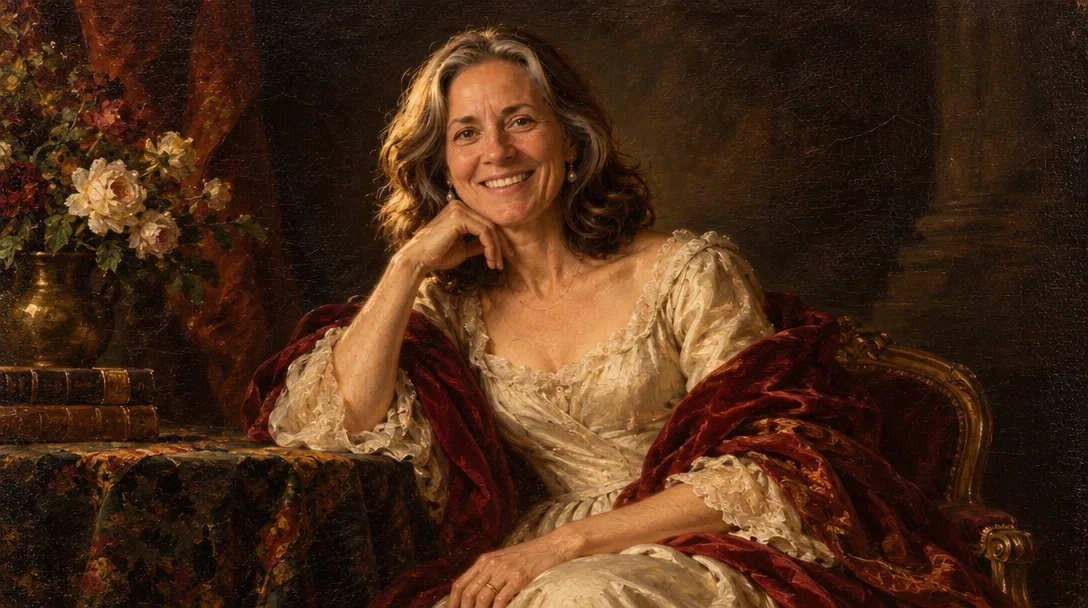
«Mom in the kitchen → portrait on canvas»

Oil Portrait template · GPT Image 2.5

II

Commissioning an oil portrait means weeks of waiting and a serious budget. AI paints one from your photo in about a minute: it re-creates the picture as a classical portrait on canvas, with confident visible brushstrokes, warm glazes, a deep dark background, soft Rembrandt-style light and fine canvas texture with a hint of craquelure.

Open the Oil Portrait template and upload a photo — a selfie, a party snapshot or an old print. Face, gender and hair color stay the same, while clothing and setting take on a period feel, like a formal portrait. Want something specific? Add it to the description: "in a military dress coat", "holding a bouquet of roses", "in front of a library".

The painting is ready in 15–40 seconds and keeps the proportions of your photo. Print it on canvas and hang it, give it as an anniversary present or use it as a profile picture. Pets get their own Pet Oil Painting template, and if you want the portrait to blink and smile, the Painting Comes Alive video template animates it.

III

Why it looks like real painting

01

Brushstrokes and canvas

Visible strokes, glazes and canvas texture

02

Old Masters light

Soft side lighting and a deep dark background

03

Face is kept

Same features, gender and hair color

04

Describe the details

A dress coat, a ball gown, flowers or a library

IV

Who it's for

Anniversary gifts

A formal portrait of parents or a couple

Home decor

A painting to print on canvas and frame

Weddings

Your wedding photo in the style of the Old Masters

Pets

An aristocratic portrait of your cat or dog

V

How to turn a photo into a painting

01

Open the template

Oil Portrait in the Art section

02

Upload a photo

Face clearly visible, no sunglasses

03

Download the painting

Ready in 15–40 seconds

VI

Oil portrait ideas

See what you can create — try it yourself

Prompt

«Husband's selfie»

Result

A formal portrait of a 19th-century gentleman

Prompt

«Wedding photo»

Result

An oil painting for the living room

Prompt

«Mom's photo + "holding peonies"»

Result

A canvas portrait for her birthday

Prompt

«Cat photo»

Result

An Old Masters pet portrait (Pet Oil Painting template)

VII

Pricing

Pay only for results — no subscription

All plans →
Model / operationCredits
  • Oil Portrait template · one painting3 cr.

Credit packs: 150 credits for $5, 350 credits for $12, 1250 credits for $35.

VIII

Photo to painting FAQ

How do I turn a photo into an oil painting?+

Open the Oil Portrait template, upload your photo and click Create. In 15–40 seconds you get a portrait with brushstrokes and canvas texture. Want another take? Run it again — every painting comes out a little different.

Will it look like the person?+

Yes, the template keeps the face, gender and hair color. Clothing, lighting and background change to match a classical portrait. Sharp, front-facing photos work best.

Can I paint a couple or a family?+

Yes, upload a photo of a couple or family and everyone in the frame gets painted. The larger the faces in the photo, the closer the likeness.

Can I print it on canvas?+

Yes, the painting is yours. For large prints, upscale it first with Enhance Photo.

Are there other art styles?+

Yes: Pencil Sketch, Coloring Page, Watercolour Anime, Comic Style and more in the Art and Anime & Cartoons sections of Templates.

How much does it cost?+

3 credits per painting. New accounts get 6 free credits.

Try for free

Sign up for free and get 6 credits right away. No card required.