
ImageGPTImageGPT

Design

AI Event Poster Maker

Event name, date and venue — the AI designs a poster for your gig, party, workshop or show.

6 free credits on sign up

I

Posters made with the tool

Real outputs of the model: the request and what came out, with no retouching

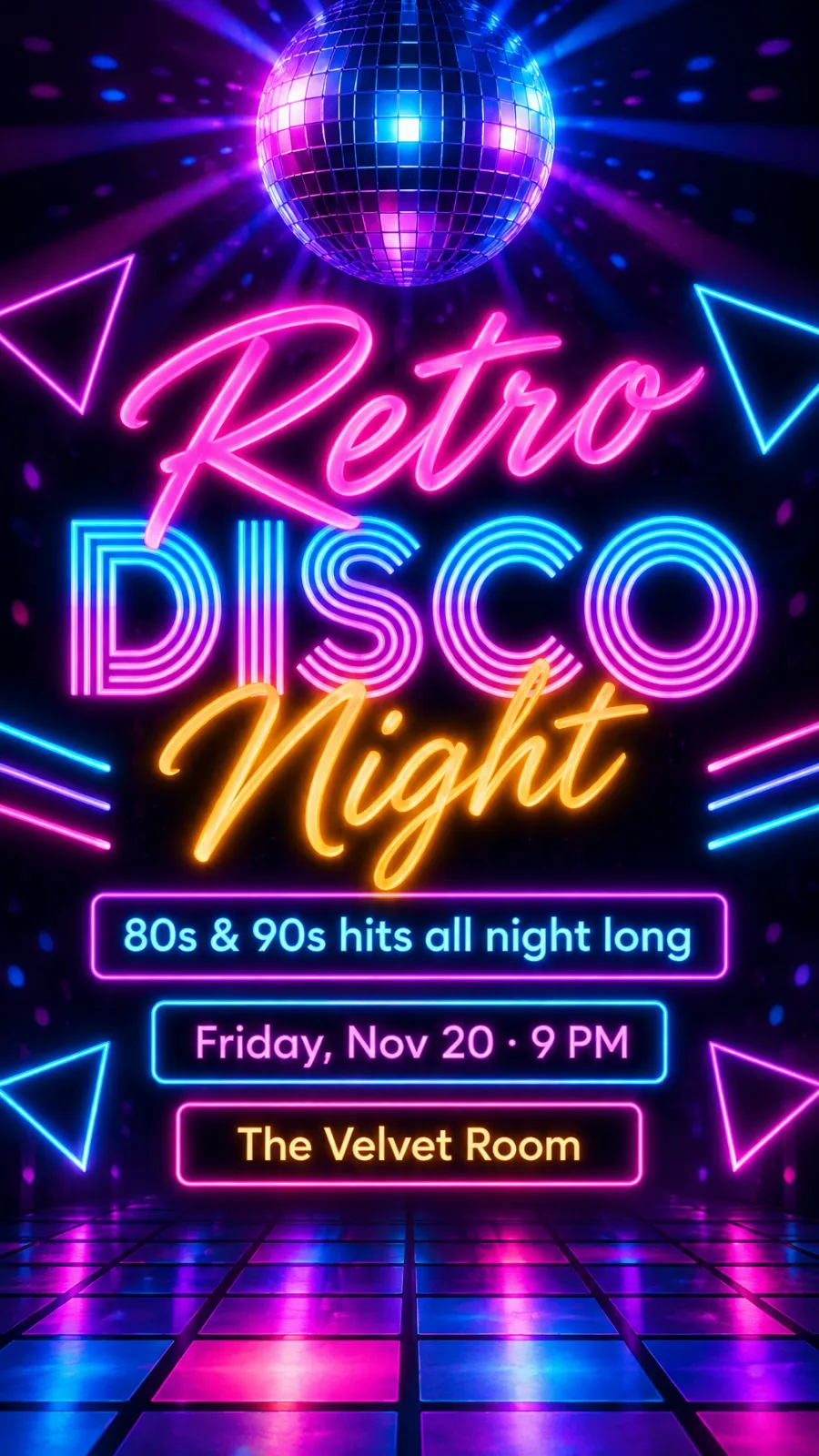
Party · neon · “Retro Disco Night”, Nov 20, The Velvet Room

«Party · neon · “Retro Disco Night”, Nov 20, The Velvet Room»

GPT Image 2.5 · 9:16 Stories

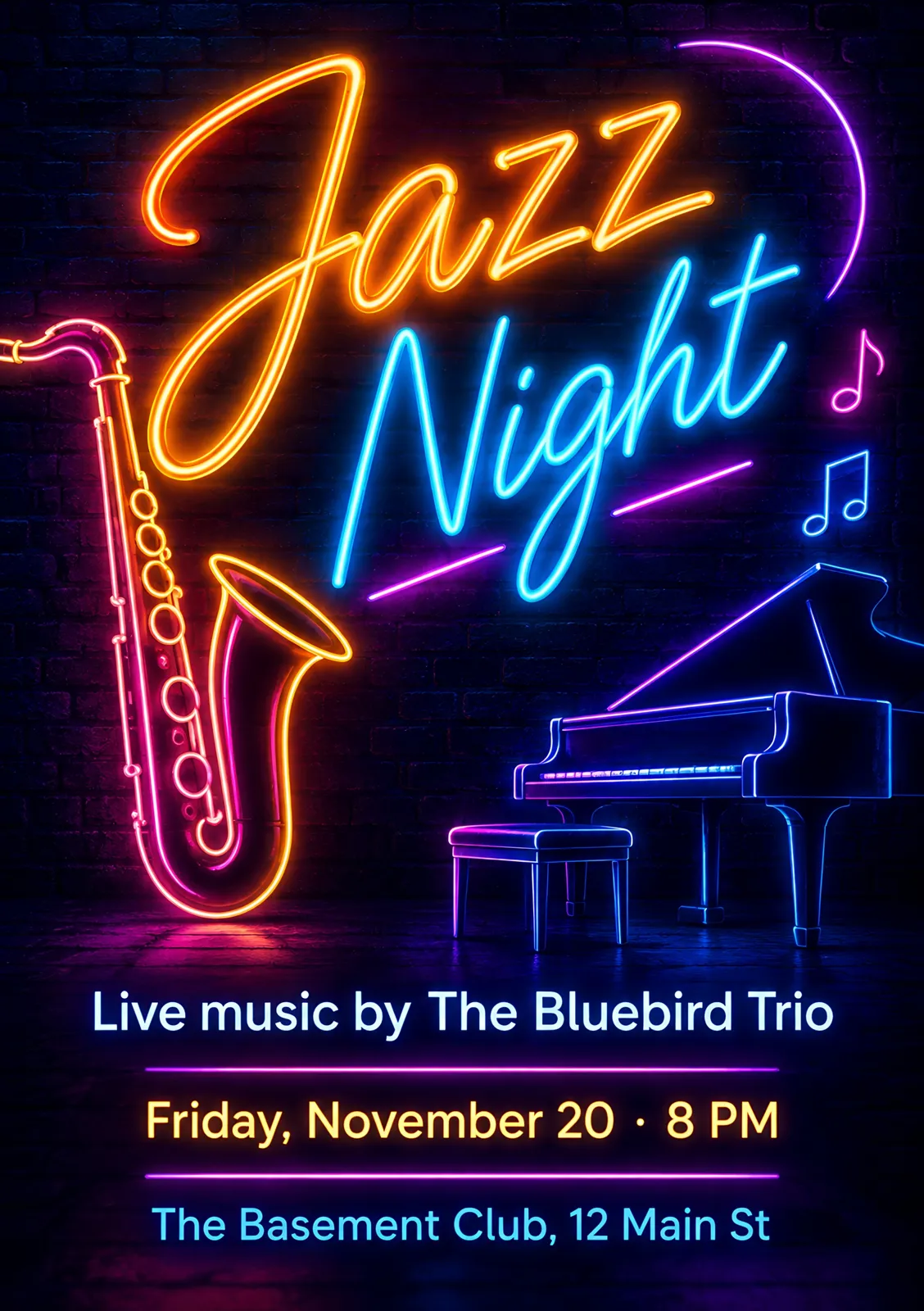
Concert · neon · “Jazz Night”, The Basement Club

«Concert · neon · “Jazz Night”, The Basement Club»

GPT Image 2.5 · print-ready A5

II

A small venue, studio or event organizer needs a new poster every week, and there isn't always a designer around. Here a poster comes from a handful of fields: the event name, a short description, date and time, and the venue.

In the card maker choose “Poster” and the event type: concert, party, workshop, exhibition or other. The event name is required — it's the headline. The description is a line or two about what's happening: “80s & 90s hits all night long”, “All materials included”. Date, time and address get their own fields so they never get lost in the design.

Neon works for nightlife, paper-cut, minimal or watercolor for workshops and exhibitions. Use 9:16 for Stories, square for posts and A5 for print — a 148×210 mm file at 300 dpi. GPT Image 2.5 by OpenAI draws the poster, and the finished image is checked against your text and redrawn if there's a typo.

III

What the poster maker can do

01

Title, date, venue

Separate fields, everything in its place

02

No typos

The poster is checked against your text

03

Neon and more

8 styles for different events

04

Stories and posts

9:16 and square for socials

05

Print-ready A5

148×210 mm at 300 dpi

06

Up to 4 versions

Different layouts at once

IV

Events

Gigs

Posters for a club, bar or hall

Parties

Neon posters for social media

Workshops

Studios, schools and classes

Exhibitions

Galleries, fairs and markets

V

How to make an event poster with AI

01

Pick “Poster” and the event type

Concert, party, workshop, exhibition

02

Type the name, date and venue

Plus a line or two of description

03

Download and share

9:16 for socials, A5 for print

VI

Posters you can make

See what you can create — try it yourself

Prompt

«Party · neon · “Retro Disco Night” · 9:16»

Result

A glowing poster for Stories

Prompt

«Concert · neon · jazz night · A5»

Result

A print poster with the band and neon lights

Prompt

«Pottery workshop · paper-cut»

Result

A warm poster with a mug and the date

Prompt

«Exhibition · minimal · square»

Result

A post for the gallery's socials

VII

Pricing

Pay only for results — no subscription

All plans →
Model / operationCredits
  • One poster8 cr.
  • Four versions in one run32 cr.

Credit packs: 150 credits for $5, 350 credits for $12, 1250 credits for $35.

VIII

Poster maker FAQ

What do I have to fill in?+

The event name — it's the poster's headline. Description, date and time, and venue are optional, though a poster is rarely useful without them. Each field becomes its own text block in the design.

Will the text come out right?+

GPT Image 2.5 writes text cleanly, but image models still slip a letter now and then. So every finished design is automatically checked against what you typed, and redrawn if a word came out wrong. Still, read names, dates and addresses once more before you print.

Can I add a photo of the artist or the work?+

Yes, upload a photo and it's built into the design. Without one the AI draws an illustration that fits the event.

Is it good enough to print?+

The A5 format is a 148×210 mm file at 300 dpi. For bigger posters you can upscale it with the photo enhancer, but do a test print first.

How much does it cost?+

8 credits per design. One run can give you up to four different versions for 32 credits. If a version fails, its credits are refunded. The “Write the message” button is free.

Try for free

Sign up for free and get 6 credits right away. No card required.