
ImageGPTImageGPT

Design

AI Invitation Maker

Type when and where the party is — the AI designs an invitation you'll actually want to send.

6 free credits on sign up

I

Invitations made with the tool

Real outputs of the model: the request and what came out, with no retouching

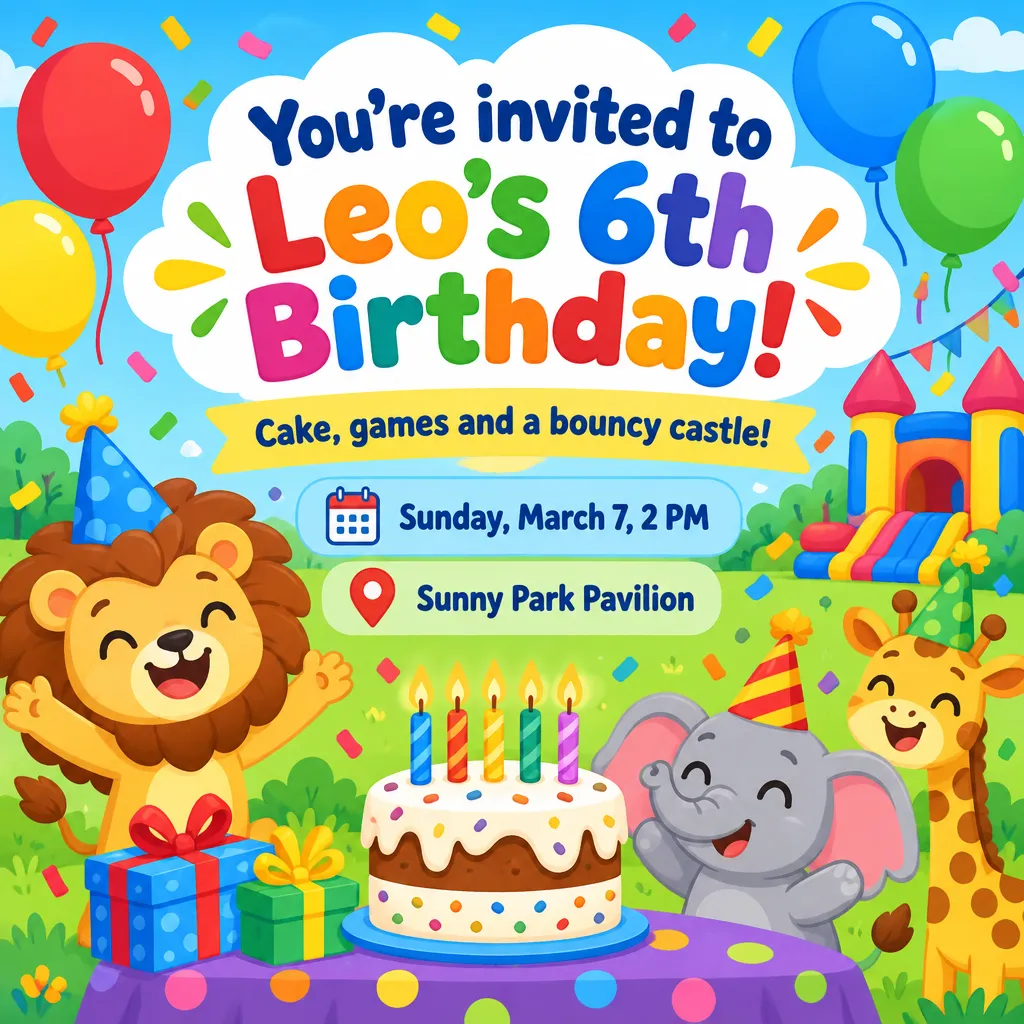
Kids' party · “You're invited to Leo's 6th Birthday!” · park pavilion

«Kids' party · “You're invited to Leo's 6th Birthday!” · park pavilion»

GPT Image 2.5 · square

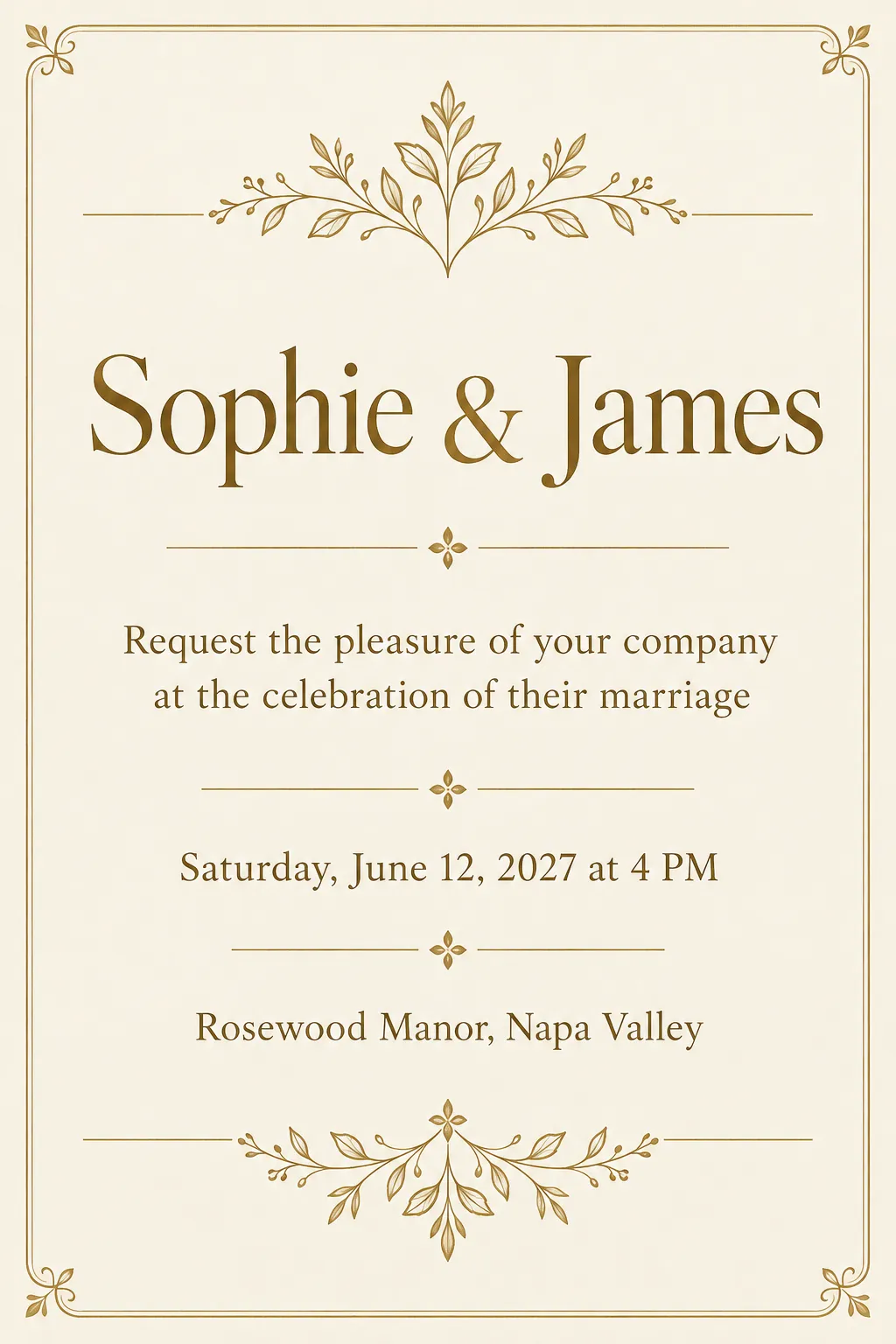
Wedding · luxury gold · “Sophie & James”, date and venue

«Wedding · luxury gold · “Sophie & James”, date and venue»

GPT Image 2.5 · portrait 2:3

II

Invitations usually get made at the last minute: a plain group text, or a template where you drag text boxes around for half an hour. Here you just fill in a few fields and the AI handles the design and the lettering.

Pick “Invitation” and the occasion: birthday, kids' party, wedding, office party, graduation or your own. Fill in the headline, the invitation text, date and time, the venue and who it's from. Leave the headline blank and you'll get “You're invited to my birthday party!”. The free “Write the message” button drafts the invitation text for you.

For a kids' party try the cartoon style with balloons and animals; for grown-ups, minimal, neon or luxury gold. The 9:16 format is made for sharing in messengers and Stories, with the text kept clear of the top and bottom edges where buttons sit. A5 is there for printing. Every invitation is proofread, so the name, date and address match what you typed letter for letter.

III

What the invitation maker can do

01

Date, time and venue

Separate fields, nothing gets lost

02

No typos

The text in the image is checked against yours

03

Kids' style

Balloons, cake and happy animals

04

9:16 Stories

Easy to text and post

05

Print-ready A5

148×210 mm at 300 dpi

06

AI writes the text

A short invite for your party

IV

Occasions

Kids' parties

A bright invite for classmates and parents

Your own birthday

A stylish invite for friends

Office parties

Date, venue and dress code in one design

Graduations

An invitation for the class

V

How to make an invitation with AI

01

Pick “Invitation” and the occasion

Birthday, kids' party, office party, graduation

02

Fill in the date, venue and text

Or let the AI write the invitation

03

Send it to your guests

9:16 or square for chats, A5 for print

VI

Invitations you can make

See what you can create — try it yourself

Prompt

«Kids' party · “Leo's 6th Birthday” · square»

Result

A bright invite with cake and balloons

Prompt

«Birthday · minimal · rooftop bar, 7 PM»

Result

A clean invite for friends

Prompt

«Office party · gold · dress code in the text»

Result

A polished invite for coworkers

Prompt

«Graduation · neon · A5»

Result

A file to print and to share

VII

Pricing

Pay only for results — no subscription

All plans →
Model / operationCredits
  • One invitation8 cr.
  • Four versions in one run32 cr.

Credit packs: 150 credits for $5, 350 credits for $12, 1250 credits for $35.

VIII

Invitation maker FAQ

Which fields do I fill in?+

Headline, invitation text, date and time, venue and signature. At least one is required; a blank headline is filled in for you. The more precise the address and time, the fewer questions from guests.

Will the text come out right?+

GPT Image 2.5 writes text cleanly, but image models still slip a letter now and then. So every finished design is automatically checked against what you typed, and redrawn if a word came out wrong. Still, read names, dates and addresses once more before you print.

Which format is best for texting?+

9:16 for messengers and Stories: the text stays clear of the top and bottom edges so app buttons don't cover it. Square works well in chats and posts, A5 for printing.

Can I add a photo of the birthday kid?+

Yes, upload a photo and it's placed into the design. A bright daytime portrait works best for kids' invitations.

How much does it cost?+

8 credits per design. One run can give you up to four different versions for 32 credits. If a version fails, its credits are refunded. The “Write the message” button is free.

Try for free

Sign up for free and get 6 credits right away. No card required.