
ImageGPTImageGPT

Design

AI Birthday Card Maker

Pick the occasion and a style, type the name and your wishes — and get a one-of-a-kind card with every word spelled right.

6 free credits on sign up

I

Cards made with the tool

Real outputs of the model: the request and what came out, with no retouching

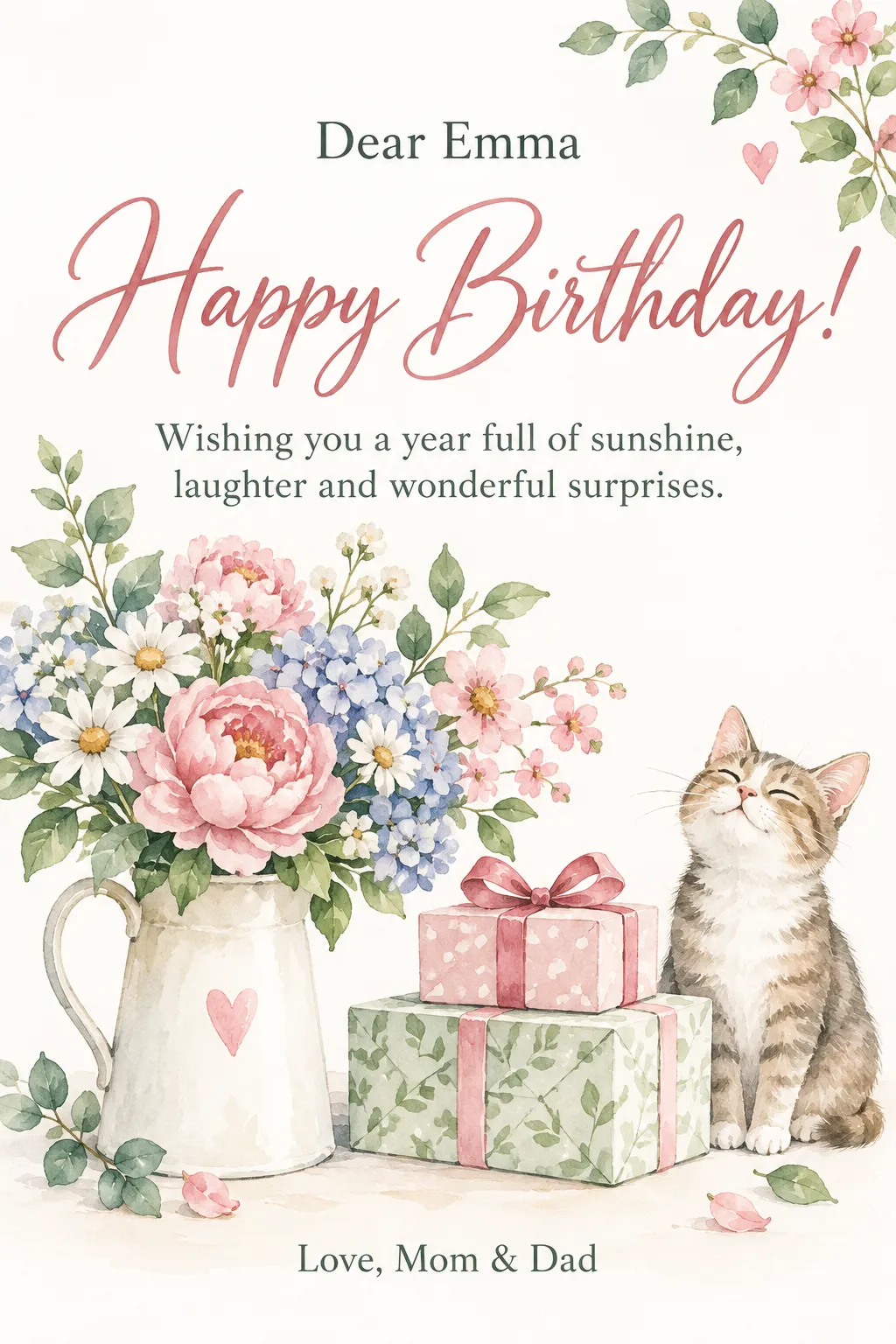
Birthday · watercolor · “Dear Emma”, a wish and “Love, Mom & Dad”

«Birthday · watercolor · “Dear Emma”, a wish and “Love, Mom & Dad”»

GPT Image 2.5 · portrait 2:3

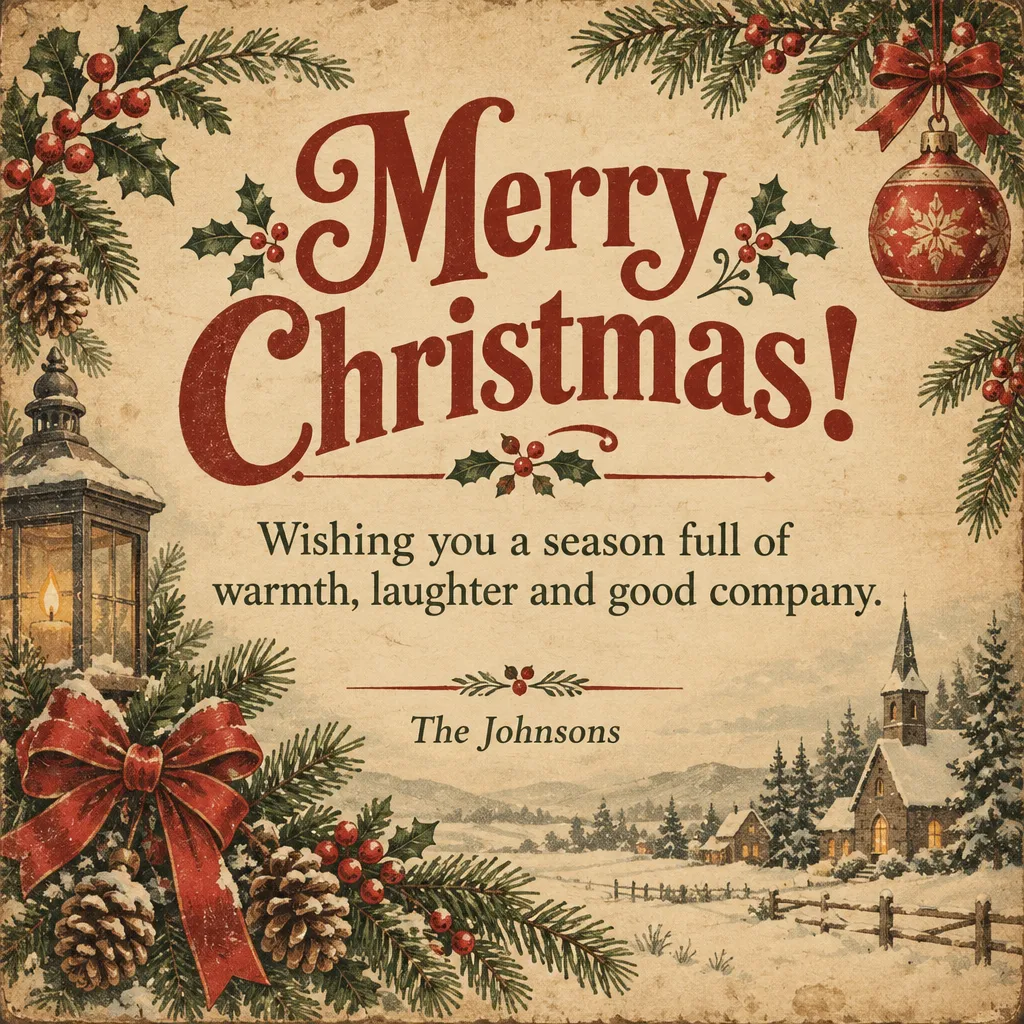
Christmas · vintage · a wish from “The Johnsons”

«Christmas · vintage · a wish from “The Johnsons”»

GPT Image 2.5 · square

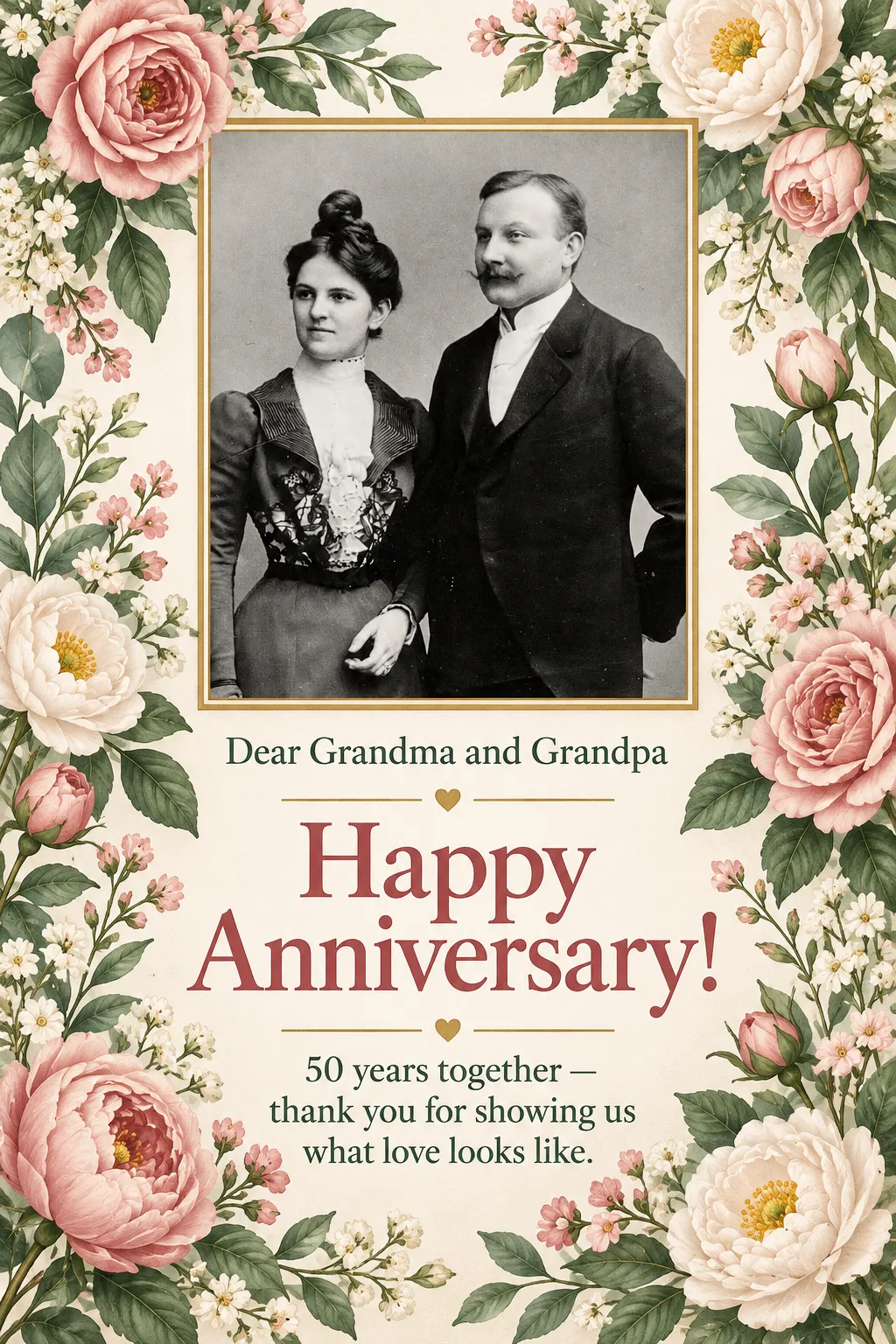
Anniversary · floral · an old photo of the grandparents

«Anniversary · floral · an old photo of the grandparents»

GPT Image 2.5 · with a photo

II

Store-bought e-cards all look the same, and most AI image generators still mangle the lettering — “Happy Birthdya” is not the vibe. This card maker designs the card around your occasion and writes your exact words on it.

Choose the occasion: birthday, Christmas, New Year, Valentine's Day, wedding, anniversary, Easter, thank you or anything else. Fill in who it's for, the message and the signature. Stuck on what to say? Hit “Write the message” and the AI drafts a short, warm message you can edit. Leave the headline blank and it uses the usual “Happy Birthday!” or “Merry Christmas!”.

Then pick a style — watercolor, floral, minimal, luxury gold, kids cartoon, vintage, neon or paper cut — and a format: portrait 2:3, square, 9:16 for Stories, or print-ready A5 (148×210 mm at 300 dpi). You can add a photo of the birthday person, a couple or a pet and it's framed right into the design. GPT Image 2.5 by OpenAI draws the card, and the finished image is proofread and redrawn if a word is off.

III

What the card maker can do

01

Your words, spelled right

Every line is checked against what you typed

02

AI writes the message

“Write the message” — free

03

8 styles

Watercolor, floral, gold, vintage, neon and more

04

4 formats

2:3, square, 9:16 Stories and print-ready A5

05

Add a photo

Framed right into the design

06

Up to 4 versions

Different layouts in one run

IV

Occasions

Birthdays

A card for mom, a friend or a coworker in a minute

Holidays

Christmas, New Year, Valentine's Day, Easter

Texts and socials

Square or 9:16 to send or post

Print at home

A5 at 300 dpi — print it and sign by hand

V

How to make a birthday card with AI

01

Pick the occasion and style

Birthday, a holiday or a thank-you; watercolor, gold, neon…

02

Type your text

Who it's for, the message and from whom — or let the AI write it

03

Download the card

Send it in a chat or print the A5

VI

Cards you can make

See what you can create — try it yourself

Prompt

«Birthday · watercolor · “Dear Emma”»

Result

A soft card with peonies and your message

Prompt

«Christmas · vintage · from “The Johnsons”»

Result

A classic holiday card for the whole family list

Prompt

«Anniversary · grandparents' photo · “50 years together”»

Result

The old photo in a floral frame

Prompt

«Thank you · minimal · A5»

Result

A print file at 148×210 mm

VII

Pricing

Pay only for results — no subscription

All plans →
Model / operationCredits
  • One card8 cr.
  • Four versions in one run32 cr.

Credit packs: 150 credits for $5, 350 credits for $12, 1250 credits for $35.

VIII

Birthday card maker FAQ

Will the text come out right?+

GPT Image 2.5 writes text cleanly, but image models still slip a letter now and then. So every finished design is automatically checked against what you typed, and redrawn if a word came out wrong. Still, read names, dates and addresses once more before you print.

Can I add my own photo?+

Yes — upload a photo of the birthday person, a couple, a family or a pet. It's placed in the design as a neatly framed photo, keeping the people as they are. Without a photo you get an illustrated card.

What if I don't know what to write?+

Press “Write the message” next to the message field: the AI drafts a short greeting for the occasion and name, without inventing facts. Don't like it? Press again or edit it.

Can I print it?+

Choose the A5 format and you get a 148×210 mm file at 300 dpi — print it at a print shop or at home. The other formats are made for screens: chats, social posts and Stories.

Which occasions are there?+

Birthday, New Year, Christmas, Valentine's Day, wedding, anniversary, Easter, thank you and “other” for anything else. Invitations and event posters are made in the same tool.

How much does it cost?+

8 credits per design. One run can give you up to four different versions for 32 credits. If a version fails, its credits are refunded. The “Write the message” button is free.

Try for free

Sign up for free and get 6 credits right away. No card required.