
ImageGPTImageGPT

Design

AI Wedding Invitation Maker

Your names, the date and the venue — the AI designs an elegant invitation and checks every letter.

6 free credits on sign up

I

Wedding invitations made with the tool

Real outputs of the model: the request and what came out, with no retouching

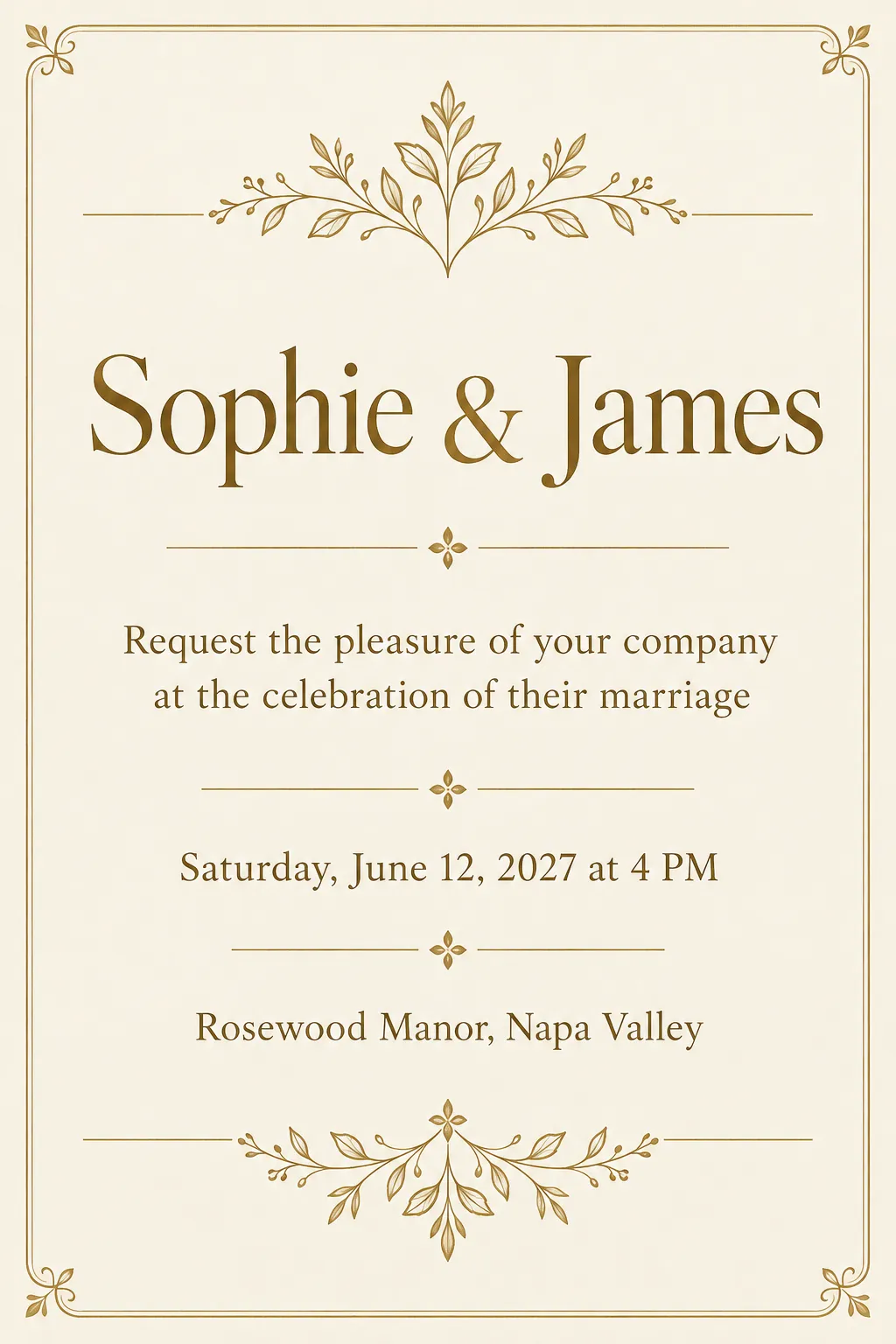
Wedding · luxury gold · “Sophie & James”, June 12, Rosewood Manor

«Wedding · luxury gold · “Sophie & James”, June 12, Rosewood Manor»

GPT Image 2.5 · portrait 2:3

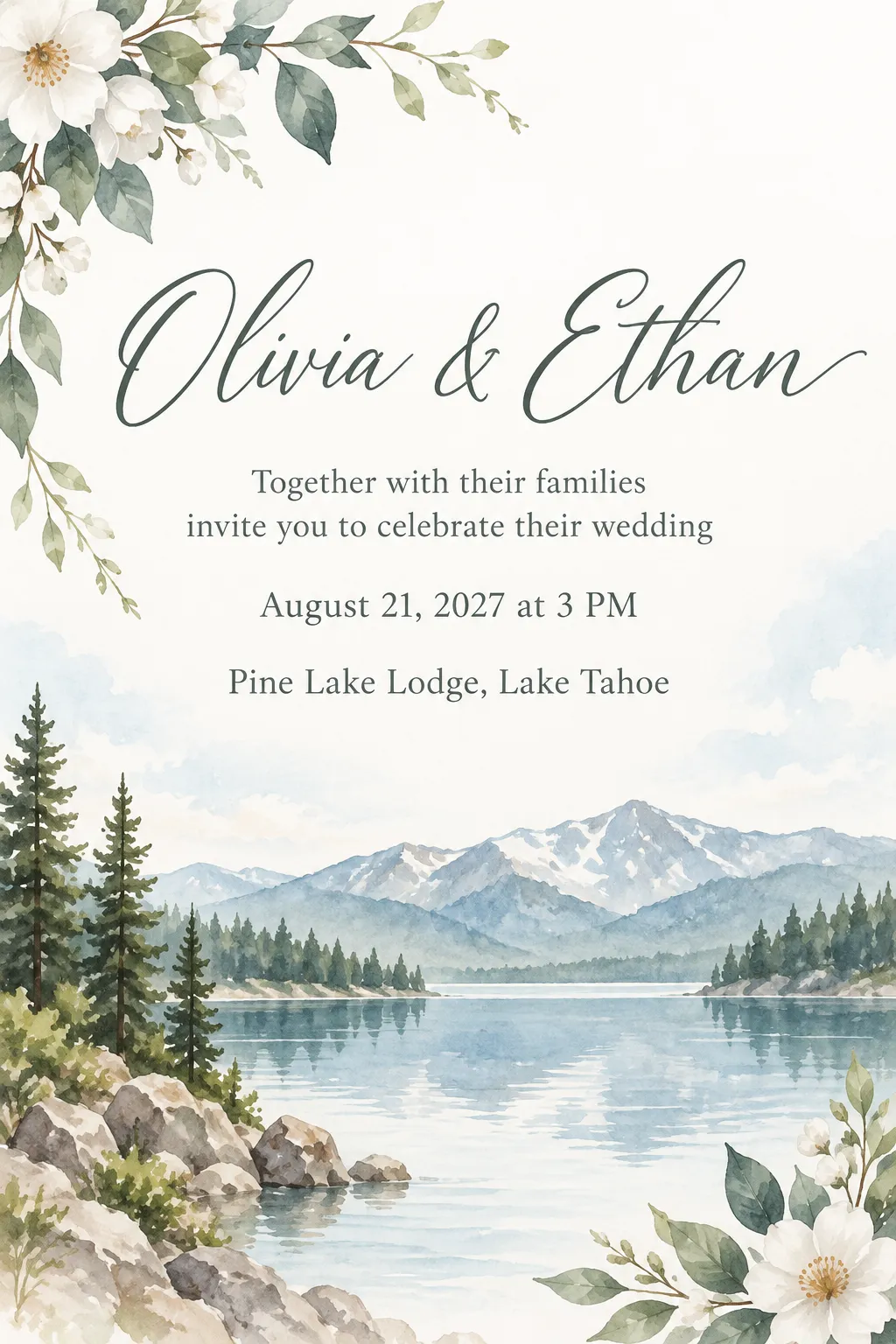
Wedding · watercolor · “Olivia & Ethan”, Pine Lake Lodge

«Wedding · watercolor · “Olivia & Ethan”, Pine Lake Lodge»

GPT Image 2.5 · portrait 2:3

II

Your invitation is the first thing guests see of your wedding. A designer takes weeks and a big budget, and popular templates are instantly recognizable. Here the invitation is drawn for the two of you: pick a style and type your names, the date and the venue.

In the card maker choose “Invitation” and “Wedding”. Put your names in the headline — say, “Sophie & James” — or keep “You're invited to our wedding”. Add a line or two for your guests; the free “Write the message” button helps if you're stuck. Date and time, venue and signature have their own fields.

Watercolor, floral, luxury gold and minimal are the usual wedding picks, and the design wishes field lets you set your palette: “dusty rose and sage”, “emerald and gold”. GPT Image 2.5 by OpenAI draws the invitation and checks the lettering against your text. A5 comes as a 148×210 mm file at 300 dpi for the print shop; portrait and 9:16 work for sending online. Make up to four versions at once and keep the best.

III

What the wedding invitation maker can do

01

Wedding styles

Watercolor, floral, luxury gold, minimal

02

Names spelled right

Every line is checked against your text

03

Your palette

“Dusty rose and sage” in the wishes field

04

A5 at 300 dpi

A 148×210 mm print file

05

Up to 4 versions

Compare and keep the best

06

AI helps with wording

A couple of warm lines for guests

IV

What it's for

Digital invites

Send the invitation by text or email

Printed invites

A5 for a print shop or a home printer

Save the date

A 9:16 card with your date for Stories

Vow renewals

Anniversaries and renewal ceremonies

V

How to make a wedding invitation with AI

01

Pick “Invitation” → “Wedding”

And a style: watercolor, floral, gold or minimal

02

Type your names, date and venue

Write the guest text yourself or with AI

03

Keep the best version

Send it to guests or take it to print

VI

Invitations you can make

See what you can create — try it yourself

Prompt

«“Sophie & James” · luxury gold · June 12»

Result

A classic ivory and gold invitation

Prompt

«Watercolor · lake and pines»

Result

A soft invitation for an outdoor wedding

Prompt

«Floral · “dusty rose and sage” · A5»

Result

A print file in your colors

Prompt

«Minimal · 9:16 · save the date»

Result

Your date, ready for Stories

VII

Pricing

Pay only for results — no subscription

All plans →
Model / operationCredits
  • One invitation8 cr.
  • Four versions in one run32 cr.

Credit packs: 150 credits for $5, 350 credits for $12, 1250 credits for $35.

VIII

Wedding invitation maker FAQ

Will the text come out right?+

GPT Image 2.5 writes text cleanly, but image models still slip a letter now and then. So every finished design is automatically checked against what you typed, and redrawn if a word came out wrong. Still, read names, dates and addresses once more before you print.

Can I print the invitations?+

Yes — pick the A5 format and you get a 148×210 mm file at 300 dpi for a print shop or your home printer on heavy paper. Check names, date and address before printing.

Can we add our photo?+

Yes, upload a photo of the two of you and it's framed into the design. Without one you get an illustrated invitation.

How do I set our wedding colors?+

Write your palette in the design wishes field: “dusty rose and sage”, “burgundy and gold”, “white and eucalyptus”. You can ask for specific flowers or details there too.

How much does it cost?+

8 credits per design. One run can give you up to four different versions for 32 credits. If a version fails, its credits are refunded. The “Write the message” button is free.

Try for free

Sign up for free and get 6 credits right away. No card required.