Fence Visualizer: See a New Fence, Stain Color or Carport on a Photo of Your Yard
We restained a weathered privacy fence white, swapped it for a horizontal slat fence, and added a picket fence and a carport to a plain front yard — all from phone photos.

Contents
A fence is one of the first things anyone sees of your home, and one of the hardest to picture in advance. A sample board at the lumber yard tells you nothing about how sixty feet of it will look next to your house, your trees and the neighbor's garage. ImageGPT can now draw the fence on a photo of your own yard, from the spot where you took the picture.
Two ways to try a fence
- Restain or repaint the fence you have: House Exterior → Repaint only → Fence. The boards, pickets and posts keep their shape and spacing; only the color changes.
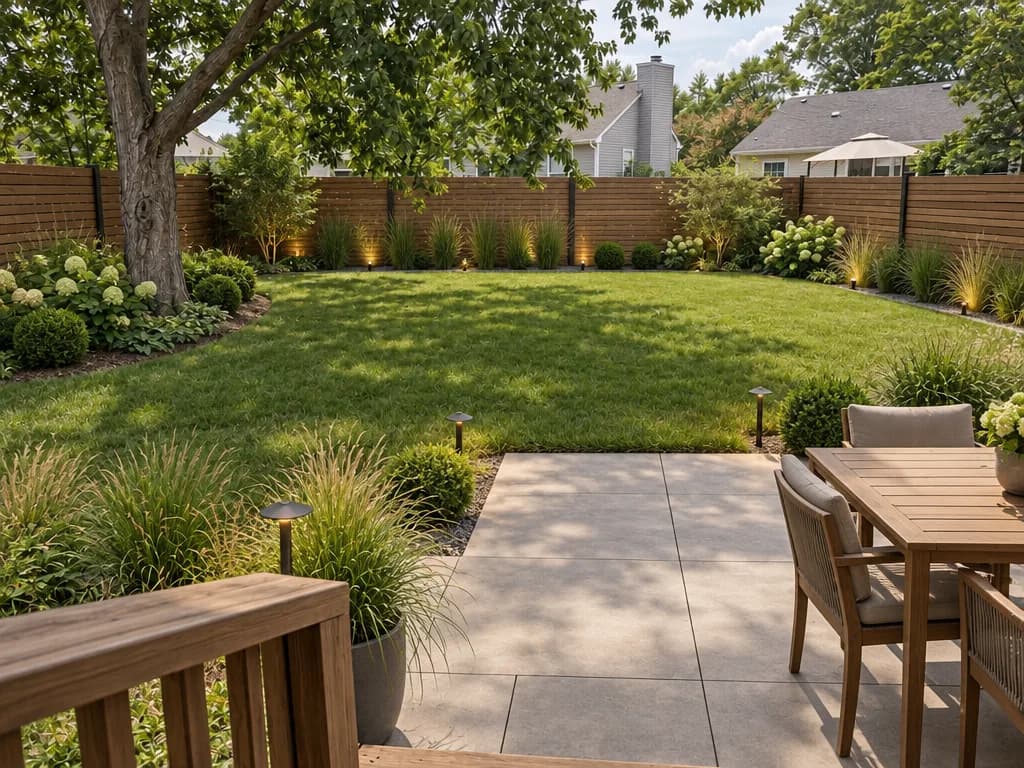
- Replace it: Landscape Design → tick Fence and choose a Fence type. The new fence goes along the same line as the old one, or along the property line if there was none.
- Add a carport in the same run: tick Carport and you get an open canopy on slim posts over a paved parking pad, reachable from the driveway.
Restaining an old fence
If the fence is solid but gray and weathered, you probably only need stain or paint. Upload a photo where the fence is clearly visible, pick Repaint only, set a color for Fence and leave every other part on Keep. Nothing else in the photo changes. Brick or stone pillars keep their own color.
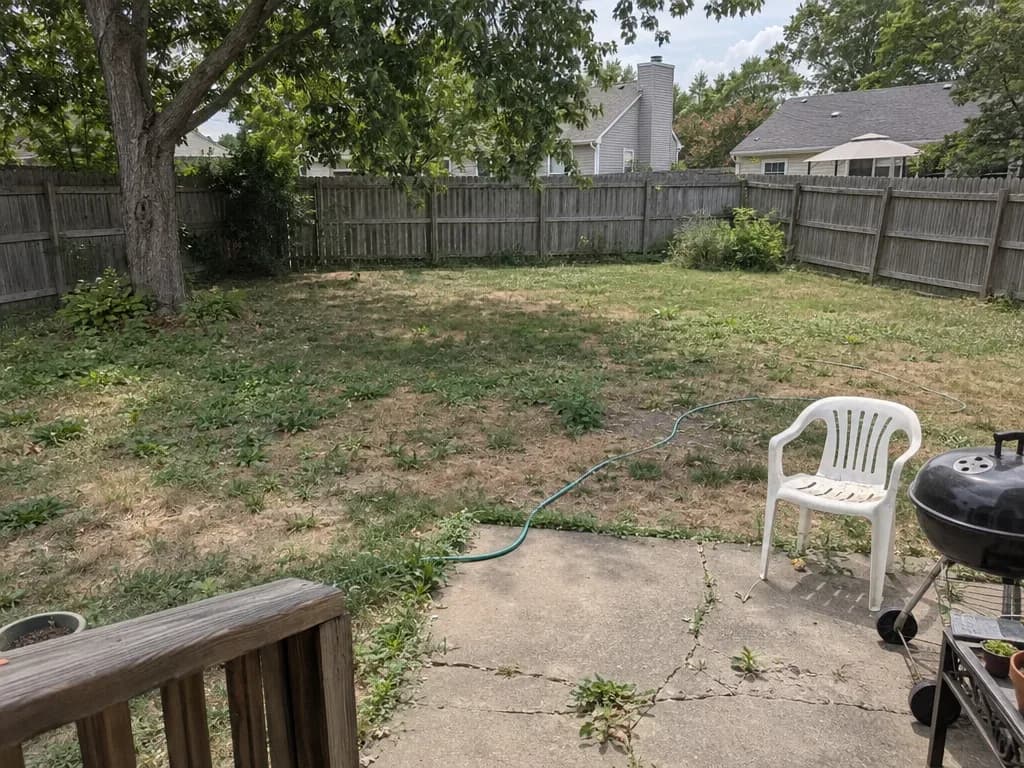
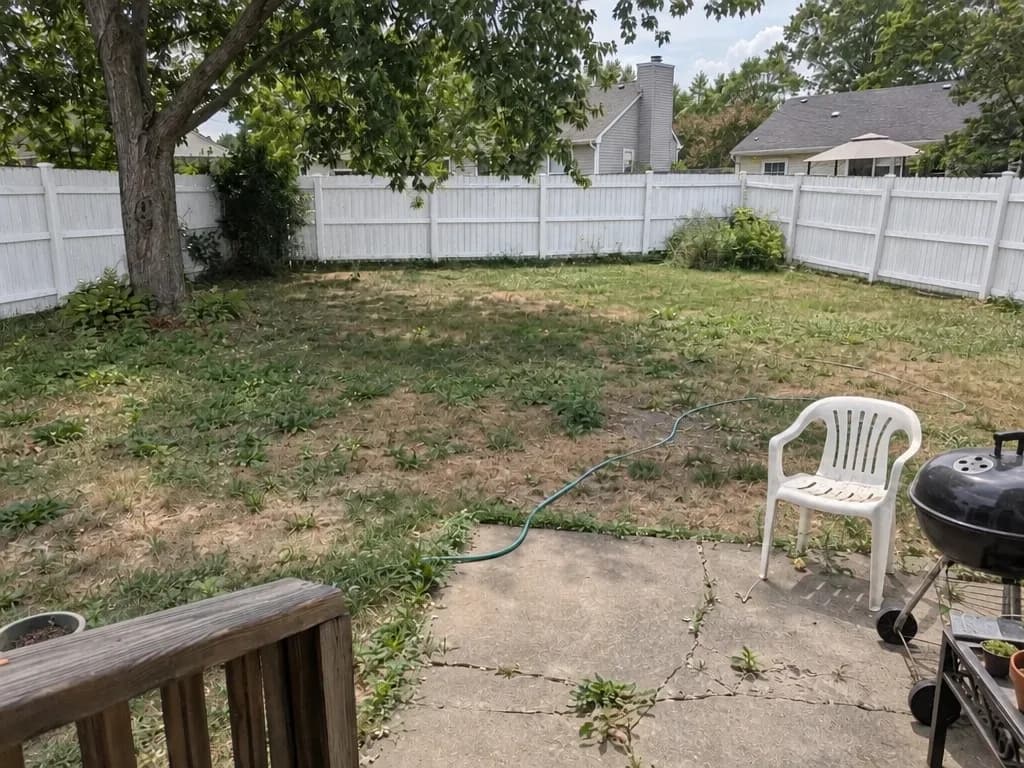
For an exact match, type the product's color code into Color codes or wishes, or describe the finish:
fence in a semi-transparent cedar stain, gate the same color
fence RAL 7016 anthracite, posts and gate the same
Repaint only never adds anything, so if the photo shows no fence, a fence color is simply ignored. For a brand-new fence, use Landscape Design.
Choosing a new fence
In Landscape Design, tick Fence among the elements and a Fence type row appears:
| Fence type | What you get |
|---|---|
| Wooden picket | A classic picket fence with gaps — friendly, low, very front-yard |
| Horizontal slats | A modern fence of horizontal wood boards |
| Wrought iron | An iron fence with forged details; the garden stays visible from the street |
| Brick pillars | Brick pillars with infill sections between them |
| Metal sheet | Solid corrugated steel panels on metal posts |
| Any | The AI picks a fence to suit the garden style you chose |
Landscape Design redesigns the ground at the same time — lawn, paths, a deck, planting, lighting, whatever you tick — in the garden style you pick. The house, other buildings, large trees, the terrain and the camera angle stay put. If you only care about the fence, tick just a couple of other elements, like Lawn.
Adding a carport
Tick Carport and the AI places an open carport next to the house and connects it to the driveway or gate. It works on front yards too. Here we added a wooden picket fence along the sidewalk and a carport over the drive of a plain suburban house:
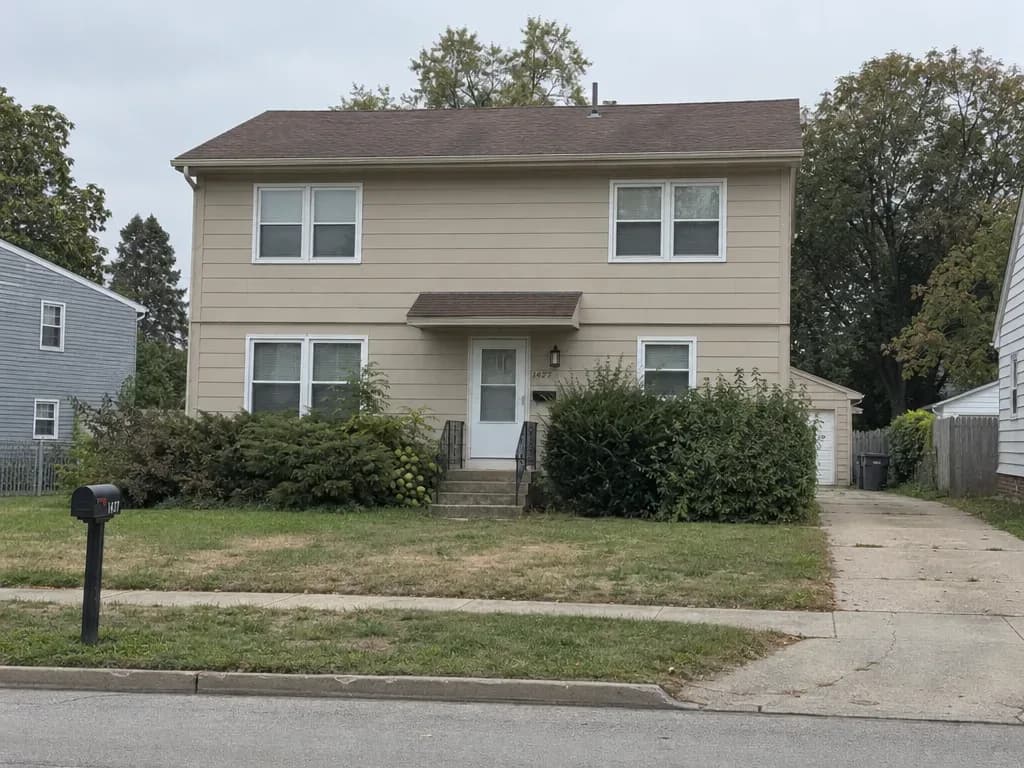
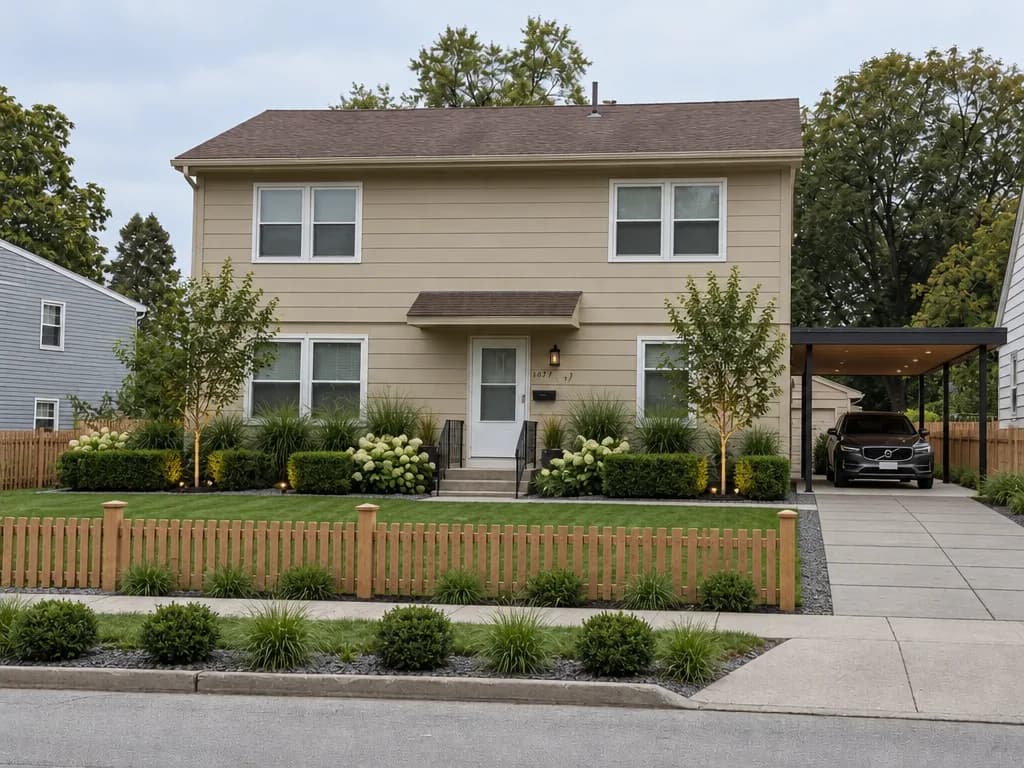
Say where you want it in the wishes if the AI's first guess isn't right:
carport for two cars on the left side of the house, at the end of the driveway
keep the oak tree, carport with a flat dark metal roof
Step by step
- To restain: open House Exterior, upload a photo of the house with the fence, choose Repaint only and set a color for Fence.
- To replace: open Landscape Design, upload a photo of the yard and pick a garden style.
- Tick Fence and choose a Fence type. Tick Carport if you want one.
- Untick the elements you don't need and add wishes if you like.
- Choose up to four variants and click Show design (or Show exterior for repainting).
Pricing
| What you do | One variant | Four variants |
|---|---|---|
| Restain the fence | 6 credits | 24 credits |
| New fence or carport | 6 credits | 24 credits |
Variants that fail are refunded. New accounts get 6 free credits.
Before you call a contractor
- The picture shows a look, not measurements: you still need to measure the run and count the posts.
- Check your HOA rules and local permits — height, material and how see-through a fence may be are often regulated, especially in front yards.
- Screens and photo lighting shift colors, so check a real stain sample on a board in daylight.
Upload a photo of your yard and see it with a new fence or a carport.
Design my yardJust want to restain the old fence?
Repaint onlyTry everything from this article in minutes
All the models and tools from this article are in one place. You get 6 free credits after sign-up, and every price is shown before you run it.
Design my yard