How to Translate Text in an Image and Keep the Design: Product Photos, Signs, Memes
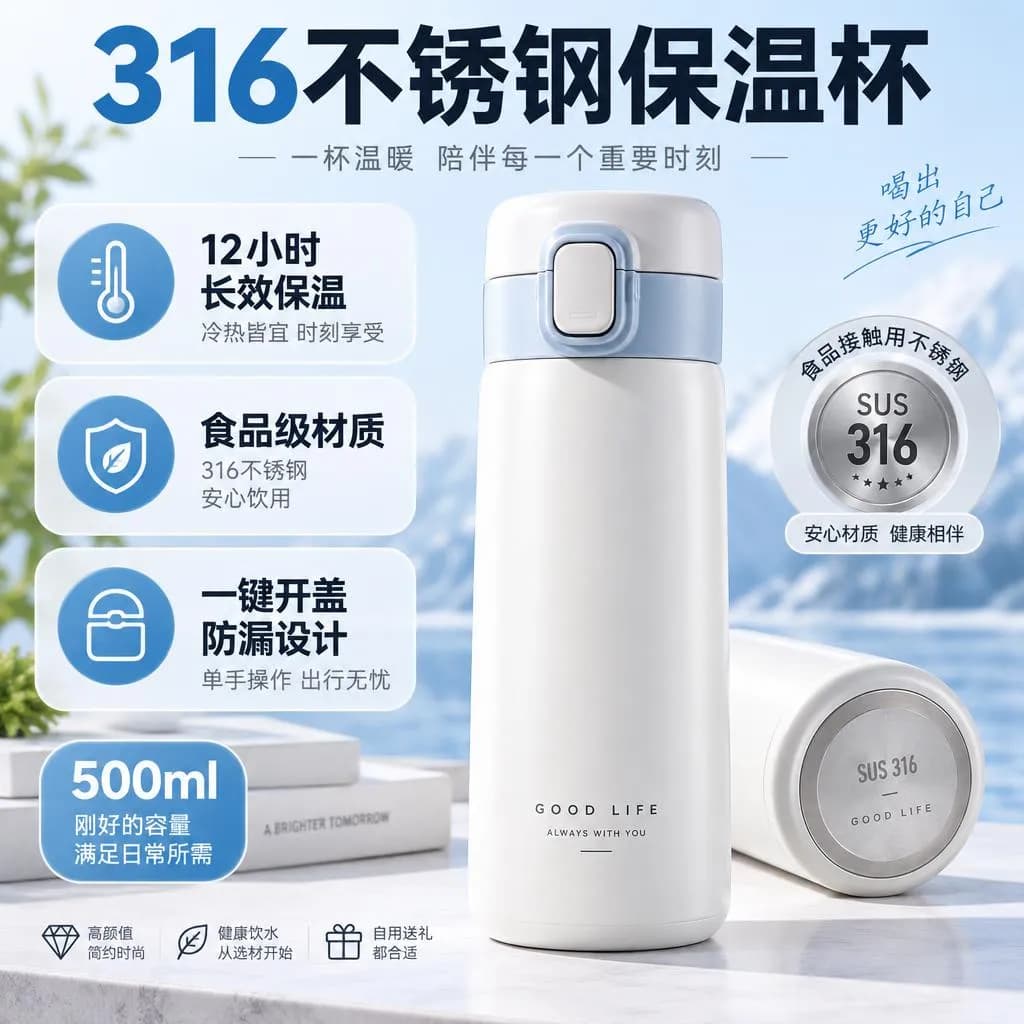
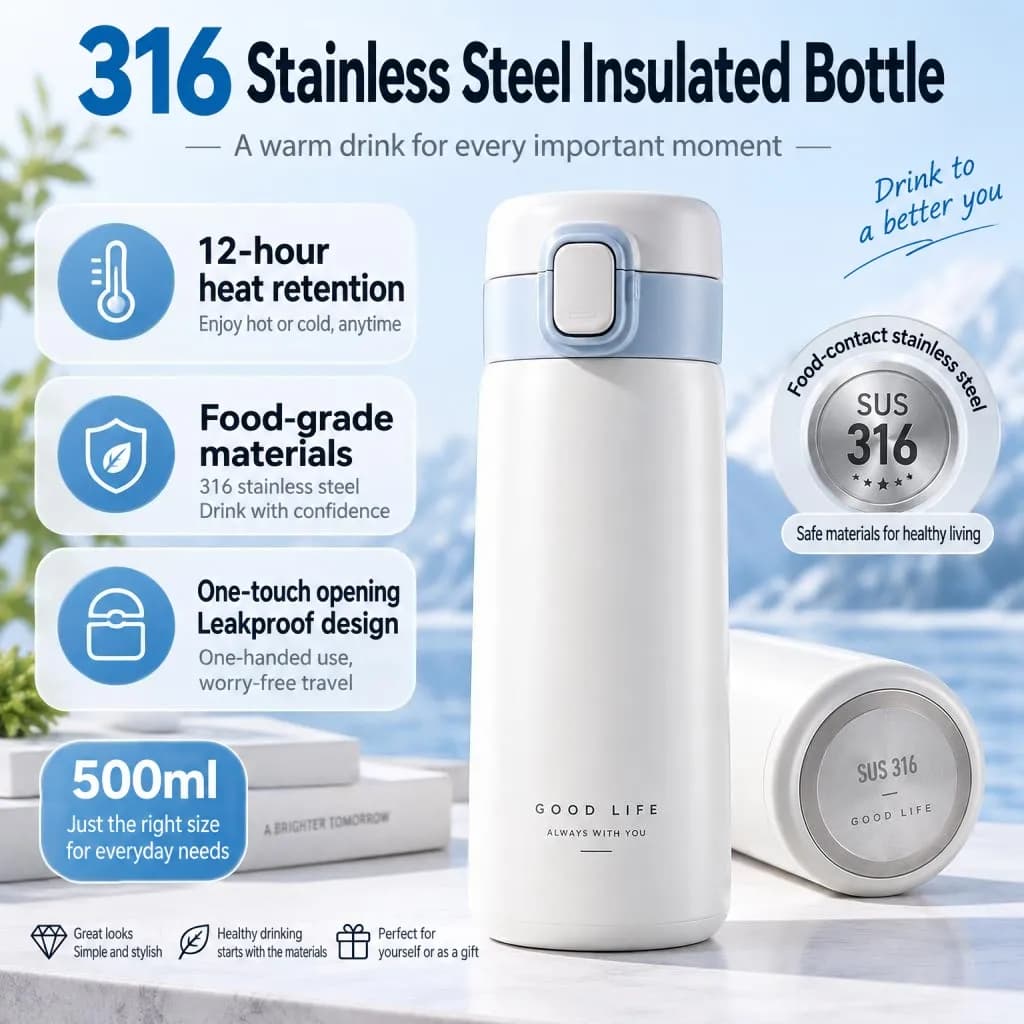
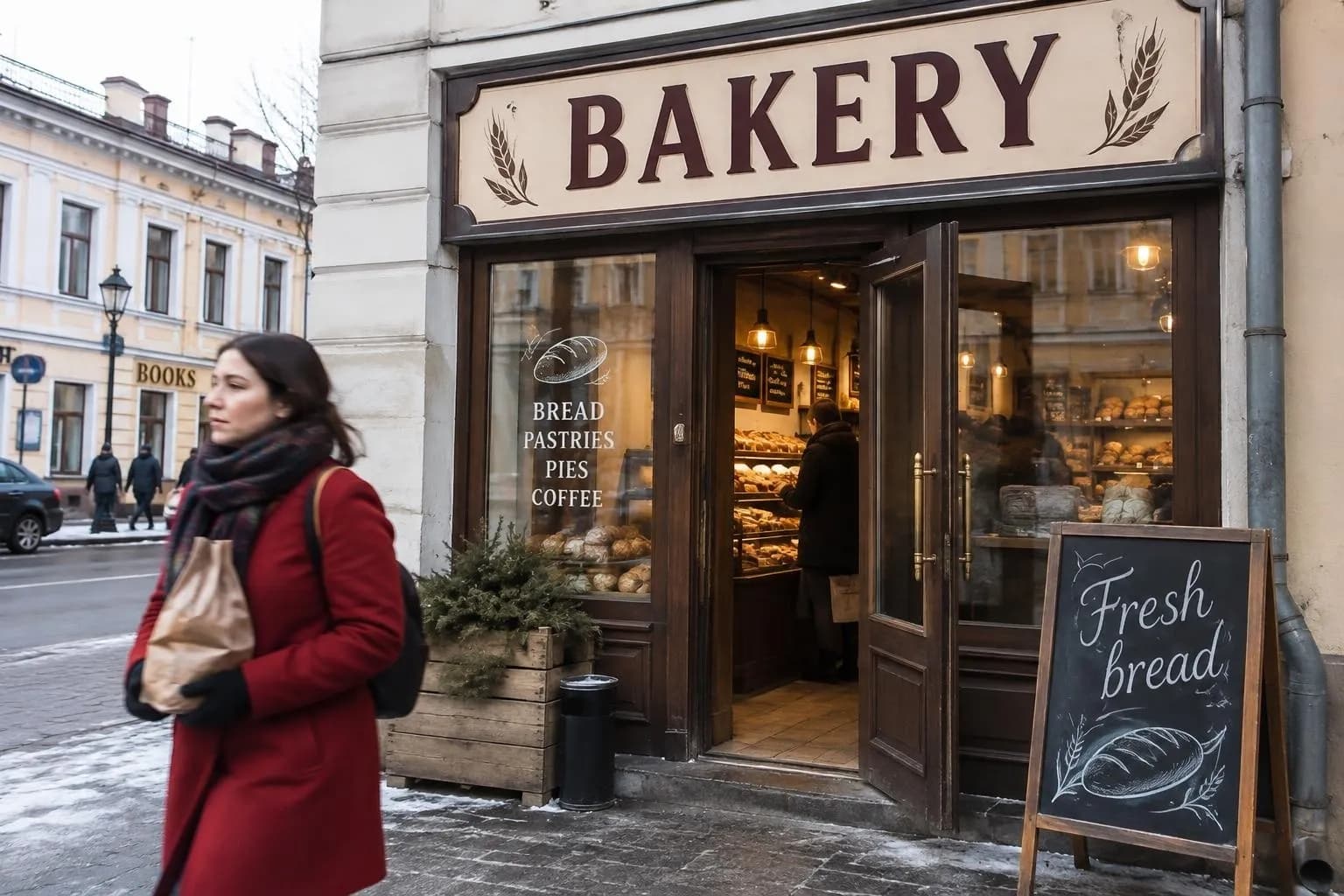
We turned two Chinese supplier images into English listing graphics and a Russian bakery storefront into English. Here's how to check the translation first and where the AI still slips.
Contents
A translator app on your phone will tell you what a picture says. It won't give you the picture back in English. If you resell products sourced from 1688 or Taobao, the supplier's infographics are often great and completely unreadable for your customers. Rebuilding every one in a design tool takes an evening per product.
Image Translator on ImageGPT puts the translation into the image itself. Each line lands where the original was, in a matching font style and color, on the same badges and banners. The product, the background and any people in the shot don't change.
How it works
First a vision model reads every piece of text in the picture and translates it. You can open that list and edit it, for free. Then GPT Image 2.5 from OpenAI redraws the text in the new language. The finished image is checked against your translation, and if a word came out misspelled it's redrawn once and the better version is kept. Finally, only the changed areas are pasted back onto your original, so the resolution and everything that wasn't text stay as they were.
What people use it for
- Supplier images you're allowed to use, turned into listing graphics for your own store.
- Menus, signs and posters you photographed while traveling.
- Memes and comic panels, keeping the original lettering style.
- Your own ads, banners and slides localized for customers in another country.
There are 19 target languages: English, Spanish, French, German, Italian, Portuguese, Dutch, Polish, Turkish, Ukrainian, Russian, Arabic, Hindi, Indonesian, Vietnamese, Chinese (Simplified and Traditional), Japanese and Korean. You don't pick the source language; the AI detects it.

Before you start
- Use the largest, sharpest version of the image you have. Bigger text translates more accurately.
- Decide what must not be translated: brand names, model numbers, prices.
- For product images, have your own wording ready for the headline. You can paste it in during the check step.
Step by step
- Open Image Translator in the Photo section and upload the picture.
- Under Translate into, choose the language.
- Click Read the text and check the translation. It's free. You'll see each original line with an editable translation underneath.
- Fix anything you don't like. To keep a line as it is, type the original into its translation box.
- Add notes if you need to, and pick one or two variants.
- Click Translate. The result appears on screen and in your history.
The check step is optional: click Translate straight away and the text is read automatically. For anything you're going to sell with, spend the minute. Machine translation of marketing copy tends to come out literal, and "long-lasting heat preservation" reads better as "12-hour heat retention."
Notes that help
The Notes field takes up to 200 characters. Use it for rules that apply to the whole image; fix individual lines in the list instead:
don't translate the brand name or the price
short, punchy listing copy, no long sentences
keep any text printed on the product itself as it is
Where it still slips
Headlines, badges and captions come out reliably. Small print is the weak spot, and it's worth knowing before you publish.
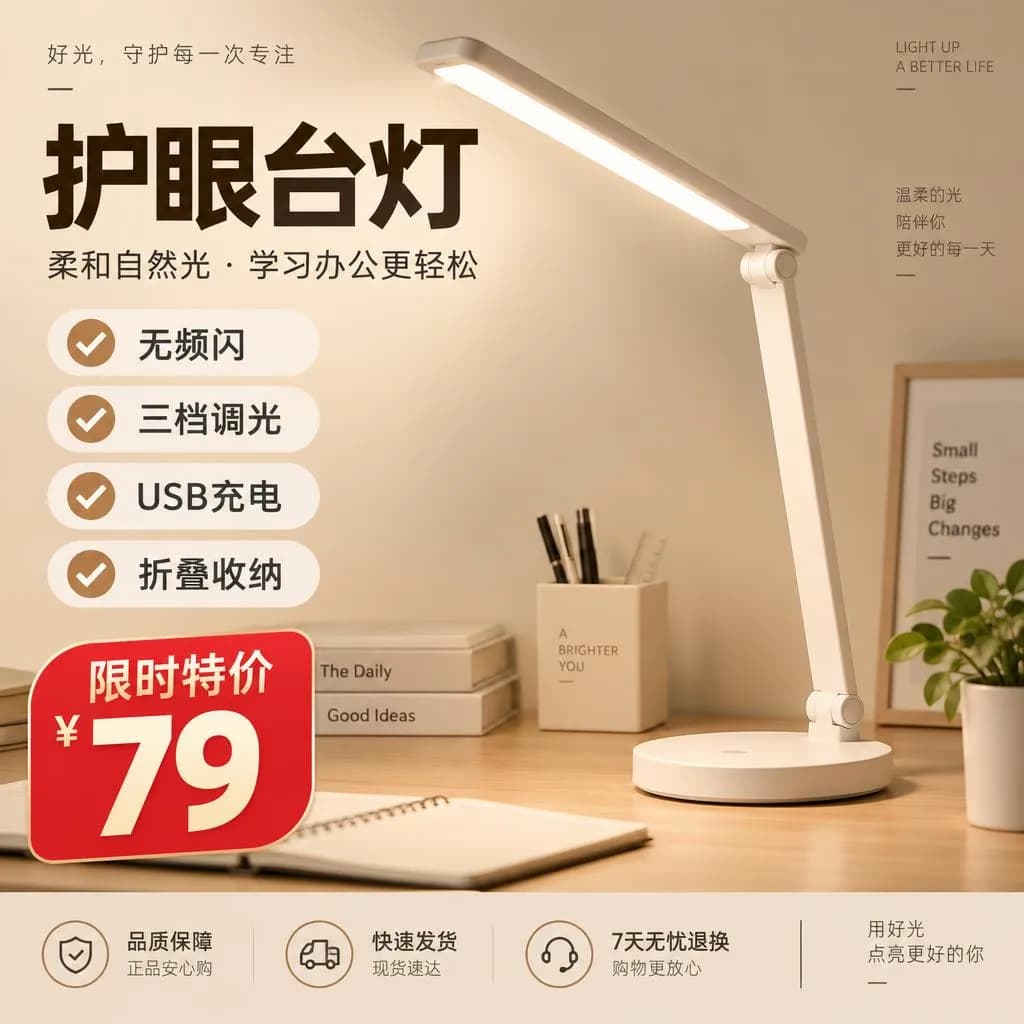
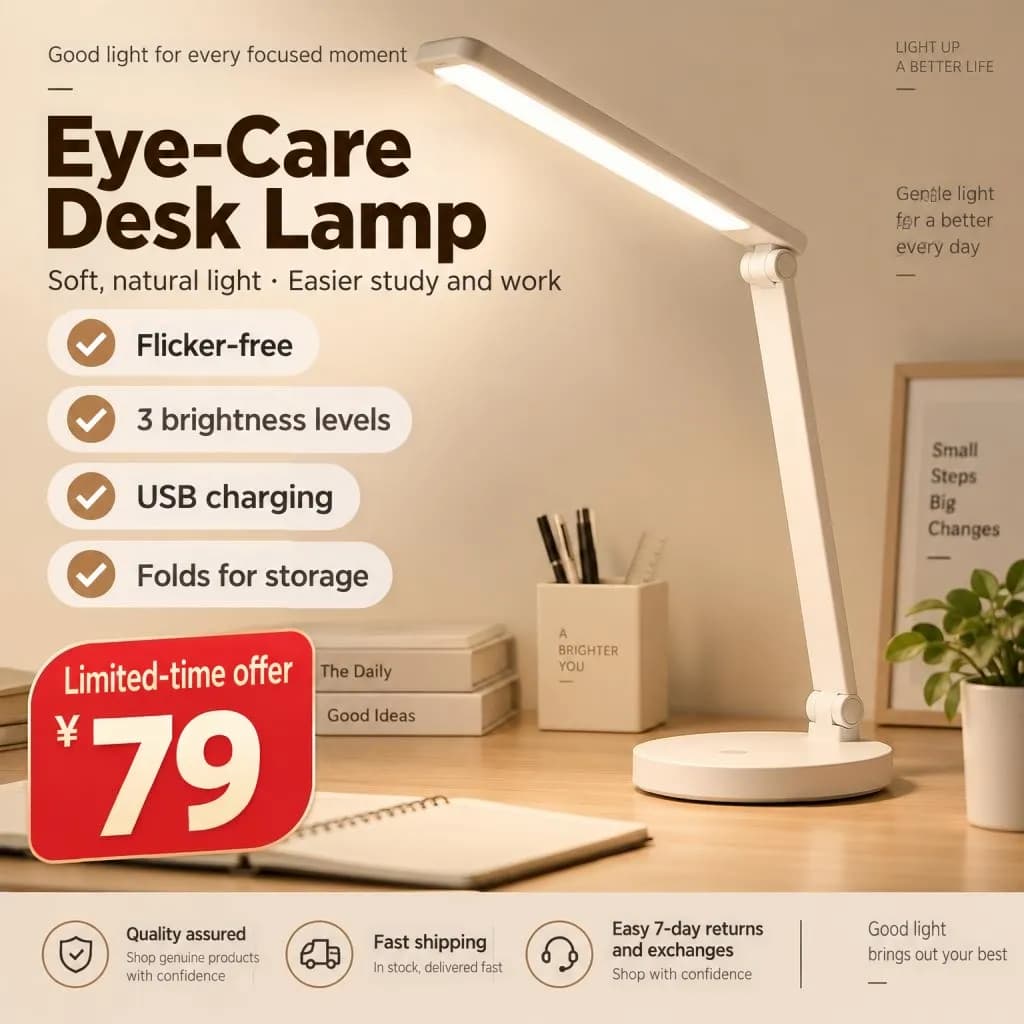
- Small text can come out imprecise: a smudged letter or a shortened word. Check fine print and footnotes before you use the image.
- Text on objects in the shot, like a mug, a poster or packaging, sometimes gets translated too. If you don't want that, type the original into its translation box or add a note.
- A long translation may be set slightly smaller or wrapped onto two lines to fit the original space.
- Up to 40 text blocks per image. For dense infographics with lots of tiny text, crop the image into sections first.
Pricing
Translating one image costs 10 credits; two variants in one run cost 20 credits. Reading and checking the text is free. If a translation fails, the credits are refunded. New accounts get 6 free credits.
Upload a product image, sign or meme and get it back in another language.
Translate an imageMore examples and FAQs on the tool page.
Image translatorTry everything from this article in minutes
All the models and tools from this article are in one place. You get 6 free credits after sign-up, and every price is shown before you run it.
Translate an image