How to Remove Text from a Photo with AI: Date Stamps, Captions, Meme Text and Your Old Logo
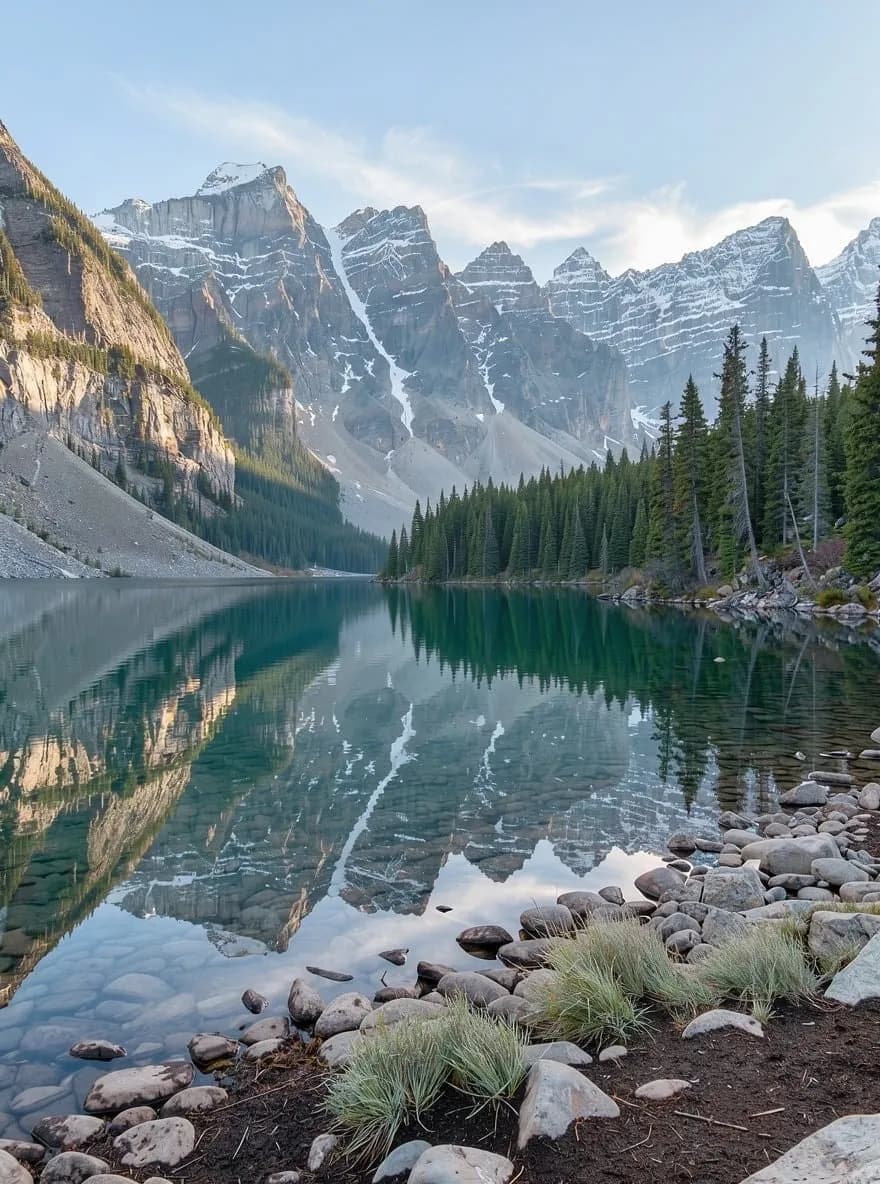
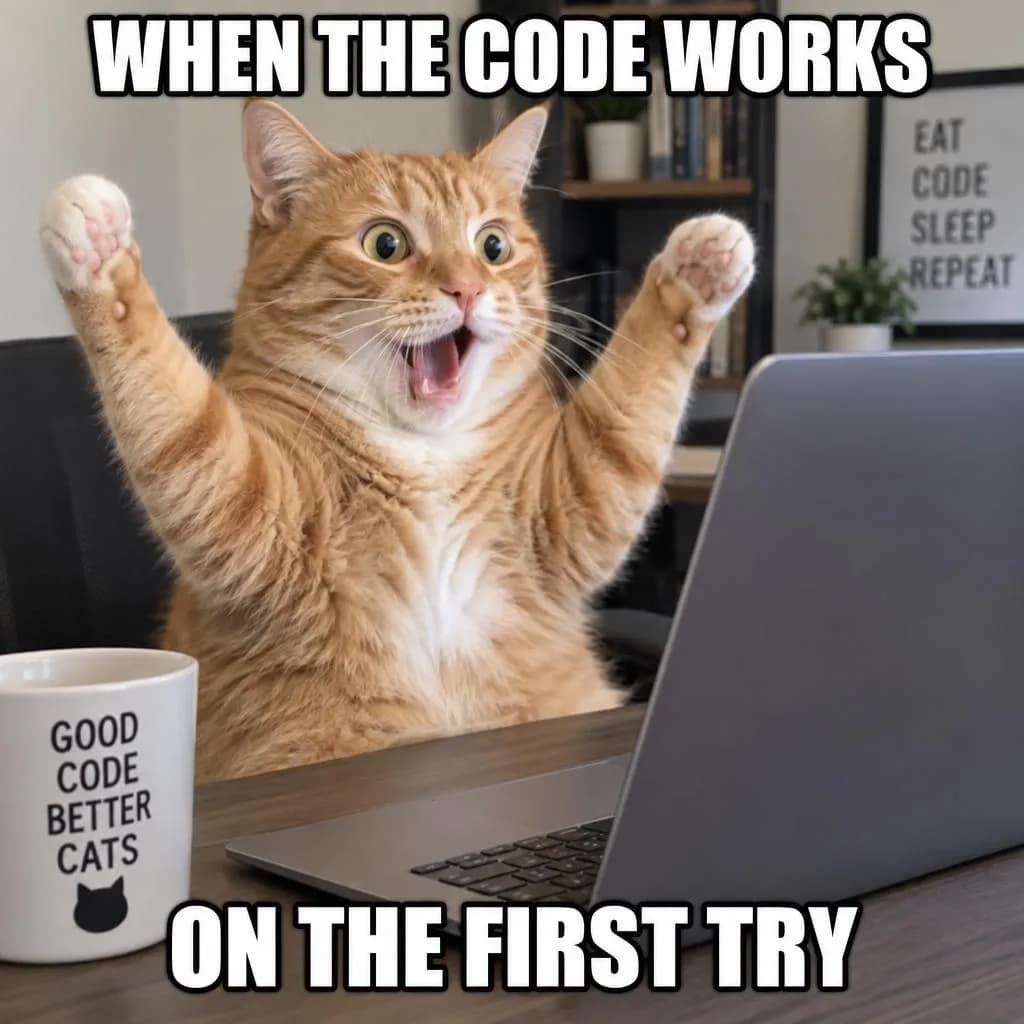
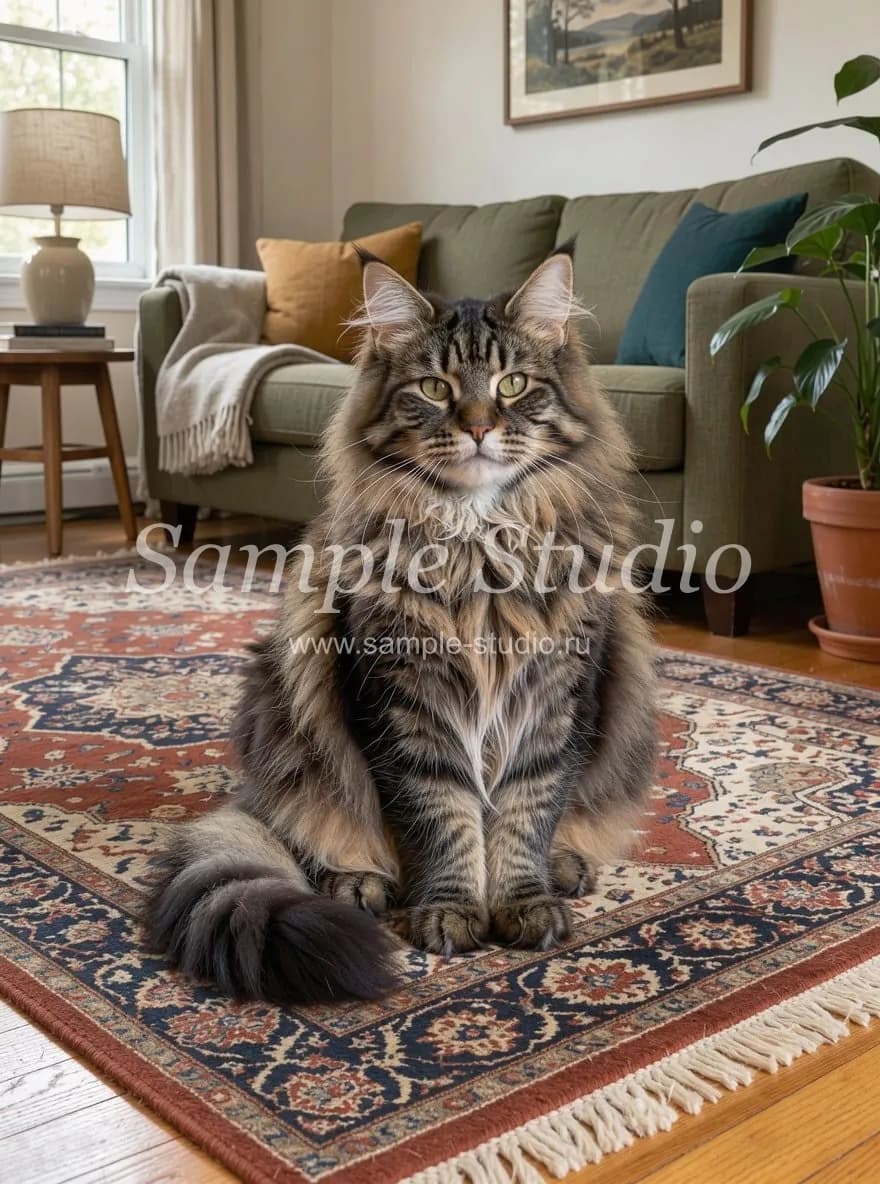
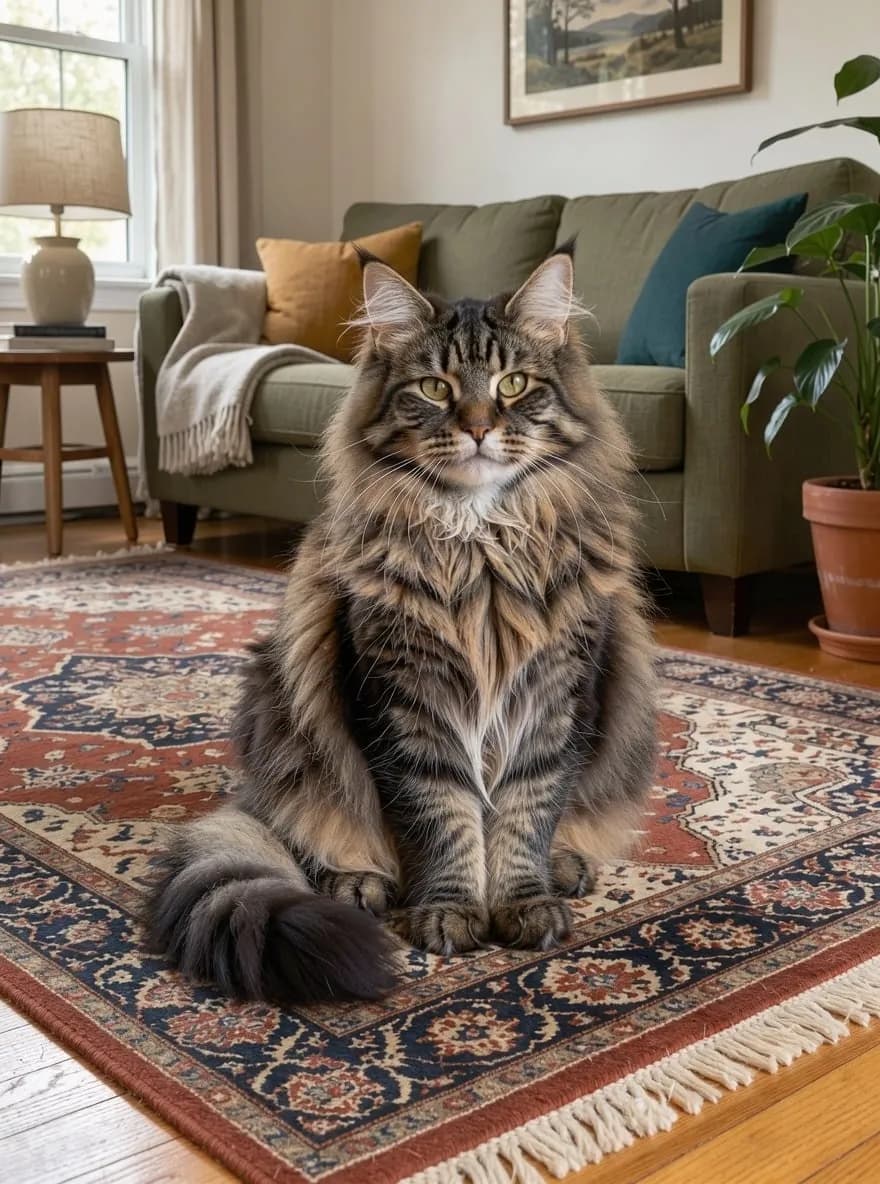
We cleaned an orange date stamp off a lake photo, stripped the caption from a meme, removed a studio logo from a pet portrait and showed when to keep store signs in the shot.
Contents
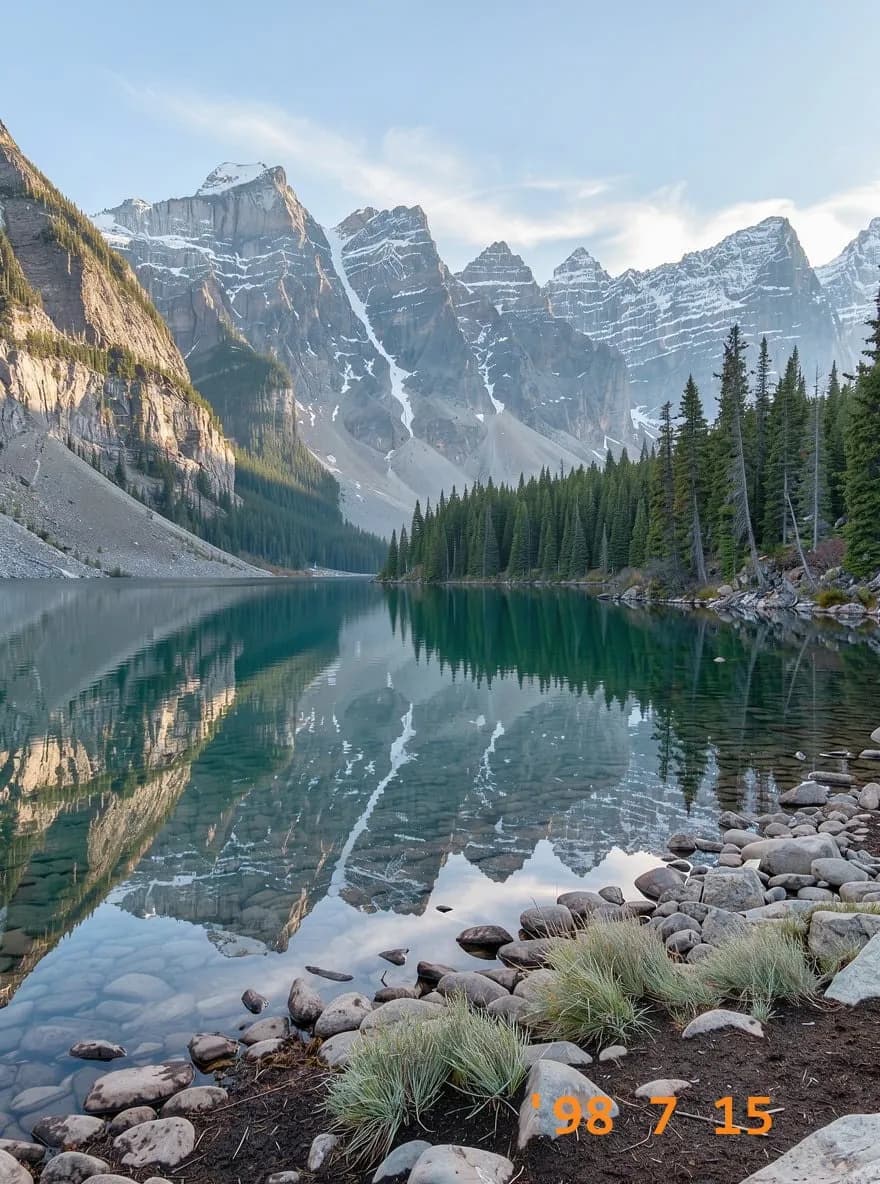
You scanned a box of old prints and every one has an orange '98 7 15 burned into the corner. A favorite family shot went through a collage app and came back with a caption across the top. You rebranded your photography business, and two years of portfolio images still carry the old name. Cloning all that out by hand is slow, and on skin, fur or grass it rarely looks right.
Remove Text from Image on ImageGPT does it in one click. Upload the photo, press Remove text, and the AI finds the text and graphics that were added on top of the picture and paints back what was underneath. You don't have to select or brush anything.
Why your photo doesn't lose quality
The edit itself is done by FLUX 3 Klein from Black Forest Labs, with GPT Image 2.5 as a fallback if Klein fails. The model works on a smaller copy; ImageGPT then compares its result with your original and pastes back only the areas that actually changed. Your file keeps its full size, up to 4096 pixels on the long side, and every pixel outside the text stays exactly as it was. Faces don't get quietly re-rendered, and nothing gets recompressed into mush.
What it's good for
- Date and time stamps on film scans and early digital photos.
- Captions, frames and stickers added by collage and story apps.
- Meme text, when you want a clean template for your own caption.
- Usernames and handles from accounts you no longer use.
- Your own old logo or watermark after a rebrand.
- Text on your own screenshots and product shots before they go into a slide deck or a listing.

Keep or remove the text in the scene
By default the tool only removes what sits on top of the photo. Shop signs, posters, labels, clothing prints, screens and license plates stay, because usually you want them. If you need a completely blank frame, say a storefront you'll mock up with your own brand name, turn on Also remove text in the scene. The lettering disappears from signs, boards and packaging, and the surfaces are left clean.



One honest caveat: look closely at the window in the middle image and one small word on the glass came back with a wrong letter. The model sometimes touches small text in the scene even when you didn't ask it to. Run it again or fix the spot with the brush in the photo editor.
Step by step
- Open Remove Text from Image in the Photo section and upload your photo.
- To clear signs, labels and posters as well, turn on Also remove text in the scene.
- Optionally describe anything else that should go in Anything else to remove (up to 200 characters).
- Pick one or two variants. With two you can keep the cleaner one.
- Click Remove text. The result shows up on screen and in your history at the original size.
What to type in Anything else to remove
You don't need to describe the text itself; the AI finds it. Use the field for things it might not count as text, like stickers, badges and borders, and say where they are:
the heart sticker in the top left corner
the channel logo and website address at the bottom center
the white border with a caption along the bottom edge
Cleaning up after a rebrand
Photographers and small shops run into this all the time: the studio moved or changed its name, and the old mark is on hundreds of images. A semi-transparent logo with a web address in the middle of the frame comes off the same way a date stamp does, even over fur and a patterned rug.
Your photos, your rights
This tool is for your own photos and images you have the rights to. Don't use it to strip watermarks, signatures or credits from other people's work, including stock photos you haven't licensed.
Pricing
One pass costs 3 credits; two variants in one run cost 6 credits. Failed results are refunded. New accounts get 6 free credits.
Upload a photo and clear the date stamp, caption or old logo.
Remove textMore examples and FAQs on the tool page.
Remove text from imageTry everything from this article in minutes
All the models and tools from this article are in one place. You get 6 free credits after sign-up, and every price is shown before you run it.
Remove text