Make a Birthday Card, Party Invitation or Event Flyer with AI — with Your Text Spelled Right
GPT Image 2.5 designs the card around your names, date and address, and a second model proofreads every word. Real examples, step by step.
Contents
AI image models have made pretty cards for a while, but the words were another story: “Happy Brithday”, stray letters, a venue name that drifts into gibberish. So most people generated a background and typed the text on top in another app — and it always looked pasted on.
Card & Invitation Maker on ImageGPT works the other way round. You type the headline, names, date and place into fields, GPT Image 2.5 designs a card, invitation or flyer with those words as part of the layout, and then a separate vision model reads the result back and checks every line against what you typed.
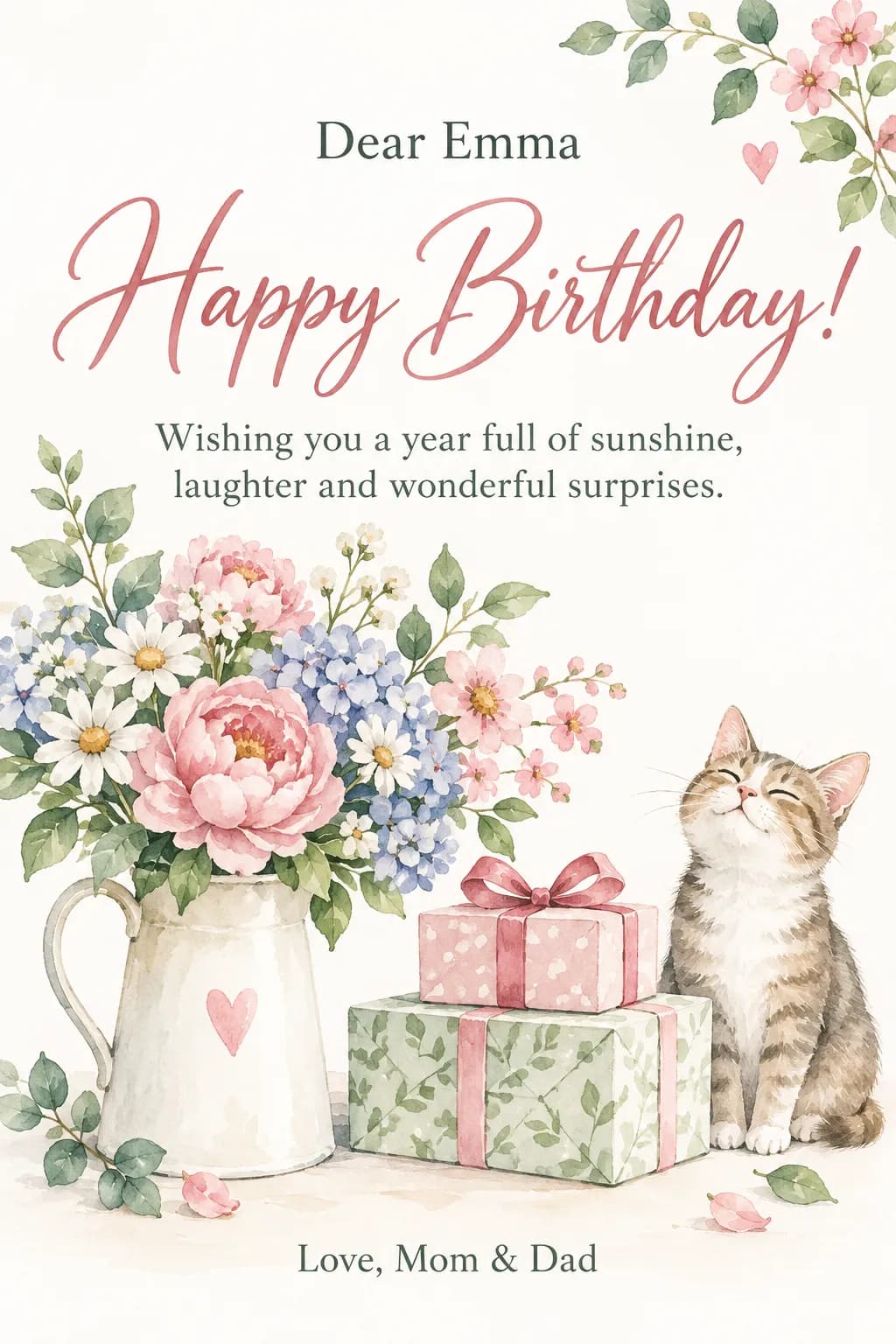
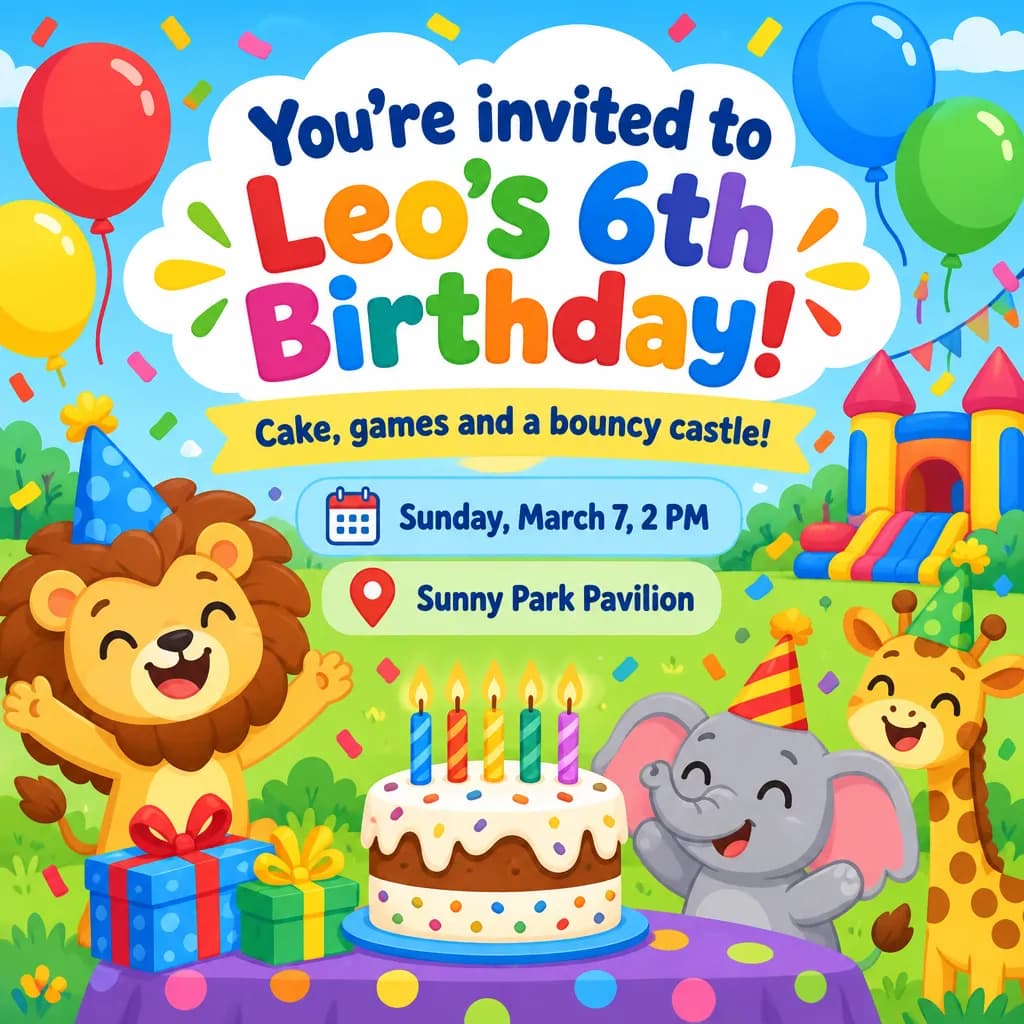

What you can make
| Type | Occasions | Fields |
|---|---|---|
| Card | Birthday, New Year, Christmas, Valentine's Day, wedding, anniversary, Easter, thank you | Headline, to, message, from |
| Invitation | Birthday, kids' party, wedding, company party, graduation | Headline, message, date and time, place, from |
| Poster | Concert, party, workshop, exhibition | Event name, message, date and time, place |
Anything else — a baby shower, a retirement party, a housewarming — goes under Other, where you type the text yourself. You don't have to fill every field; empty ones simply don't appear. Leave the headline empty and you get the standard one for the occasion, like “Happy Birthday!” or “You're invited to our wedding”. Posters need an event name.
How the text stays right
Each field goes to the model as an exact line with a role: the headline large, the sign-off small at the bottom, the date and place on their own lines. The model is told not to add any other words, signatures or logos.
When the design is ready, a vision model reads it and compares each line with yours. If it finds a typo, the card is redrawn once with a reminder to check the spelling, and whichever version has fewer mistakes is kept. The check is included in the price.
It's not a guarantee. Before you print or send, read the card once more — especially dates, addresses and unusual names.
Styles and formats
There are eight styles: Watercolor, Floral, Minimal, Luxury gold, Kids cartoon, Vintage, Neon and Paper cut. And four formats:
- Portrait 2:3 — the classic card or invitation.
- Square — for Instagram or a group chat.
- Stories 9:16 — the text is kept away from the top and bottom edges so the app's buttons don't cover it.
- A5 print — upscaled after drawing and delivered as a 148×210 mm file (about 5.8×8.3 in) at 300 dpi.
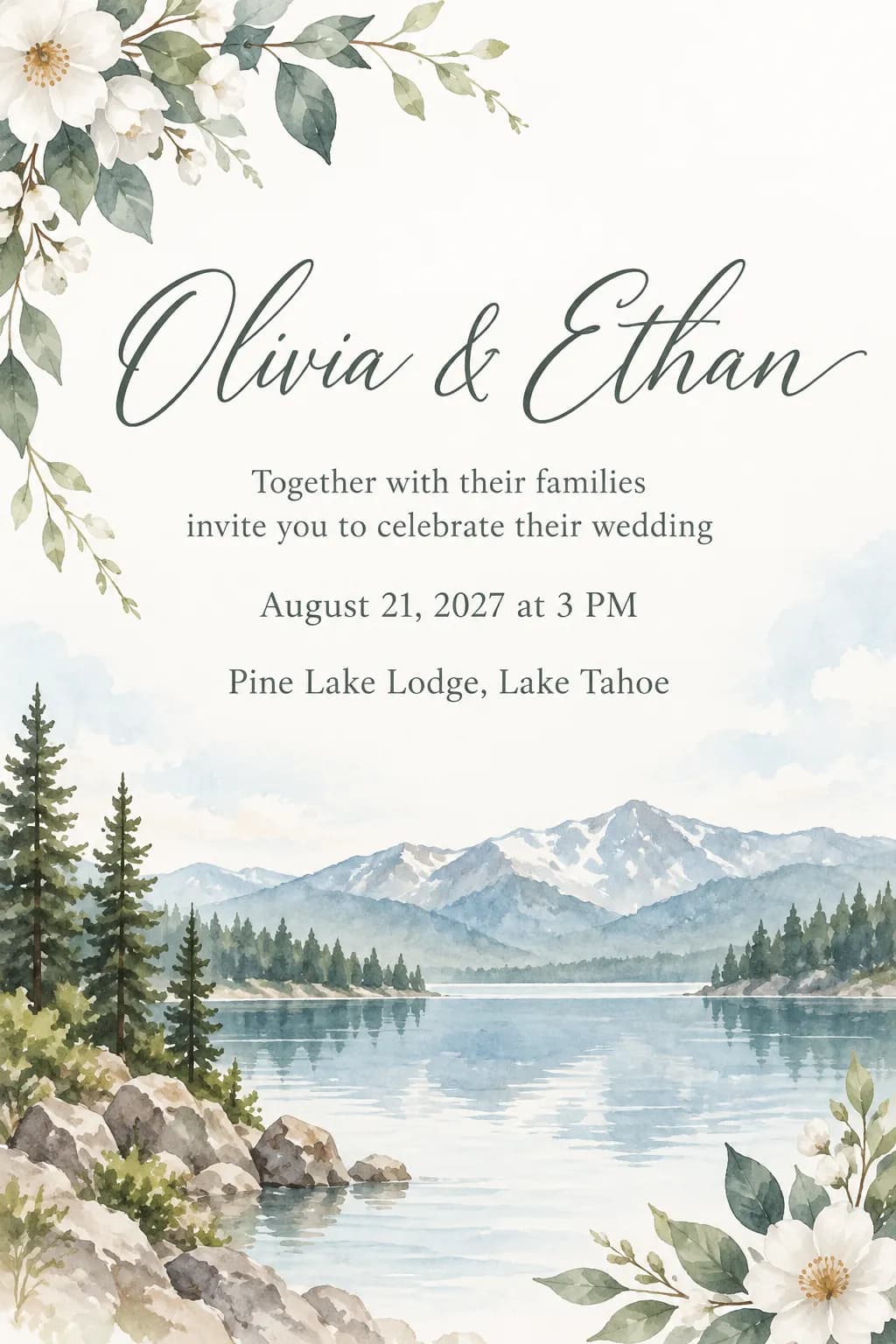
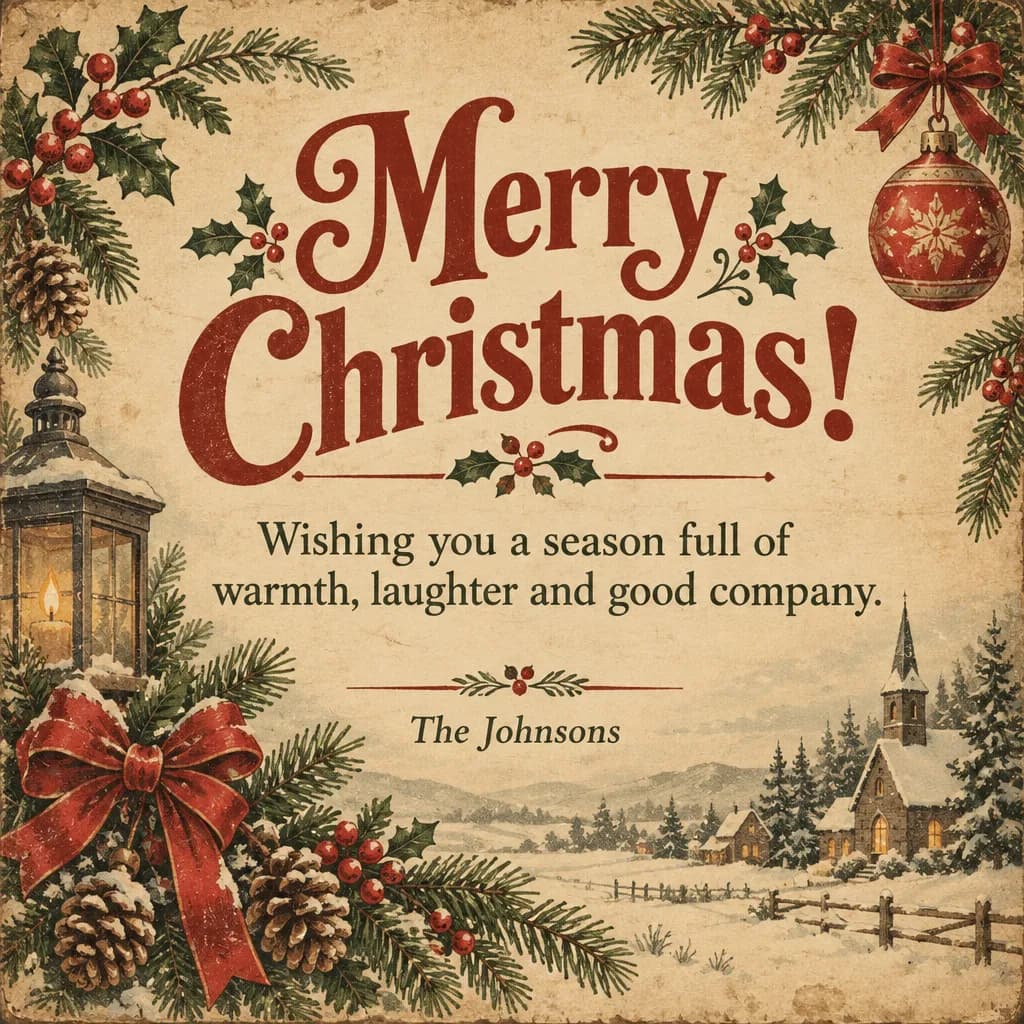
Planning a wedding? See more invitation examples and tips.
Wedding invitation makerStep by step
- Open Card & Invitation Maker in the Photo section.
- Under What to make, pick Card, Invitation or Poster, then the occasion.
- Type your text into the fields. Stuck on the message? Click Write the message and AI drafts one from the occasion and names; Another version gives you a different take.
- Pick a style and a format.
- Optionally describe the look under Design wishes, up to 300 characters: colors, flowers, objects, mood.
- Add a photo if you want one — the birthday person, the couple or a pet — and it's placed in the design.
- Choose one to four variants and click Create. The results are saved in your history.
Design wishes: examples
Describe what should be in the picture, not the wording — the text only comes from the fields.
pink peonies, lots of white space, champagne glasses in the corner
dusty rose and sage, a thin gold border, no glitter
pastel balloons, a dinosaur in a party hat, bright and playful
70s retro poster: orange, mustard and brown stripes
A card with a photo
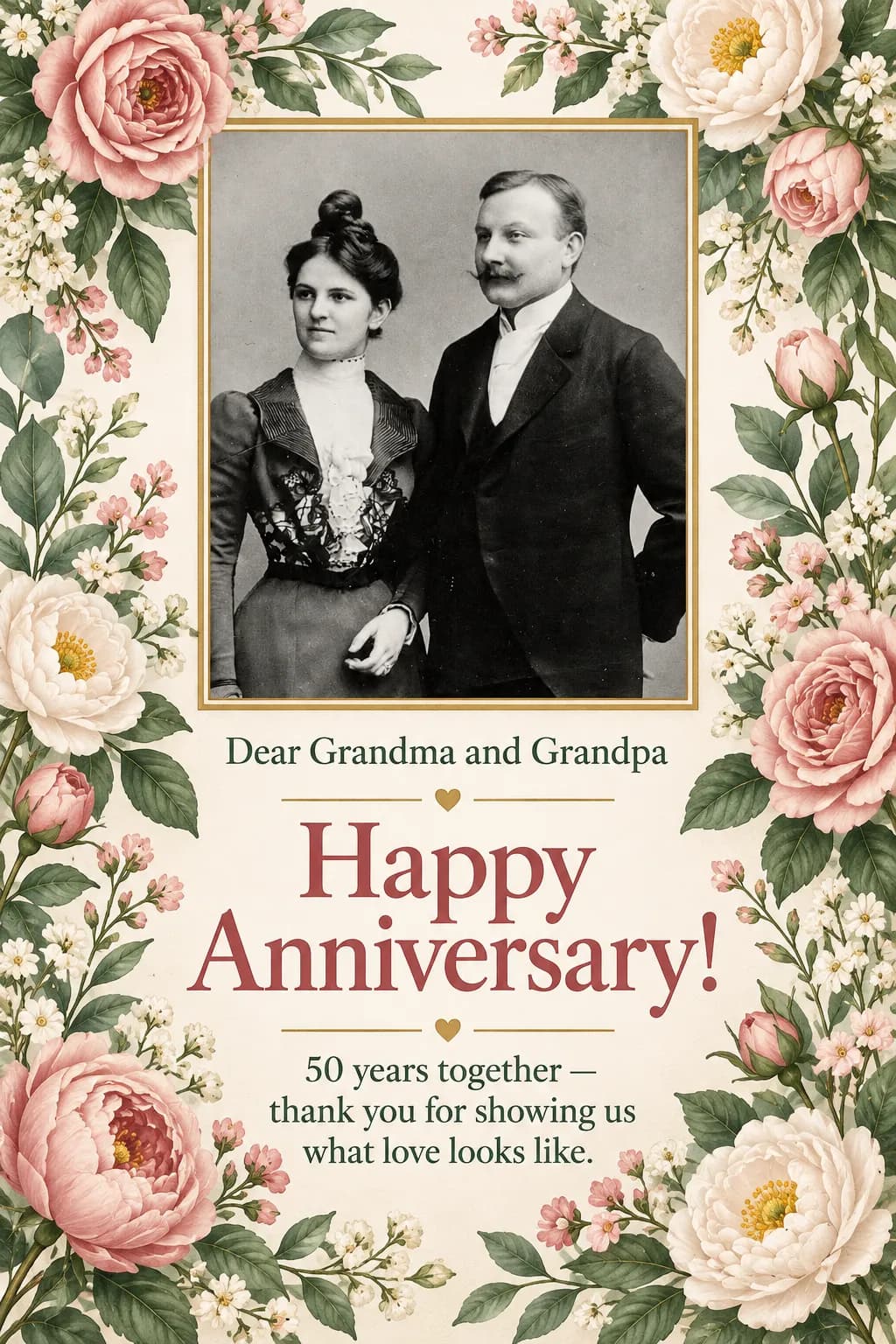
You can put a photo in the design: an old picture of the grandparents for their golden anniversary, the couple on a wedding invitation, the dog on a birthday card. The model is asked to frame the photo neatly and keep the people and pets in it unchanged.
Pricing
Each variant is 8 credits, so four at once are 32 credits. Proofreading, the redraw and the A5 print file are included. If a variant fails, its credits come back.
Type the names, date and place, and get a card or invitation with your text in the design.
Make a cardMore examples for birthday parties and kids' parties.
Invitation makerTry everything from this article in minutes
All the models and tools from this article are in one place. You get 6 free credits after sign-up, and every price is shown before you run it.
Make a card