How to Find an Old AI Generation: Search, Filters and Trash in My Generations
My Generations now has search by prompt and tool, date filters, bulk selection and a trash you can restore from. Here's how to dig up last month's image in seconds and clean up without losing anything.
Contents
A few weeks of experimenting is enough to bury a good image under hundreds of drafts, test renders and variations. My Generations now has a search bar, filters by type, tool and date, bulk selection and a trash, so finding one card from last month or clearing out a hundred failed attempts takes seconds.
Search by prompt, title or tool
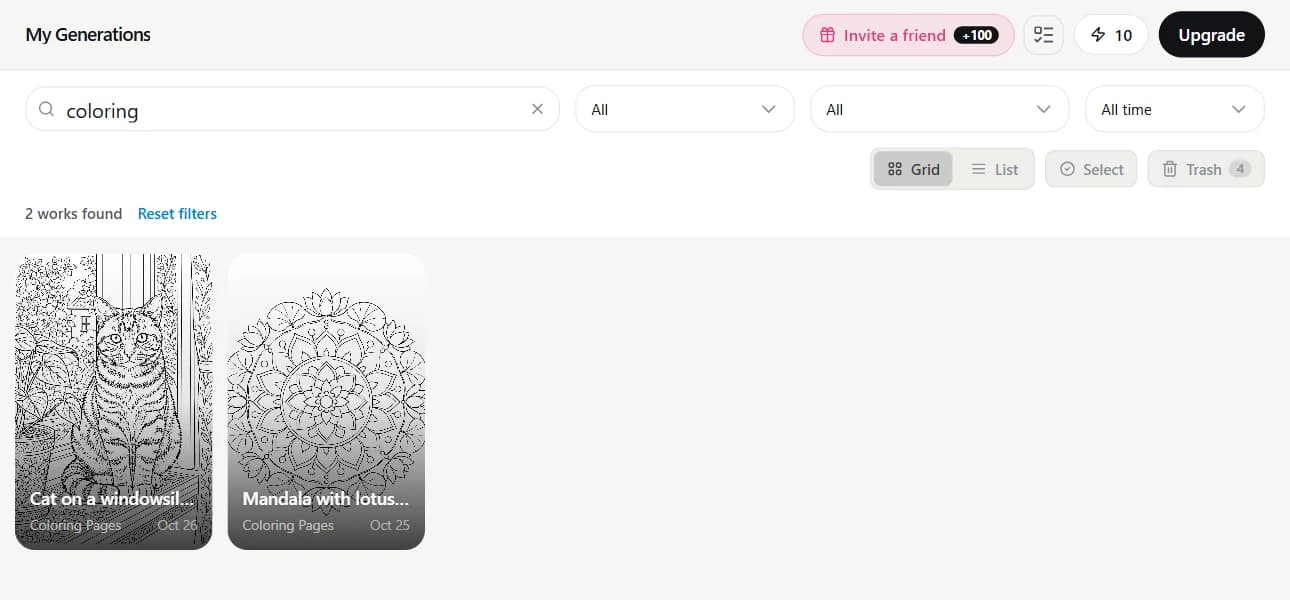
The bar above the grid says "Search prompts, titles, tools", and that's exactly what it looks through: the prompt you typed and the short title each work gets. Plurals and other word forms match, so "cats" finds "Cat on a windowsill". It also forgives a missing or swapped letter in longer words — both "lighthose" and "ligthouse" find the lighthouse.
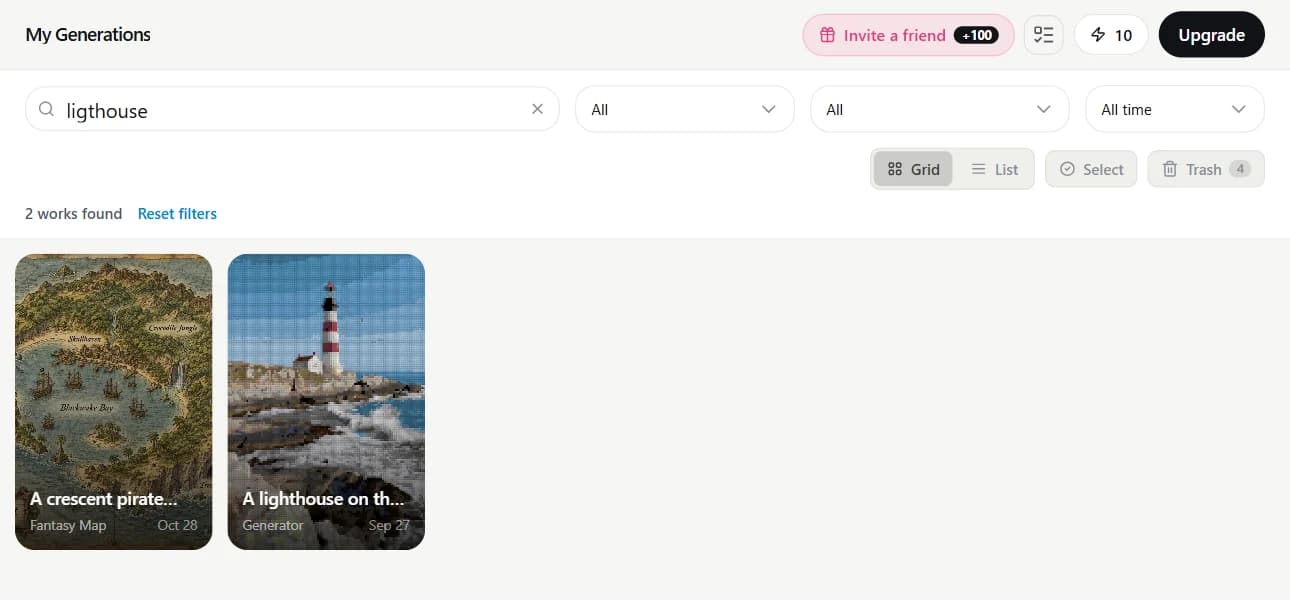
Don't remember the prompt at all? Type the tool instead — "coloring", "card", "fantasy map". You'll get everything made with that tool, even when the word never appeared in the prompt.
Filters: type, tool and date
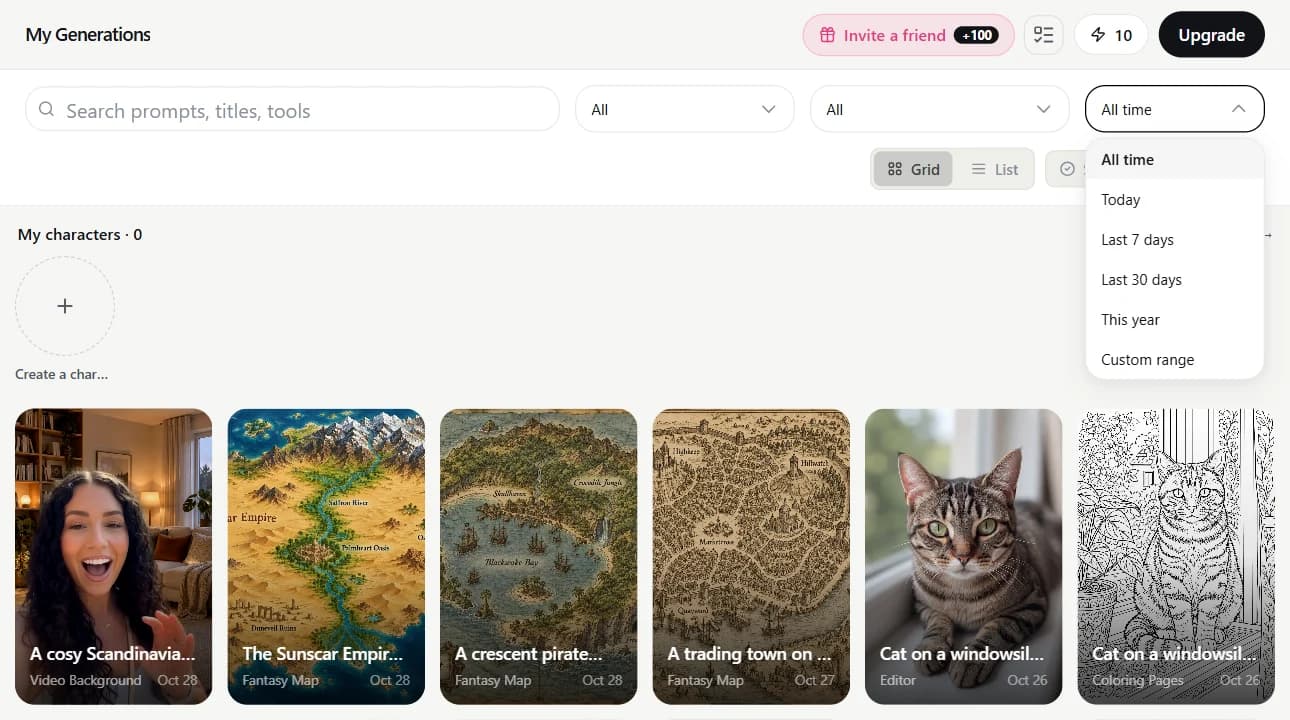
Next to the search bar are three dropdowns. Type: photo, video, audio, documents & 3D, or only the works you've made public. Tool: narrows it down within that type. Date: today, last 7 days, last 30 days, this year, or a custom range with "From" and "To" dates. Filters combine with the search, the count of matching works shows above the grid, and "Reset filters" brings the full feed back.
Select many works at once
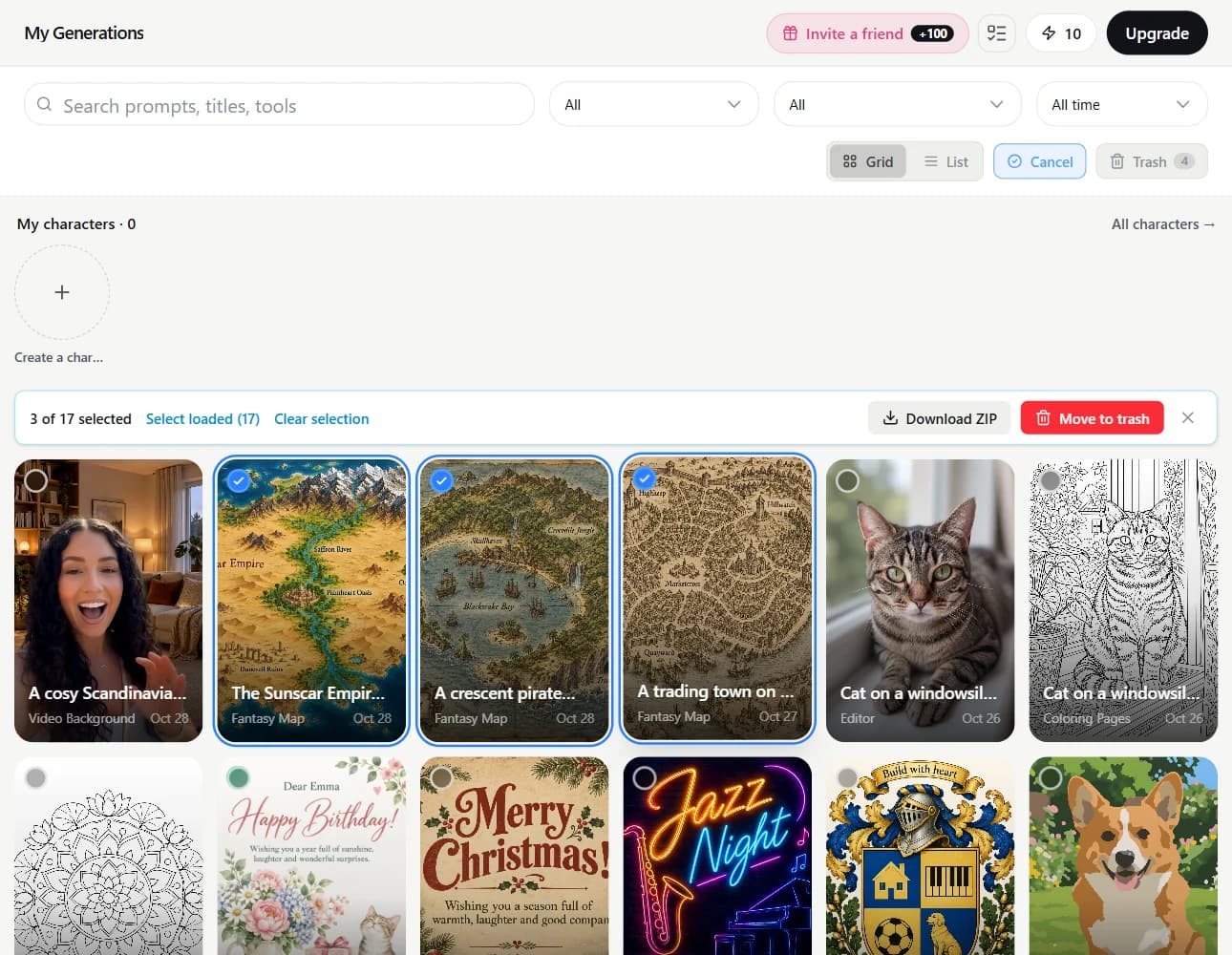
- Click "Select" above the grid. Each card gets a checkbox circle.
- Click works to pick them. To grab a run, pick the first one, hold Shift and click the last.
- "Select loaded" picks everything already on the page. If there are more matches further down, "Select all N" picks every work under the current search and filters, including the ones you haven't scrolled to.
- "Download ZIP" saves the picked images as one archive, up to 50 images at a time; videos and audio aren't included. Or send the selection to the trash with "Move to trash".
The trash: delete without worrying
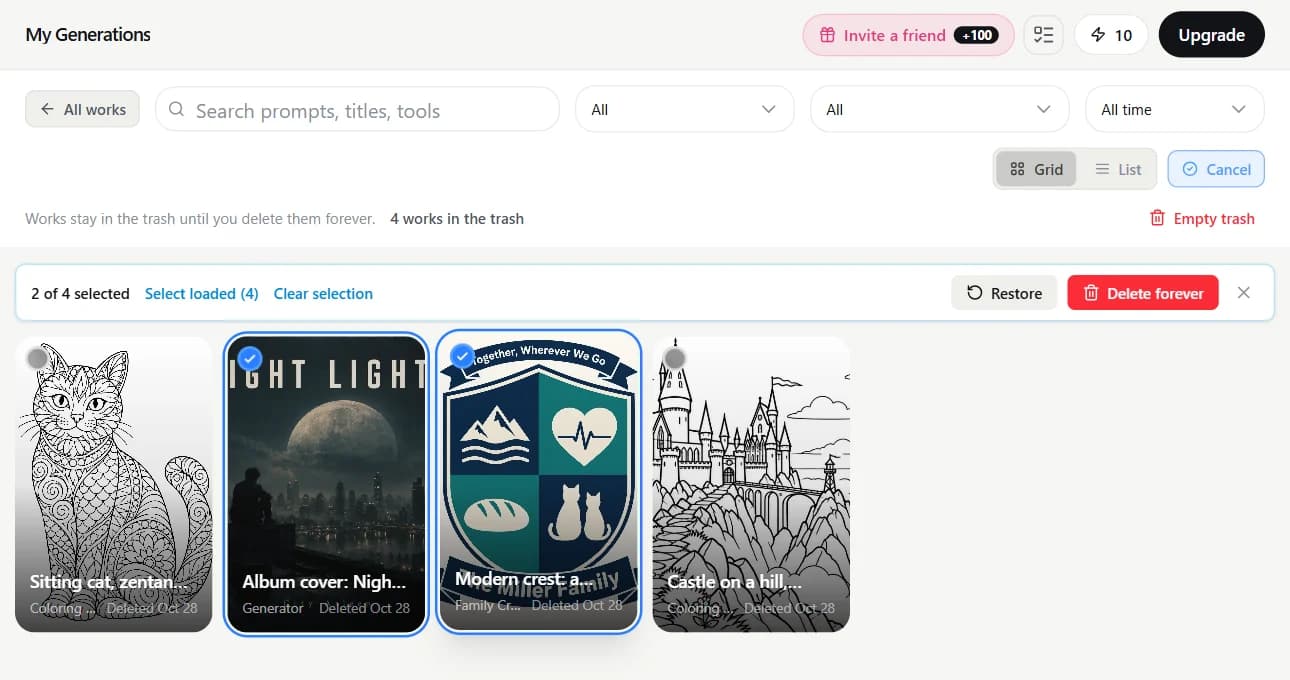
Deleting a work moves it to the trash, and an "Undo" button shows up at the bottom for a few seconds in case you clicked the wrong thing. Trashed works disappear from My Generations, from search and from the public gallery. The trash never empties itself: works stay there until you delete them forever.
- Open "Trash" — it sits next to "Select" and shows how many works are inside. Each card shows the day it was deleted.
- Click "Select" and pick works; search and filters work in the trash too.
- "Restore" puts them back in My Generations, in their original place in the feed.
- "Delete forever" erases the files after you confirm, and they can't be recovered. "Empty trash" does the same for everything in it.
Find your best work from last month, or finally tidy up the feed.
My GenerationsTry everything from this article in minutes
All the models and tools from this article are in one place. You get 6 free credits after sign-up, and every price is shown before you run it.
Open My Generations