
ImageGPTImageGPT

Handwriting

Handwriting to text

Snap a photo of your notes, a letter or a to-do list and get text you can copy, edit and save as Word.

I

Classic OCR is built for printed type and turns handwriting into gibberish. Here an AI model reads the whole line the way a person would, so joined-up writing, block capitals and scribbles in the margin come out as words.

Each page costs 1 credit, and you can add up to 10 photos at once — a whole set of lecture notes, say. Pages it couldn't read aren't charged.

The model doesn't invent words it can't make out: it marks them [?], so you know exactly what to check against the original.
II

Real results

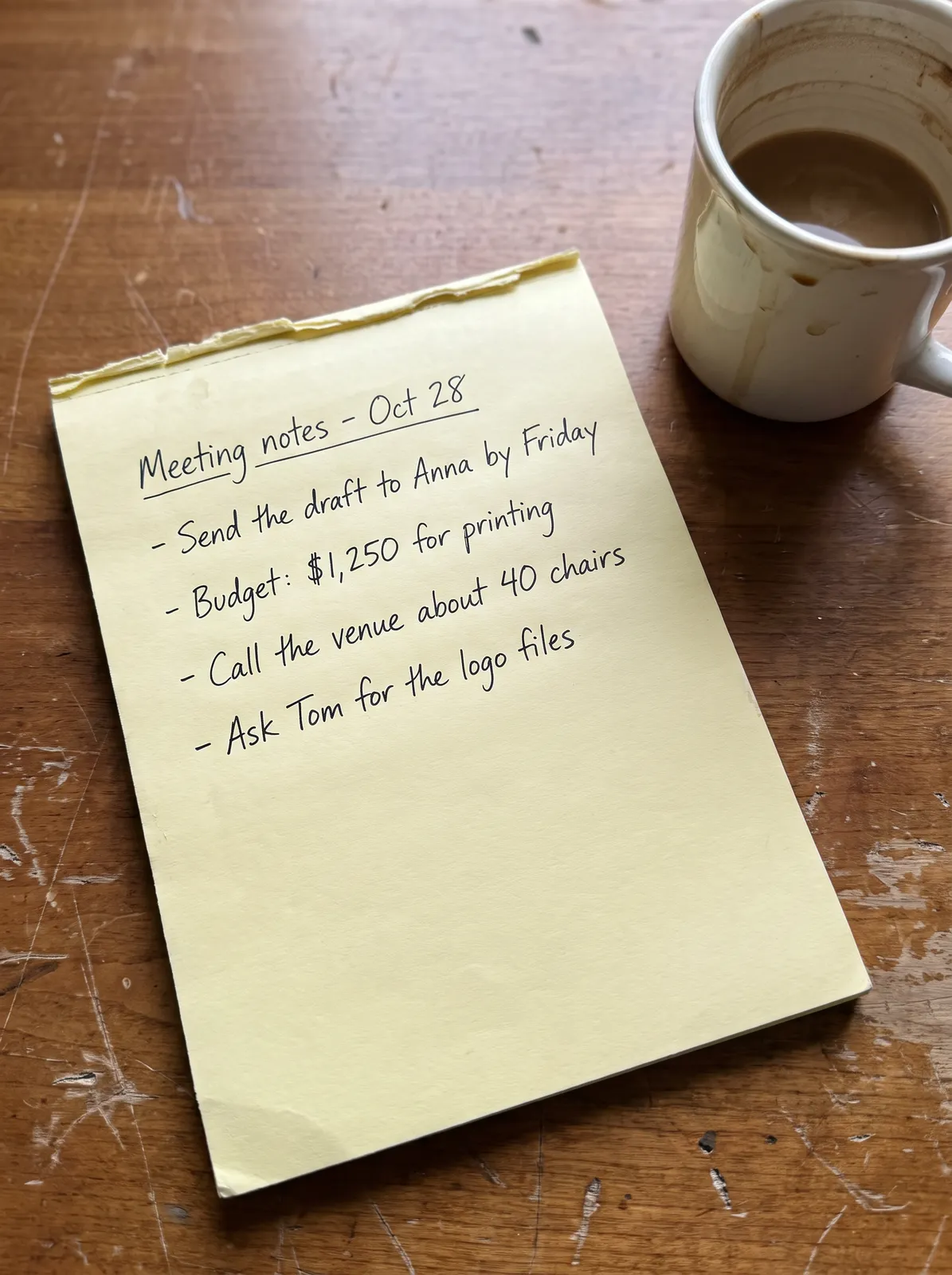
Photo of handwritten meeting notes
Meeting notes - Oct 28
- Send the draft to Anna by Friday
- Budget: $1,250 for printing
- Call the venue about 40 chairs
- Ask Tom for the logo files
Handwritten meeting notes in AI mode: names, amounts and numbers come out exactly. The photo was generated with AI for testing.

III

How it works

  1. 01

    Take a photo

    From above, in good light, with the whole page in the frame. A phone photo is fine.

  2. 02

    Upload and recognise

    AI mode is already on. The price is on the button: 1 credit a page.

  3. 03

    Check and save

    Fix anything you need in the box, then copy the text or download a Word file.

IV

Good to know

Cursive and print

Joined-up writing, block letters, notes in the margins, lined or squared paper.

No guessing

A word it can't read becomes [?] instead of a plausible-looking mistake.

Translation

Translate the result into another language in one more click.

Sent to our server

AI mode needs the photo on our server. The free mode stays in your browser but can't read handwriting.

V

FAQ

How accurate is it?+

Neat handwriting comes out almost word for word; messy writing less so. Doubtful words are flagged [?] so they're quick to check.

How much does it cost?+

1 credit a page. Pages it couldn't read aren't charged.

Can I upload several pages?+

Yes, up to 10 photos at a time. The text follows the order you added them in.