
ImageGPTImageGPT

For architects

AI Building Photomontage

Show clients their house on their own plot — in the perspective, scale, and light of a real photo.

6 free credits on sign up

I

Site and photomontage

Real outputs of the model: the request and what came out, with no retouching

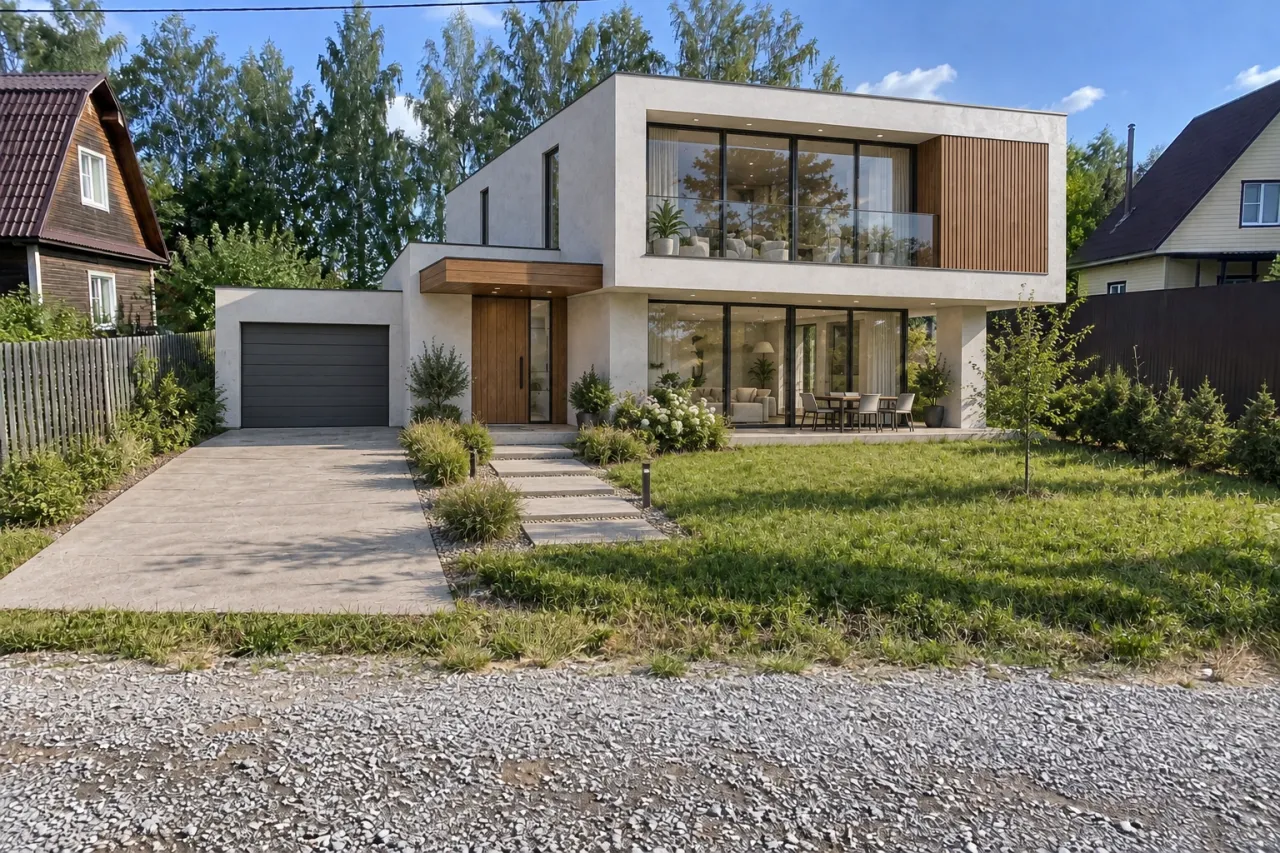
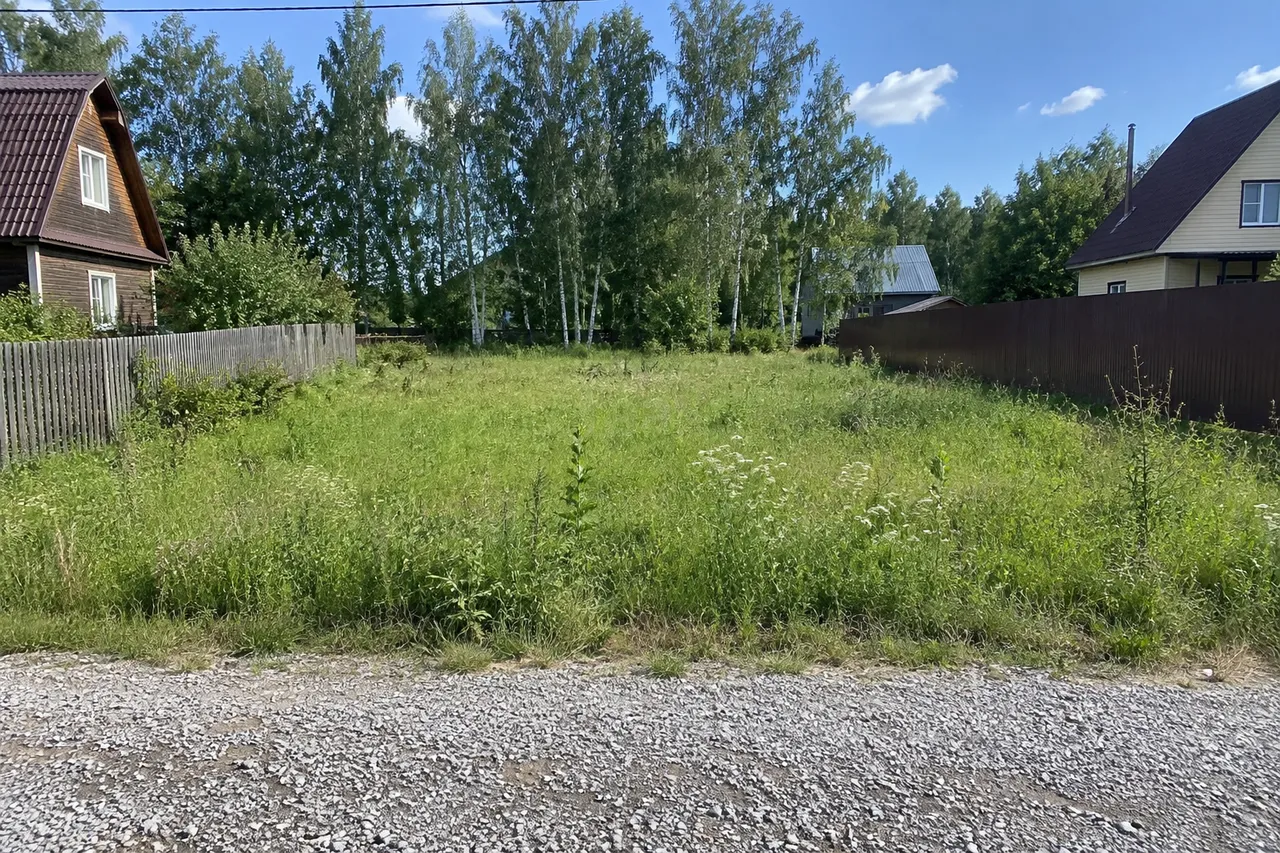
Empty plot photo + house render → photomontageBeforeBeforeAfter

«Empty plot photo + house render → photomontage»

Place a building on site · GPT Image 2.5

II

Clients make decisions faster when they see their future home on their own land, next to familiar fences and trees, not on a generic lawn. Traditional photomontage takes hours of manual work to match perspective, scale, shadows, and color.

Just upload two images: a photo of the site, taken from the desired viewpoint, and the design — whether it's a render, a model view, or a photo of a similar house. The AI places the building on the plot as if it were already built: keeping your design, materials, windows, and proportions, at a realistic scale for the building type, and seen from the exact camera angle of the site photo. Lighting, shadows, reflections, and color all match the original photo.

Everything else in the photo stays: neighboring houses, fences, trees, roads, sky, and weather. The AI adds a driveway or path and some landscaping around the building. You can describe the placement in words if needed, for example, “center of the plot, front facing the road”.

III

What the photomontage does

01

Your site

The photo stays unchanged

02

Your design

Design, materials, and windows from your render

03

Perspective and scale

Matches the camera angle of your site photo

04

Matching light

Same sunlight, shadows, and color

05

Landscaping

Driveway, path, and planting added

06

Up to 4 variations

Try different placements on the plot

IV

Who it's for

Custom homes

The client's house on their own plot

Contractors

Show the build before construction starts

Planning

See the building in its real street

Land sales

Show what a plot looks like with a house

V

How to place a building in a photo

01

Upload the site photo

From the viewpoint you want

02

Add the design

A render, model view, or photo

03

Get the photomontage

Then send it on to dusk or winter

VI

Examples

See what you can create — try it yourself

Prompt

«Empty plot photo + house render»

Result

The house on the plot with a driveway and lawn

Prompt

«Street photo + shop render · “on the corner, shopfronts to the street”»

Result

The building in the existing street

Prompt

«Plot · 4 variations»

Result

Four placements of the house

VII

Pricing

Pay only for results — no subscription

All plans →
Model / operationCredits
  • One photomontage6 cr.
  • Four variations in one run24 cr.

Credit packs: 150 credits for $5, 350 credits for $12, 1250 credits for $35.

VIII

FAQ

What site photo works best?+

A daylight photo from the viewpoint you want — like the road, gate, or a neighbor’s house — with the building location clearly visible.

What should I upload as the design?+

A render or model view showing the whole building from a similar angle works best. A photo of a similar existing house also works.

Is the scale exact?+

The AI chooses a realistic scale for the building type and the photo’s perspective, not from survey dimensions. It’s a visualization for discussion, not a site plan.

How much does it cost?+

6 credits per image, or 24 credits for four variations in one run. 4K delivery (3840 px on the long side) adds 2 credits per image. If an image fails, its credits are refunded.

Try for free

Sign up for free and get 6 credits right away. No card required.