
ImageGPTImageGPT

For developers

Construction Site Photo to Finished Building

Turn scaffolding and construction into a finished building with facade and landscaping.

6 free credits on sign up

I

Construction and finished building

Real outputs of the model: the request and what came out, with no retouching

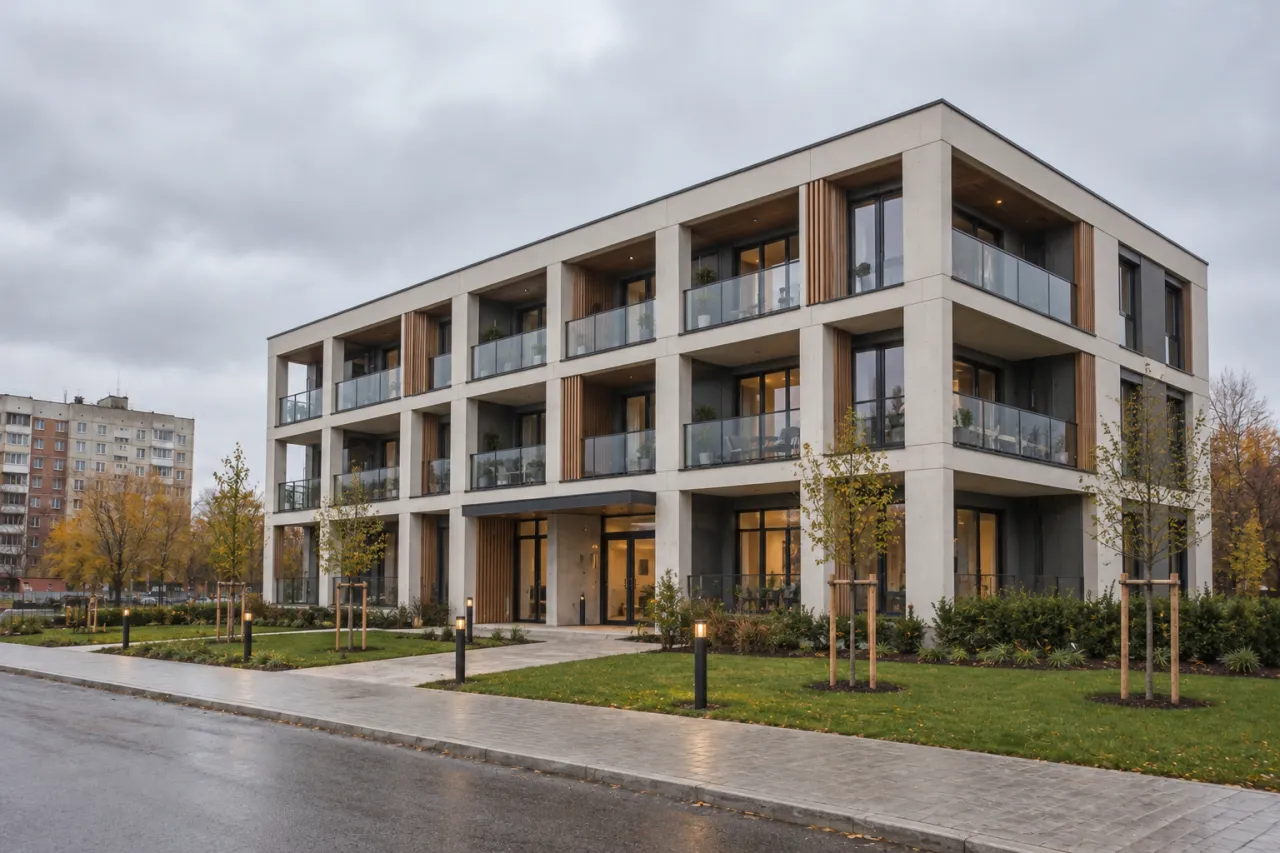
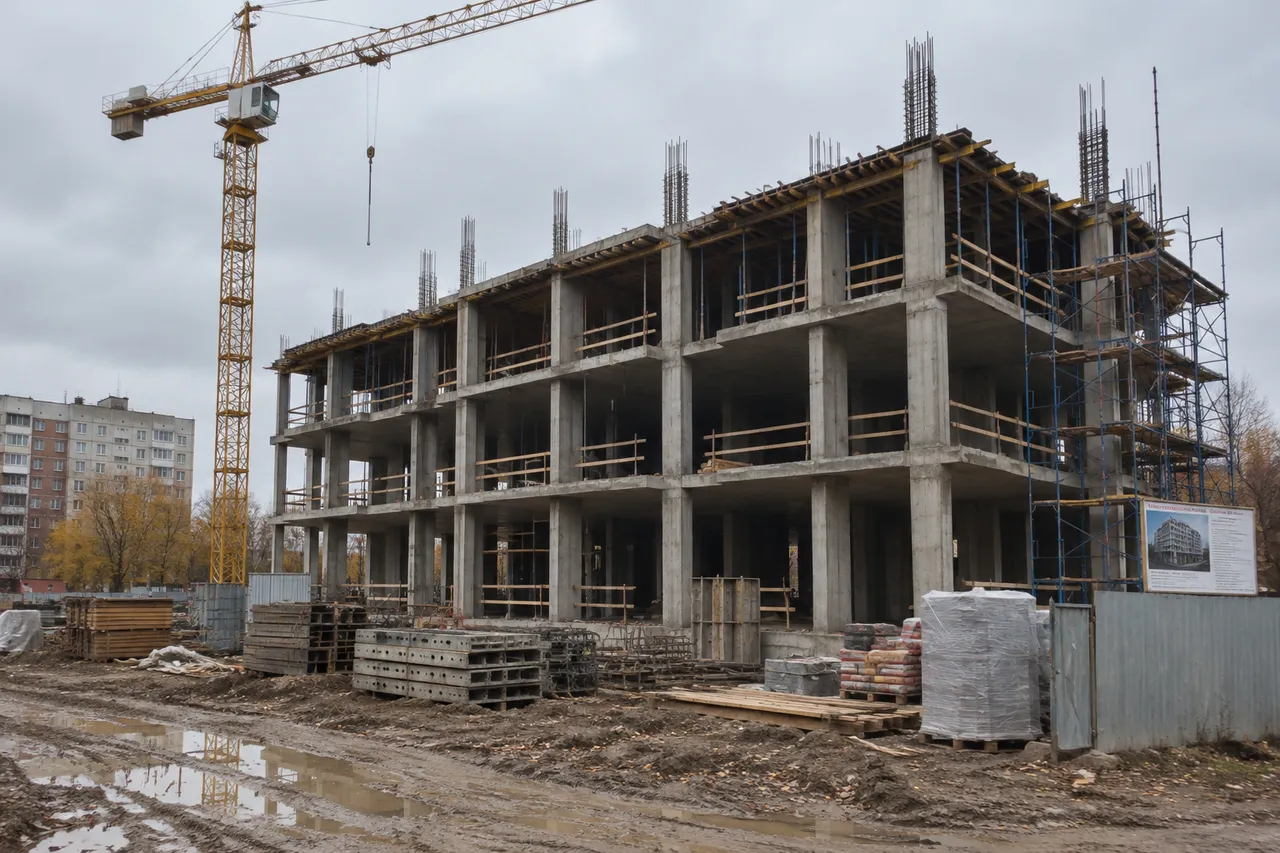
Concrete frame photo → finished buildingBeforeBeforeAfter

«Concrete frame photo → finished building»

Construction to completed · GPT Image 2.5

II

Buyers and clients often struggle to imagine the completed building from a photo of a bare concrete frame. Developers need to market units before construction is finished, and contractors want to show the end result of their work.

Upload a photo of your site. ImageGPT will show the same building, completed and viewed from the same spot: it keeps the footprint, floor count, storey heights, column and slab grid, openings, balconies, and roofline set by the structure, while leaving neighboring buildings, the street, trees, and sky unchanged. Cranes, scaffolding, fencing, mud, and building materials disappear; paving, lawn, young trees, lighting, and an entrance appear.

Choose a facade style — Auto (where the AI suggests a contemporary look), or pick modern, brick, classic, or glass — and add details in your own words: “sand-colored render, dark roof, picket fence”. Weather and lighting remain as in your original photo.

III

What you get from a site photo

01

Structure preserved

Floors, openings, balconies, roofline stay true

02

Site cleaned up

No cranes, scaffolding, mud, or materials

03

Landscaping added

Paving, lawn, trees, lighting included

04

Facade selection

Modern, brick, classic, or glass styles

05

Original context kept

Neighbors, street, and sky remain unchanged

06

Up to 4 variations

Different facade color schemes

IV

Who it's for

Developers

Show the finished look before completion

Contractors

Present the final result to clients early

Self-builders

Pick a facade while the shell is up

Marketing

Images for your project website and social media

V

How it works

01

Photograph your site

From the viewpoint you want to visualize

02

Pick a facade style

Or describe your own details

03

See the finished building

Get up to 4 facade variations per run

VI

Examples

See what you can create — try it yourself

Prompt

«Concrete frame photo · Auto»

Result

A finished residential building with landscaping

Prompt

«House shell · Brick»

Result

The house with a clinker brick facade

Prompt

«House shell · “sand-coloured render, dark roof”»

Result

The house in the colours you described

VII

Pricing

Pay only for results — no subscription

All plans →
Model / operationCredits
  • One visualization6 cr.
  • Four variations in one run24 cr.

Credit packs: 150 credits for $5, 350 credits for $12, 1250 credits for $35.

VIII

FAQ

Does it work on an empty plot?+

This tool is for buildings under construction — a frame or shell. To place a design on an empty lot, use Building Photomontage with a site photo and a render.

Will the facade match the drawings?+

The AI creates the facade based on your chosen style and description, not construction documents. For an exact design, use Building Photomontage with your project render.

Can I get an evening view?+

Yes: send the result to Day to Night Render with one click.

How much does it cost?+

6 credits per image, or 24 credits for four variations in one run. 4K delivery (3840 px on the long side) adds 2 credits per image. If an image fails, credits are refunded.

Try for free

Sign up for free and get 6 credits right away. No card required.