
ImageGPTImageGPT

Design

Custom Paint by Numbers from Your Photo

Upload a photo and get a numbered outline at the size you need, a color key with paint-mixing hints, and a PDF to print on canvas or at home.

6 free credits on sign up

I

Photos and the patterns made from them

Real outputs of the model: the request and what came out, with no retouching

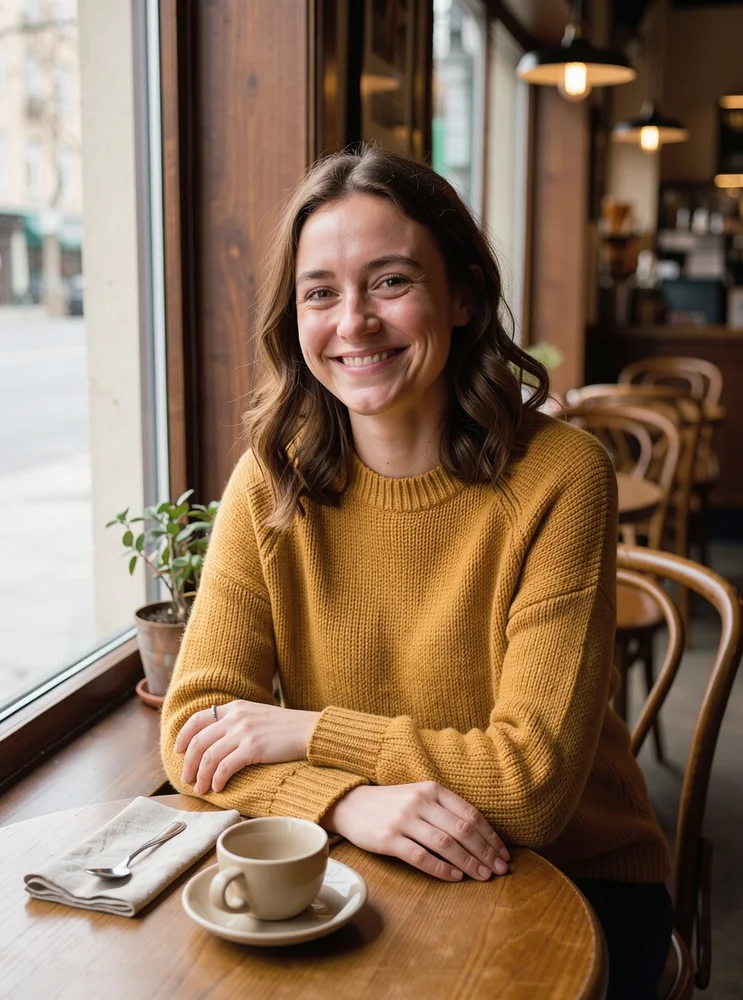
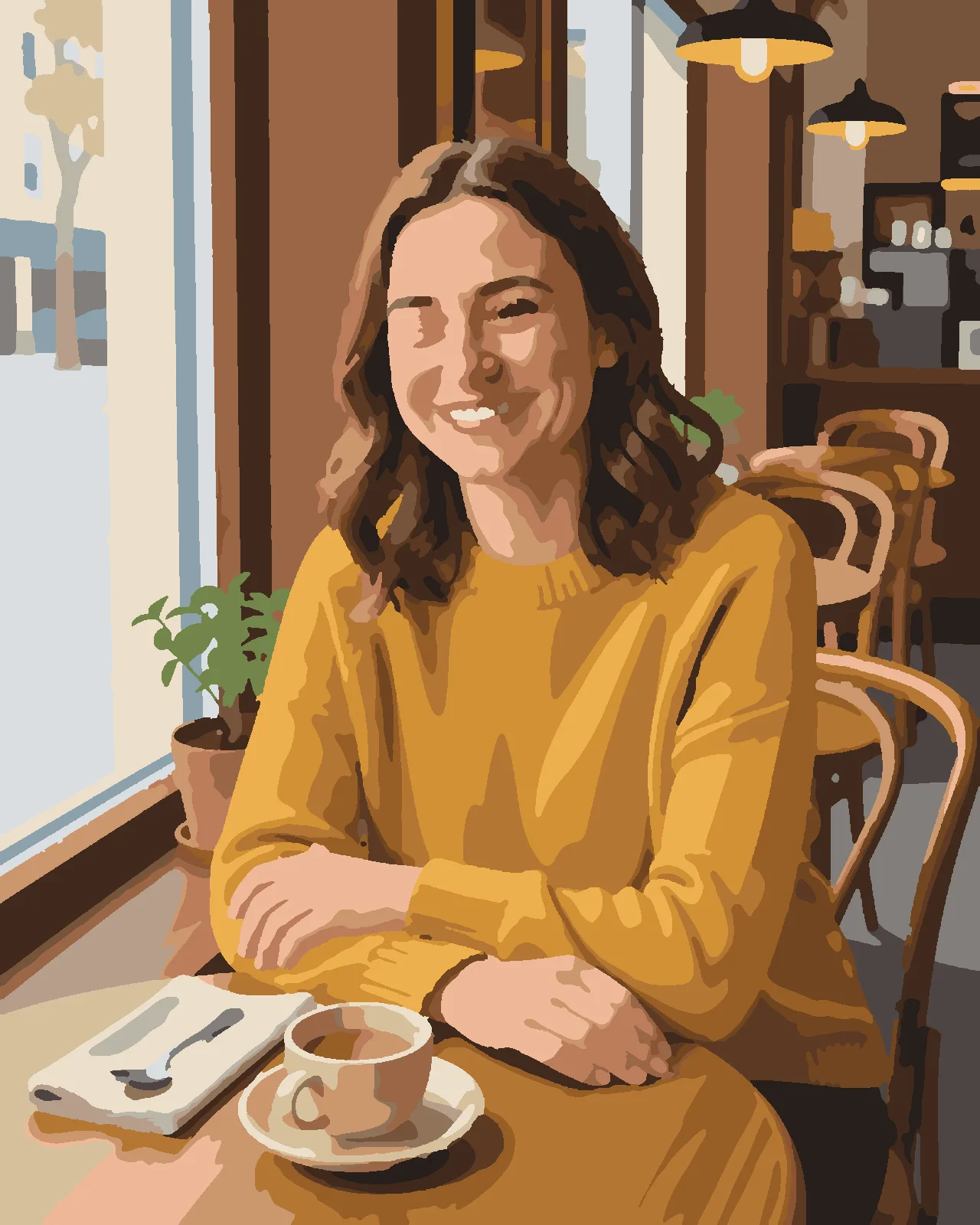
«Portrait in a café — how the finished painting looks»

With AI prep · 24 colors · 40 × 50 cm

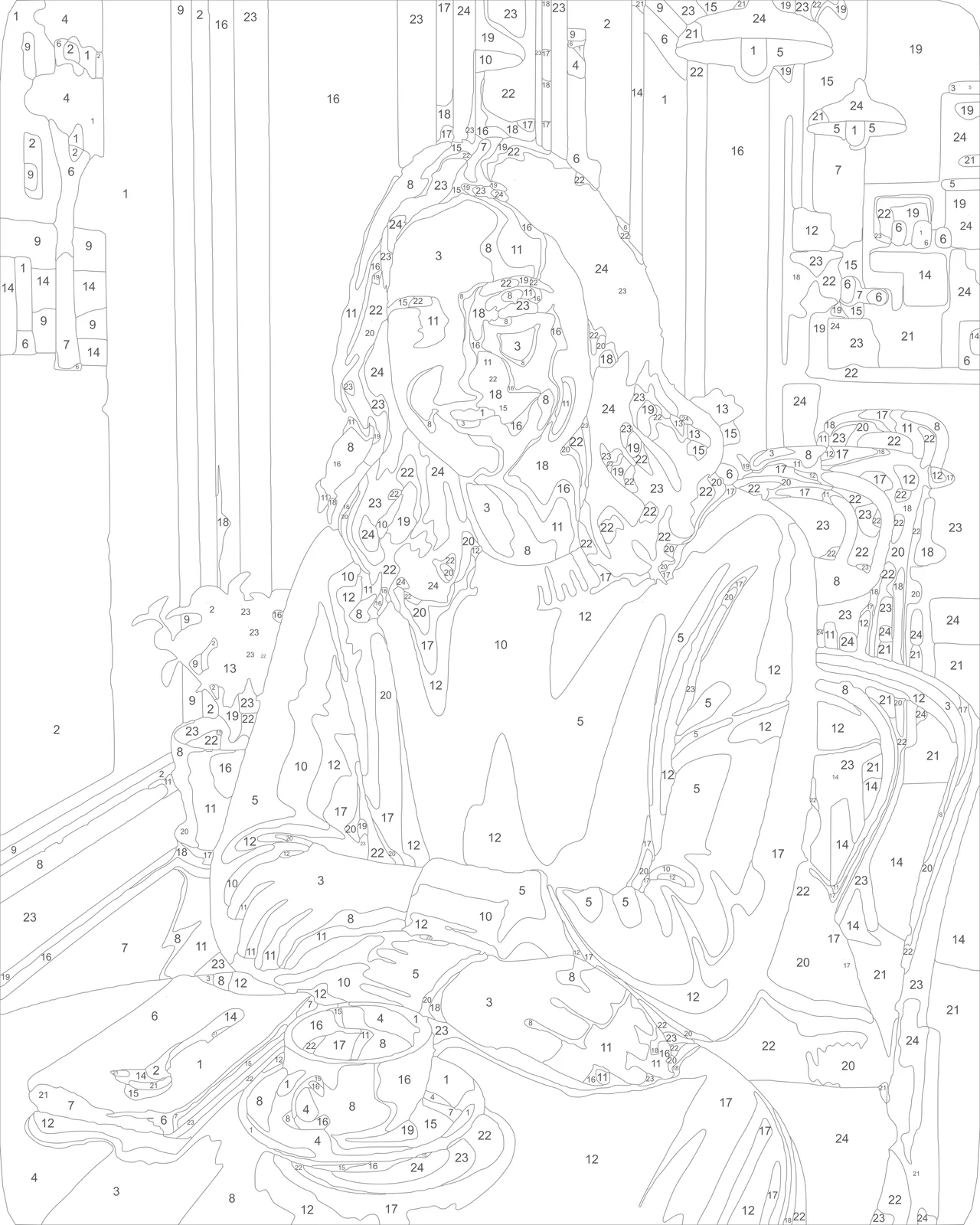
The numbered outline of the same portrait

«The numbered outline of the same portrait»

527 areas · medium detail

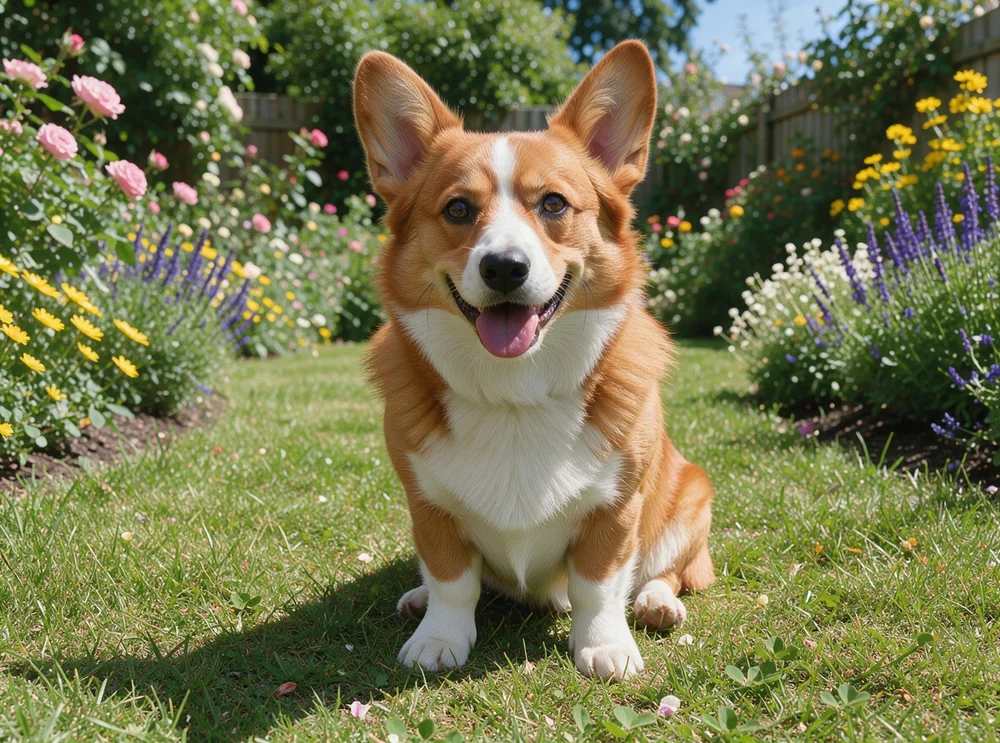
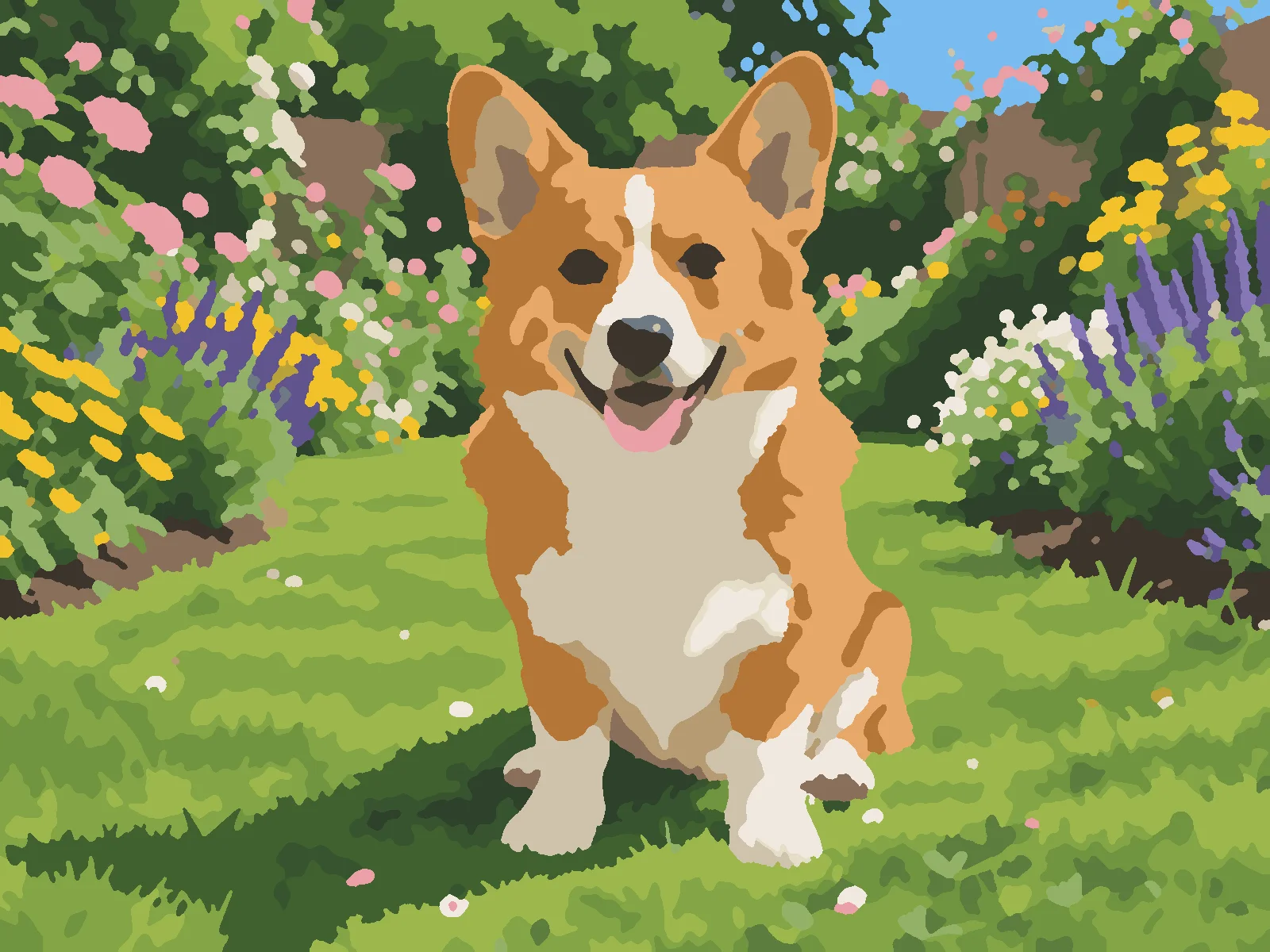
«A corgi on the lawn»

With AI prep · 24 colors · 30 × 40 cm

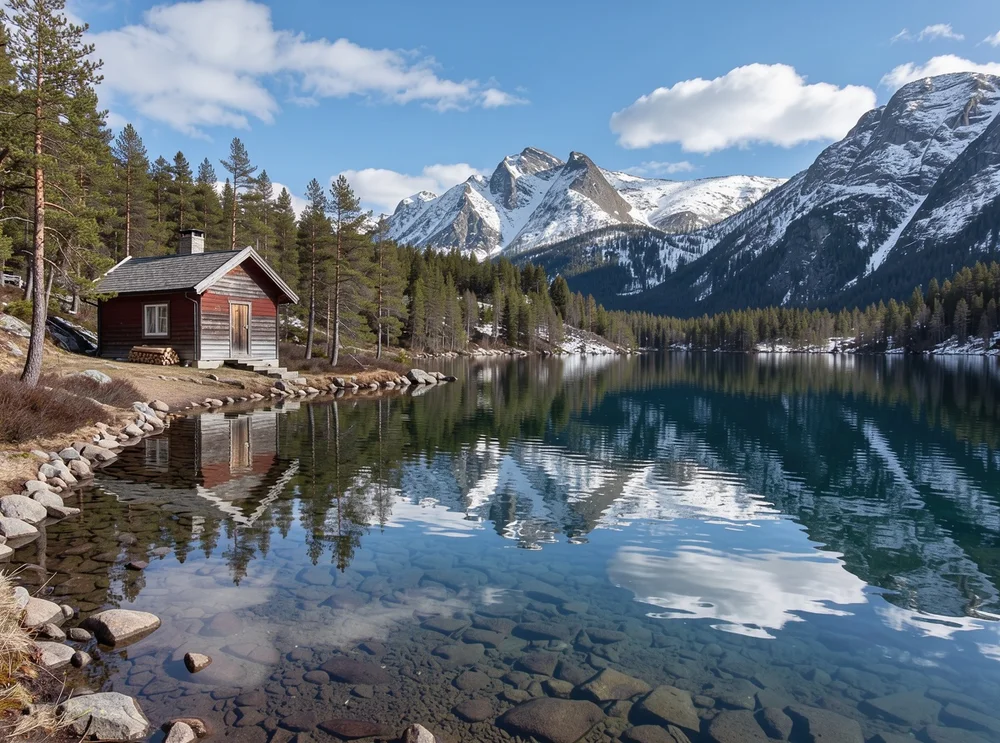
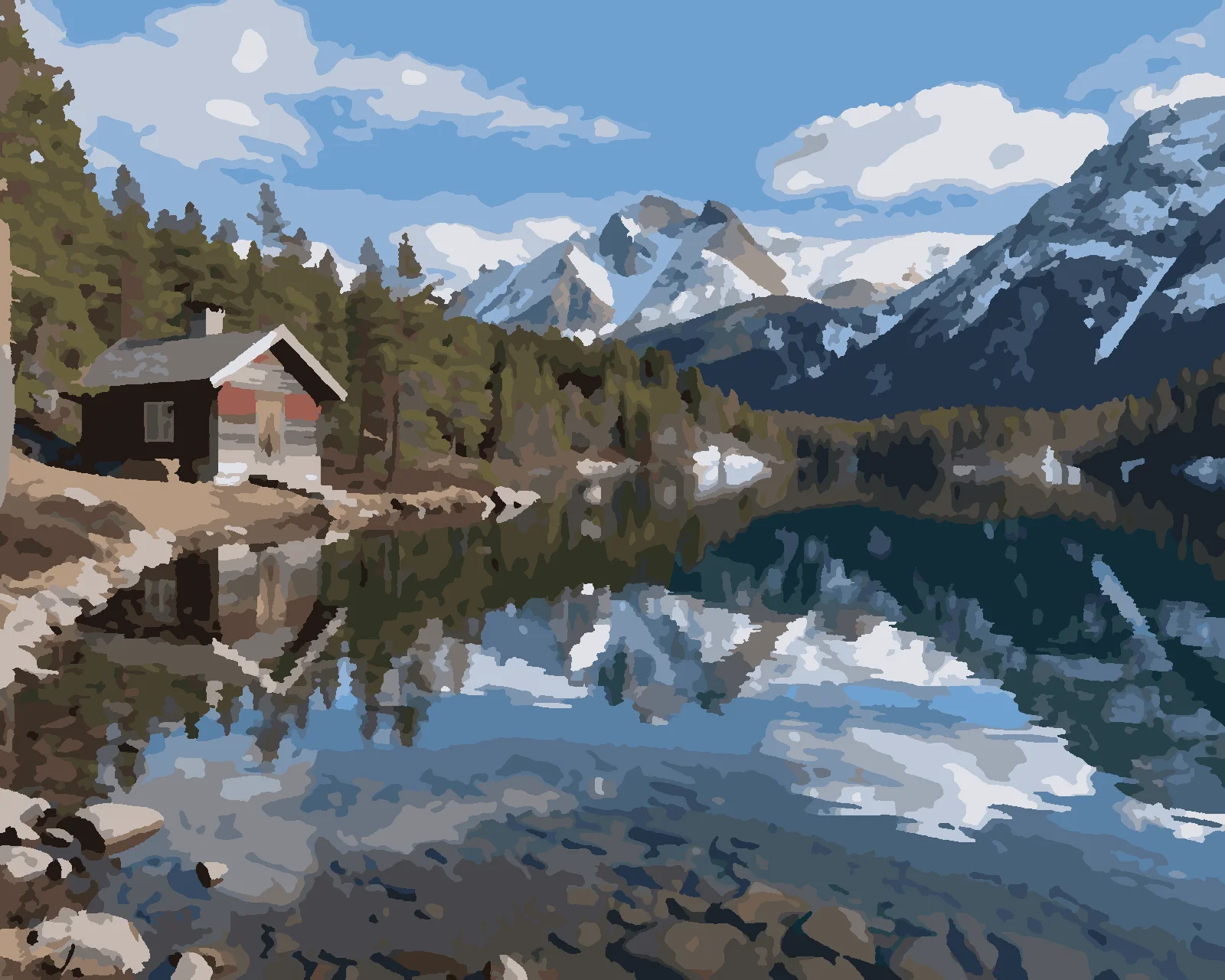
«A cabin by a mountain lake»

No AI · 36 colors · high detail · 40 × 50 cm

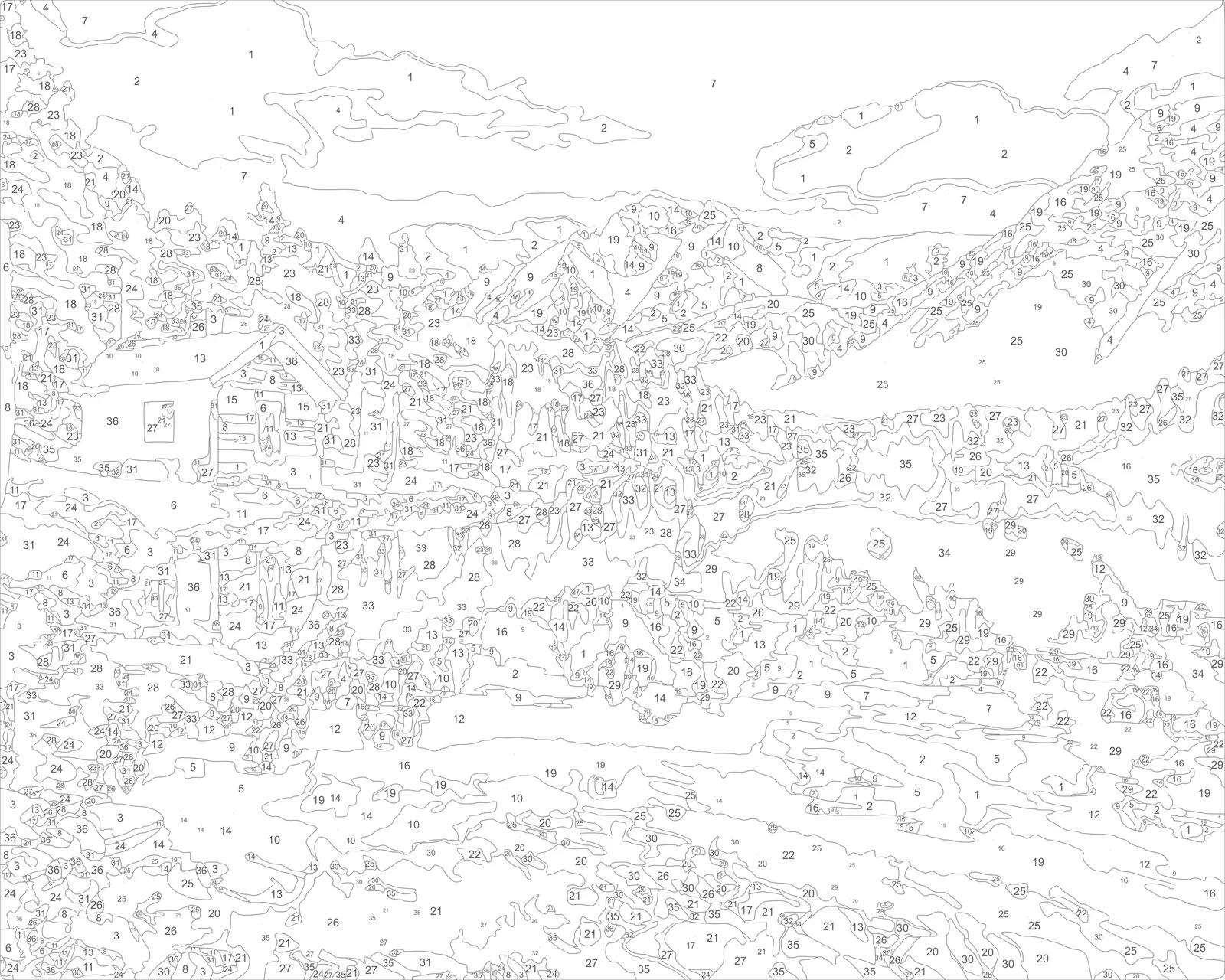
The numbered outline of the landscape

«The numbered outline of the landscape»

1,578 areas · high detail

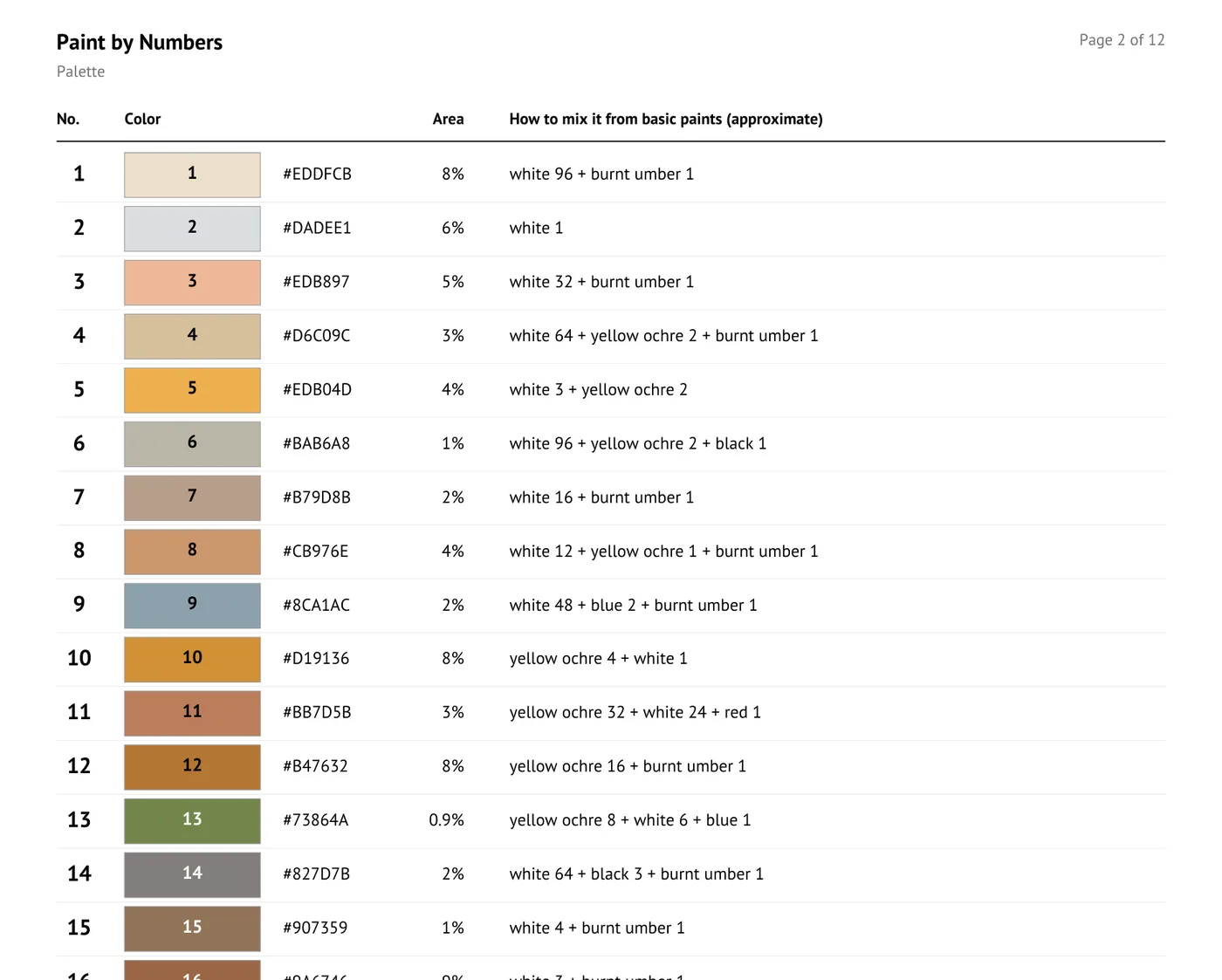
The palette page of the PDF: number, swatch, area and mixing hint

«The palette page of the PDF: number, swatch, area and mixing hint»

PDF · palette

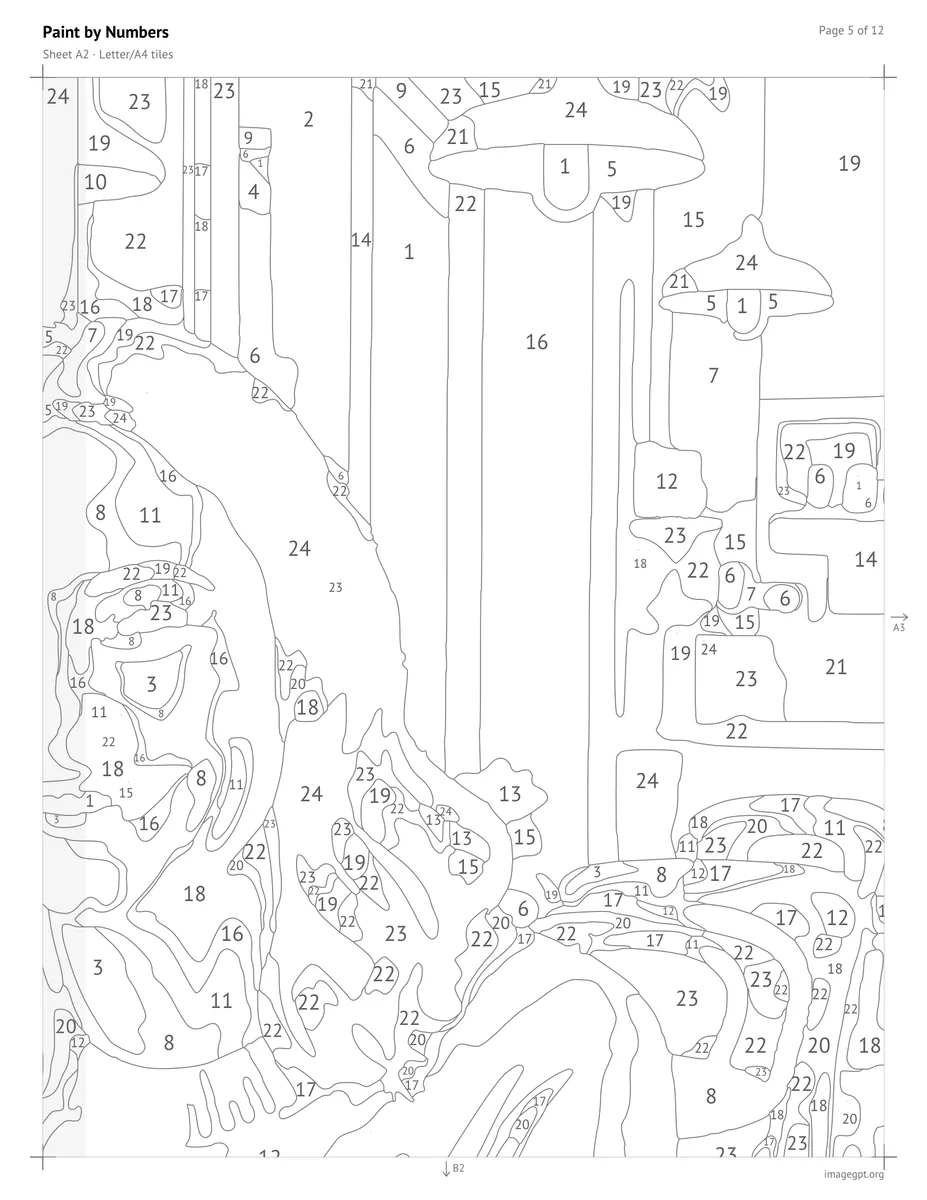
A page of the PDF: one tile of the outline with overlap strip and marks

«A page of the PDF: one tile of the outline with overlap strip and marks»

PDF · home printing

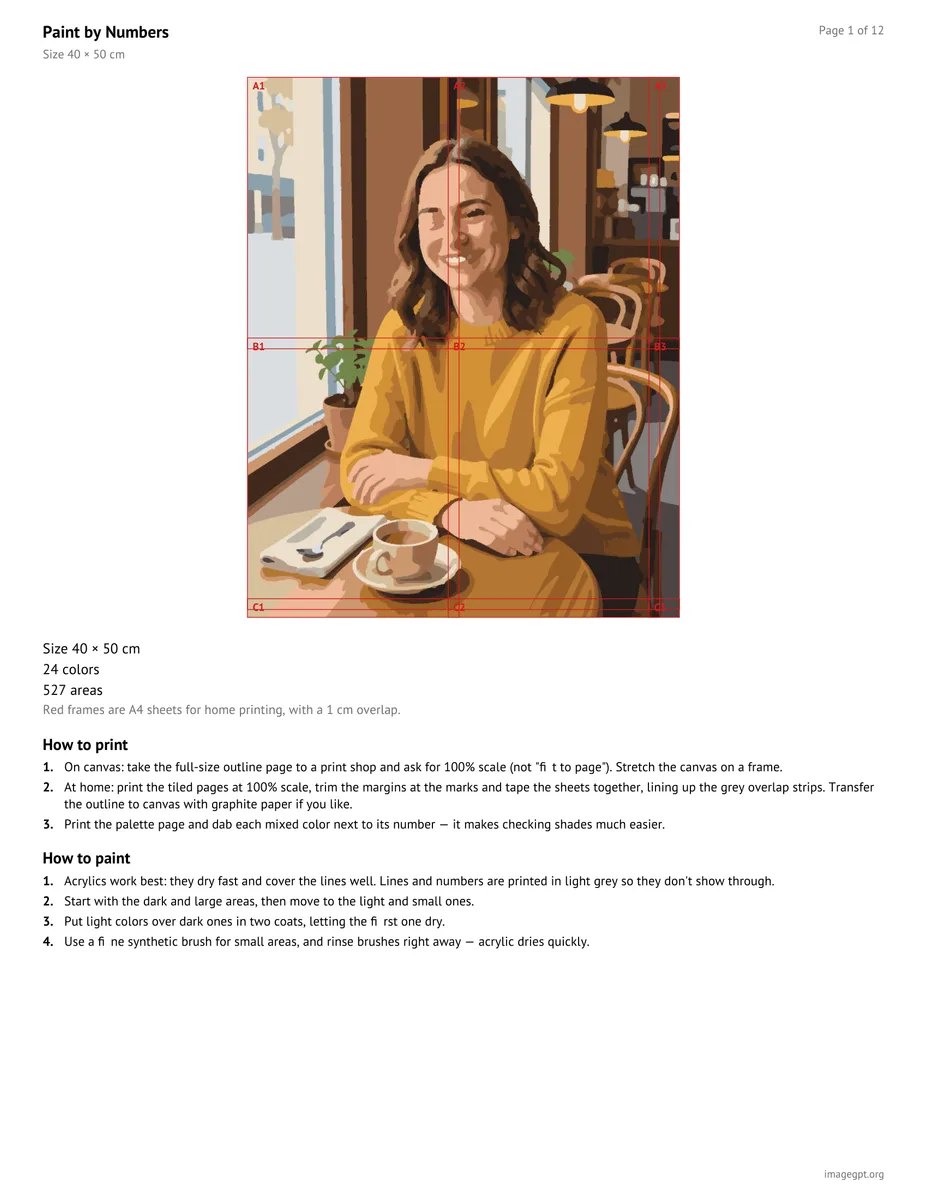
The first page of the PDF: preview, size, printing and painting tips

«The first page of the PDF: preview, size, printing and painting tips»

PDF · 12 pages

II

Custom paint-by-numbers kits made from your own photo usually mean ordering online and waiting for a canvas in the mail. This tool builds the pattern in seconds, right in your browser, and lets you rebuild it as often as you like — try a different number of colors, size or level of detail until it looks right.

It picks a palette of 12, 24 or 36 colors, splits the picture into areas, merges the ones too small to paint, traces clean outlines and places each number in the roomiest spot of its area. Sizes are 30 × 40 cm (about 12 × 16 in), 40 × 50 cm (about 16 × 20 in), A4 and A3, and the numbers are sized to stay readable on that canvas.

For portraits and pets there's an optional AI prep step. It repaints the photo as clean patches of flat color while keeping the eyes, facial features and likeness, so the pattern comes out with far fewer ragged little areas on skin and fur. The prep is the only paid part, charged once per photo; everything else is free.

The PDF opens with a preview and tips, then the color key: a swatch for every number, how much of the picture it covers and a hint for mixing it from eight basic acrylics. Next comes the outline at full size for a print shop, and the same outline split into Letter/A4 sheets with a 1 cm overlap and alignment marks for printing at home. The outline is also available as an SVG.

III

What you get

01

Numbered outline

Each number in the roomiest spot of its area

02

12, 24 or 36 colors

Plus three levels of detail

03

Four sizes

12 × 16 in, 16 × 20 in, A4 and A3

04

Mixing hints

From eight basic acrylic paints

05

AI photo prep

Clean color patches, sharp facial features

06

PDF and SVG

Full size for print shops, tiles for home

IV

Great for

Gifts

A portrait they get to paint themselves

Pets

Your dog or cat on a 12 × 16 canvas

Travel memories

That view from your last trip

Paint nights

Patterns for classes and parties

V

How to make paint by numbers from a photo

01

Upload a photo

A portrait, a pet or a landscape

02

Pick size and colors

The pattern builds in seconds

03

Download the PDF

Color key, outline and printable sheets

VI

Photos that work well

See what you can create — try it yourself

Prompt

«A portrait in daylight»

Result

AI prep, 24 colors, 16 × 20 in

Prompt

«A dog on a plain background»

Result

24 colors, medium detail, 12 × 16 in

Prompt

«Mountains and a lake»

Result

36 colors, high detail

Prompt

«A close-up of flowers»

Result

12 colors, an easy pattern for beginners

VII

Pricing

Pay only for results — no subscription

All plans →
Model / operationCredits
  • Pattern, color key, PDF and SVG0 cr.
  • AI photo prep · once per photo6 cr.

Credit packs: 150 credits for $5, 350 credits for $12, 1250 credits for $35.

VIII

Paint by numbers FAQ

How do I make a paint by numbers from my own photo?+

Upload a photo, choose a size, the number of colors and the level of detail, then click Create pattern. In a few seconds you'll see the numbered outline, a preview of the finished painting and the color key. Download the PDF.

How do I get the pattern onto a canvas?+

The PDF has a page with the outline at full size — take it to a print shop and ask for 100% scale on canvas or heavy paper. At home, print the Letter/A4 sheets at 100%, trim them along the marks, tape them together using the grey overlap strips and transfer the outline with graphite paper.

Which paints do I need?+

Acrylics work best: they dry fast and cover the lines well. Each number in the color key has a swatch and a hint for mixing it from eight basics — white, black, yellow, red, blue, green, yellow ochre and burnt umber. The ratios are a starting point: mix a little, compare with the swatch and adjust, or simply pick ready-made paints in similar shades.

Why use the AI photo prep?+

Regular photos are full of noise and soft gradients, which turn skin and fur into lots of tiny, ragged areas. The AI repaints the photo as clean patches of color while keeping the eyes, features and likeness, so the pattern is much tidier. Landscapes and simple pictures often don't need it.

How many colors should I choose?+

12 makes an easy pattern for beginners and kids, 24 is the sweet spot for portraits and pets, and 36 suits landscapes with smooth transitions. More detail means more small areas and a longer paint.

How much does it cost?+

The pattern, color key, PDF and SVG are free, as many times as you like. The AI photo prep is 6 credits once per photo, shown before you start. New accounts get 6 free credits.

Try for free

Sign up for free and get 6 credits right away. No card required.