
ImageGPTImageGPT

For engineers and sourcing teams

Translate Engineering Drawings on the Sheet

Turn a Chinese, German or Russian drawing into English without moving a line or dimension.

6 free credits on sign up

I

Original and translation

Real outputs of the model: the request and what came out, with no retouching

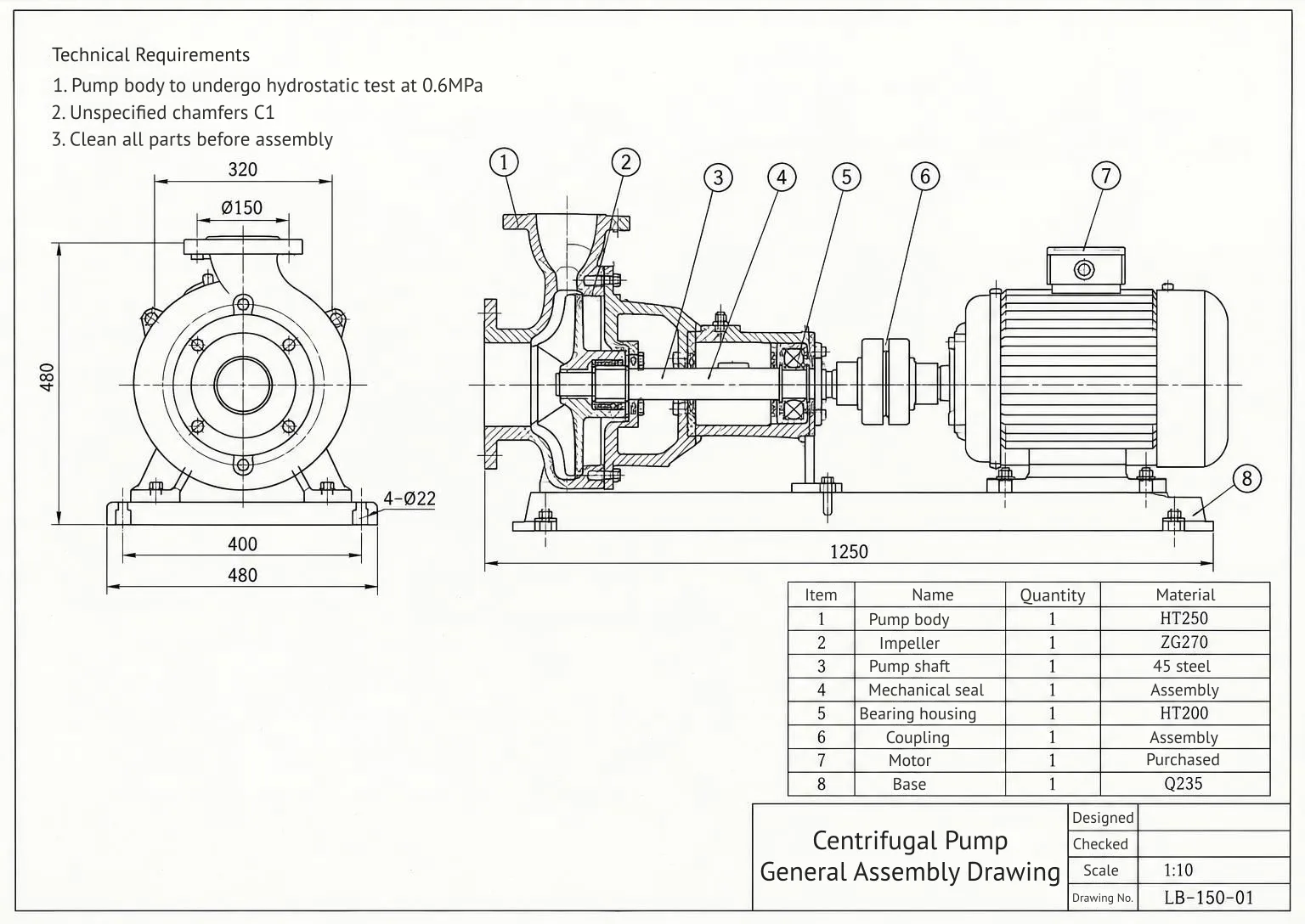
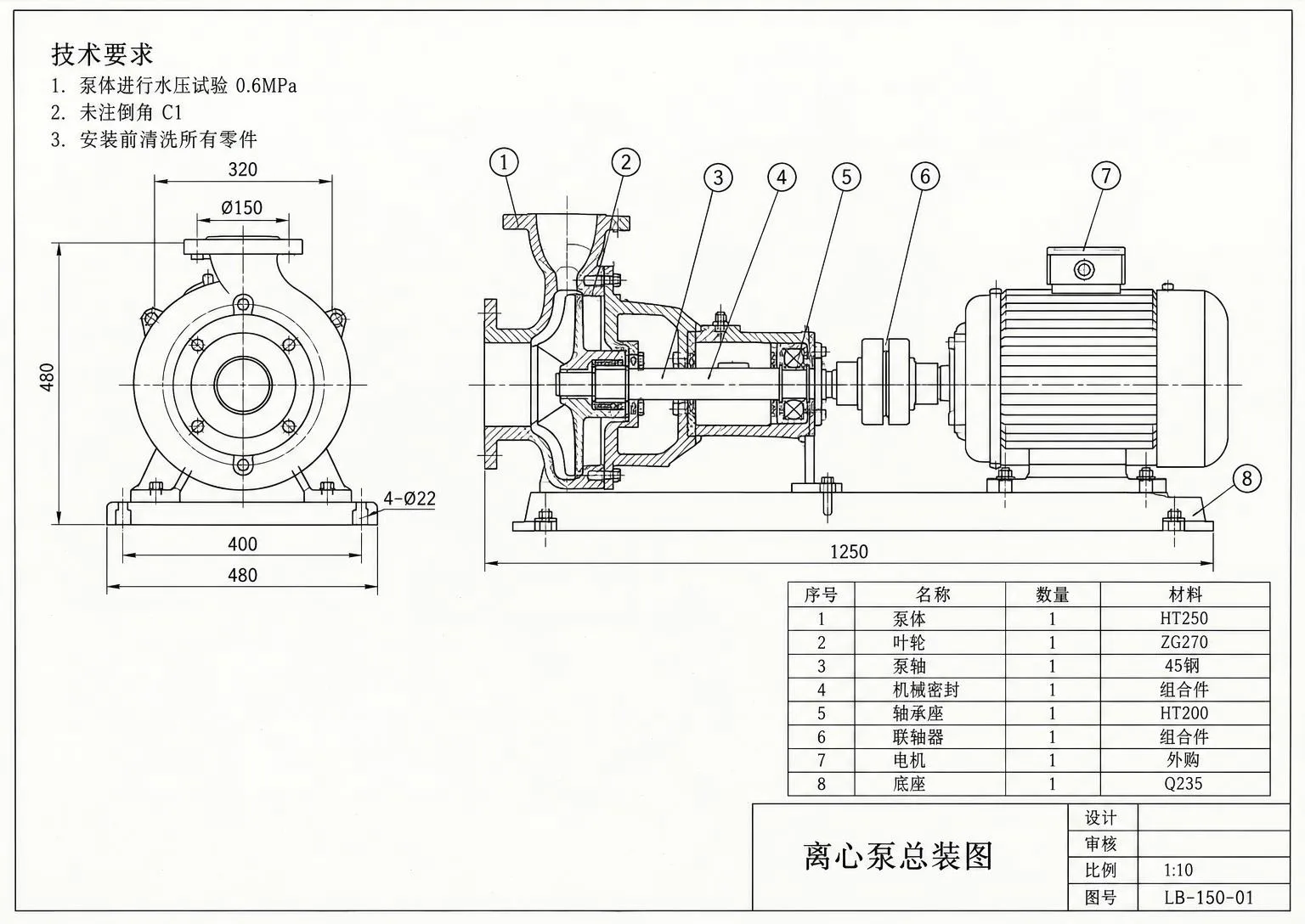
Pump assembly drawing: Chinese → EnglishBeforeBeforeAfter

«Pump assembly drawing: Chinese → English»

Requirements, parts list, title block · Gemini 3.1 Pro

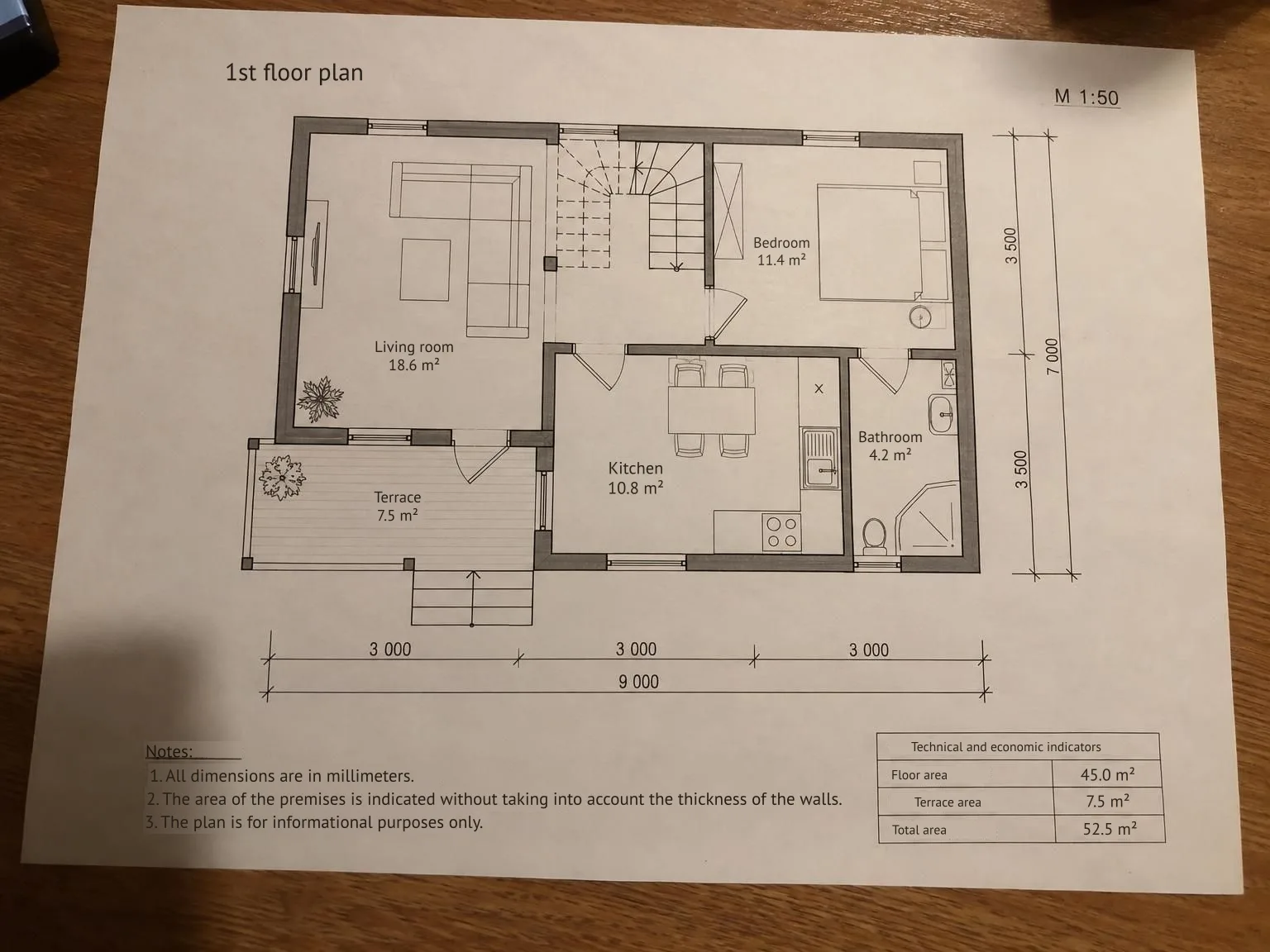
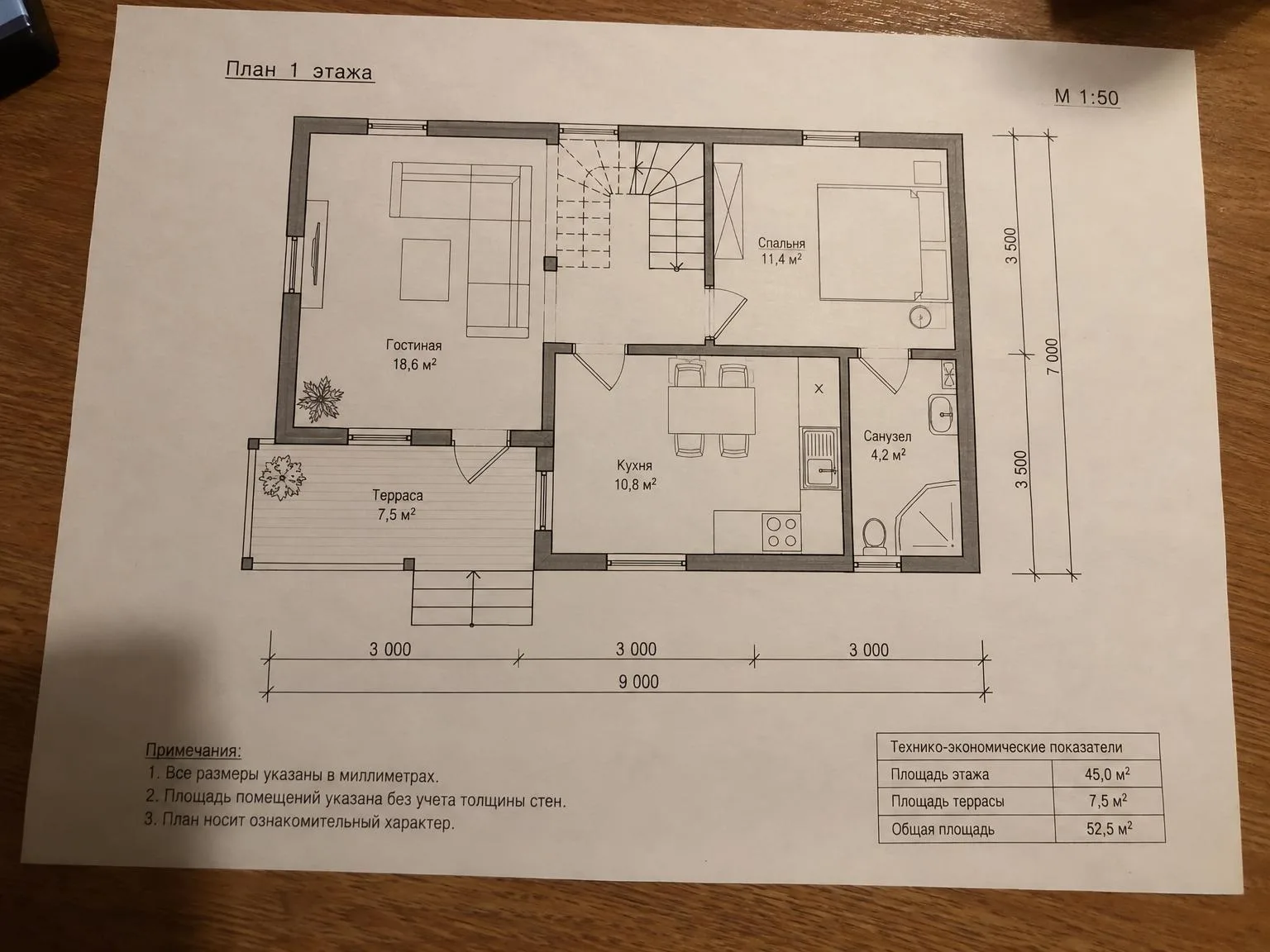
Photo of a floor plan: Russian → EnglishBeforeBeforeAfter

«Photo of a floor plan: Russian → English»

Rooms, notes, project data · Gemini 3.1 Pro

II

Equipment from China, Germany or Turkey often comes with drawings in the manufacturer's language. The usual workaround is a separate translation and a lot of switching between documents to figure out what each item means. General image translators don't understand parts lists or technical requirements, and translated text can spill across tables.

ImageGPT puts the translation on the drawing itself. Gemini 3.1 Pro reads each label in context and at its position — including technical requirements, callouts, table headers, parts list entries and the title block. It then removes the original text and fits the translation into the same space, wrapping longer text onto additional lines when needed.

Everything that isn't text stays in place: lines, dimensions, material grades such as HT250 and Q235, item numbers and the scale. Download the translated sheet as PNG and PDF, along with an Excel glossary pairing each original label with its translation. Use it to review terminology or check the next drawing from the same supplier.

Large sheets with small print are read in four parts so labels aren't skipped. Translate from any language into a language written in Latin or Cyrillic script, including English, German, French, Spanish, Italian, Portuguese, Polish, Turkish, Czech, Dutch, Russian, Ukrainian, Kazakh and Uzbek.

III

What gets translated

01

Technical requirements

Notes and assembly instructions

02

Parts list

Every entry, row by row

03

Callouts and title block

View labels, drawing title and fields

04

Lines untouched

Dimensions, grades and item numbers stay

05

Excel glossary

Each original label paired with its translation

06

Large sheets

Read in parts so small print isn't missed

IV

Who it's for

Plant engineers

Read Chinese equipment drawings in English

Sourcing and import

Understand a parts list before ordering spares

Design firms

Translate sheets for an international client

Service and repair

Read assembly drawings in your language

V

How to translate a drawing

01

Upload the drawing

Use a scan, photo or PDF page

02

Pick the language

The source language is detected automatically

03

Download sheet and glossary

Get a translated PNG and PDF, plus an Excel list of labels

VI

Typical jobs

See what you can create — try it yourself

Prompt

«Chinese pump assembly drawing → English»

Result

Requirements, parts list and title block in English

Prompt

«German machine schematic → English»

Result

Component labels and the data table in English

Prompt

«Our floor plan → Spanish for a client»

Result

Room names and notes in Spanish

VII

Pricing

Pay only for results — no subscription

All plans →
Model / operationCredits
  • Sheet up to 2400 px on the long side4 cr.
  • Large sheet, read in four parts16 cr.

Credit packs: 150 credits for $5, 350 credits for $12, 1250 credits for $35.

VIII

FAQ

Which languages can it translate from?+

Any language the AI reads, including Chinese, Japanese, Korean, German, Russian and Turkish. The source language is detected automatically.

Why can't I translate into every language?+

Translations are typeset onto the drawing using a font that supports Latin and Cyrillic scripts. Target languages include English, major European languages, Russian, Ukrainian, Kazakh and Uzbek.

Will dimensions or grades change?+

The AI is instructed to leave numbers, dimensions, tolerances, material grades, item numbers and standards unchanged. Only words are translated; drawing lines are not redrawn.

Can I rely on the translation?+

The AI uses technical context and is accurate in most cases. Check key terms before sending a sheet to a client or the shop floor; the Excel glossary makes review easier.

What about seals and signatures?+

Round seals, signatures and handwritten marks are not translated. They remain as they appear on the original.

Where are my files kept?+

Each result and its downloads are saved in My works, so you can return for another format without uploading the drawing again.

How much does it cost?+

4 credits per sheet. If the long side exceeds 2400 pixels, the sheet is read in four parts for 16 credits. You'll see the price before you start, and you won't be charged if the translation fails.

Try for free

Sign up for free and get 6 credits right away. No card required.