
ImageGPTImageGPT

For agents

AI Real Estate Photo Enhancer

Professional-quality listing photos in a minute: bright rooms, true colors, straight lines — with the property unchanged.

6 free credits on sign up

I

Before and after

Real outputs of the model: the request and what came out, with no retouching

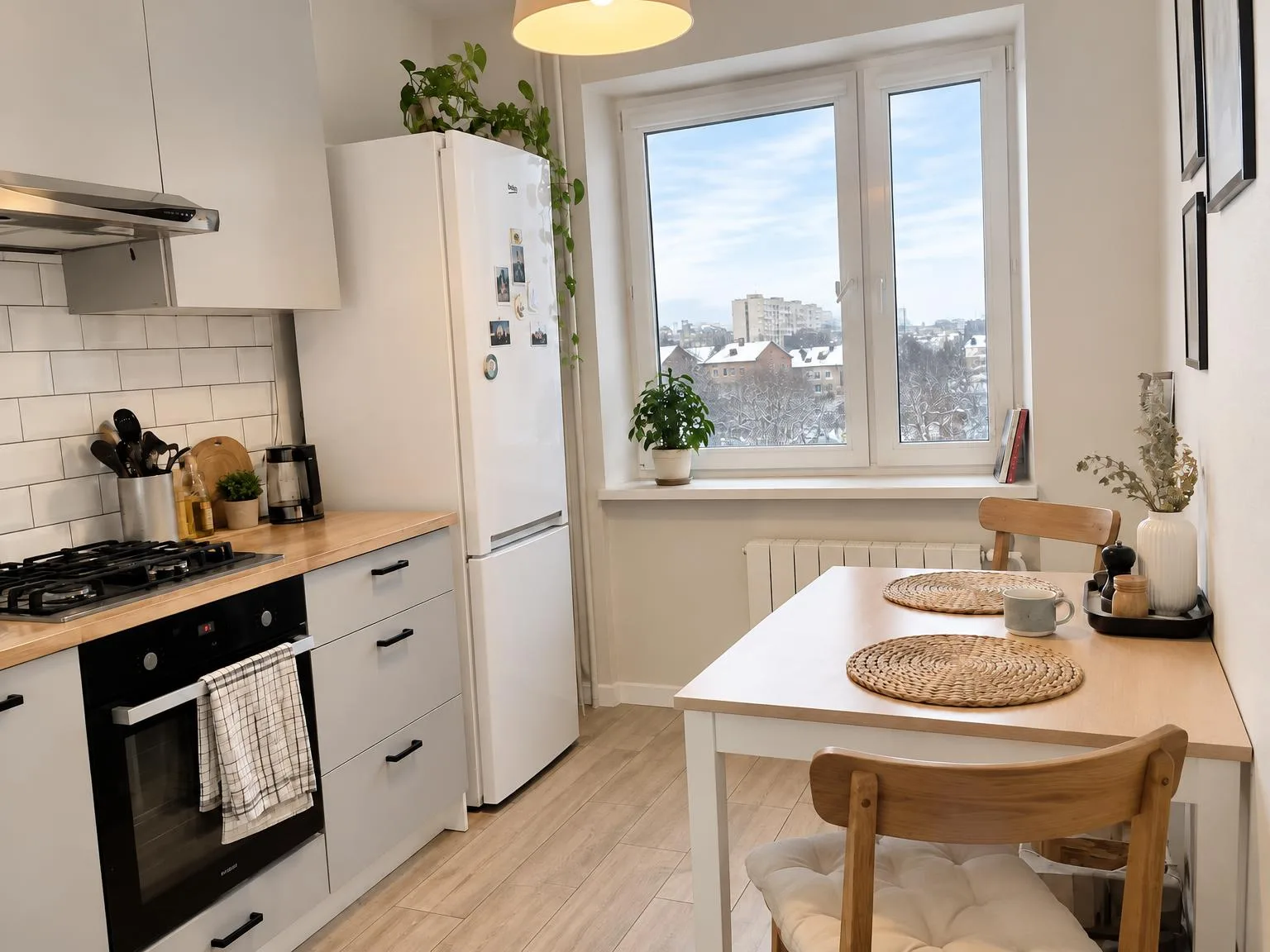
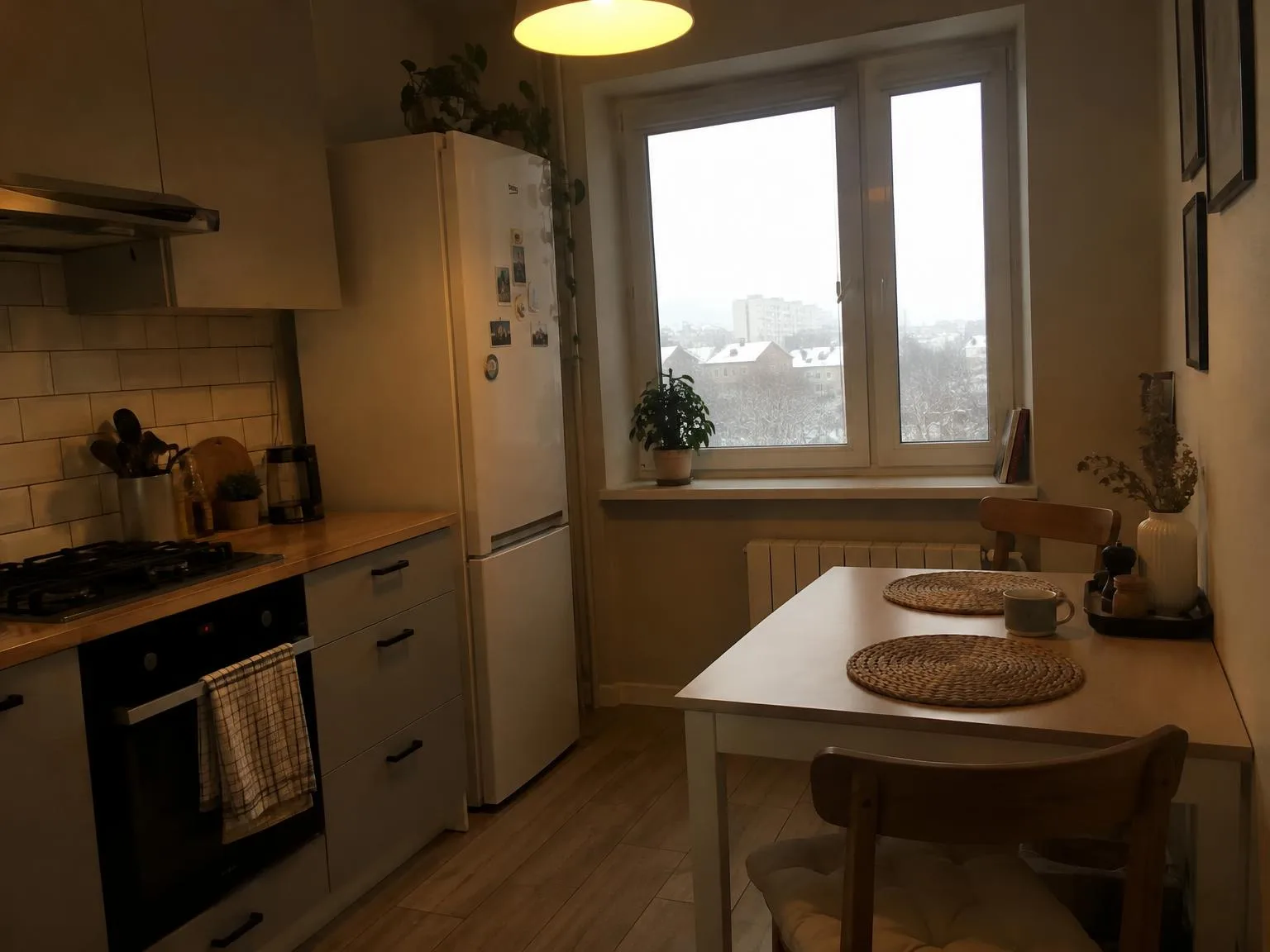
Dark yellow-tinted kitchen → bright, window view keptBeforeBeforeAfter

«Dark yellow-tinted kitchen → bright, window view kept»

Listing photo · Enhance · GPT Image 2.5

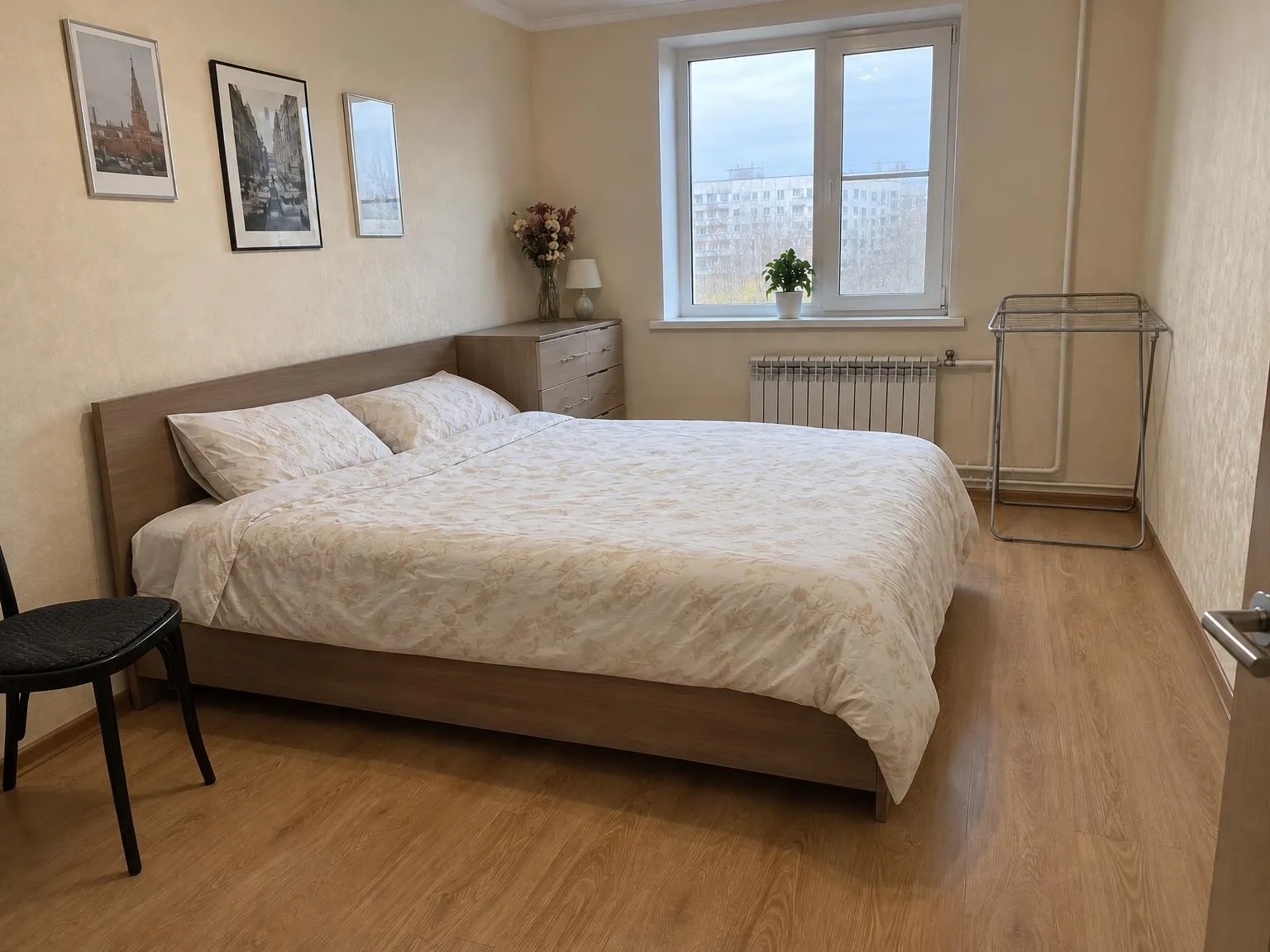
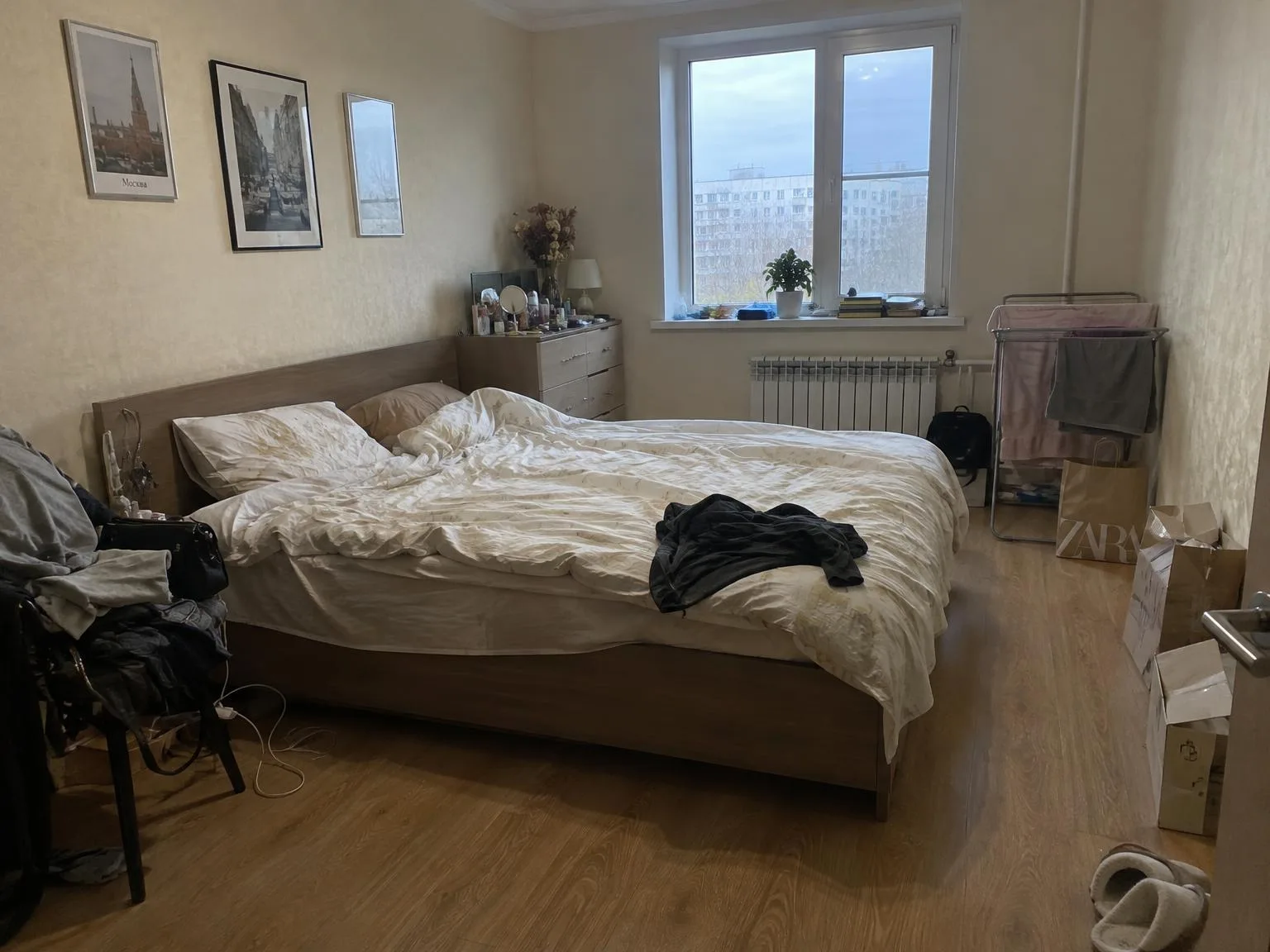
Bedroom with clothes and boxes → same room, clutter goneBeforeBeforeAfter

«Bedroom with clothes and boxes → same room, clutter gone»

Listing photo · Declutter · GPT Image 2.5

II

Most listing photos are snapped on a phone the day you get access to the property. The result? Dark corners, yellow lighting, blown-out windows, and leaning walls from wide-angle lenses. Even great homes get overlooked.

ImageGPT’s tool does one thing: it edits each photo as a professional real estate photographer would. Shadows are lifted while keeping the window view, color casts are removed, verticals are straightened, and details are sharpened. Think of it as HDR editing without the fake neon or halos.

The property itself stays untouched. The model is instructed not to alter walls, windows, furniture, finishes, or layout, add renovations, or hide defects. Upload up to 30 photos at once and get a consistent, polished set.

III

What it fixes

01

Light

Brightens dark corners, preserves window details

02

White balance

Removes yellow and blue color casts

03

Straight verticals

Walls and door frames are corrected

04

Window view

Windows stay clear, not washed out

05

30 photos per run

Edit your entire listing in one go

06

4K copy

Perfect for your website and print

IV

Who it's for

Listing agents

Get bright, professional photos without hiring a photographer

Short-term rentals

Show rooms as inviting as they are in person

FSBO sellers

Achieve agency-quality photos for your listing

V

How to enhance listing photos

01

Upload photos

Choose one or up to 30 photos for your listing

02

Add notes

For example, “warmer” or “keep the evening light”

03

Download the set

Compare before and after with a slider

VI

Typical photos

See what you can create — try it yourself

Prompt

«Kitchen at night under a yellow ceiling lamp»

Result

A bright kitchen with neutral colors

Prompt

«Living room shot against the window»

Result

The room is visible and so is the yard outside

Prompt

«Small bathroom on a wide-angle lens»

Result

Straight walls and clean tile colors

VII

Pricing

Pay only for results — no subscription

All plans →
Model / operationCredits
  • One photo6 cr.
  • A series of 30 photos180 cr.
  • 4K copy, per photo2 cr.

Credit packs: 150 credits for $5, 350 credits for $12, 1250 credits for $35.

VIII

FAQ

How is this different from a phone filter?+

A filter changes the whole image the same way. The AI edits like a pro: it brightens shadows, keeps the window view, corrects perspective, and removes color casts from lights.

Will the property change?+

No. The model is instructed to keep walls, windows, finishes, furniture, the view, and the camera unchanged, add no renovations, and hide no defects. Only light, color, and sharpness are adjusted. Please follow your MLS rules on photo editing.

Can I also declutter or replace the sky?+

Yes, with our related tools: Declutter Room Photo, Sky Replacement, Virtual Twilight, and Winter to Summer. You can send any result directly into them.

Can I use the pictures commercially?+

Yes. You can use your enhanced images in listings, on your website, in catalogs, ads, and client proposals. No watermarks or attribution required.

How much does it cost?+

6 credits per picture; a series of 30 photos is 180 credits. A 4K copy (3840 px on the long side) adds 2 credits per picture. Credits for pictures that fail are refunded.

Try for free

Sign up for free and get 6 credits right away. No card required.